
1. Introduction
This manual provides essential information for the safe and effective installation, operation, and maintenance of the NEUTRIK NAC3MP-HC 32A AC PowerCON Connector. The NAC3MP-HC is a robust, panel-mount power-in connector designed for high current applications, featuring screw terminals for secure wiring.
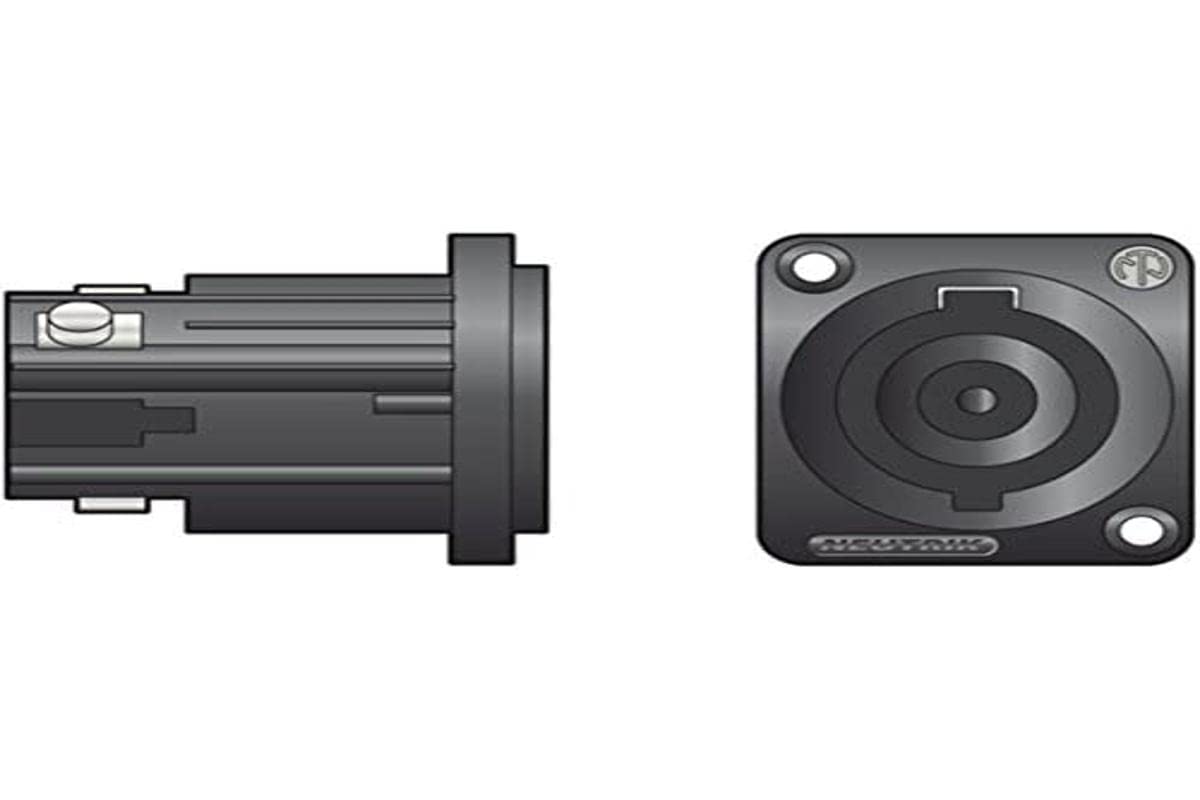
Figure 1: NEUTRIK NAC3MP-HC connector, showing its side profile with screw terminals and its front panel-mount view with the powerCON interface.
2. Setup and Installation
Proper installation is crucial for the safe and reliable operation of the NAC3MP-HC connector. Always ensure power is disconnected before beginning any installation work.
2.1 Safety Precautions
- Ensure all power sources are disconnected before installation.
- Only qualified personnel should perform electrical installations.
- Adhere to all local and national electrical codes.
- Use appropriate personal protective equipment (PPE).
2.2 Installation Steps
- Panel Mounting: Cut a suitable mounting hole in the equipment panel according to the connector's dimensions. Secure the NAC3MP-HC connector to the panel using appropriate screws through the designated mounting holes. Ensure a snug fit to prevent movement.
- Wire Preparation: Strip approximately 7-8mm of insulation from the ends of the power cables. Ensure the wire strands are clean and untwisted.
- Wiring Connections: The NAC3MP-HC features 3 screw terminals. Connect the Live, Neutral, and Ground wires to their respective terminals. Refer to the connector's markings for correct terminal identification. Ensure all wire strands are fully inserted into the terminal block before tightening the screws.
- Secure Connections: Tighten the screw terminals firmly to ensure a secure electrical connection. Avoid over-tightening, which can damage the terminals, or under-tightening, which can lead to intermittent connections or overheating.
- Verification: After wiring, visually inspect all connections to confirm they are correct and secure.
3. Operation
The NEUTRIK NAC3MP-HC connector is designed for straightforward operation once installed.
- Connecting: Align the mating powerCON cable connector with the NAC3MP-HC panel connector. Insert the cable connector and twist clockwise until it locks securely into place. A distinct click indicates a proper connection.
- Disconnecting: To disconnect, press the release tab on the cable connector and twist counter-clockwise, then pull the connector straight out. Never pull directly on the cable without releasing the lock.
4. Maintenance
Regular maintenance ensures the longevity and reliable performance of your NAC3MP-HC connector.
- Cleaning: Periodically clean the connector's exterior with a dry, lint-free cloth. Avoid using abrasive cleaners or solvents. Ensure no dust or debris accumulates in the contact area.
- Inspection: Regularly inspect the connector for any signs of physical damage, such as cracks, bent pins, or loose mounting. Check the screw terminals for tightness, especially after initial installation and during routine maintenance checks.
- Environmental Conditions: Ensure the connector is used within its specified environmental conditions to prevent premature wear or failure.
5. Troubleshooting
If you encounter issues with your NAC3MP-HC connector, consider the following common troubleshooting steps:
- No Power: Verify that the power source is active. Check all wiring connections at the screw terminals for tightness and correct polarity. Ensure the mating cable connector is fully inserted and locked.
- Intermittent Connection: This often indicates loose wiring or a damaged cable. Disconnect power, re-check all screw terminal connections, and inspect the mating cable connector for damage.
- Difficulty Connecting/Disconnecting: Ensure the mating cable connector is aligned correctly. Check for any obstructions or damage to the locking mechanism on both the panel and cable connectors. Do not force connections.
6. Specifications
Key technical specifications for the NEUTRIK NAC3MP-HC connector:
| Feature | Specification |
|---|---|
| Model Number | NAC3MP-HC |
| Manufacturer | NEUTRIK |
| Connector Type | AC Power Entry, Panel Mount |
| Current Rating | 32A |
| Voltage Rating | 250VAC |
| Number of Contacts | 3 |
| Contact Termination | Screw Terminal |
| Color | Black |
| Contact Material | Brass |
| Insulation Material | Nylon |
7. Warranty and Support
For specific warranty information and technical support regarding your NEUTRIK NAC3MP-HC connector, please refer to the official NEUTRIK website or contact your authorized NEUTRIK distributor. Keep your purchase receipt as proof of purchase.


