
Introduction
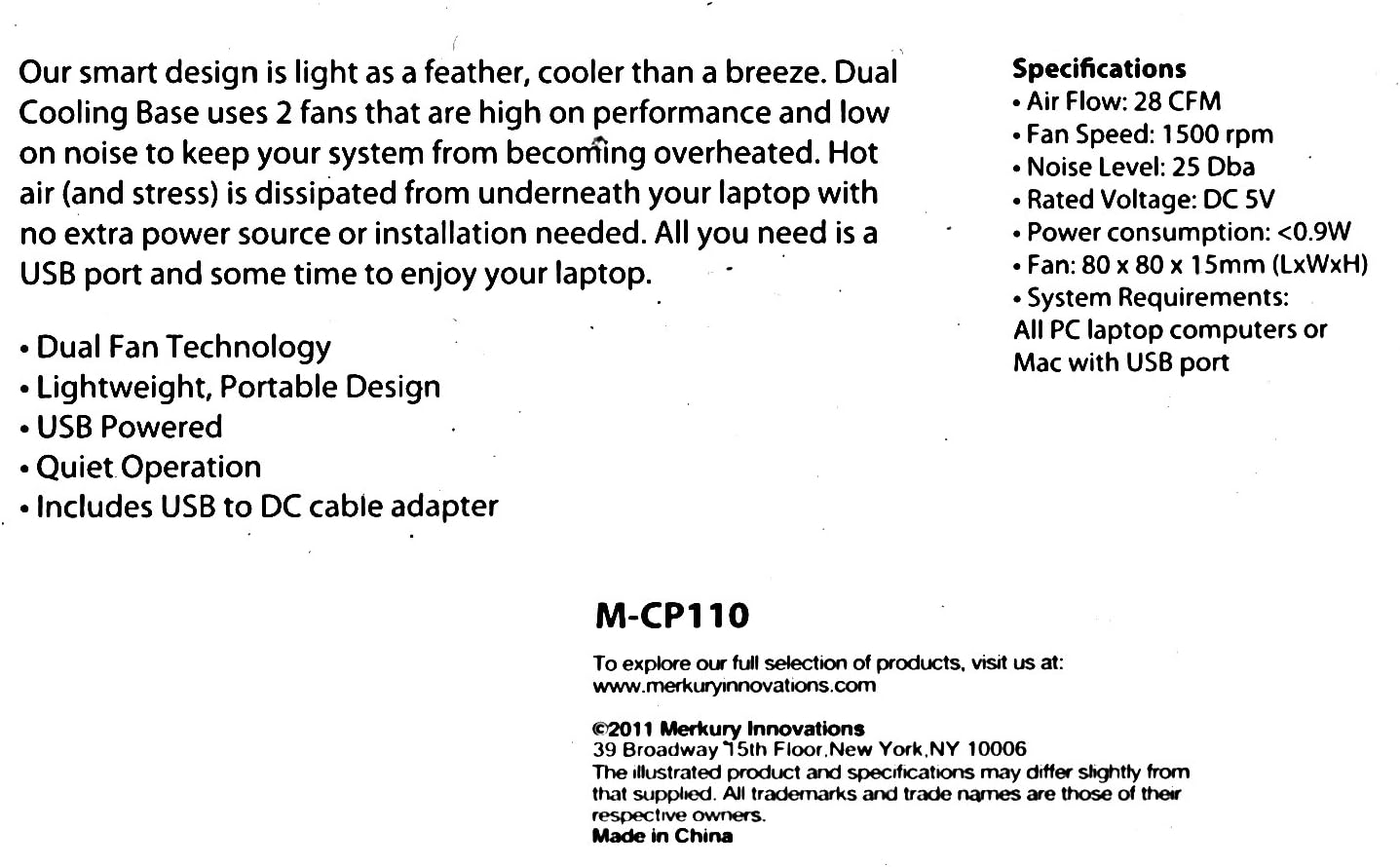
The Merkury Innovations M-CP110 Cooling Base is designed to keep your laptop's temperature controlled, preventing overheating and enhancing performance. This lightweight and portable cooling solution connects easily to your computer's USB port, requiring no additional power source or complex installation. It features dual fans for efficient heat dissipation, ensuring a stable operating environment for your device.
Features
- Dual Fan Technology: Equipped with two fans for effective heat dissipation.
- Lightweight, Portable Design: Easy to carry and use on the go.
- USB Powered: Draws power directly from your laptop's USB port, eliminating the need for an external power adapter.
- Quiet Operation: Designed to run with minimal noise.
- Includes USB to DC Cable Adapter: Provides convenient connectivity.
Product Overview

Top-down view of the Merkury Innovations M-CP110 Laptop Cooling Base, highlighting its compact and functional design.
Angled view of the cooling base, illustrating its slim profile and the position of the cooling fans.
Setup Instructions
- Position the Cooling Base: Place the Merkury Innovations M-CP110 Cooling Base on a flat, stable surface where you intend to use your laptop.
- Place Your Laptop: Carefully position your laptop securely on top of the cooling base, ensuring it is centered over the fan areas for optimal cooling.
- Connect the Cable: Take the included USB to DC cable adapter. Connect the DC plug end into the power input port on the cooling base.
- Connect to Laptop: Insert the USB-A end of the cable into an available USB port on your laptop. The cooling base fans will automatically begin to operate once a powered USB connection is established.

The included USB to DC cable adapter, essential for connecting the cooling base to your laptop's USB port.
Operating Instructions
The Merkury Innovations M-CP110 Cooling Base is designed for simple plug-and-play operation. Once connected to a powered USB port on your laptop, the fans will activate automatically. There are no additional buttons or software required for operation. To turn off the cooling base, simply disconnect the USB cable from your laptop.
Maintenance
To ensure optimal performance and longevity of your cooling base, follow these simple maintenance guidelines:
- Keep Vents Clear: Regularly check that the fan vents are free from dust, lint, and other debris. Blocked vents can reduce cooling efficiency.
- Cleaning: Use a soft, dry cloth or a can of compressed air to gently clean the fan blades and grilles periodically. Do not use liquid cleaners directly on the device.
- Avoid Obstructions: Do not place the cooling base on soft surfaces (like bedding or thick carpets) that may obstruct airflow to the fans.
- Storage: When not in use, store the cooling base in a cool, dry place away from direct sunlight and extreme temperatures.
- Liquid Exposure: Do not expose the device to liquids or excessive moisture.
Troubleshooting
Common Issues and Solutions
- Fans not spinning:
Ensure the USB cable is securely connected to both the cooling base and a working USB port on your laptop. Try connecting the cable to a different USB port on your laptop to rule out a faulty port.
- Reduced cooling performance:
Check for any obstructions blocking the fan vents on the cooling base. Clean any accumulated dust or debris from the fans and grilles as described in the Maintenance section. Ensure your laptop's own vents are also clear.
- Unusual noise from fans:
Dust accumulation can sometimes cause fan noise. Clean the fans thoroughly. If the noise persists after cleaning, contact customer support for further assistance.
Specifications
Technical Specifications
- Air Flow: 28 CFM
- Fan Speed: 1500 rpm
- Noise Level: 25 dBa
- Rated Voltage: DC 5V
- Power Consumption: <0.9W
- Fan Size: 80 x 80 x 15mm (LxWxH)
- System Requirements: All PC laptop computers or Mac with USB port
- Item Weight: 16 ounces
- Color: BLACK
Warranty and Support
For product support, warranty information, or to explore the full selection of Merkury Innovations products, please visit the official website:
This product was manufactured by Merkury Innovations, located at 39 Broadway 15th Floor, New York, NY 10006. Product specifications are subject to change without prior notice. All trademarks and trade names mentioned are the property of their respective owners. Made in China.