
Velleman VLE4
Velleman Universal Fast Charger/Discharger for NiMH Batteries with LCD Display and USB Output
Model: VLE4
1. Introduction
This manual provides comprehensive instructions for the safe and efficient operation of your Velleman Universal Fast Charger/Discharger. Please read this manual thoroughly before using the device to ensure proper functionality and to prevent damage or injury.
The Velleman VLE4 is designed for charging and discharging various NiMH rechargeable batteries, featuring an intelligent charging process, multiple safety mechanisms, and a convenient USB output.
2. Product Overview
The Velleman VLE4 is a versatile battery charger and discharger equipped with an LCD display for monitoring the charging process and a USB output for charging external devices. Its compact design makes it suitable for both home and travel use.

Figure 2.1: Velleman VLE4 Universal Fast Charger/Discharger.
This image displays the Velleman VLE4 charger with its transparent blue lid open, revealing the four battery charging slots and the integrated LCD screen. The device is black with silver accents on the sides.
The charger supports various NiMH battery sizes, including AAA, AA, C, D, and 9V, offering independent charging for each slot.
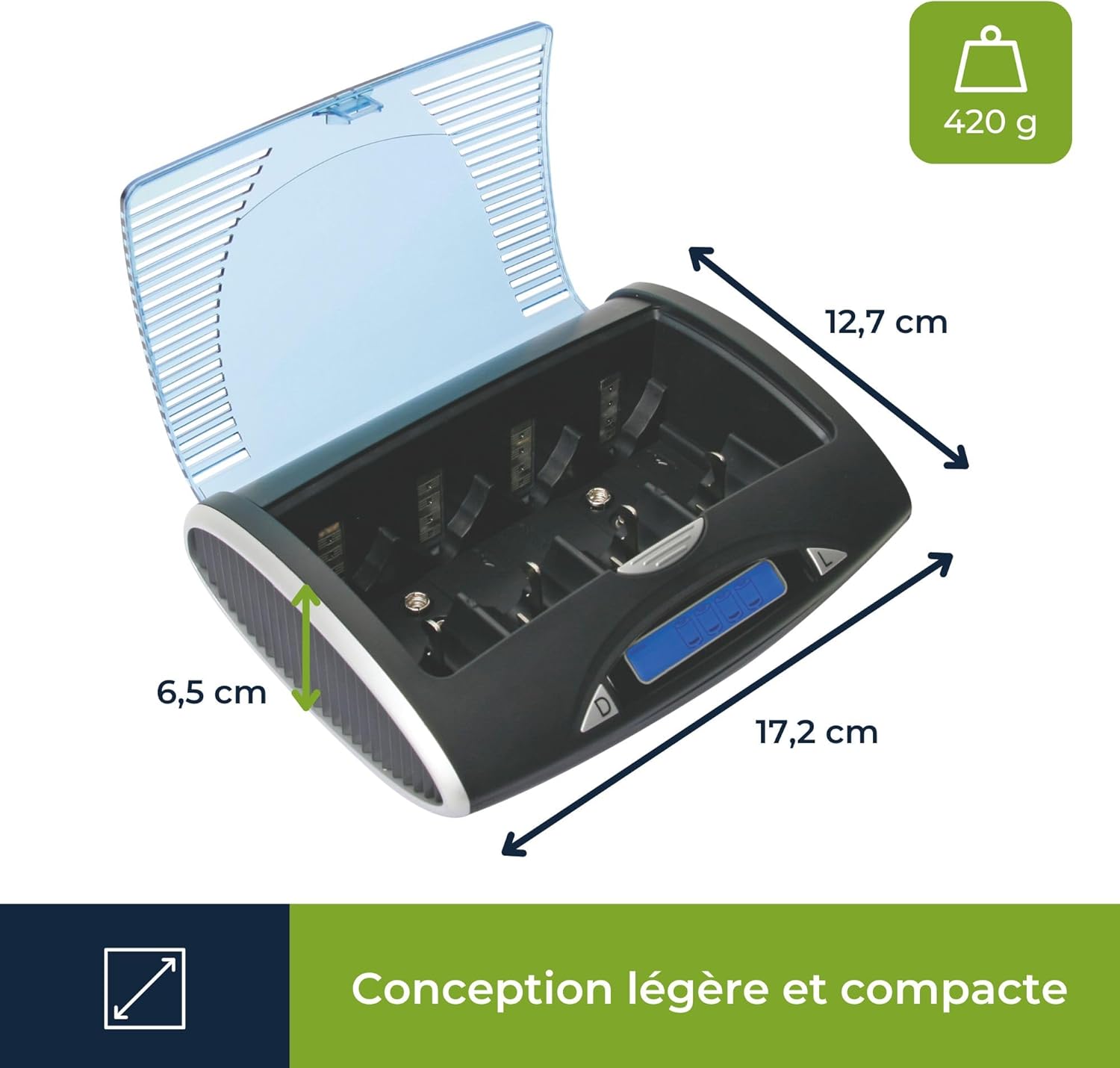
Figure 2.2: Velleman VLE4 Dimensions.
This image illustrates the compact dimensions of the Velleman VLE4 charger, showing its length (17.2 cm), width (12.7 cm), and height (6.5 cm), along with its lightweight design at 420 grams. This highlights its portability.
3. Key Features
- Versatile Compatibility: Charges a wide range of NiMH battery sizes including AAA, AA, C, D, and 9V. It can simultaneously and independently charge 1 to 4 NiMH batteries (AAA/AA/C/D type) or 1 to 2 9V NiMH batteries.
- Intelligent Charging Process: Equipped with microprocessor control and automatic charge current selection, ensuring an optimal charging process that extends battery life and increases efficiency.
- Optimal Safety Mechanisms: Features a built-in safety timer, reverse polarity protection, and negative delta V cut-off to prevent overcharging and other charging-related issues.
- Efficient Discharge Function: Includes a discharge function to 'refresh' batteries, reducing the memory effect and preserving battery capacity, especially important for NiMH batteries.
- Portable and Compact Design: Lightweight and compact dimensions make the charger easy to transport, ideal for use at home or on the go.
- USB Output: Provides a 5V USB output for charging external devices when batteries are absent or fully charged.
- LCD Display: Clear LCD screen provides real-time information on the charging status of each battery.

Figure 3.1: Key Features Overview.
This graphic emphasizes the charger's versatility, fast charging capability, and compact design, represented by a stylized battery with a lightning bolt.
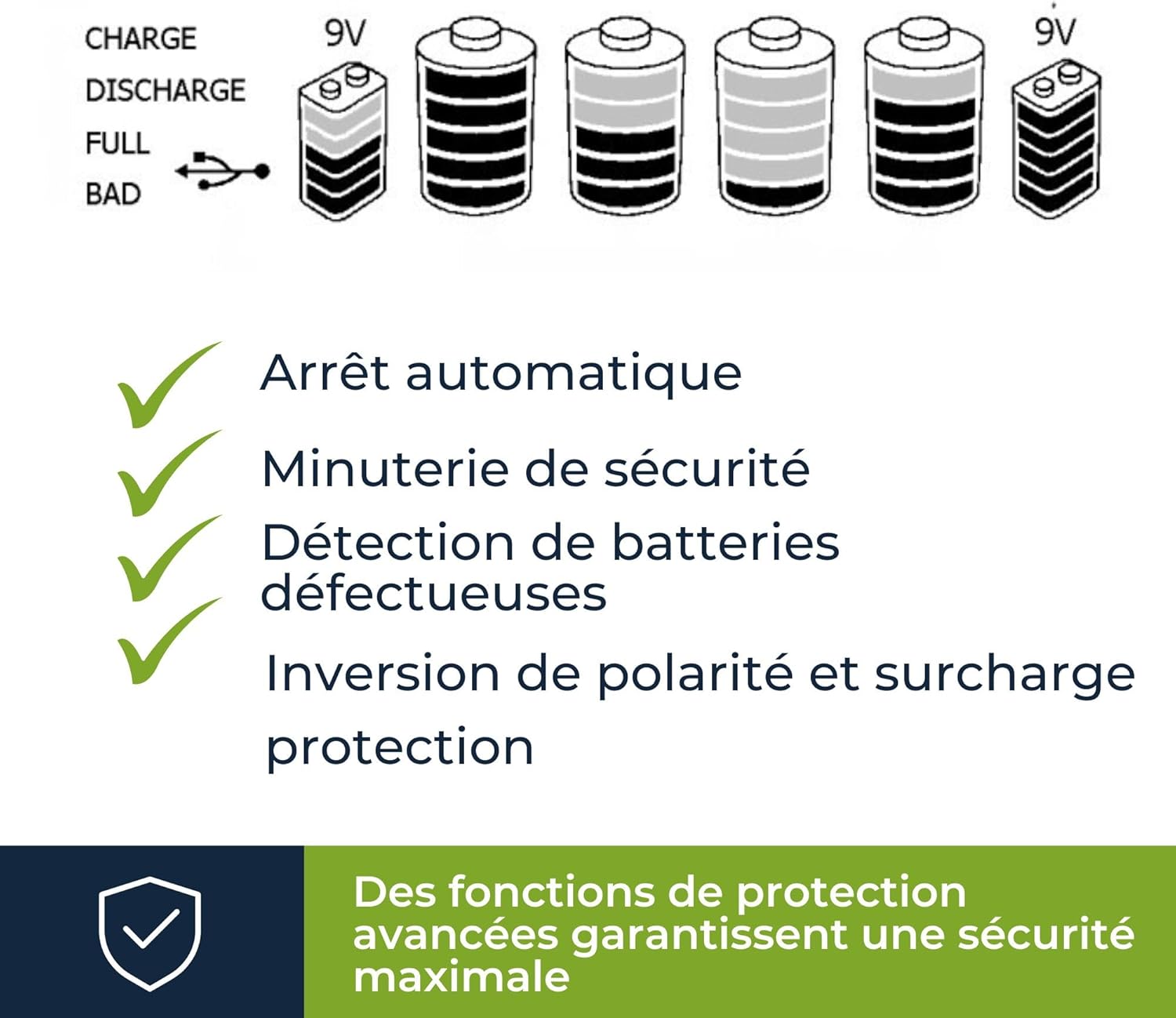
Figure 3.2: Advanced Protection Functions.
This image lists the advanced safety features of the charger, including automatic shut-off, a safety timer, detection for defective batteries, and protection against reverse polarity and overcharging, ensuring maximum safety during use.
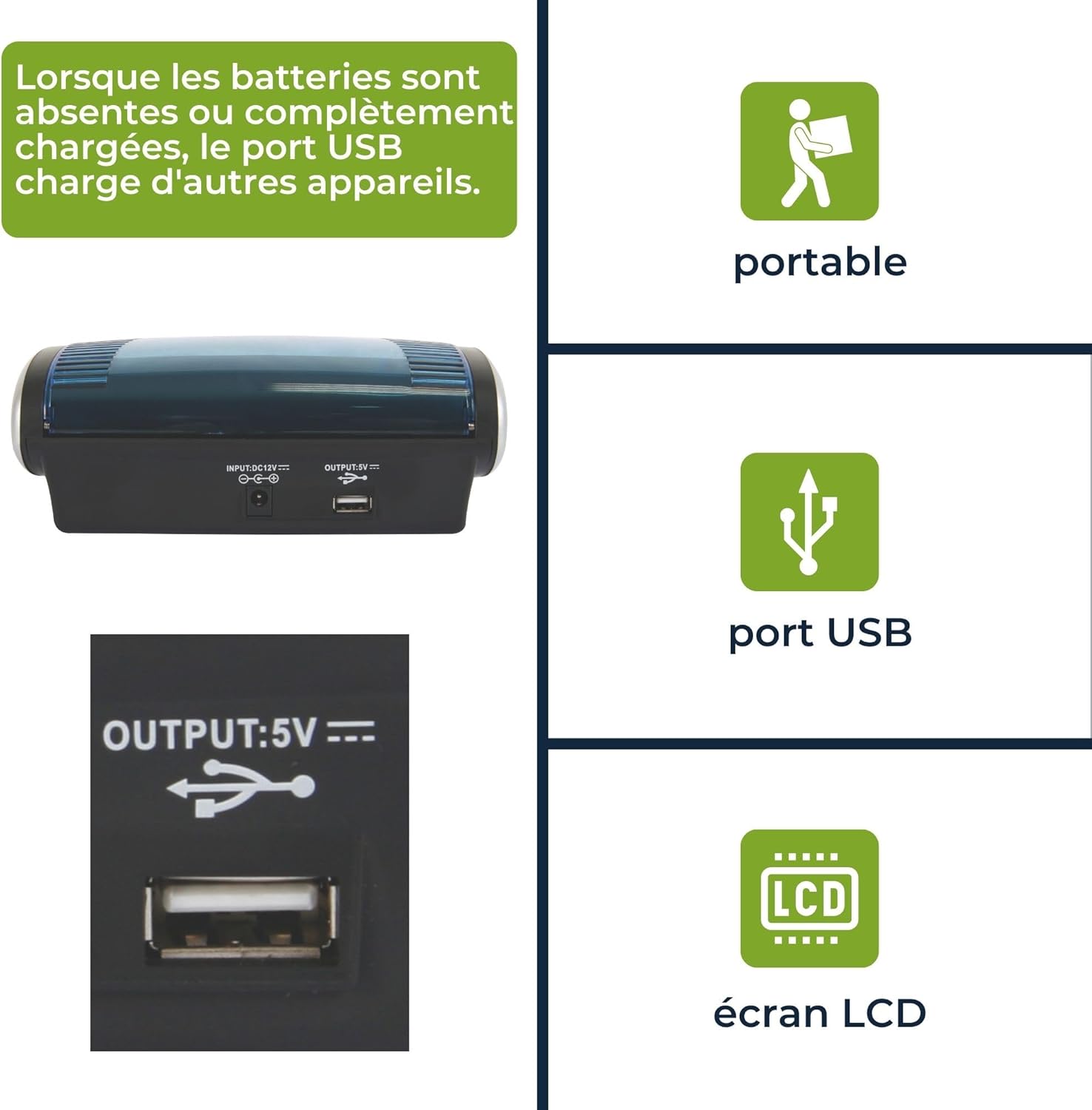
Figure 3.3: USB Output and Display.
This image focuses on the charger's USB output port, indicating its ability to charge other devices. It also visually highlights the charger's portability and the presence of an LCD screen for user feedback.
4. Setup
4.1 Unpacking and Inspection
- Carefully remove the charger from its packaging.
- Inspect the charger for any signs of damage during transit. Do not use the device if it appears damaged.
- Ensure all components are present: the Velleman VLE4 charger and its power adapter.
4.2 Power Connection
- Connect the power adapter to the DC input port on the back of the charger.
- Plug the power adapter into a suitable wall outlet (100-240V AC, 50/60Hz).
- The LCD display will illuminate, indicating the charger is ready for use.
5. Operating Instructions
5.1 Inserting Batteries
- Open the transparent lid of the charger.
- Insert NiMH batteries into the appropriate slots, ensuring correct polarity (+ and -). The charger supports AAA, AA, C, D, and 9V batteries.
- For AAA, AA, C, and D batteries, slide the adjustable contact to fit the battery size.
- For 9V batteries, insert them into the dedicated 9V slots.
- The charger can accommodate 1 to 4 AAA/AA/C/D batteries simultaneously and independently, or 1 to 2 9V batteries.
5.2 Charging Process
Once batteries are inserted correctly, the charger will automatically detect the battery type and begin the charging process. The LCD display will show the charging status for each slot.
- Charging Indication: The LCD display will show a charging icon or progress bar for each active slot.
- Full Charge Indication: When a battery is fully charged, the display will indicate "FULL" or a similar completion status for that slot. The charger will automatically stop charging to prevent overcharge.
- Defective Battery Detection: If a defective or non-rechargeable battery is inserted, the charger will display an error message (e.g., "BAD") and will not attempt to charge it. Remove such batteries immediately.

Figure 5.1: Supported Battery Types and Approximate Charging Times.
This image illustrates the various NiMH battery formats supported by the charger (AAA, AA, C, D, 9V) and provides approximate charging durations based on typical capacities for each type.
5.3 Discharge Function
The discharge function helps to reduce the memory effect in NiMH batteries, optimizing their performance and lifespan. To use the discharge function:
- Insert the NiMH battery you wish to discharge into a slot.
- Press the 'Discharge' button (if available, or follow automatic discharge cycle if applicable). Refer to the LCD display for discharge status.
- Once discharged, the charger will automatically switch to charging mode to fully recharge the battery.
5.4 USB Output Usage
The charger features a 5V USB output port, allowing you to charge compatible USB-powered devices.
- Ensure the charger is connected to power.
- Connect your USB device (e.g., smartphone, tablet) to the USB output port on the charger using a compatible USB cable.
- The USB output is active when batteries are absent from the charging slots or when the inserted batteries are fully charged.
6. Maintenance
6.1 Cleaning
- Always disconnect the charger from the power outlet before cleaning.
- Use a soft, dry cloth to wipe the exterior of the charger.
- Do not use abrasive cleaners, solvents, or harsh chemicals, as these may damage the surface.
- Keep the battery contacts clean and free of dust or debris to ensure optimal connection.
6.2 Storage
- Store the charger in a cool, dry place away from direct sunlight and extreme temperatures.
- Ensure no batteries are left in the charging slots during storage.
- Keep the charger away from moisture and corrosive materials.
7. Troubleshooting
| Problem | Possible Cause | Solution |
|---|---|---|
| Charger not powering on. | No power connection; faulty adapter or outlet. | Ensure the power adapter is securely connected to the charger and a working wall outlet. Test the outlet with another device. |
| Battery not charging / "BAD" displayed. | Incorrect battery type (not NiMH); incorrect polarity; defective battery; poor contact. | Verify the battery is NiMH and inserted with correct polarity. Clean battery contacts. Replace defective batteries. |
| Charging takes too long. | Battery capacity is very high; battery is deeply discharged; charger operating in discharge mode. | Refer to the approximate charging times in Section 5.2. Ensure the charger is in charging mode. Consider using the discharge function to refresh old batteries. |
| USB output not working. | No power to charger; batteries in slots are not fully charged or absent. | Ensure the charger is powered. The USB output functions best when no batteries are charging or when all inserted batteries are fully charged. |
If the problem persists after attempting these solutions, please contact Velleman customer support for further assistance.
8. Specifications
| Attribute | Detail |
|---|---|
| Brand | Velleman |
| Model Number | VLE4 |
| Color | Black |
| Compatible Battery Types | NiMH (AAA, AA, C, D, 9V) |
| Input Voltage | (Typically 100-240V AC, 50/60Hz - not explicitly in JSON, but standard for chargers) |
| USB Output | 5V (current not specified in JSON) |
| Dimensions (Approx.) | 17.2 cm (Length) x 12.7 cm (Width) x 6.5 cm (Height) |
| Weight (Approx.) | 420 g |
| Manufacturer | Velleman Group nv |
| Country of Origin | Germany |
Note: Specifications are subject to change without prior notice.
9. Warranty and Support
Velleman products are manufactured to high-quality standards. For information regarding warranty coverage, terms, and conditions, please refer to the documentation included with your purchase or visit the official Velleman website.
For technical support, troubleshooting assistance beyond this manual, or inquiries about replacement parts, please contact Velleman customer service or the retailer from whom you purchased the product. Keep your purchase receipt as proof of purchase for warranty claims.
You can find more information about Velleman products and support at their official brand store: Velleman Brand Store on Amazon.
Ask a question about this manual
Ask about setup, troubleshooting, compatibility, parts, safety, or missing instructions. Manuals+ will review the question and use this page’s manual context to help answer it.