
1. Introduction
This manual provides essential information for the proper setup, operation, and maintenance of your Rocktile Pro LB104-N LowBone Electric Bass Guitar. Please read this manual thoroughly before using your instrument to ensure optimal performance and longevity.

Figure 1.1: Front view of the Rocktile Pro LB104-N LowBone Electric Bass Guitar. This image displays the full body, neck, headstock, pickups, and control knobs.
2. Setup
2.1 Unpacking and Inspection
Carefully remove the bass guitar from its packaging. Inspect the instrument for any signs of damage that may have occurred during shipping. Retain all packaging materials for future transport or if the instrument needs to be returned.
2.2 Connecting to an Amplifier
- Ensure your amplifier is turned off and its volume is set to minimum.
- Connect one end of a standard 6.35 mm (1/4 inch) instrument cable to the output jack located on the side of your bass guitar.
- Connect the other end of the cable to the input jack of your bass amplifier.
- Turn on your amplifier and gradually increase the volume to a desired level.

Figure 2.1: Detail of the control knobs and the 6.35 mm output jack on the Rocktile Pro LB104-N bass guitar.
2.3 Tuning the Instrument
Before playing, ensure your bass guitar is properly tuned. Standard bass tuning is E-A-D-G (from thickest to thinnest string). Use an electronic tuner for accuracy.
- Attach a clip-on tuner to the headstock or connect an inline tuner between the bass and amplifier.
- Pluck each string individually and adjust the corresponding tuning machine head until the tuner indicates the correct pitch.
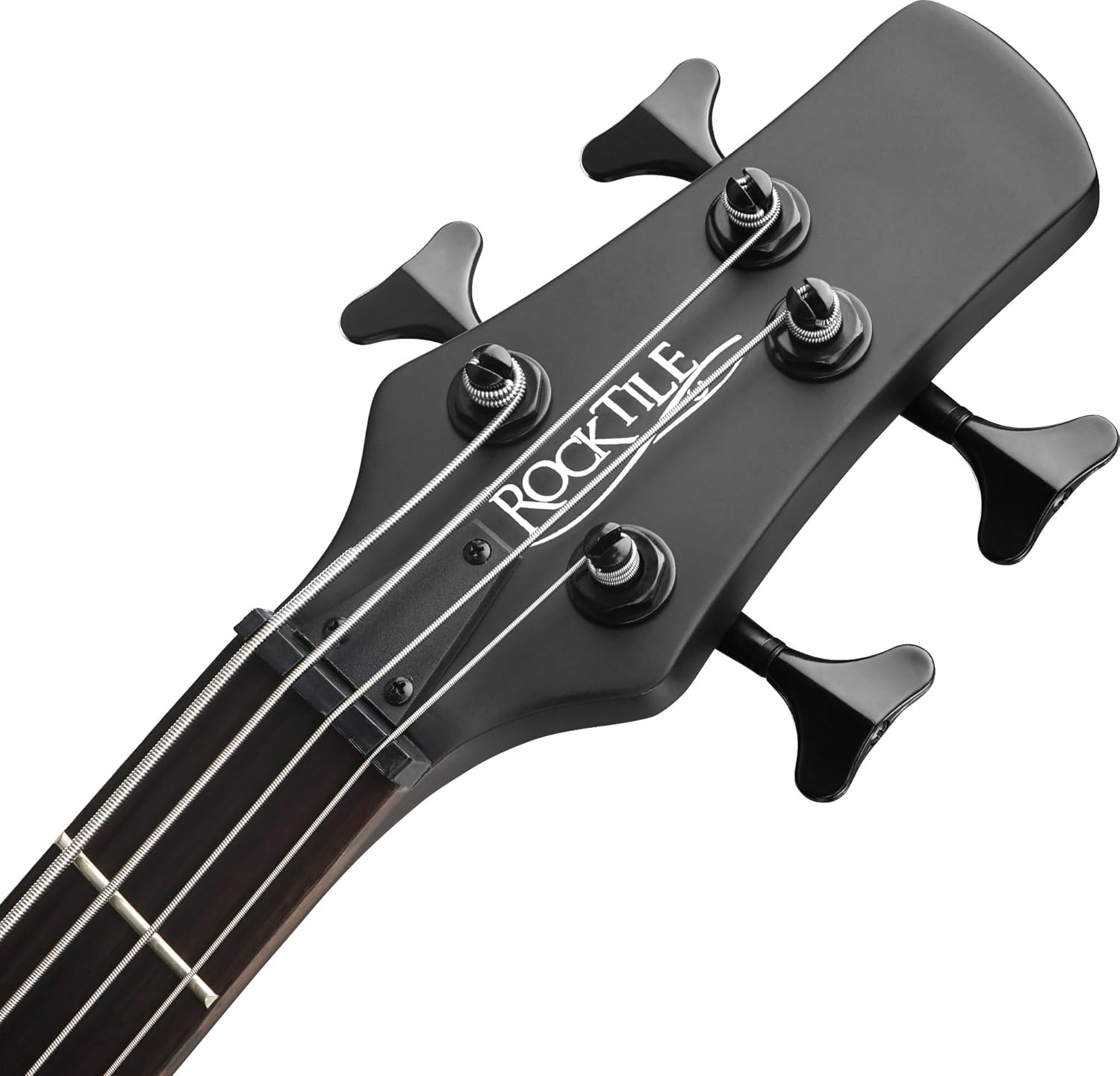
Figure 2.2: The headstock of the Rocktile Pro LB104-N bass guitar, showing the tuning machines for each string.
3. Operating the Bass Guitar
3.1 Controls Overview
The Rocktile Pro LB104-N features two Humbucker pickups and four control knobs for shaping your sound.
- Volume Knobs (2): Each pickup has an independent volume control. Adjust these to blend the output of the neck and bridge pickups.
- Tone Knobs (2): Each pickup also has an independent tone control. These knobs allow you to adjust the treble frequencies, from bright (fully clockwise) to mellow (fully counter-clockwise).
Figure 3.1: The four control knobs on the Rocktile Pro LB104-N bass guitar, used for volume and tone adjustments.
3.2 Pickup Configuration
The bass is equipped with two Humbucker pickups. The neck pickup generally produces a warmer, rounder tone, while the bridge pickup offers a brighter, more articulate sound. Experiment with the individual volume and tone controls to find your preferred sound.

Figure 3.2: The two Humbucker pickups and the fixed bridge system on the Rocktile Pro LB104-N bass guitar.
4. Maintenance
4.1 Cleaning
- After each use, wipe down the strings, fretboard, and body with a clean, soft, dry cloth to remove sweat and dirt.
- For the body, a slightly damp cloth can be used, followed by a dry one. Avoid harsh chemicals or abrasive cleaners.
- Periodically clean the fretboard with a specialized fretboard cleaner and conditioner to prevent drying and cracking.
4.2 String Replacement
Strings should be replaced regularly to maintain optimal tone and playability.
- Replace one string at a time to maintain neck tension.
- Loosen the old string, cut it, and remove it from the bridge and tuning machine.
- Insert the new string through the bridge and wind it onto the tuning machine post, ensuring a few wraps around the post.
- Tune the new string to the correct pitch.
4.3 Storage
Store your bass guitar in a stable environment, away from extreme temperature changes or humidity fluctuations, which can damage the wood. A gig bag or hard case is recommended for protection.
5. Troubleshooting
| Problem | Possible Cause | Solution |
|---|---|---|
| No sound or weak sound |
|
|
| Buzzing or humming noise |
|
|
| Strings buzzing against frets |
|
|
6. Specifications
| Feature | Detail |
|---|---|
| Model | Rocktile Pro LB104-N LowBone |
| Body Material | Basswood |
| Neck Material | Maple |
| Fretboard Material | Rosewood |
| Number of Frets | 24 |
| Scale Length | 65 cm (approx. 25.6 inches) |
| Nut Width | 43 mm |
| Pickups | 2 Humbucker pickups |
| Controls | 2 Volume, 2 Tone |
| Hardware Color | Dark Black |
| Bridge Type | Fixed |
| Number of Strings | 4 |
| Connectivity | 6.35 mm Jack |
| Weight | 3.6 kg (product), 4.4 kg (package) |
| Color | Natural Wood Finish |
7. Warranty and Support
For warranty information and customer support, please refer to the documentation provided at the time of purchase or contact your retailer. Keep your proof of purchase for any warranty claims.
For technical assistance or service, please contact Rocktile customer service or an authorized service center.