Product Overview
The MERCURY FLOOR MACHINES PRO200020 PRO-2000-20 Ultra High-Speed Burnisher is designed for efficient floor maintenance. It features a high-powered, D/C rectified motor for reliable, brown-out-free, high-speed operation. The precision-balanced all-metal chassis ensures even pad pressure for consistent results. An interlocked, non-conductive safety switch enhances user safety. Its low-profile apron with full-coverage bumpers allows for easy maneuverability and protects surrounding surfaces. The flexible pad holder automatically conforms to floor irregularities, and the fully adjustable handle accommodates various user heights.
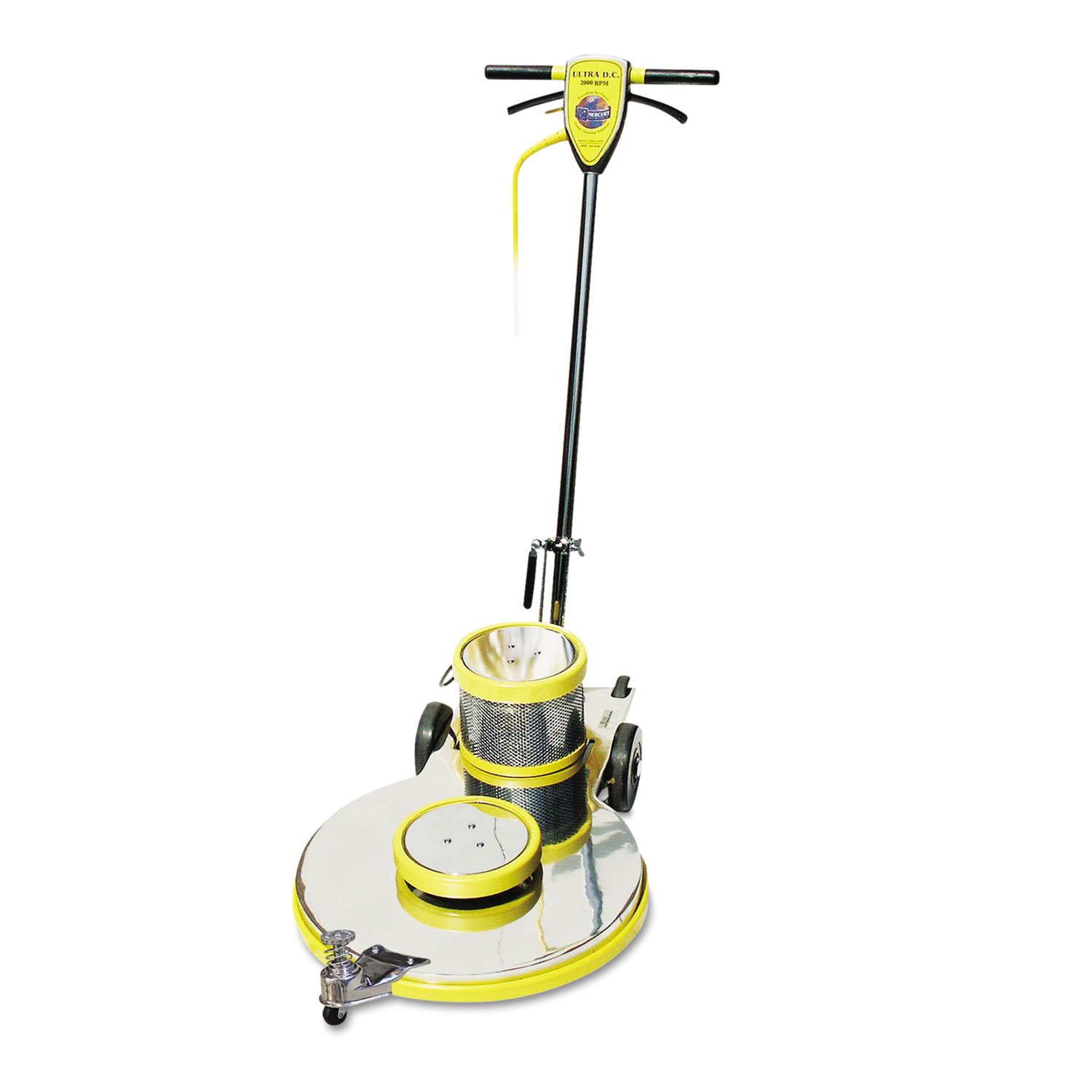
Figure 1: The PRO200020 PRO-2000-20 Ultra High-Speed Burnisher. This image shows the complete burnisher unit, including the handle, motor housing, pad driver, and wheels. The machine is predominantly yellow and silver.
Key Features:
- High-powered, D/C rectified motor.
- Precision-balanced all-metal chassis.
- Interlocked safety switch.
- Low-profile apron with full-coverage bumpers.
- Flexible, auto-centering pad holder.
- Adjustable handle.
- Nonmarking, retractable 6-inch wheels.
Setup and Assembly
Before operating the burnisher, ensure all components are securely assembled and connected.
- Unpacking: Carefully remove all components from the packaging. Inspect for any shipping damage. Retain packaging for future storage or transport.
- Handle Assembly: Securely attach the adjustable handle to the main unit. Ensure all locking mechanisms or bolts are tightened according to the markings on the machine.
- Pad Holder Installation: The flexible pad holder is designed for easy installation. Align the pad holder with the drive mechanism on the underside of the machine and secure it.
- Pad Attachment: Attach the appropriate burnishing pad (sold separately) to the pad holder. Ensure the pad is centered and securely fastened.
- Power Connection: Connect the burnisher's power cord to a suitable D/C power supply outlet. Verify the outlet meets the machine's power requirements (1.5 Amps).
Operating Instructions
Follow these steps for safe and effective operation of your burnisher.
- Pre-Operation Check: Before each use, inspect the power cord for damage, ensure the pad is correctly attached, and verify the handle is adjusted to a comfortable operating height.
- Safety Switch Engagement: The burnisher is equipped with an interlocked, non-conductive safety switch. To operate, ensure the switch is fully engaged.
- Starting the Machine: With the machine tilted slightly back on its wheels, engage the power switch. Allow the motor to reach full speed (up to 2000 RPM) before lowering the pad to the floor.
- Burnishing Technique: Guide the machine across the floor in overlapping passes. Maintain steady, even pressure. The low-profile apron allows for maneuverability in tight spaces and along baseboards.
- Maneuvering: Utilize the nonmarking, retractable 6-inch wheels for easy transport and repositioning.
- Stopping the Machine: To stop, disengage the power switch and allow the pad to come to a complete stop before tilting the machine back or disconnecting power.
Warning: Always ensure the safety switch is engaged during operation and disengaged when not in use or during maintenance. Do not operate the machine if the power cord is damaged.
Maintenance
Regular maintenance ensures optimal performance and extends the lifespan of your burnisher.
- After Each Use:
- Disconnect power.
- Remove and clean the burnishing pad. Replace worn pads.
- Wipe down the machine's exterior with a damp cloth to remove dust and debris.
- Inspect the power cord for any cuts or fraying.
- Monthly/Regularly:
- Check all fasteners and bolts for tightness.
- Inspect the wheels for wear and ensure they retract smoothly.
- Examine the pad holder for any damage or excessive wear.
- Ensure the safety switch mechanism operates freely.
- Storage: Store the burnisher in a clean, dry area, away from extreme temperatures and moisture.
Troubleshooting
This section provides solutions to common issues you might encounter.
| Problem | Possible Cause | Solution |
|---|---|---|
| Machine does not start. | No power to outlet; Power cord damaged; Safety switch not engaged; Motor issue. | Check power outlet and circuit breaker; Inspect power cord for damage (replace if necessary); Ensure safety switch is fully engaged; Contact qualified service technician. |
| Uneven burnishing results. | Worn or incorrect pad; Uneven pad pressure; Floor irregularities. | Replace pad with appropriate type; Ensure even pressure during operation; The flexible pad holder should compensate for minor irregularities, but severe floor issues may require pre-treatment. |
| Excessive vibration or noise. | Loose components; Damaged pad holder; Motor bearing wear. | Check and tighten all visible fasteners; Inspect pad holder for damage; If noise persists, contact service technician. |
| Wheels do not retract smoothly. | Debris in wheel mechanism; Damaged wheel assembly. | Clean debris from wheel area; Inspect for damage and replace if necessary. |
Specifications
| Attribute | Value |
|---|---|
| Brand | MERCURY FLOOR MACHINES |
| Model Number | PRO200020 - EA |
| Product Dimensions | 42 x 25 x 17 inches; 2 Pounds |
| Power Source | DC power supply |
| AC Adapter Current | 1.5 Amps |
| Maximum Rotational Speed | 2000 RPM |
| Grit Type | Pad |
| Date First Available | September 14, 2004 |
Warranty Information
Specific warranty details for the MERCURY FLOOR MACHINES PRO200020 PRO-2000-20 Ultra High-Speed Burnisher are typically provided at the point of purchase or within separate documentation included with the product. Please refer to your purchase receipt or contact the retailer/manufacturer directly for comprehensive warranty terms and conditions. Keep your proof of purchase for any warranty claims.
Support and Contact
For technical assistance, parts, or service inquiries regarding your MERCURY FLOOR MACHINES PRO200020 PRO-2000-20 Ultra High-Speed Burnisher, please contact the manufacturer or your authorized dealer. Please have your model number (PRO200020 - EA) and serial number (if applicable) ready when contacting support.
Note: Contact information for MERCURY FLOOR MACHINES can typically be found on their official website or on the product packaging.