
Introduction
The KOHLER DTV Prompt digital shower system offers precise control over your showering experience. Featuring an intuitive display and touch-button operation, this interface allows for personalized settings of spray configurations and accurate temperature management through digital thermostatic valve technology. This manual provides essential information for the setup, operation, and maintenance of your DTV Prompt Digital Shower Interface.
Setup
Installation of the DTV Prompt Digital Shower Interface requires connection to a compatible digital thermostatic valve, such as the K-528-K. This system involves both electrical wiring and plumbing connections, which are typically located behind the shower wall, often accessible via a master closet or an access panel. Due to the complexity of these connections, professional installation by a qualified plumber is recommended to ensure proper functionality and adherence to local building codes.
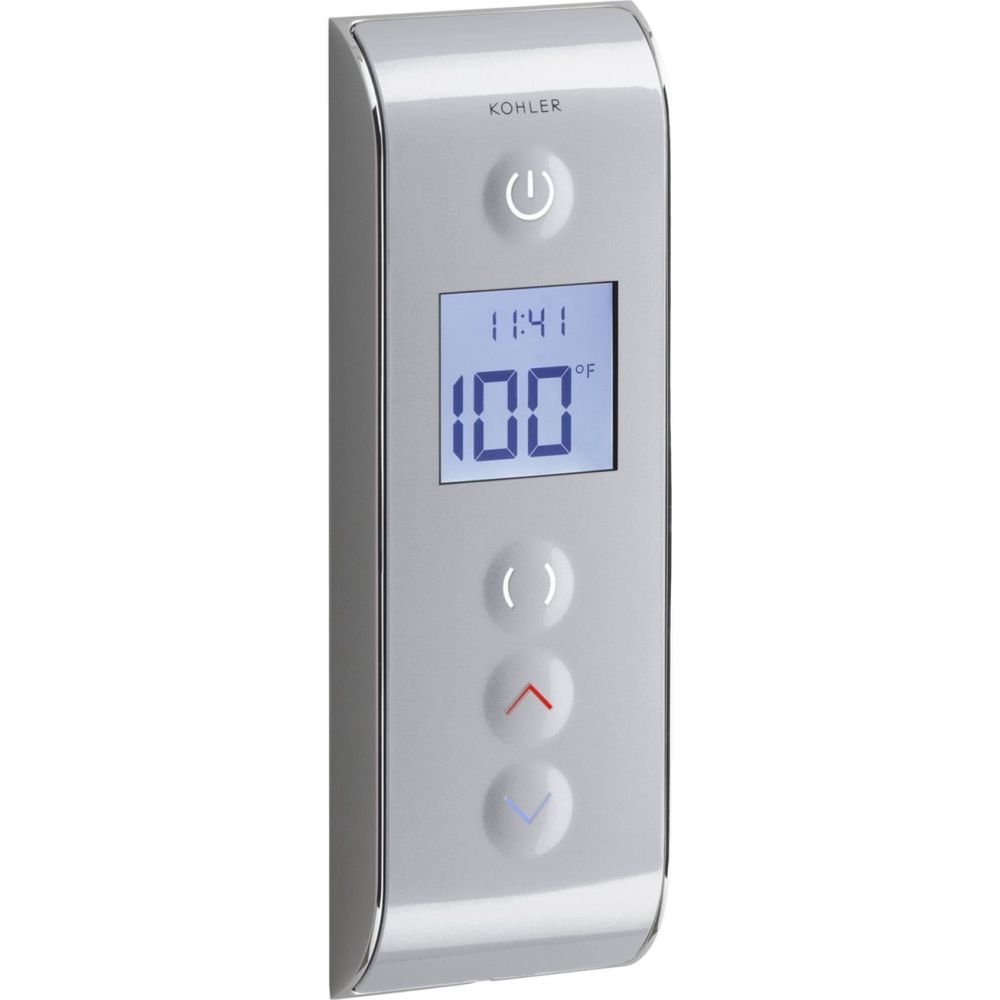
Image: The KOHLER DTV Prompt Digital Shower Interface (K-527-1CP) installed on a tiled shower wall. This interface controls water temperature and flow to various shower outlets.
Operating Instructions
- Power On/Off: Press the power button (marked with a universal power symbol) located at the top of the interface to turn the shower system on or off.
- Adjusting Water Temperature: Use the up (red arrow) and down (blue arrow) buttons to increase or decrease the water temperature. The current temperature will be displayed on the LCD screen. The temperature reading will flash until the desired temperature is reached, then it will become solid.
- Selecting Shower Outlets: The interface supports single or dual-outlet applications. Use the dedicated buttons (often represented by icons or simple indicators) to switch between different water outlets, such as the main showerhead, a rainhead, or a hand shower. Some systems allow for simultaneous operation of multiple outlets.
- Time Display: The LCD screen also displays the current time, allowing you to monitor shower duration.
Video: Demonstration of the KOHLER DTV Prompt Digital Shower Interface, showing how to power on, adjust temperature, and switch between main and rain shower heads.
Video: A user review demonstrating the temperature adjustment and shower head selection features of the Kohler DTV Prompt Digital Shower Interface.
Maintenance
- Cleaning: The interface is designed for easy cleaning. Use a soft, damp cloth to wipe the surface. Avoid abrasive cleaners or harsh chemicals that could damage the finish or electronic components.
- Power Source: The DTV Prompt Digital Shower Interface is not battery-operated, eliminating the need for battery replacement. It is powered through its connection to the digital thermostatic valve.
Troubleshooting
If you encounter any issues with your DTV Prompt Digital Shower Interface, such as inconsistent temperature, unresponsive buttons, or display errors, it is recommended to consult the full installation and service manual provided with the product. For complex issues, contact a certified plumber or KOHLER customer support for assistance.
Specifications
| Brand | Kohler |
| Model Number | K-527-1CP |
| Item Type Name | Digital Shower Interface |
| Color | Satin Chrome with Polished Chrome |
| Material | Metal, Plastic |
| Finish Type | Polished |
| Number of Handles | 1 |
| Mounting Type | Wall Mount |
| Item Weight | 2.1 Pounds |
| UPC | 650531965127 |
Warranty and Support
The KOHLER DTV Prompt Digital Shower Interface comes with a Lifetime Limited Warranty. For detailed warranty information, product support, or to locate authorized service providers, please refer to the official KOHLER website or contact KOHLER customer service directly. Always ensure that any service or repairs are performed by qualified professionals to maintain warranty validity.
For further assistance, visit the official Kohler website.


