
1. Product Overview
The BOYO VTM4000 is a 4-inch TFT-LCD digital rear view monitor designed to enhance vehicle safety by providing a clear view of the area behind your vehicle. It features a 16:9 wide display, dual video inputs, and an auto-reverse trigger for seamless integration with a backup camera system. This manual provides instructions for proper installation, operation, and maintenance of your VTM4000 monitor.
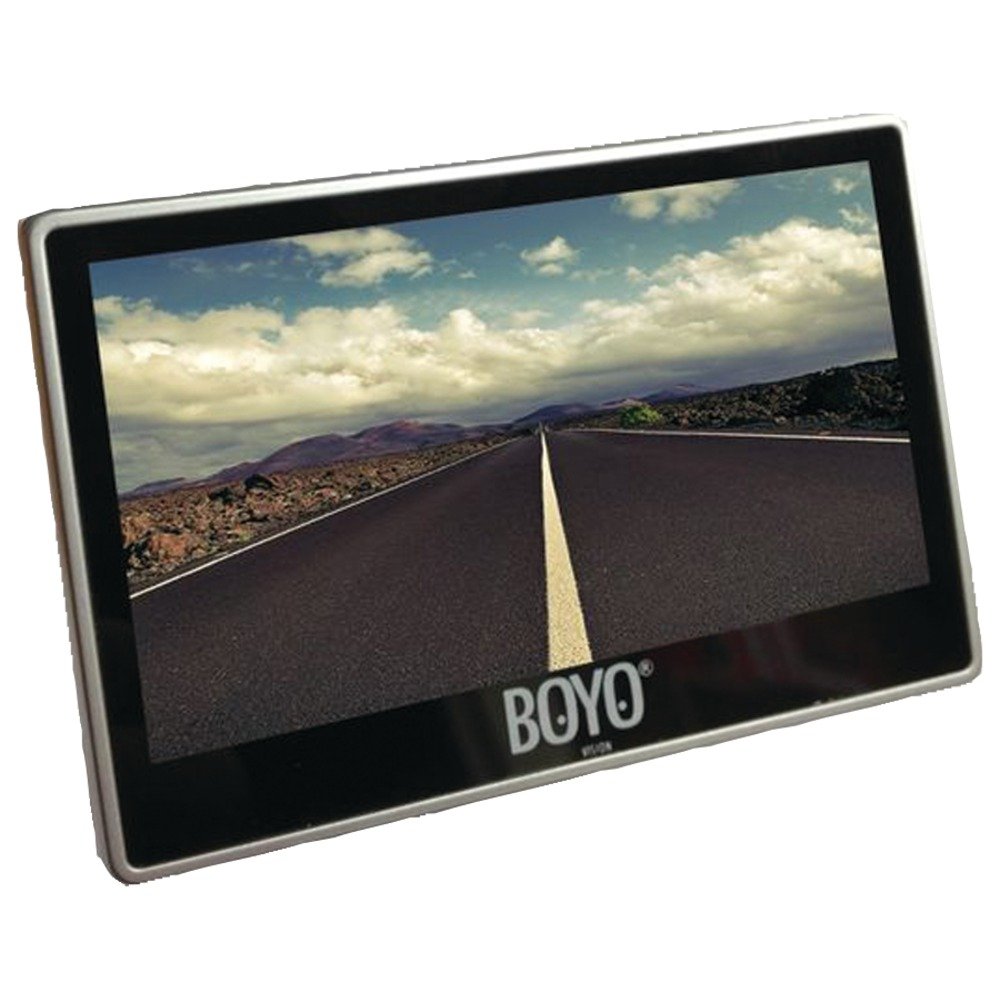
Figure 1: BOYO VTM4000 4-inch TFT-LCD Backup Camera Monitor.
2. Key Features
- 4-inch Digital Rear View Monitor
- Dual-Mount Solution for flexible installation
- 16:9 Wide Display for optimal viewing
- Two Video Inputs for connecting multiple cameras or video sources
- Auto Reverse Trigger for automatic display activation when reversing
- NTSC/PAL auto-switching compatibility
- Operates on DC12V power supply
3. Installation and Setup
3.1 Mounting the Monitor
The VTM4000 monitor comes with a dual-mount solution, including a robust suction cup mount. This mount is designed to adhere securely to your vehicle's windshield. For dashboard mounting, an accessory disk with self-adhesive foam tape is provided. Attach the disk to a clean, flat surface on your dashboard, then mount the suction cup to the disk.

Figure 2: Suction cup mount for the BOYO VTM4000 monitor.
3.2 Wiring Connections
- Power Connection: Connect the monitor's power cable to a DC12V power source in your vehicle. Ensure proper polarity (red to positive, black to negative).
- Video Input: The monitor features two video input jacks. Connect your backup camera's video output cable to either of these inputs. If using multiple video sources, connect them to the available inputs.
- Auto Reverse Trigger: For automatic activation when reversing, connect the designated trigger wire from the monitor to your vehicle's reverse light circuit. This will automatically switch the display to the backup camera feed when the vehicle is put into reverse.
It is recommended to have installation performed by a qualified professional to ensure correct wiring and optimal performance.
4. Operating Instructions
4.1 Powering On/Off
The monitor will typically power on automatically when the vehicle's ignition is turned on, or when the auto-reverse trigger is activated. Consult your installer for specific power configurations. To manually power on/off, use the designated power button, if available, usually located on the rear of the unit.
4.2 Adjusting Display Settings
The VTM4000 monitor includes brightness and contrast adjustments. These settings are typically accessed via three small buttons located on the rear of the monitor. Adjust these settings to achieve optimal image clarity and visibility under various lighting conditions, including bright sunlight. A removable sun shield is also provided to help reduce glare.
4.3 Video Input Switching
If two video sources are connected, the monitor may automatically switch between them based on the auto-reverse trigger, or you may be able to manually switch inputs using a dedicated button on the monitor.
5. Care and Maintenance
- Cleaning: Use a soft, dry cloth to clean the monitor screen and casing. For stubborn marks, lightly dampen the cloth with water. Avoid using harsh chemicals, solvents, or abrasive cleaners, as these can damage the display and finish.
- Temperature: Avoid exposing the monitor to extreme temperatures, both hot and cold, for extended periods.
- Moisture: Keep the monitor dry. Do not expose it to rain or moisture.
- Mounting: Periodically check the suction cup mount for secure attachment, especially in varying temperatures.
6. Troubleshooting Guide
| Problem | Possible Cause | Solution |
|---|---|---|
| No image on screen | No power to monitor; Loose video cable connection; Incorrect video input selected; Camera malfunction. | Check power connections and vehicle ignition. Ensure video cables are securely connected. Verify the correct video input is selected. Test the camera if possible. |
| Image too dark/bright or foggy | Incorrect brightness/contrast settings. | Adjust the brightness and contrast settings using the buttons on the rear of the monitor. |
| Monitor does not turn on automatically with reverse gear | Auto reverse trigger wire not connected or faulty. | Check the connection of the auto reverse trigger wire to the vehicle's reverse light circuit. |
| Intermittent signal/flickering image | Loose cable connections; Electrical interference. | Ensure all cables are securely connected. Check for potential sources of electrical interference in the vehicle. |
7. Product Specifications
- Model Number:
- VTM4000
- Screen Size:
- 4 inches
- Display Type:
- TFT-LCD
- Aspect Ratio:
- 16:9
- Video Inputs:
- 2 (RCA type)
- Video System:
- NTSC/PAL auto-switching
- Power Supply:
- DC12V
- Dimensions (D x W x H):
- Approximately 2"D x 6"W x 5"H
- Weight:
- Approximately 11.2 ounces
- Included Components:
- Monitor, Mounting Bracket, Power Cable, User Manual
8. Warranty and Customer Support
8.1 Warranty Information
The BOYO VTM4000 monitor is covered by a 1-Year Limited Manufacturer Warranty from the date of purchase. This warranty covers defects in materials and workmanship under normal use. It does not cover damage resulting from improper installation, accident, misuse, abuse, neglect, unauthorized modification, or normal wear and tear. Please retain your proof of purchase for warranty claims.
8.2 Customer Support
For technical assistance, troubleshooting, or warranty inquiries, please contact BOYO VISION customer support. Refer to the official BOYO VISION website or your product packaging for the most current contact information.
