
Introduction
This manual provides essential instructions for the proper setup, operation, and maintenance of your Mesa Safe MF53E U.L. Classified Fire Safe. Please read these instructions carefully before using your safe to ensure optimal performance and security.
The Mesa Safe MF53E is designed to protect valuables from fire and unauthorized access, featuring U.L. Classified 1-hour fire rating and robust steel construction.
Safety Information
Important Safety Precautions:
- Do not store the emergency keys inside the safe. Keep them in a secure, separate location.
- Ensure the safe is placed on a level, stable surface.
- Keep children away from the safe and its locking mechanism.
- This safe is not water-resistant. Protect contents from water damage by using waterproof bags if necessary.
Unpacking and Initial Setup
Upon receiving your Mesa Safe MF53E, carefully unpack it and inspect for any shipping damage. Report any damage to your carrier immediately.
Contents:
- Mesa Safe MF53E Fire Safe
- Electronic Lock Keypad (pre-installed)
- Emergency Keys (2 included)
- External Power Pack
- AA Batteries (4 for electronic lock, included)
- Anchor Kit
- Adjustable/Removable Shelf (1 included)
- Removable Storage Tray
Battery Installation for Electronic Lock:
- Locate the battery compartment on the electronic lock keypad.
- Insert the 4 AA batteries provided, ensuring correct polarity.
- Close the battery compartment cover.
Battery Installation for Interior Light:
- The interior light requires 2 AA batteries (not included).
- Open the interior light cover inside the safe.
- Insert 2 AA batteries, observing polarity.
- Close the cover.
Anchoring the Safe:
The safe includes one anchor hole and an anchor kit for securing it to a floor or wall. Anchoring is recommended to prevent unauthorized removal.
- Choose a suitable location for the safe.
- Mark the position of the anchor hole on the floor or wall.
- Drill a pilot hole using an appropriate drill bit for your surface type.
- Secure the safe using the provided anchor bolt and hardware.

Image: Interior view of the Mesa Safe MF53E, displaying the adjustable shelf, removable storage tray, and the internal components of the electronic lock on the door. Various items are shown stored inside, demonstrating the safe's capacity.
Operating the Electronic Lock
Your Mesa Safe MF53E is equipped with a battery-operated electronic lock (MUL100).
Opening the Safe for the First Time:
- The safe is typically shipped in an unlocked state or with a factory default code. Refer to the sticker on the safe or the lock for the default code if applicable.
- Enter the default code (e.g., "123456") on the keypad.
- The display will show "OPEN" and the lock will disengage.
- Turn the handle clockwise to open the door.
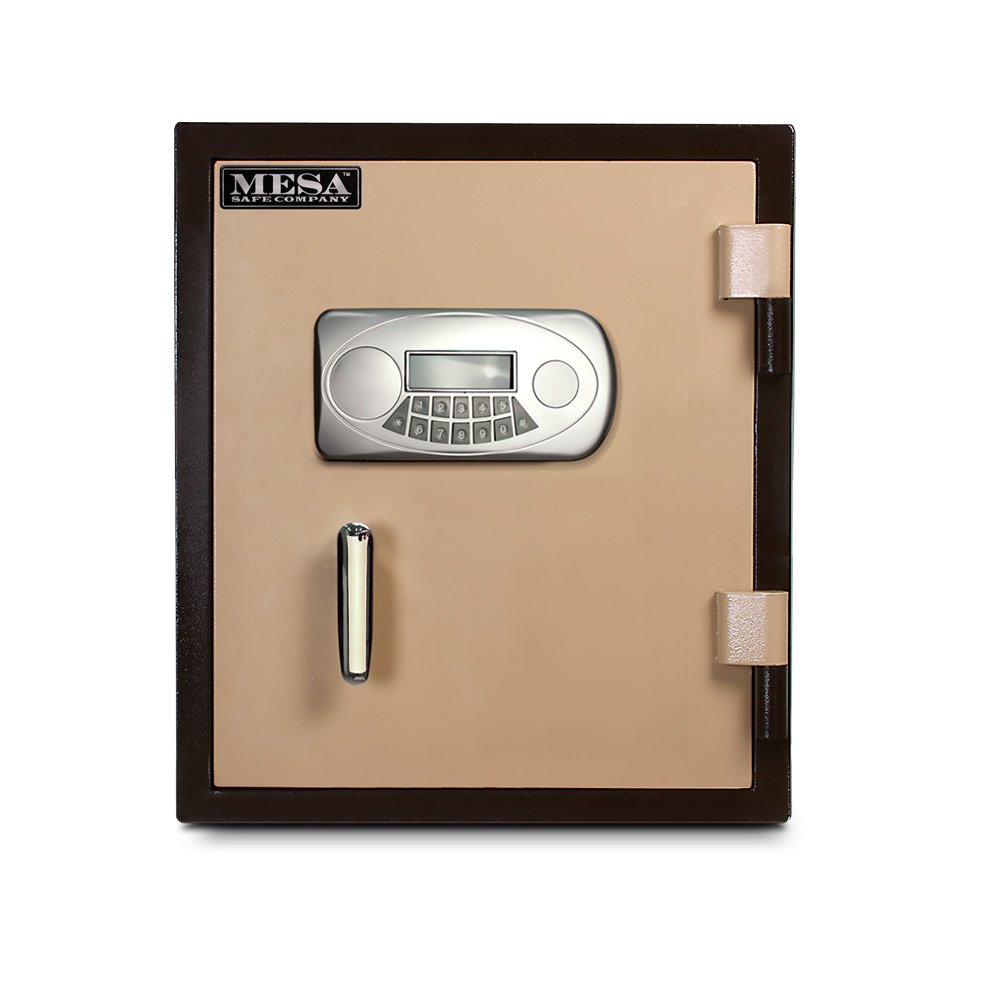
Image: Front view of the Mesa Safe MF53E, showcasing the electronic keypad lock with an illuminated display and the sturdy handle for opening the door.
Changing the User Code:
- With the door open, press the "PROGRAM" button located inside the safe door.
- Enter your new 4-8 digit code.
- Press the "ENTER" button to confirm.
- Test the new code several times with the door open before closing it.
Closing and Locking the Safe:
- Close the safe door firmly.
- Turn the handle counter-clockwise to engage the locking bolts.
- The safe will automatically lock after a few seconds.
Using the Emergency Key System:
In case of electronic lock failure or dead batteries, the safe can be opened using the emergency key.
- Locate the concealed emergency key system cover on the electronic lock panel.
- Remove the cover.
- Insert one of the provided emergency keys and turn it to unlock.
- Turn the handle to open the safe.
Using the External Power Pack:
If the internal batteries are depleted and you do not have the emergency key, the external power pack can be used.
- Connect the external power pack to the port on the electronic lock keypad.
- Enter your user code as usual.
- Turn the handle to open the safe.
Maintenance
Regular maintenance ensures the longevity and proper functioning of your safe.
- Battery Replacement: Replace the electronic lock batteries annually or when the low battery indicator appears on the display. Use only high-quality AA alkaline batteries.
- Cleaning: Clean the exterior of the safe with a soft, damp cloth. Avoid abrasive cleaners or solvents.
- Hinge Lubrication: Periodically apply a small amount of light lubricant to the door hinges to ensure smooth operation.
- Bolt Mechanism: Keep the locking bolts and bolt holes clear of obstructions.
Troubleshooting
| Problem | Possible Cause | Solution |
|---|---|---|
| Keypad does not respond. | Dead batteries. | Replace batteries or use the external power pack. |
| Safe does not open after entering code. | Incorrect code entered; batteries low; lock malfunction. | Re-enter code carefully. Replace batteries. Use emergency key or external power pack. If problem persists, contact customer support. |
| Door is stiff or difficult to open/close. | Hinges need lubrication; obstruction in door frame. | Lubricate hinges. Check for and remove any obstructions. |
| Interior light not working. | Dead batteries in light. | Replace the 2 AA batteries for the interior light. |
Specifications
- Model: MF53E
- Brand: Mesa Safe Co.
- Lock Type: Electronic (MUL100), Key
- Fire Rating: U.L. Classified Class 350 - 1 Hour
- Impact Rating: 2 Story (factory tested)
- Construction: All Steel
- Door Thickness: 4 inches (overall, enclosing fire resistant material)
- Body Thickness: 2.5 inches (overall, enclosing fire resistant material)
- Locking Bolts: 4 massive 1-inch diameter solid steel live-locking bolts, 3/4-inch x 3-1/2-inch steel deadbolts
- Hinges: Heavy-duty solid steel
- Internal Capacity: 1.3 Cubic Foot
- Shelves: 1 high strength adjustable and removable shelf
- Power: 4 AA batteries for electronic lock (included), 2 AA batteries for interior light (not included)
- Emergency Access: Concealed emergency key system (2 keys included), External power pack
- Mounting: One anchor hole provided (anchor kit included)
- Water Resistance: Not Water Resistant
Warranty Information
Mesa Safe Co. provides a one-year warranty covering parts and labor for the MF53E safe. For detailed warranty terms and conditions, please refer to the official warranty document included with your purchase or contact Mesa Safe Co. customer service.
Customer Support
For technical assistance, warranty claims, or any questions regarding your Mesa Safe MF53E, please contact Mesa Safe Co. customer support.
Contact Information:
Please refer to the contact details provided on the Mesa Safe Co. official website or in your product packaging for the most current support information.
Note: Always have your model number (MF53E) and purchase date available when contacting support.