
1. Introduction
This manual provides essential instructions for the proper use and care of your OM SYSTEM Olympus M. Zuiko Digital ED 45mm f1.8 lens. This lens is designed for Micro Four Thirds cameras, offering a 90mm equivalent focal length in 35mm format, making it suitable for portrait photography and low-light conditions due to its wide f/1.8 maximum aperture.
2. What's in the Box
Verify that all items are present in the packaging:
- Olympus M.ZUIKO DIGITAL 45mm 1:1.8 Lens
- LC-37B Lens Cap
- Micro Four Thirds lens rear cap (LR-2)
- Decoration Ring (DR-40)
- Warranty Card (Note: International Version may have no seller warranty)
- Operating Instructions (this manual)
3. Setup
3.1 Attaching the Lens
- Ensure your camera is powered off.
- Remove the rear lens cap from the M. Zuiko Digital ED 45mm f1.8 lens and the body cap from your Micro Four Thirds camera.
- Align the mounting index (red dot) on the lens with the mounting index on the camera body.
- Insert the lens into the camera mount and turn it clockwise until it clicks into place. Do not force the lens.

Figure 1: The OM SYSTEM Olympus M. Zuiko Digital ED 45mm f1.8 lens mounted on a Micro Four Thirds camera body.
3.2 Removing the Lens
- Ensure your camera is powered off.
- While pressing the lens release button on the camera body, turn the lens counter-clockwise until it stops.
- Carefully remove the lens from the camera body.
- Attach the rear lens cap to the lens and the body cap to the camera to protect the sensor and lens elements.
4. Operating the Lens
4.1 Autofocus (AF)
The M. Zuiko Digital ED 45mm f1.8 lens features a fast and silent autofocus system, making it suitable for both still photography and video recording. The camera body controls the autofocus operation. Refer to your camera's manual for specific AF mode settings.
4.2 Manual Focus (MF)
To use manual focus, set your camera to MF mode. Rotate the focus ring on the lens to adjust focus. The focus ring is smooth and provides precise control.
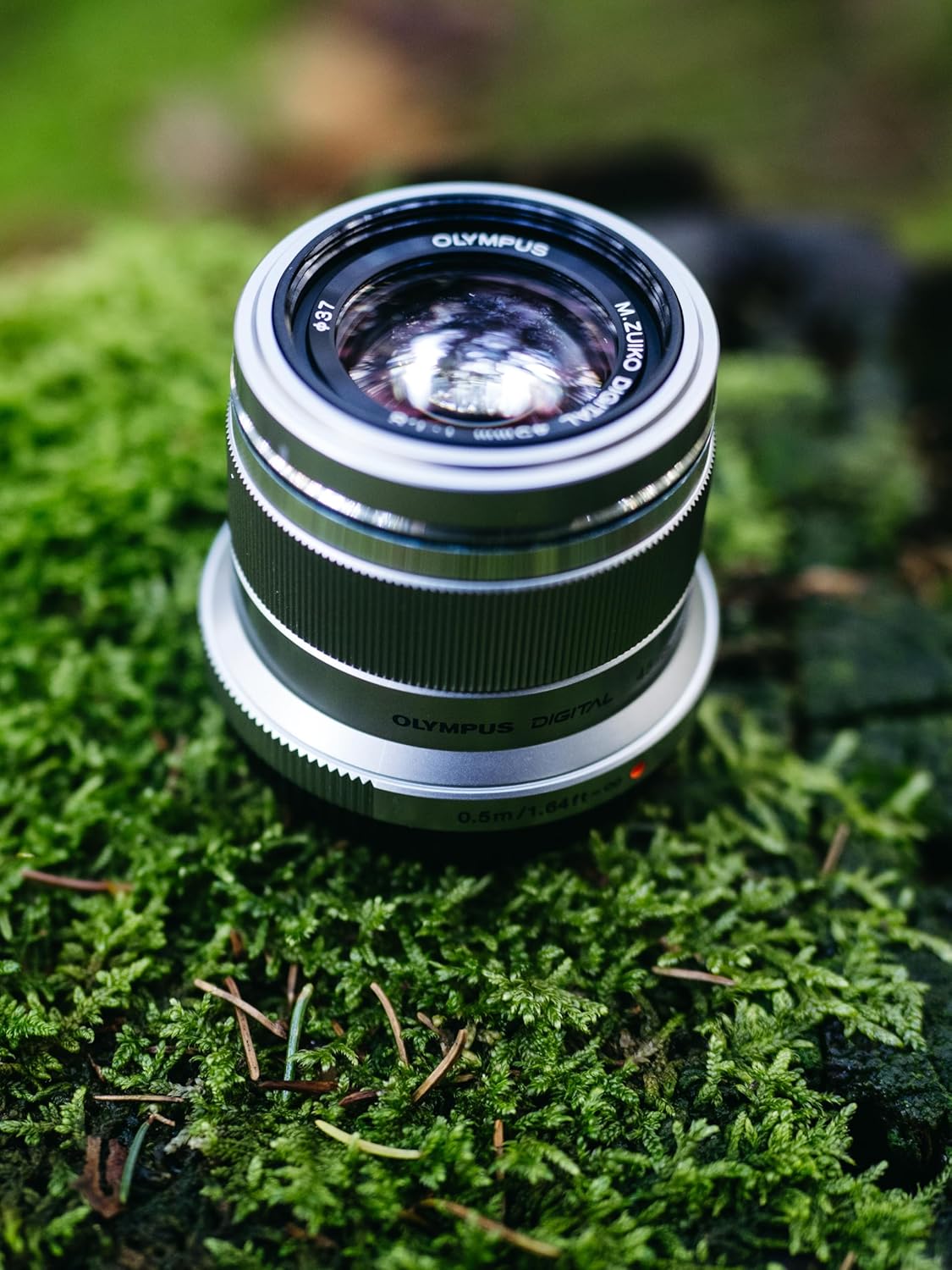
Figure 2: Side view of the lens, showing the focus ring and branding.
4.3 Aperture Control
The lens has a maximum aperture of f/1.8, allowing for excellent low-light performance and shallow depth of field. The aperture is controlled electronically via the camera body. Consult your camera's manual for instructions on adjusting aperture settings.
4.4 Portrait Photography
With its 90mm equivalent focal length and wide f/1.8 aperture, this lens is ideal for portrait photography. The wide aperture helps create a pleasing background blur (bokeh), isolating your subject. Experiment with different apertures to achieve desired depth of field effects.
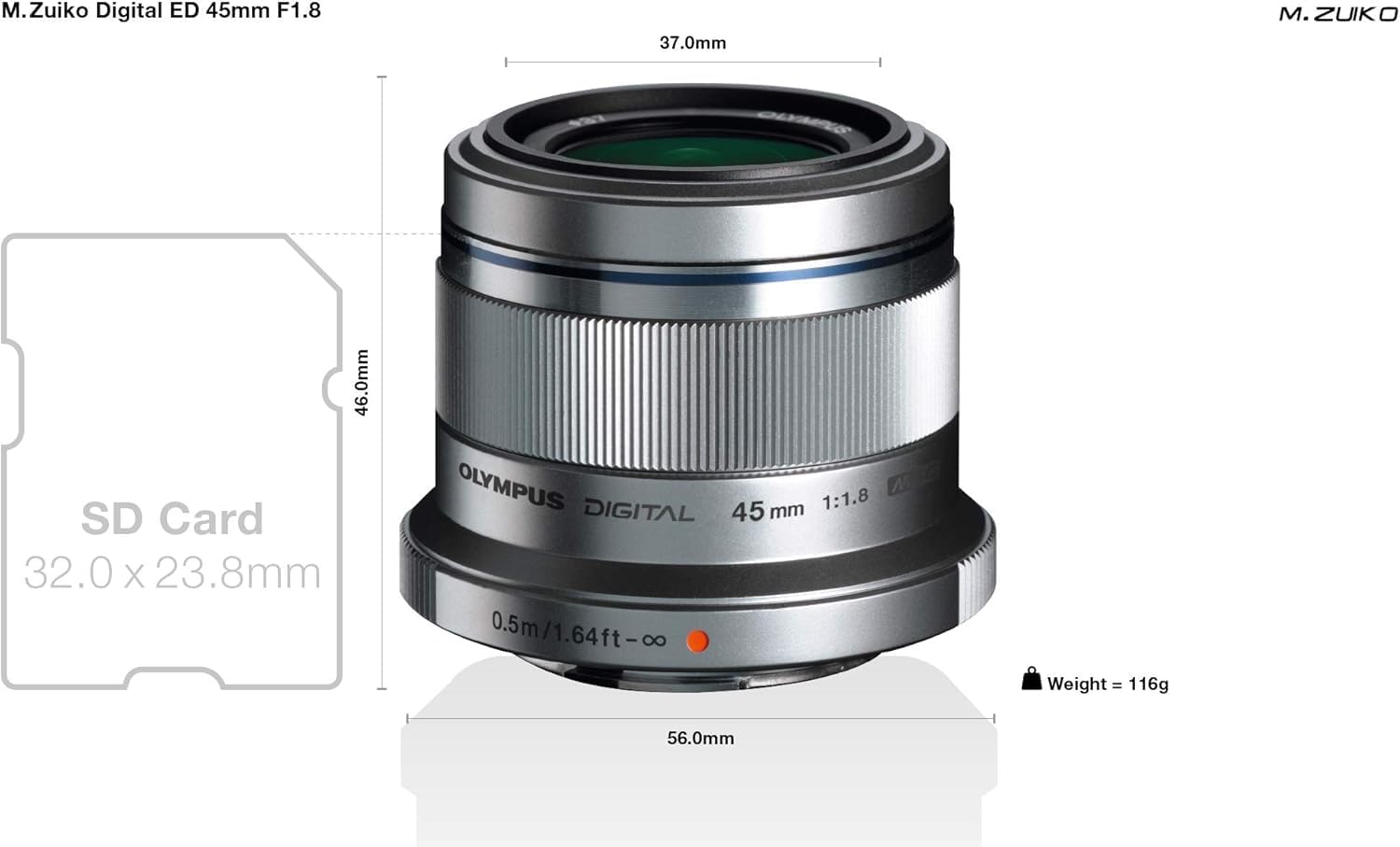
Figure 3: The OM SYSTEM Olympus M. Zuiko Digital ED 45mm f1.8 lens positioned on moss, highlighting its compact size.
5. Maintenance and Care
- Cleaning the Lens: Use a soft, lint-free cloth and a lens cleaning solution specifically designed for optical surfaces. Gently wipe the lens elements in a circular motion. Avoid touching the glass with your fingers.
- Dust Removal: Use a blower brush to remove dust from the lens surface before wiping.
- Storage: When not in use, attach the front and rear lens caps to protect the lens elements. Store the lens in a dry, cool place, away from direct sunlight and extreme temperatures.
- Avoid Moisture: This lens is not water-resistant. Avoid exposing it to rain, splashes, or high humidity.
6. Troubleshooting
| Problem | Possible Cause | Solution |
|---|---|---|
| Lens not recognized by camera | Improperly mounted lens, dirty contacts | Ensure lens is securely attached. Clean lens and camera contacts with a dry, lint-free cloth. |
| Autofocus is slow or inaccurate | Low light conditions, dirty lens elements, camera settings | Ensure sufficient lighting. Clean lens elements. Check camera AF settings and update camera firmware if available. |
| Images are blurry | Incorrect focus, camera shake, dirty lens | Verify focus. Use a faster shutter speed or tripod to prevent camera shake. Clean lens elements. |
7. Specifications
| Brand | OM SYSTEM |
| Model Name | Olympus M. Zuiko Digital ED 45mm f1.8 |
| Focal Length | 45 Millimeters (90mm equivalent in 35mm format) |
| Lens Type | Standard, Prime |
| Compatible Mountings | Micro Four Thirds |
| Maximum Aperture | f/1.8 |
| Minimum Aperture | f/22 |
| Number of Diaphragm Blades | 7 |
| Minimum Focus Distance | 0.5 meters / 1.64 feet |
| Focus Type | Micromotor |
| Lens Coating | ZERO Coating |
| Image Stabilization | No (relies on camera body IS) |
| Photo Filter Size | 37 Millimeters |
| Item Weight | 116 Grams |
| Water Resistance Level | Not Water Resistant |
| Compatible Camera Models | Olympus OM-D, Olympus PEN, Panasonic G-series |

Figure 4: Technical diagram illustrating the dimensions and weight of the lens.

Figure 5: Feature diagram of the lens, pointing out its small size, fast AF, shallow depth of field capability, and metal mount.
8. Warranty and Support
This product is an International Version and may not include a manufacturer's warranty valid in your region. Please note that there is no seller warranty provided with this item. For returns, the item must be returned unused with no new marks or wear.
For technical support or service inquiries, please refer to the official OM SYSTEM or Olympus website for your region, or contact your retailer for assistance with non-warranty related issues.