
1. Introduction
This manual provides essential information for the installation, operation, and maintenance of your Geberit Highline Electronic Urinal Flush Control Conversion Set IR with Cover Plate. This product is designed to convert existing urinal flush controls to an electronic, infrared-based system, enhancing hygiene and water efficiency. Please read these instructions carefully before installation and retain them for future reference.
2. Safety Information
Observe the following safety precautions to prevent personal injury and product damage:
- Installation must be performed by a qualified plumber or technician in accordance with local plumbing and electrical codes.
- Ensure the main water supply to the urinal is turned off before beginning any installation or maintenance work.
- Disconnect power to the unit before performing any service or maintenance.
- Do not modify the product in any way. Use only genuine Geberit replacement parts.
- Protect the electronic components from moisture and extreme temperatures.
3. Package Contents
Verify that all components are present and undamaged before proceeding with installation:
- Geberit Electronic Urinal Flush Control Conversion Module
- Highline Cover Plate with Integrated IR Sensor
- Mounting Hardware
- Connection Cables
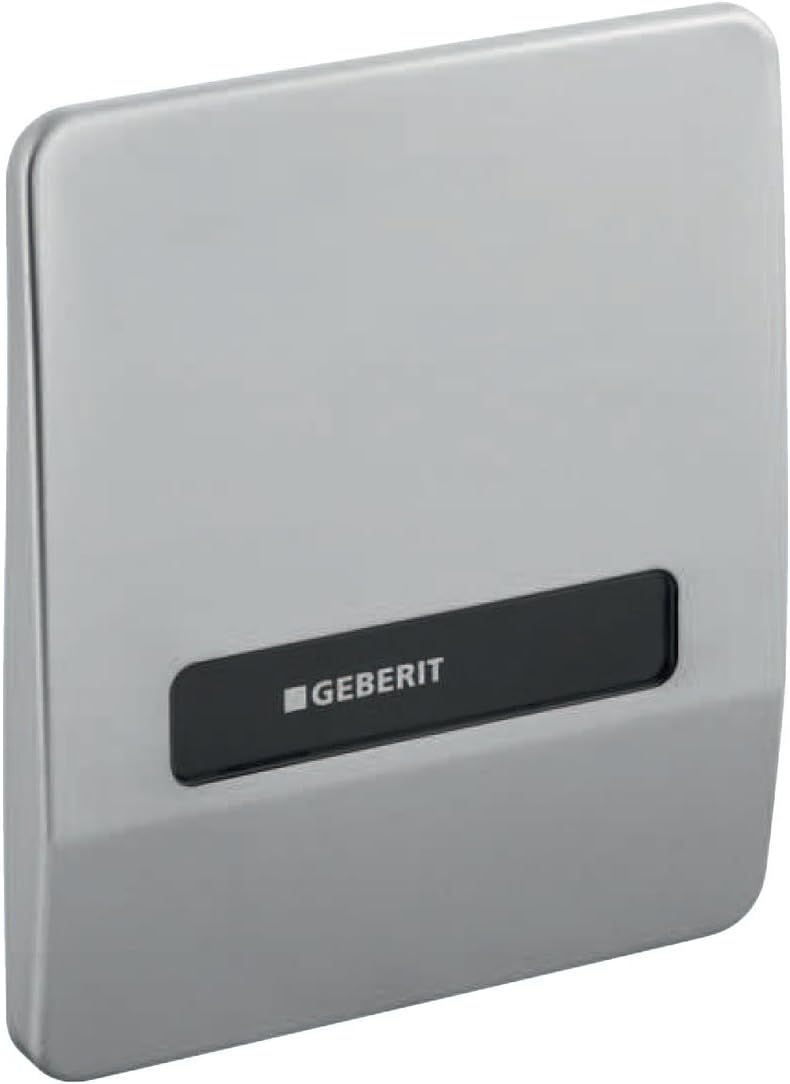
Figure 1: Geberit Highline Electronic Urinal Flush Control Cover Plate. This image displays the sleek, rectangular cover plate with the Geberit logo and an integrated black sensor window.
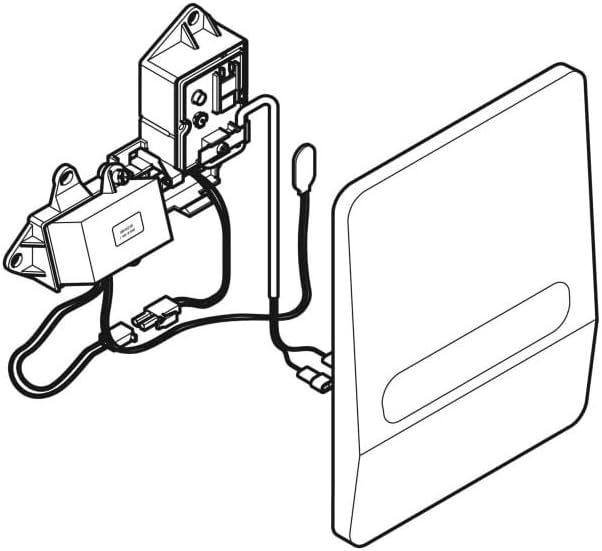
Figure 2: Geberit Electronic Urinal Flush Control Conversion Set Components. This diagram illustrates the internal electronic module, wiring, and the connection to the cover plate, showing the complete assembly.
4. Setup and Installation
Installation of the Geberit Highline Electronic Urinal Flush Control Conversion Set IR requires careful attention to plumbing and electrical connections. It is strongly recommended that installation be carried out by a certified professional.
4.1 Pre-Installation Steps
- Turn off the main water supply to the urinal.
- Ensure the power supply to the installation area is disconnected.
- Remove the existing urinal flush control mechanism and cover plate.
- Clean the installation area thoroughly.
4.2 Installation Procedure
- Mount the electronic conversion module securely within the urinal frame or wall cavity, ensuring proper alignment with the urinal's flush valve. Refer to Figure 2 for component orientation.
- Connect the conversion module to the urinal's flush valve according to the specific plumbing requirements.
- Connect the power supply to the electronic module. Ensure all electrical connections are secure and insulated.
- Connect the IR sensor cable from the cover plate to the electronic module.
- Carefully position and secure the Highline cover plate (Figure 1) over the electronic module, ensuring the IR sensor is unobstructed and the plate is flush with the wall surface.
- Restore power and water supply.
- Test the flush control for proper operation.
5. Operating Instructions
The Geberit Highline Electronic Urinal Flush Control operates automatically using an infrared sensor.
5.1 Automatic Flush
- The infrared sensor detects the presence of a user.
- After the user moves away from the urinal, the system waits for a pre-set delay (typically a few seconds) before initiating a flush.
- This automatic operation ensures optimal hygiene and water conservation.
5.2 Manual Override (if applicable)
Some models may feature a manual flush button on the cover plate. If present, pressing this button will initiate a flush regardless of sensor activity.
6. Maintenance
Regular maintenance ensures the longevity and optimal performance of your Geberit flush control.
6.1 Cleaning the Cover Plate and Sensor
- Clean the cover plate and the IR sensor window regularly with a soft, damp cloth.
- Use mild, non-abrasive cleaning agents. Avoid harsh chemicals, abrasive pads, or solvents, as these can damage the surface finish and sensor.
- Ensure the sensor window is free from dirt, soap residue, or obstructions that could interfere with its operation.
6.2 Power Supply Check
As this unit does not use batteries, ensure the hardwired power supply is stable. If the unit stops functioning, check the circuit breaker or power connection to the module.
7. Troubleshooting
Refer to the following table for common issues and their potential solutions. If the problem persists, contact Geberit customer support or a qualified technician.
| Problem | Possible Cause | Solution |
|---|---|---|
| No flush when sensor is activated. |
|
|
| Continuous flushing. |
|
|
| Weak or incomplete flush. |
|
|
8. Specifications
| Manufacturer: | Geberit |
| Part Number: | 240.841.00.1 |
| Item Model Number: | recambios sanitarios (Internal reference, refer to product title for functional model name) |
| Product Dimensions: | 7.56 x 8.98 x 4.37 inches |
| Item Weight: | 1.48 pounds |
| ASIN: | B0055COCO8 |
| Power Source: | Hardwired (Batteries not required/included) |
9. Warranty and Support
For warranty information, technical support, or to purchase genuine Geberit replacement parts, please contact Geberit customer service directly or visit their official website. Keep your purchase receipt as proof of purchase for warranty claims.
Geberit Official Website: www.geberit.com