
1. Product Overview
The ACDelco TC322 Professional Inline to Trailer Wiring Harness Connector is a high-quality aftermarket replacement component designed for various vehicle electrical systems. This connector ensures reliable performance for ignition, starting, charging, body-electrical, lighting, and engine fuel management applications. It is manufactured to meet or exceed expectations for fit, form, and function, providing a dependable solution for your vehicle's wiring needs.
Key Features:
- Professional, premium aftermarket replacement component.
- Engineered for performance and dependability.
- Designed to meet precise fit, form, and function requirements.
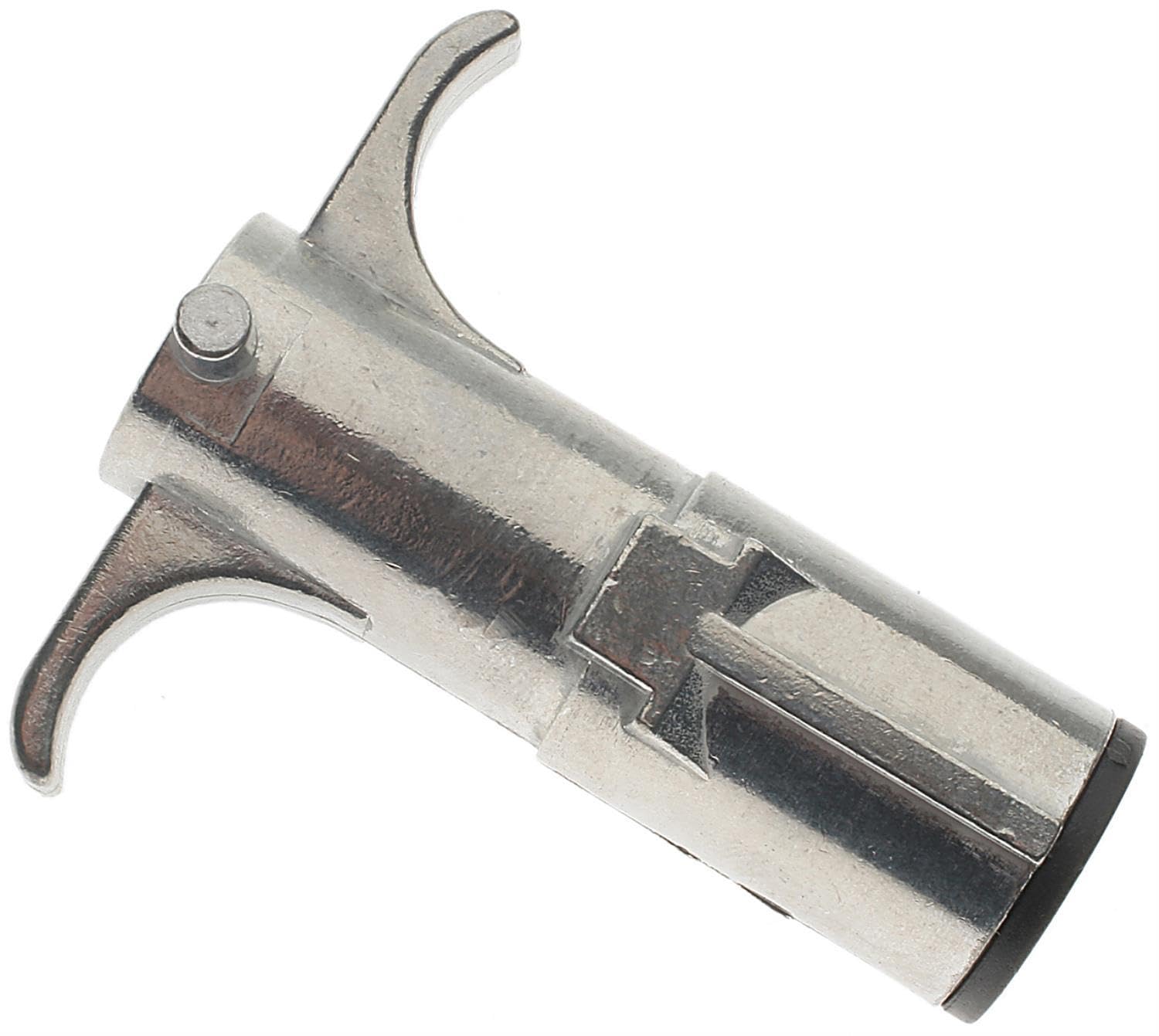
Image 1.1: The ACDelco TC322 Professional Inline to Trailer Wiring Harness Connector. This image shows the overall design of the connector, highlighting its robust construction.
2. Setup and Installation
Proper installation of the ACDelco TC322 connector is crucial for optimal performance and safety. If you are unsure about any step, it is recommended to consult a qualified automotive technician.
Installation Steps:
- Safety First: Disconnect the vehicle's battery before beginning any electrical work to prevent short circuits or electrical shock.
- Identify Connection Points: Locate the existing wiring harness or the intended connection points for the trailer wiring. Ensure the vehicle's electrical system is compatible with a trailer wiring harness connector.
- Prepare Wiring: If splicing into existing wires, carefully strip the insulation from the ends of the wires to expose the copper conductors. Ensure clean cuts and proper wire gauge matching.
- Connect Wires: Connect the wires from the ACDelco TC322 connector to the corresponding vehicle wires. Use appropriate crimp connectors, solder, or other secure electrical connection methods. Ensure each wire is connected to its correct function (e.g., ground, tail lights, brake lights, turn signals).
- Secure Connections: After making connections, ensure they are secure and insulated to prevent corrosion and short circuits. Use electrical tape, heat shrink tubing, or waterproof connectors as needed.
- Mount Connector: Securely mount the connector in a location that is protected from road debris, moisture, and excessive heat. Ensure it is easily accessible for connecting to a trailer.
- Reconnect Battery: Once all connections are secure and insulated, reconnect the vehicle's battery.
- Test Functionality: Test all trailer lighting and electrical functions (tail lights, brake lights, turn signals) to ensure proper operation before driving.

Image 2.1: A close-up view of the connector's pins, showing the internal contacts. This illustrates the connection points for the wiring.

Image 2.2: Example of automotive wiring, similar to what would connect to the harness. This image helps visualize the type of wiring involved in the installation process.
3. Operation
The ACDelco TC322 connector facilitates the electrical connection between your vehicle and a trailer. Once installed, its operation is straightforward.
Connecting to a Trailer:
- Align Connector: Align the trailer's wiring plug with the vehicle's installed ACDelco TC322 connector.
- Insert and Secure: Carefully insert the trailer plug into the vehicle's connector. Ensure a firm and complete connection. Many connectors have a locking mechanism or a snug fit to prevent accidental disconnection.
- Verify Connection: Before driving, perform a visual check to ensure the connection is secure.
- Test Lights: With the vehicle's ignition on, test all trailer lights (tail lights, brake lights, turn signals) to confirm they are functioning correctly. Have someone observe the trailer lights while you operate the vehicle's corresponding controls.
Disconnecting from a Trailer:
- Release Mechanism: If your connector has a locking mechanism, release it.
- Pull Apart: Firmly but gently pull the trailer plug straight out from the vehicle's connector. Avoid pulling by the wires.
- Store Connector: When not in use, it is recommended to cover the vehicle's connector with a protective cap (if available) to prevent dirt, moisture, and corrosion.
4. Maintenance
Regular maintenance helps ensure the longevity and reliable performance of your ACDelco TC322 connector and associated wiring.
Maintenance Tips:
- Inspect Regularly: Periodically inspect the connector for signs of wear, corrosion, or damage. Check the wiring for frayed insulation or loose connections.
- Clean Contacts: If corrosion is present on the electrical contacts, clean them with a wire brush or electrical contact cleaner.
- Apply Dielectric Grease: Apply dielectric grease to the electrical contacts to protect them from moisture and corrosion. This grease is designed to keep water out and protect the contacts.
- Check Harness Condition: The wiring harness only needs to be replaced if it is worn, cracked, or if the wire insulation is damaged.
- Protect When Not in Use: Use a protective cap or cover for the connector when it is not connected to a trailer to shield it from environmental elements.

Image 4.1: Example of a wiring plug boot, which can help protect the connector from elements. Maintaining such protective covers is part of good practice.
5. Troubleshooting
This section addresses common issues related to trailer wiring and electrical systems.
Common Issues and Solutions:
- Trailer Lights Not Working:
- Check the connection between the vehicle and trailer for looseness or corrosion.
- Inspect trailer light bulbs for damage or burnout.
- Verify vehicle fuses related to trailer lighting are intact.
- Ensure proper grounding for both the vehicle's connector and the trailer's wiring.
- Illuminated ABS Light:
- A malfunctioning wire harness can be one potential cause for an illuminated ABS light. Inspect the ABS wheel-speed sensor harness for wear, cracks, or damaged wire insulation.
- Check Engine Light Due to Vent Solenoid:
- A vent solenoid can stick open or closed, which may cause the Check Engine light to illuminate. While not directly related to the trailer connector, ensuring all vehicle harnesses (like the vapor canister vent solenoid harness) are in good condition is part of overall vehicle electrical health.
- Intermittent Electrical Problems:
- Often caused by loose or corroded connections. Re-check all wiring connections and apply dielectric grease.
- Inspect for damaged wires or insulation that could lead to intermittent shorts.
6. Product Specifications
| Brand | ACDelco |
| Model Number | TC322 |
| Manufacturer Part Number | 88861161 |
| OEM Part Number | 88861161 |
| Product Dimensions | 7.11 x 6.35 x 6.6 cm |
| Item Weight | 90.7 g |
| ASIN | B0055AM206 |
| Date First Available | Sept. 21 2012 |
7. Warranty Information
Specific warranty details for the ACDelco TC322 Professional Inline to Trailer Wiring Harness Connector are not provided within this manual. For information regarding product warranty, please refer to the official ACDelco website or contact ACDelco customer support directly. Keep your proof of purchase for any warranty claims.
8. Customer Support
If you encounter any issues or have questions regarding the ACDelco TC322 Professional Inline to Trailer Wiring Harness Connector that are not covered in this manual, please contact ACDelco customer support. You can typically find contact information, including phone numbers and online support resources, on the official ACDelco website.
For additional resources and information on ACDelco products, visit the official ACDelco website: www.acdelco.com