
Victron Energy CMP122200100
Victron Energy MultiPlus Compact Inverter Charger
Model: CMP122200100
Brand: Victron Energy
1. Introduction
The Victron Energy MultiPlus Compact is a versatile and powerful device that combines a true sine wave inverter, a sophisticated battery charger with adaptive charge technology, and a high-speed AC transfer switch in a single compact enclosure. Designed for reliability and high performance, it is an ideal solution for various applications including recreational vehicles, boats, off-grid systems, and backup power for homes or offices.
This manual provides essential information for the safe and efficient installation, operation, and maintenance of your MultiPlus Compact inverter charger.
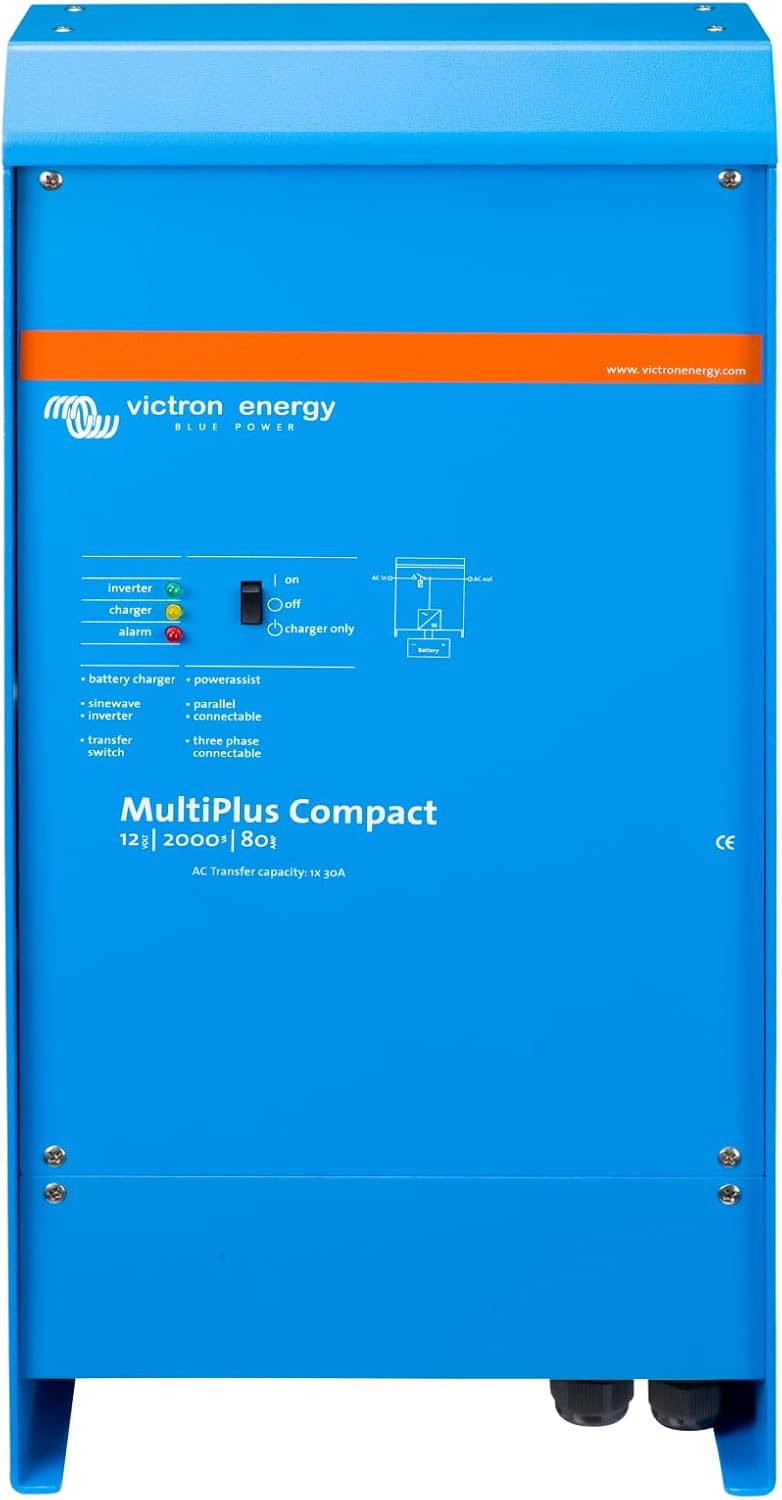
Figure 1: Front view of the Victron Energy MultiPlus Compact Inverter Charger.
2. Key Features
- Pure Sine Wave Inverter: Provides high-quality AC power suitable for sensitive electronics.
- Adaptive Battery Charger: Features a sophisticated battery charger with adaptive charge technology for optimal battery health and longevity.
- Power Assist Function: Prevents overload of a limited AC source (e.g., generator or shore power) by boosting the output with power taken from the battery.
- Uninterrupted AC Power (UPS Function): In the event of a grid failure or disconnection of shore/generator power, the inverter automatically takes over the supply to connected loads within 20 milliseconds, ensuring continuous operation.
- Parallel and Three-Phase Operation: Up to six MultiPlus units can operate in parallel for increased power output. Three units can also be configured for three-phase output.
- Compact Design: Space-saving dimensions for flexible installation.
- Integrated Fuse: Eliminates the need for an external fuse, simplifying installation and saving space.
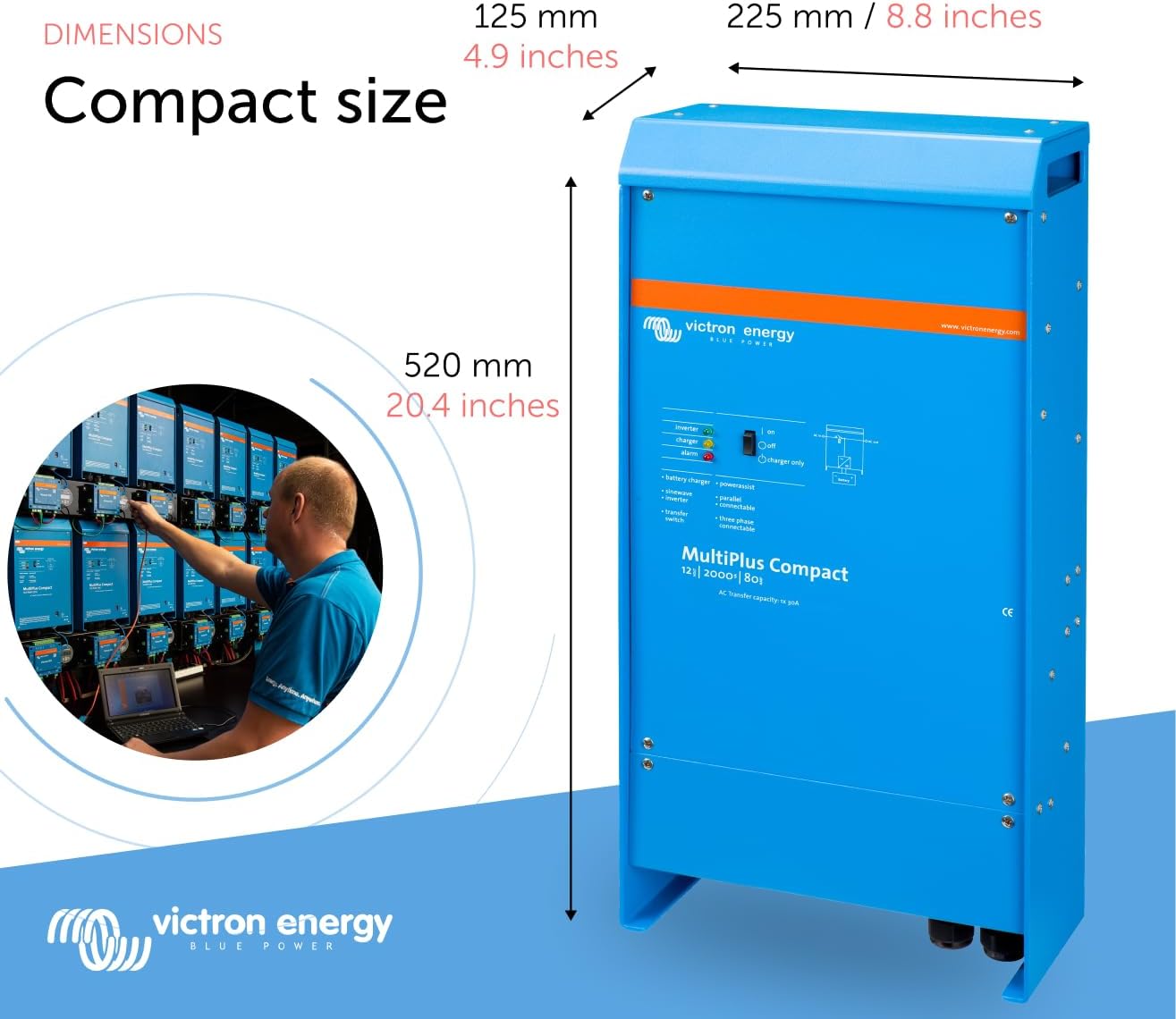
Figure 2: Dimensions of the MultiPlus Compact unit, highlighting its space-saving design.
3. Setup and Installation
Proper installation is crucial for the safe and efficient operation of your MultiPlus Compact. It is highly recommended to consult a licensed professional and follow all applicable electrical codes during installation.
3.1 Mounting
The MultiPlus Compact can be mounted vertically or horizontally. Ensure the mounting surface is sturdy enough to support the unit's weight (approximately 24 pounds). Allow adequate ventilation around the unit for optimal cooling.
3.2 Electrical Connections
Connect the MultiPlus to your 12-volt DC battery bank using appropriate gauge wiring (2/0 cable is recommended). Ensure proper fusing at the battery. Connect the AC input from shore power or a generator, and the AC output to your loads. An isolated neutral on the output side is required.

Figure 3: Diagram illustrating parallel connection of MultiPlus units for increased power output.
3.3 Initial Configuration
After physical installation, the MultiPlus is ready for configuration. Many settings, including charge profiles for different battery types (e.g., lithium), can be adjusted via the VictronConnect app or the Victron Remote Management (VRM) portal. A programming dongle (e.g., MK3-USB adapter) may be required for initial setup or advanced configurations via a Windows PC.

Figure 4: The VictronConnect App allows for easy monitoring, operation, and configuration of your MultiPlus unit.
4. Operating the MultiPlus Compact
4.1 Basic Operation
The MultiPlus features physical buttons for basic control: ON, OFF, and Charger Only. The "Charger Only" mode is useful when you are parked for an extended period and only need to charge your batteries without inverting AC power.
4.2 Intelligent Charging
The four-stage adaptive charging ensures optimal battery charging. It adjusts the charge current and voltage to prevent excessive gassing and prolong battery life. The Battery Safe Mode is an integral part of this adaptive process.

Figure 5: Graph illustrating the four-stage adaptive charging process, including Bulk, Absorption, Float, and Storage phases.
4.3 Remote Monitoring and Management
Utilize the VictronConnect app or the Victron Remote Management (VRM) portal for comprehensive monitoring and control. These platforms allow you to check key monitoring data, see device performance, adjust settings like AC input current limits, and receive programmable alerts and alarms.
Video 1: An overview of the Victron Remote Management (VRM) portal, demonstrating its capabilities for monitoring and managing remote systems.
Video 2: A demonstration of the VictronConnect App, showcasing its features for monitoring performance and configuring settings on Victron devices.
5. Maintenance
The Victron Energy MultiPlus Compact is designed for minimal maintenance. However, regular checks can ensure its long-term reliability:
- Keep the unit clean and free from dust and debris. Ensure ventilation openings are not obstructed.
- Periodically inspect all electrical connections for tightness and signs of corrosion.
- Monitor battery health and ensure proper charging cycles through the VictronConnect app or VRM portal.
- Keep the firmware updated to benefit from the latest features and improvements.
6. Troubleshooting
If you encounter issues with your MultiPlus Compact, consider the following common points:
- No Power Output: Check battery connections, DC fuse, and AC input/output breakers. Ensure the unit is switched to the ON position.
- Overload Warnings: The Power Assist feature should prevent most overloads. If warnings persist, reduce the load or check the AC input current limit settings in the VictronConnect app.
- Charging Issues: Verify shore power or generator connection. Check battery settings in the app to ensure they match your battery type. Inspect battery cables for damage or loose connections.
- Communication Problems (Bluetooth/VRM): Ensure Bluetooth is enabled on your device and the MultiPlus is within range. For VRM, verify internet connectivity and proper GX device setup.
- Unusual Noises: While the unit is generally quiet, excessive fan noise might indicate overheating due to obstructed ventilation or heavy load.
For complex issues or if troubleshooting steps do not resolve the problem, refer to the detailed user manual (PDF) or contact Victron Energy support or a certified professional.
7. Specifications
| Attribute | Value |
|---|---|
| Product Dimensions | 5 x 10 x 20.5 inches |
| Item Weight | 24 pounds |
| ASIN | B0053XY8NY |
| Item Model Number | CMP122200100 |
| Brand | Victron Energy |
| Recommended Uses | Recreational Vehicle, Boat, Office, Home, Camping, Hurricane |
| Power Source | Battery Powered |
| Model Name | MultiPlus Compact |
| Color | Blue |
| Manufacturer | Victron Energy |
| Date First Available | June 2, 2011 |
8. Warranty and Support
For detailed warranty information, please refer to the official Victron Energy documentation provided with your product. Victron Energy is known for its reliable products and a global network of skilled professionals to provide support.
You can find the comprehensive user manual in PDF format here: Victron Energy MultiPlus Compact User Manual (PDF).
For further assistance, please visit the official Victron Energy website or contact their customer support.
Ask a question about this manual
Ask about setup, troubleshooting, compatibility, parts, safety, or missing instructions. Manuals+ will review the question and use this page’s manual context to help answer it.