
1. Introduction
This manual provides comprehensive instructions for the installation, operation, and maintenance of your Browning BR-78 High-Performance CB Antenna. The Browning BR-78 is a robust flat-coil CB antenna designed for reliable communication within the 25 MHz to 30 MHz frequency range, capable of handling up to 15,000 watts of power. Its durable construction ensures longevity and consistent performance.
Key Features:
- High Power Handling: Capable of handling up to 15,000 watts for robust and reliable performance.
- Durable Construction: Features a stainless steel 17-7 PH tempered 3 mm tapered whip and shaft for exceptional resilience.
- Wide Frequency Range: Covers 25 MHz to 30 MHz, suitable for various applications and strong signal reception.
- Optimal Height: Includes a 6-inch stainless steel shaft and a 47-1/4 inch whip, totaling 63 inches for optimal signal reach.
- Standard Mounting: Designed with a standard 3/8-inch x 24 thread mounting for easy installation.
2. Product Overview
The Browning BR-78 antenna is engineered for high-performance CB radio communication. It features a distinctive flat aluminum coil and a plastic steel insulator, contributing to its broad-band capabilities. The antenna's design prioritizes both signal efficiency and physical durability.

Figure 2.1: Main view of the Browning BR-78 CB Antenna, showcasing its flat coil design and stainless steel whip.

Figure 2.2: Detailed view of the flat aluminum coil and the base of the stainless steel whip.

Figure 2.3: Full length perspective of the Browning BR-78 CB Antenna, highlighting its overall structure.
Product Overview Video:
Video 2.1: An official product overview video demonstrating the features and design of the Browning BR-78 CB Antenna.
3. Installation and Setup
Proper installation is critical for optimal performance of your Browning BR-78 antenna. Ensure you have a suitable mounting location and a compatible CB radio system.
3.1 Mounting the Antenna
- Select a Mounting Location: Choose a location on your vehicle that provides a clear, unobstructed view of the sky and sufficient ground plane. Common locations include truck beds, mirror mounts, or roof mounts.
- Secure the Mount: Attach your chosen 3/8-inch x 24 thread compatible mount securely to the vehicle. Ensure a strong electrical connection to the vehicle's chassis for proper grounding.
- Attach the Antenna Base: Screw the Browning BR-78 antenna base onto the mount.
- Insert the Whip: Insert the 49 1/4-inch stainless steel whip into the whip adapter at the top of the coil. Push it down until it reaches the very bottom, then tighten the set screws. Do not overtighten.
- Connect Coaxial Cable: Connect a high-quality 50-ohm coaxial cable (not included) from your CB radio to the antenna mount. Ensure all connections are tight and weatherproof.

Figure 3.1: The Browning BR-78 antenna installed on the bed of a pickup truck, showing its height and placement.

Figure 3.2: A closer view of the Browning BR-78 antenna's base and mounting hardware on a truck bed.
3.2 SWR Tuning
After installation, it is essential to tune your antenna for optimal performance and to prevent damage to your CB radio. This involves adjusting the antenna length to achieve a low Standing Wave Ratio (SWR).
- Connect SWR Meter: Connect an SWR meter between your CB radio and the antenna.
- Measure SWR: Transmit on Channel 1, Channel 19, and Channel 40, noting the SWR readings for each. An ideal SWR is 1.5:1 or lower across all channels.
- Adjust Whip Length:
- If SWR is higher on lower channels (e.g., Channel 1), the antenna is too short. Try extending the whip slightly by loosening the set screws and pulling it up a small amount.
- If SWR is higher on higher channels (e.g., Channel 40), the antenna is too long. Try shortening the whip slightly by loosening the set screws and pushing it down a small amount.
- Re-measure and Fine-tune: Make small adjustments, re-tighten the set screws (do not overtighten), and re-measure SWR until optimal readings are achieved.
For amateur frequencies (10 meters), refer to the cutting chart provided with your antenna for specific whip lengths corresponding to desired frequencies. The chart below provides general guidance:

Figure 3.3: Tuning chart for the Browning BR-78 antenna, showing recommended whip lengths for various frequencies.
4. Operation
Once installed and tuned, the Browning BR-78 antenna is ready for use with your compatible CB radio. Ensure your radio is set to the correct frequency band (25-30 MHz) and power output is within the antenna's 15,000-watt handling capacity.
- Always operate your CB radio according to local regulations and licensing requirements.
- Avoid transmitting without the antenna properly connected, as this can damage your radio.
- Monitor SWR periodically, especially after any physical impact or environmental changes, to ensure continued optimal performance.
5. Maintenance
The Browning BR-78 antenna is designed for durability, but regular maintenance will extend its lifespan and ensure consistent performance.
- Regular Inspection: Periodically check the antenna for any signs of physical damage, corrosion, or loose connections.
- Clean Connections: Ensure all electrical connections, especially at the mount and coaxial cable, are clean and free of dirt or moisture. Use a dielectric grease if necessary to protect against corrosion.
- Whip Condition: Inspect the stainless steel whip for bends or kinks. While durable, extreme forces can cause damage.
- Mount Security: Verify that the antenna mount remains securely fastened to your vehicle.
6. Troubleshooting
If you experience issues with your Browning BR-78 antenna, consider the following common troubleshooting steps:
| Problem | Possible Cause | Solution |
|---|---|---|
| High SWR readings | Incorrect antenna length, poor ground, faulty coaxial cable, loose connections. | Re-tune the antenna (Section 3.2), check ground connection, inspect/replace coaxial cable, tighten all connections. |
| Poor reception/transmission range | High SWR, antenna obstruction, insufficient ground plane, radio issue. | Address high SWR, ensure clear line of sight for antenna, verify proper ground, test with another antenna/radio if possible. |
| Intermittent signal | Loose connections, damaged coaxial cable, intermittent short circuit. | Check and tighten all connections, inspect coaxial cable for damage, ensure no wires are pinched or frayed. |
7. Specifications
Detailed technical specifications for the Browning BR-78 CB Antenna:
| Feature | Specification |
|---|---|
| Model Number | BR-78 |
| Power Handling | 15,000 Watts |
| Frequency Range | 25 MHz to 30 MHz |
| Antenna Type | Broad-Band Flat-Coil CB Antenna |
| Total Height | 63 inches (including 6" shaft and 47-1/4" whip) |
| Shaft Material | Stainless Steel |
| Whip Material | Stainless Steel 17-7 PH tempered 3 mm tapered |
| Coil Material | Flat Aluminum |
| Insulator Material | Plastic Steel |
| Mounting Thread | Standard 3/8-inch x 24 |
| Impedance | 50 Ohms |
| Number of Channels | 40 |
| Product Dimensions | 2.25"L x 2.25"W x 63.25"H |
| Item Weight | 1.25 pounds |
8. Warranty and Support
For warranty information and customer support regarding your Browning BR-78 CB Antenna, please refer to the documentation included with your purchase or contact the manufacturer directly. Manufacturer contact details are typically available on the product packaging or the official Browning website.

Figure 8.1: Front view of the Browning BR-78 antenna packaging label, showing model and brand information.
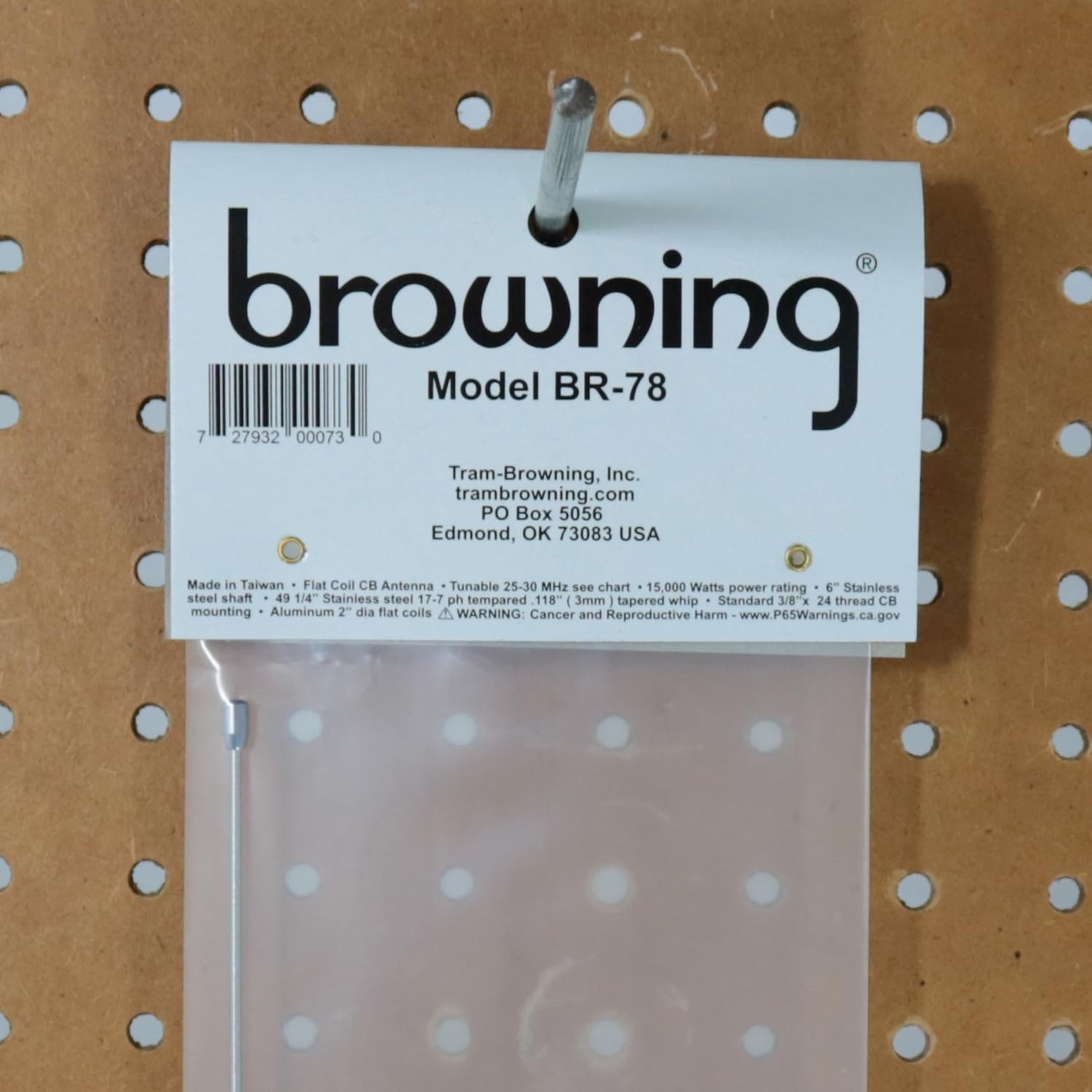
Figure 8.2: Back view of the Browning BR-78 antenna packaging label, including manufacturer details and UPC.


