
Triton TA1200BS
Triton TA1200BS Belt Sander User Manual
Model: TA1200BS
Product Overview
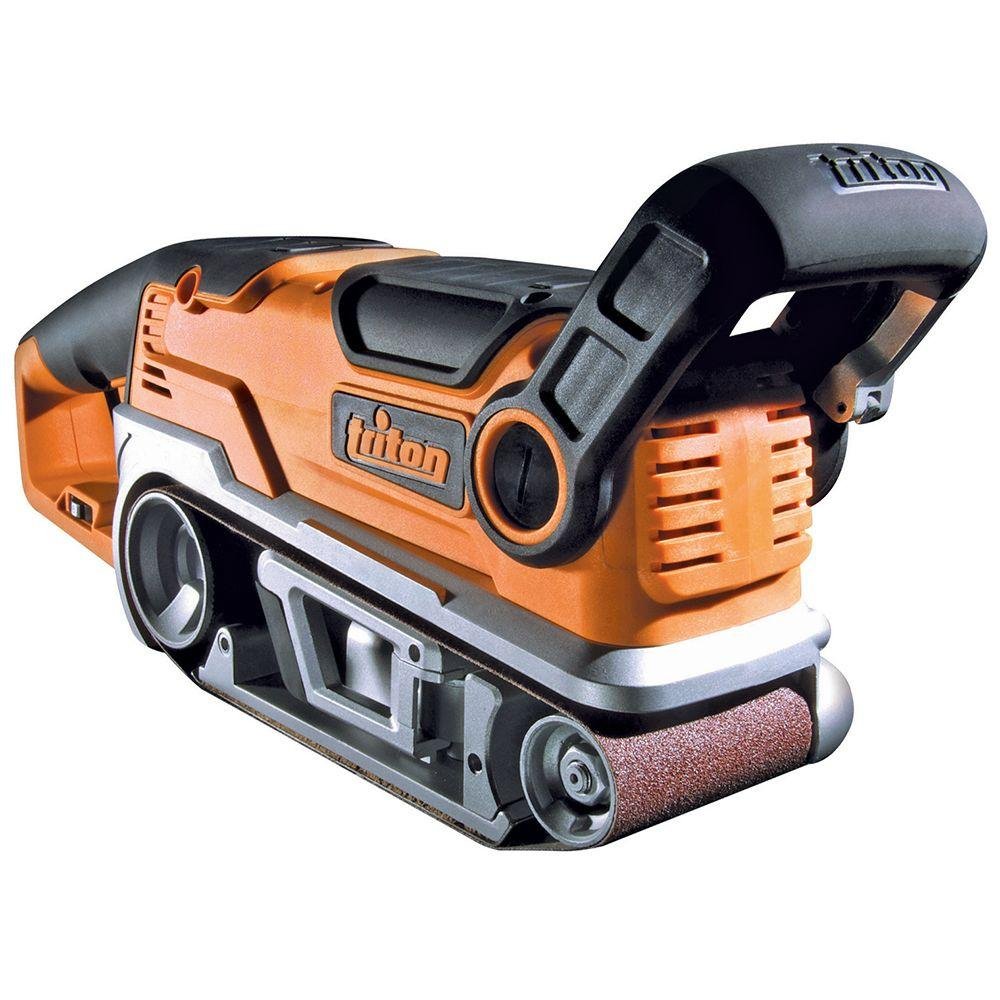
The Triton TA1200BS Belt Sander is engineered for efficient material removal and precise finishing. It features a robust 10-Amp motor, variable speed control, and a design optimized for both broad surfaces and confined areas. This manual provides essential information for safe and effective use of your belt sander.
Key Features
- Powerful 10-Amp motor for rapid stock removal.
- Variable speed control for versatility across different materials.
- Adjustable auxiliary handle, lock-on button, and belt tracking adjustment for enhanced control.
- Side dust port for connection to a dust bag or vacuum system.
- Includes inversion clamps, dust bag, and one 3-Inch by 21-Inch sanding belt.
Setup and Assembly
Before initial use, ensure all components are securely attached and the sanding belt is correctly installed.
- Attaching the Auxiliary Handle: Secure the adjustable auxiliary handle to the front of the sander. Ensure it is tightened firmly for stable operation.
- Installing the Sanding Belt: Release the belt tension lever. Slide the 3-inch by 21-inch sanding belt onto the rollers, ensuring the directional arrow on the belt matches the arrow on the sander. Re-engage the tension lever.
- Connecting the Dust Bag: Attach the supplied dust bag to the side dust port. For optimal dust collection, ensure a tight fit. Alternatively, connect to a compatible vacuum system.
- Power Connection: Plug the sander into a suitable power outlet. The neon safety light will illuminate, indicating power is available.
Operation
Familiarize yourself with the controls and features before beginning any sanding task.
- Power On/Off: Press the trigger switch to start the sander. Use the lock-on button for continuous operation during extended use.
- Variable Speed Control: Adjust the variable speed dial to match the sanding speed to the material and desired finish. Lower speeds are recommended for fine finishing or heat-sensitive materials, while higher speeds are suitable for rapid stock removal.
- Belt Tracking Adjustment: During operation, observe the sanding belt. If it drifts to one side, use the belt tracking adjustment knob to center the belt on the rollers. This ensures even wear and prevents damage to the belt and sander.
- Sanding Technique: Apply even pressure and move the sander smoothly across the workpiece. The small diameter front roller allows for sanding in confined areas and detailed work.
Product Demonstration Video
Official product video demonstrating the features of the Triton TA1200BS Belt Sander, including its powerful motor, small diameter front roller, removable bail handle, belt tracking adjustment, side dust port, rubber over-moulded grip, easy access brushes, power-on neon, lock-on button, and variable speed control.
Maintenance
Regular maintenance ensures the longevity and optimal performance of your belt sander.
- Dust Bag/System Emptying: Regularly empty the dust bag or dust collection system to maintain efficient dust extraction and prevent clogging.
- Cleaning: After each use, wipe down the sander with a clean, dry cloth. Ensure the ventilation slots are clear of dust and debris.
- Brush Replacement: The sander features easy access brushes. Periodically inspect the carbon brushes for wear. Replace them when they are significantly worn to maintain motor efficiency and prevent damage. Refer to the full user manual for detailed instructions on brush replacement.
- Belt Inspection: Inspect sanding belts for wear, tears, or heat damage. Replace worn belts promptly to ensure effective sanding and prevent damage to the sander.
Troubleshooting
This section addresses common issues you might encounter.
- Sander Not Starting:
- Check if the power cord is securely plugged into a live outlet.
- Verify that the power-on neon light is illuminated. If not, check the power source.
- Excessive Sparking from Motor:
- This can indicate worn carbon brushes. Inspect and replace brushes if necessary.
- If sparking persists after brush replacement, discontinue use and consult a qualified service technician.
- Sanding Belt Drifting or Coming Off:
- Adjust the belt tracking knob to center the belt.
- Ensure the belt tension lever is fully engaged.
- Check if the sanding belt is the correct size (3-inch by 21-inch) and is not damaged.
- Poor Dust Collection:
- Empty the dust bag or collection system.
- Ensure the dust bag or vacuum hose is securely attached to the side dust port.
- Check for any blockages in the dust port or hose.
- Overheating:
- Ensure proper ventilation by keeping air vents clear.
- Avoid applying excessive pressure during sanding.
- Allow the tool to cool down if it becomes excessively hot.
Technical Specifications
| Specification | Value |
|---|---|
| Brand | Triton |
| Model Number | TA1200BS |
| Product Dimensions | 21"L x 3"W x 8"H (approx.) |
| Weight | 12 Pounds (approx.) |
| Power Source | AC |
| AC Adapter Current | 10 Amps |
| Sanding Belt Size | 3-Inch by 21-Inch |
Package Contents
The Triton TA1200BS Belt Sander package typically includes:
- Triton TA1200BS Belt Sander Unit
- Inversion Clamps
- Dust Bag
- One 3-Inch by 21-Inch Sanding Belt
Warranty and Support
For information regarding warranty coverage, service, or replacement parts, please refer to the documentation included with your product or visit the official Triton website. Keep your purchase receipt as proof of purchase for any warranty claims.
For additional support or to download the full PDF user manual, please visit the manufacturer's support page or contact their customer service department.
Related documentsTA1200BS


Ask a question about this manual
Ask about setup, troubleshooting, compatibility, parts, safety, or missing instructions. Manuals+ will review the question and use this page’s manual context to help answer it.