
1. Introduction
This manual provides essential information for the safe and efficient operation, installation, maintenance, and troubleshooting of your Traulsen G-Series G14300 Solid Door 1-Section Hot Food Holding Cabinet. Please read these instructions thoroughly before installing or operating the unit. Retain this manual for future reference.
The Traulsen G14300 is a commercial-grade hot food holding cabinet designed to maintain pre-cooked hot food at safe serving temperatures. It features a single section with solid half-height stainless steel doors and microprocessor control for precise temperature management.
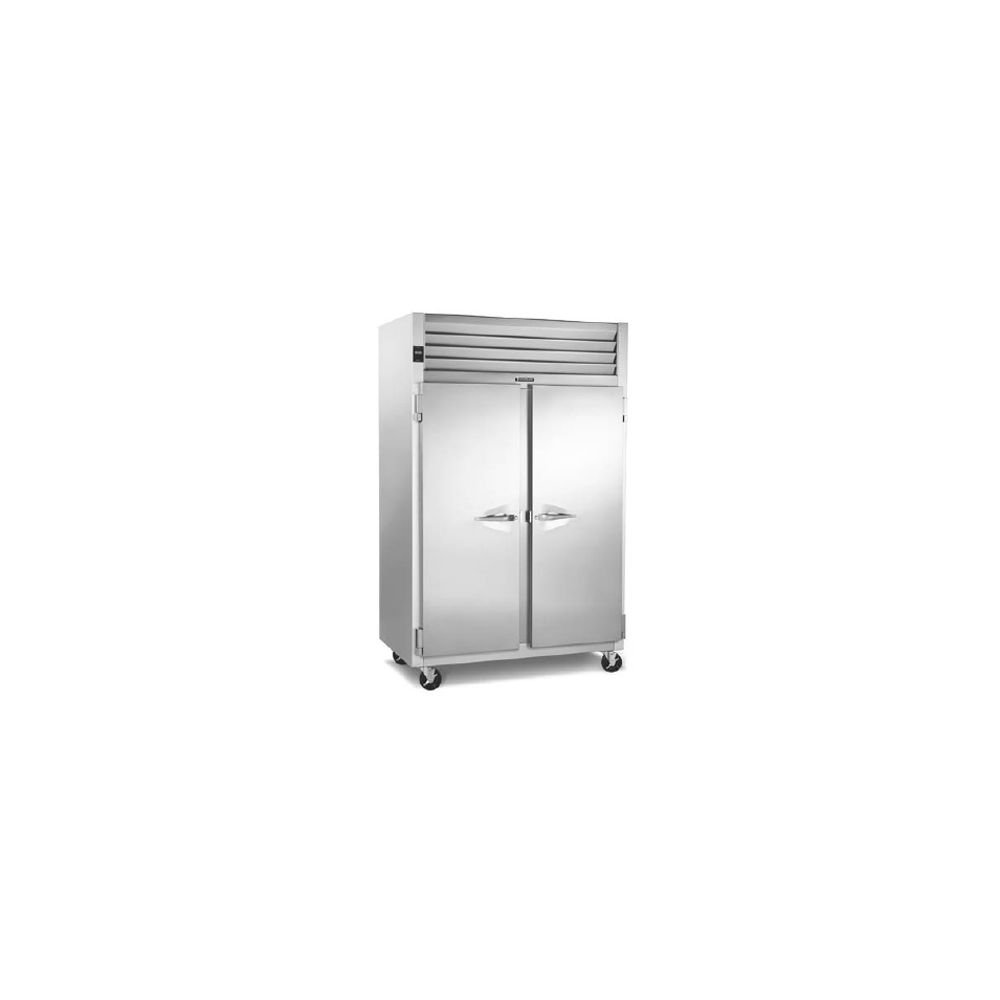
Image 1.1: Front view of the Traulsen G-Series G14300 Hot Food Holding Cabinet. The cabinet is stainless steel with two half-height doors on the right side and a control panel on the top front.
2. Safety Information
WARNING: Risk of Electric Shock. Disconnect power before servicing.
WARNING: Hot Surfaces. The interior and exterior surfaces of the cabinet can become hot during operation. Use caution to avoid burns.
- Always follow local electrical codes and safety regulations during installation and operation.
- Ensure the unit is properly grounded to prevent electrical shock.
- Do not operate the cabinet with a damaged power cord or plug.
- Do not block ventilation openings. Proper airflow is essential for safe operation.
- Only qualified personnel should perform installation, maintenance, and repairs.
- This appliance is designed for holding pre-cooked hot food. Do not use it for cooking or reheating food from cold temperatures.
- Maintain food temperatures above 140°F (60°C) to prevent bacterial growth.
3. Unpacking and Installation (Setup)
3.1 Unpacking
- Carefully remove the cabinet from its packaging. Inspect for any shipping damage. Report any damage immediately to the carrier.
- Remove all protective plastic film, tape, and packing materials from the interior and exterior surfaces.
- Locate the accessories package, which typically includes shelves and shelf clips.
3.2 Placement
- Place the cabinet on a strong, level surface capable of supporting its weight (approximately 395 lbs empty, plus food load).
- Ensure adequate clearance around the unit for proper ventilation. Maintain at least 3 inches (7.6 cm) from walls or other equipment on the sides and rear.
- Avoid placing the cabinet near heat-generating appliances or in direct sunlight, as this can affect performance and energy efficiency.
- The unit comes with 6-inch high casters for mobility. Ensure the casters are locked once the cabinet is in its final position.
3.3 Electrical Connection
- The Traulsen G14300 operates on 115 Volts. Verify that the electrical supply matches the unit's requirements.
- Connect the cabinet to a dedicated, properly grounded electrical circuit. Do not use extension cords or adapter plugs.
- Ensure the electrical outlet is easily accessible for disconnection.
3.4 Initial Cleaning
Before first use, clean the interior and exterior of the cabinet with a mild detergent and warm water. Rinse thoroughly and dry with a soft cloth.
4. Operating Instructions
4.1 Powering On/Off
- Plug the unit into the appropriate electrical outlet.
- The microprocessor control panel, located on the top front of the cabinet, will illuminate.
- To turn the unit off, disconnect it from the power supply. There is no dedicated 'off' switch on the control panel for complete power shutdown.
4.2 Temperature Control
- The G14300 features a microprocessor control system with an exterior digital thermometer for precise temperature management.
- Refer to the specific instructions provided with the microprocessor control unit for detailed programming and temperature adjustment procedures. Generally, buttons allow for setting the desired holding temperature.
- Allow the cabinet to preheat for at least 30-60 minutes before loading food. The digital display will show the current internal temperature.
- The recommended holding temperature for most hot foods is above 140°F (60°C).
4.3 Loading Food
- Only place pre-cooked, hot food into the holding cabinet. This unit is not designed to heat cold food.
- Use appropriate food pans or containers. The cabinet is equipped with (3) plated wire shelves.
- Distribute food evenly on the shelves to allow for proper air circulation and consistent temperature maintenance. Do not overload shelves.
- Minimize door openings to maintain internal temperature and energy efficiency.
4.4 Door Operation
The G14300 features solid half-height stainless steel doors, hinged on the right. Ensure doors close completely after each use to maintain temperature and seal.
5. Maintenance and Cleaning
WARNING: Disconnect power to the unit before performing any cleaning or maintenance.
5.1 Daily Cleaning
- Clean the interior and exterior surfaces with a mild detergent and warm water. Use a soft cloth or sponge.
- Rinse thoroughly with clean water and dry completely to prevent water spots and corrosion.
- Clean the door gaskets with warm, soapy water. Inspect for tears or damage. Replace damaged gaskets promptly to ensure an effective seal.
- Remove and clean the wire shelves as needed.
5.2 Regular Inspection
- Periodically inspect the power cord and plug for any signs of damage.
- Check door hinges and latches for proper operation and alignment.
- Ensure the casters are clean and roll freely, and that their locks function correctly.
6. Troubleshooting
Before contacting service, review the following common issues and solutions:
| Problem | Possible Cause | Solution |
|---|---|---|
| Cabinet not heating | No power supply Temperature setting too low Door not closed properly | Check power cord and outlet Adjust temperature setting on microprocessor control Ensure doors are fully closed and gaskets are sealing |
| Temperature too low/high | Incorrect temperature setting Frequent door openings Blocked air vents Unit overloaded | Verify and adjust temperature setting Minimize door openings Ensure proper clearance around the unit Reduce food load for better air circulation |
| Excessive condensation inside | Frequent door openings High humidity environment Food not properly covered | Minimize door openings Ensure food is covered to reduce moisture release |
If the problem persists after attempting these solutions, contact a qualified service technician.
7. Specifications
- Model Name: G14300
- Brand: Traulsen
- Item Model Number: G14300
- ASIN: B004ZM9VHW
- Item Weight: 395 pounds
- Voltage: 115 Volts
- Installation Type: Built-In
- Finish Type: Stainless Steel
- Door Material Type: Stainless Steel
- Shelf Type: Wire (3 plated shelves included)
- Form Factor: Compact
- Special Feature: Temperature Control (Microprocessor)
- Energy Efficiency: Energy Star certified
8. Warranty and Support
8.1 Warranty Information
Traulsen products are manufactured to high standards and typically come with a limited warranty covering defects in materials and workmanship. Specific warranty terms, including duration and coverage details, are provided at the time of purchase or can be found on the official Traulsen website. Please retain your proof of purchase for warranty claims.
8.2 Customer Support
For technical assistance, parts, or service inquiries, please contact Traulsen customer support or an authorized service provider. Contact information can typically be found on the manufacturer's website or through your original point of purchase.
When contacting support, please have your model number (G14300) and serial number readily available.


