
PHILIPS AT750
Philips AquaTouch AT750 Wet and Dry Electric Shaver User Manual
Model: AT750
1. Introduction
This manual provides essential instructions for the safe and effective use of your Philips AquaTouch AT750 Wet and Dry Electric Shaver. Please read this manual thoroughly before first use and retain it for future reference. This shaver is designed for men's facial hair removal, offering both wet and dry shaving capabilities.
2. Important Safety Information
WARNING: To reduce the risk of electric shock, injury, or damage, always observe the following precautions:
- This appliance is waterproof and suitable for use in the bath or shower. For safety reasons, it can only be used cordless.
- Do not use the appliance near water while it is connected to the mains power.
- Always unplug the appliance before cleaning it under running water.
- Do not use the appliance if it is damaged.
- Keep the appliance and its cord away from heated surfaces.
- This appliance can be used by children aged from 8 years and above and persons with reduced physical, sensory or mental capabilities or lack of experience and knowledge if they have been given supervision or instruction concerning use of the appliance in a safe way and understand the hazards involved. Children shall not play with the appliance. Cleaning and user maintenance shall not be made by children without supervision.
- Only use the original charger supplied with the appliance.
- Do not use the appliance for any purpose other than shaving.
- Avoid using the shaver on irritated or broken skin. If skin irritation persists, consult a dermatologist.
3. Package Contents
Verify that all items are present in the package:
- Philips AquaTouch AT750 Electric Shaver
- Power Adapter (UK 2-pin plug)
- Protective Cap
- Cleaning Brush
- User Manual
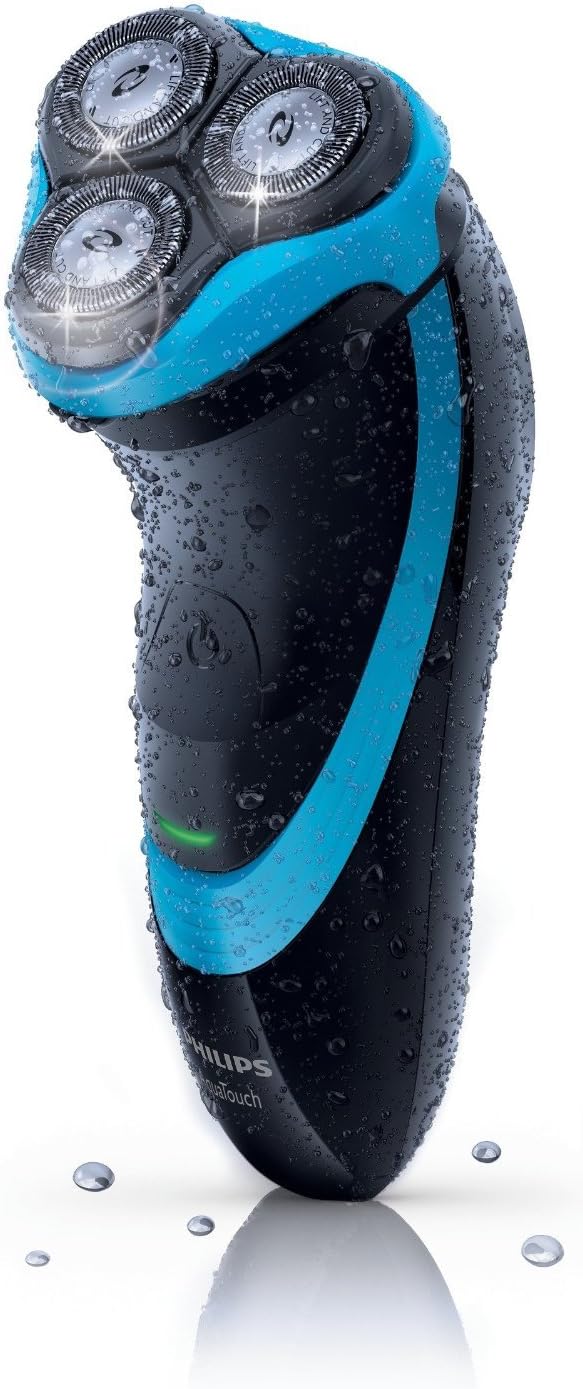
Image 1: Philips AquaTouch AT750 Electric Shaver. This image shows the shaver in black and blue, covered in water droplets, highlighting its wet-use capability. The three rotary shaving heads are visible at the top.
4. Setup and Charging
4.1 Initial Charge
Before using your shaver for the first time, it is recommended to charge it for 8 hours. A full charge provides approximately 40 minutes of cordless shaving time, which is sufficient for about 10 shaves.
- Ensure the shaver is switched off.
- Insert the small plug of the power adapter into the shaver's charging socket.
- Plug the power adapter into a wall outlet.
- The charging indicator light on the shaver will illuminate to show that it is charging.
- Once fully charged, the indicator may change color or turn off depending on the model.
4.2 Attaching/Detaching Accessories
The AquaTouch AT750 features an integrated pop-up trimmer. No additional accessories need to be attached for basic shaving.
5. Operating Instructions
5.1 Dry Shaving
- Ensure your face is clean and dry.
- Press the on/off button to start the shaver.
- Move the shaving heads in small, circular motions over your skin.
- Stretch your skin with your free hand to make the hairs stand upright.
- Apply gentle pressure. Do not press too hard, as this can cause irritation.
- After shaving, press the on/off button to turn off the shaver.
5.2 Wet Shaving (with foam or gel)
The AquaTouch AT750 is 100% waterproof, allowing for a comfortable wet shave.
- Wet your face with water.
- Apply shaving foam or gel to your skin.
- Press the on/off button to start the shaver.
- Move the shaving heads in small, circular motions over your skin.
- Rinse the shaving heads under running water during shaving to prevent clogging.
- After shaving, rinse your face and the shaver thoroughly.
- Press the on/off button to turn off the shaver.
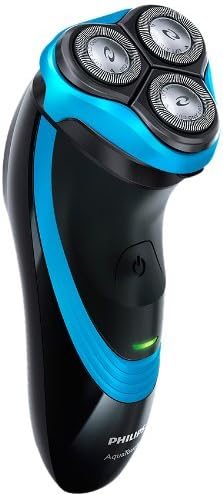
Image 2: Philips AquaTouch AT750 Electric Shaver. This image provides a side view of the shaver, showcasing its ergonomic design and the power button. The blue accents are clearly visible.
5.3 Using the Pop-Up Trimmer
The integrated pop-up trimmer is ideal for shaping sideburns and moustaches.
- Slide the trimmer release button upwards to activate the trimmer.
- Hold the shaver at a right angle to your skin.
- Move the trimmer downwards against the direction of hair growth.
- After use, push the trimmer back into its closed position.
6. Cleaning and Maintenance
Regular cleaning ensures optimal performance and hygiene of your shaver.
6.1 Daily Cleaning
- After each shave, turn off the shaver.
- Open the shaving unit by pressing the release button.
- Rinse the shaving unit thoroughly under warm running water.
- Shake off excess water and leave the shaving unit open to air dry.
- Close the shaving unit.
6.2 Thorough Cleaning (Weekly/Bi-weekly)
- Turn off the shaver and unplug it from the power outlet.
- Open the shaving unit.
- Remove the shaving heads by turning the retaining ring counter-clockwise.
- Carefully remove each cutter and guard. Keep them together as a set, as they are matched.
- Clean the cutters and guards with the supplied cleaning brush or rinse them under warm running water.
- Clean the hair chamber inside the shaving unit.
- Reassemble the cutters and guards into their respective positions.
- Place the shaving heads back into the shaving unit and turn the retaining ring clockwise to secure them.
Note: For optimal performance, replace the shaving heads every two years. Replacement heads for the AT750 are typically Philips HQ8.
7. Troubleshooting
| Problem | Possible Cause | Solution |
|---|---|---|
| Shaver does not turn on. | Battery is empty. | Charge the shaver for at least 8 hours. |
| Shaver does not shave effectively. | Shaving heads are dirty or worn out. | Clean the shaving heads thoroughly. Replace shaving heads if they are older than two years. |
| Skin irritation after shaving. | Too much pressure applied, or skin not accustomed to electric shaving. | Apply gentle pressure. Allow a few weeks for your skin to adapt. Consider wet shaving with foam/gel for more comfort. |
| Charging indicator not working. | Faulty power adapter or shaver. | Ensure the adapter is correctly plugged in. If the issue persists, contact customer support. |
8. Specifications
- Model: AT750
- Power Source: Rechargeable Battery (Cordless operation only)
- Charging Time: 8 hours for full charge
- Shaving Time: Approximately 40 minutes (up to 10 shaves)
- Shaving System: Rotary, Dual Blade System
- Head Type: Rotary heads with low-friction protection
- Waterproof: 100% waterproof for wet and dry use
- Special Features: Pop-up trimmer, Charge indicator
- Color: Black and Blue
- Weight: Approximately 498.95 grams (1.1 lbs)
- Blade Material: Metal
9. Warranty and Support
Philips products are manufactured to the highest quality standards. This product is covered by a standard manufacturer's warranty. Please refer to the warranty card included in your package for specific terms and conditions.
For further assistance, product registration, or to find replacement parts (e.g., shaving heads HQ8), please visit the official Philips website or contact Philips customer support in your region. Keep your proof of purchase for warranty claims.
Online Support: www.philips.com/support
Ask a question about this manual
Ask about setup, troubleshooting, compatibility, parts, safety, or missing instructions. Manuals+ will review the question and use this page’s manual context to help answer it.