Introduction
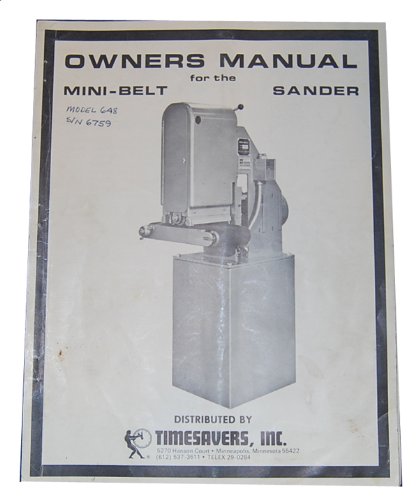
This manual provides essential information for the safe and efficient operation of your Timesavers Model 648 or 948 Belt Sander. Please read all instructions carefully before operating the machine to ensure proper use and to prevent injury or damage.
Keep this manual accessible for future reference.
Safety Information
Always prioritize safety when operating machinery. Follow all local safety regulations and guidelines. Wear appropriate personal protective equipment (PPE) including safety glasses, hearing protection, and dust masks.
- Ensure the machine is properly grounded.
- Disconnect power before performing any maintenance or adjustments.
- Keep hands and clothing clear of moving parts.
- Do not operate the sander in wet or damp conditions.
- Maintain a clean and well-lit work area.
Setup and Installation
Proper installation is crucial for the performance and safety of your belt sander. Refer to the detailed instructions below for setting up your Timesavers Model 648 or 948.
Unpacking and Placement
- Carefully remove the sander from its packaging. Inspect for any shipping damage.
- Place the sander on a stable, level surface capable of supporting its weight.
- Ensure adequate clearance around the machine for operation and maintenance.
Electrical Connection
- Connect the sander to a power source that matches the voltage and amperage requirements specified on the machine's data plate.
- Ensure the power outlet is properly grounded.
- Avoid using extension cords unless absolutely necessary, and if used, ensure they are rated for the machine's power requirements.
Dust Collection System
Connect a suitable dust collection system to the sander's dust port. Effective dust collection is essential for operator safety and machine longevity.
Operating Instructions
This section details the steps for operating your Timesavers belt sander effectively and safely.
General Operation
- Power On: Turn on the main power switch.
- Material Feeding: Carefully feed the workpiece onto the conveyor belt. Ensure it is properly supported.
- Sanding Process: Guide the material through the sanding area. Do not force the material.
- Power Off: After use, turn off the main power switch and disconnect from the power source if leaving unattended.
Setting the Sanding Pressure
Adjusting the sanding pressure is critical for achieving the desired finish and preventing damage to the workpiece or abrasive belt.
- Locate the pressure adjustment mechanism, typically a handwheel or lever.
- Start with a lighter pressure setting and gradually increase as needed.
- Monitor the sanding action and workpiece finish to determine the optimal pressure.
- Excessive pressure can lead to premature belt wear, motor strain, and poor finish quality.
Maintenance
Regular maintenance ensures the longevity and optimal performance of your Timesavers belt sander. Always disconnect power before performing any maintenance.
Changing the Abrasive Belt
Replace abrasive belts when they become dull or damaged to maintain sanding efficiency and quality.
- Disconnect Power: Ensure the machine is unplugged.
- Release Tension: Locate and operate the belt tension release lever or mechanism.
- Remove Old Belt: Carefully slide the worn abrasive belt off the rollers.
- Install New Belt: Slide the new abrasive belt onto the rollers, ensuring the directional arrow on the belt matches the machine's rotation.
- Apply Tension: Re-engage the belt tension mechanism.
Tracking the Abrasive Belt
Proper belt tracking prevents the abrasive belt from running off the rollers and ensures even sanding.
- With the power disconnected, manually rotate the belt to observe its movement.
- Identify the belt tracking adjustment knob or lever.
- Make small adjustments while slowly rotating the belt until it runs centrally on the rollers.
- Test tracking with the machine powered on (briefly) to confirm stability.
Conveyor Belt Tension & Tracking
The conveyor belt must have correct tension and tracking for consistent material feeding.
- Tension: Adjust the conveyor belt tensioners to ensure the belt is taut but not overly stretched. Refer to the machine's markings for recommended tension.
- Tracking: Use the conveyor belt tracking adjustments to ensure the belt runs straight and does not drift to one side.
Changing the Conveyor Belt
If the conveyor belt is worn or damaged, it must be replaced.
- Disconnect Power: Unplug the machine.
- Release Tension: Fully loosen the conveyor belt tensioners.
- Remove Old Belt: Carefully remove the old conveyor belt from the rollers and guides.
- Install New Belt: Position the new conveyor belt, ensuring it is correctly aligned.
- Adjust Tension and Track: Apply appropriate tension and adjust tracking as described above.
Troubleshooting
This section provides solutions to common issues you might encounter with your Timesavers belt sander.
| Problem | Possible Cause | Solution |
|---|---|---|
| Sander does not power on | No power supply; tripped circuit breaker; faulty switch | Check power connection; reset breaker; inspect switch (contact qualified technician if needed) |
| Abrasive belt runs off track | Incorrect belt tracking adjustment; worn rollers | Adjust belt tracking (see Maintenance section); inspect and replace worn rollers |
| Poor sanding finish | Dull abrasive belt; incorrect sanding pressure; improper material feed rate | Replace abrasive belt; adjust sanding pressure; adjust feed rate |
| Conveyor belt slipping | Insufficient conveyor belt tension; worn conveyor belt | Adjust conveyor belt tension; replace conveyor belt |
If you encounter issues not listed here or are unable to resolve a problem, contact Timesavers customer support or a qualified service technician.
Parts List
This section provides a general overview of common replaceable parts for Timesavers Model 648 and 948 belt sanders. For a complete and detailed parts list with diagrams and part numbers, refer to the specific manual provided with your machine or contact Timesavers directly.
- Abrasive Belts (various grits and types)
- Conveyor Belts
- Drive Rollers
- Idler Rollers
- Bearings
- Dust Collection Hoses and Fittings
- Motor Brushes (for certain motor types)
- Switches and Electrical Components
When ordering parts, always provide your machine's model number and serial number to ensure compatibility.
Specifications
The following are general specifications for the Timesavers Model 648 and 948 Belt Sanders. Specific details may vary based on the exact configuration and year of manufacture. Always refer to your machine's data plate for precise specifications.
- Models Covered: 648, 948
- Belt Type: Abrasive Belt Sander
- Power Requirements: Varies by model and region (e.g., 230V/3-Phase, 460V/3-Phase)
- Abrasive Belt Size: Specific dimensions for Models 648 and 948
- Conveyor Belt Speed: Adjustable (FPM - Feet Per Minute)
- Maximum Workpiece Thickness: Varies by model
- Machine Dimensions: (Length x Width x Height) - Varies by model
- Weight: Varies by model
For detailed electrical diagrams and precise measurements, consult the original documentation or contact Timesavers technical support.
Warranty and Support
For information regarding the warranty coverage for your Timesavers Model 648 or 948 Belt Sander, please refer to the warranty card included with your original purchase or visit the official Timesavers website.
Customer Support:
- For technical assistance, parts inquiries, or service requests, please contact Timesavers customer support.
- Have your machine's model and serial number ready when contacting support.
- Contact information (e.g., phone number, email, website) can typically be found on the manufacturer's website or in your original purchase documentation.