
1. Introduction
Thank you for choosing the Redmon For Kids Weigh to Grow Precision Digital Baby Scale. This manual provides essential information for the safe and effective use of your new baby scale. Please read it thoroughly before operation and retain it for future reference.
The Redmon Weigh to Grow scale features a modern, sleek, and no-tip design, ensuring ease and safety of use. It includes a large digital readout for clear visibility and a memory function for tracking your child's growth.

Figure 1: The Redmon Weigh to Grow Precision Digital Baby Scale, showcasing its sleek white design and digital display.
2. Important Safety Information
- Always place the scale on a firm, flat, and stable surface to ensure accurate readings and prevent tipping.
- Never leave a child unattended on the scale.
- Keep the scale away from water and extreme temperatures.
- Do not use abrasive cleaners or immerse the scale in water.
- Ensure batteries are inserted correctly according to polarity markings.
- Remove batteries if the scale will not be used for an extended period.
- This scale is designed for weighing infants and toddlers. Do not exceed the maximum weight capacity of 55 lbs (24.79 kg).
3. Package Contents
Please check the package contents to ensure all items are present:
- Redmon Weigh to Grow Precision Digital Baby Scale (Model 7450)
- User Manual (this document)
Note: 2 AAA batteries are required for operation and are not included in the package.
4. Setup and Battery Installation
- Locate the battery compartment on the underside of the scale.
- Open the battery compartment cover.
- Insert 2 new AAA batteries, ensuring correct polarity (+/-) as indicated inside the compartment.
- Close the battery compartment cover securely.
- Place the scale on a hard, flat, and stable surface.
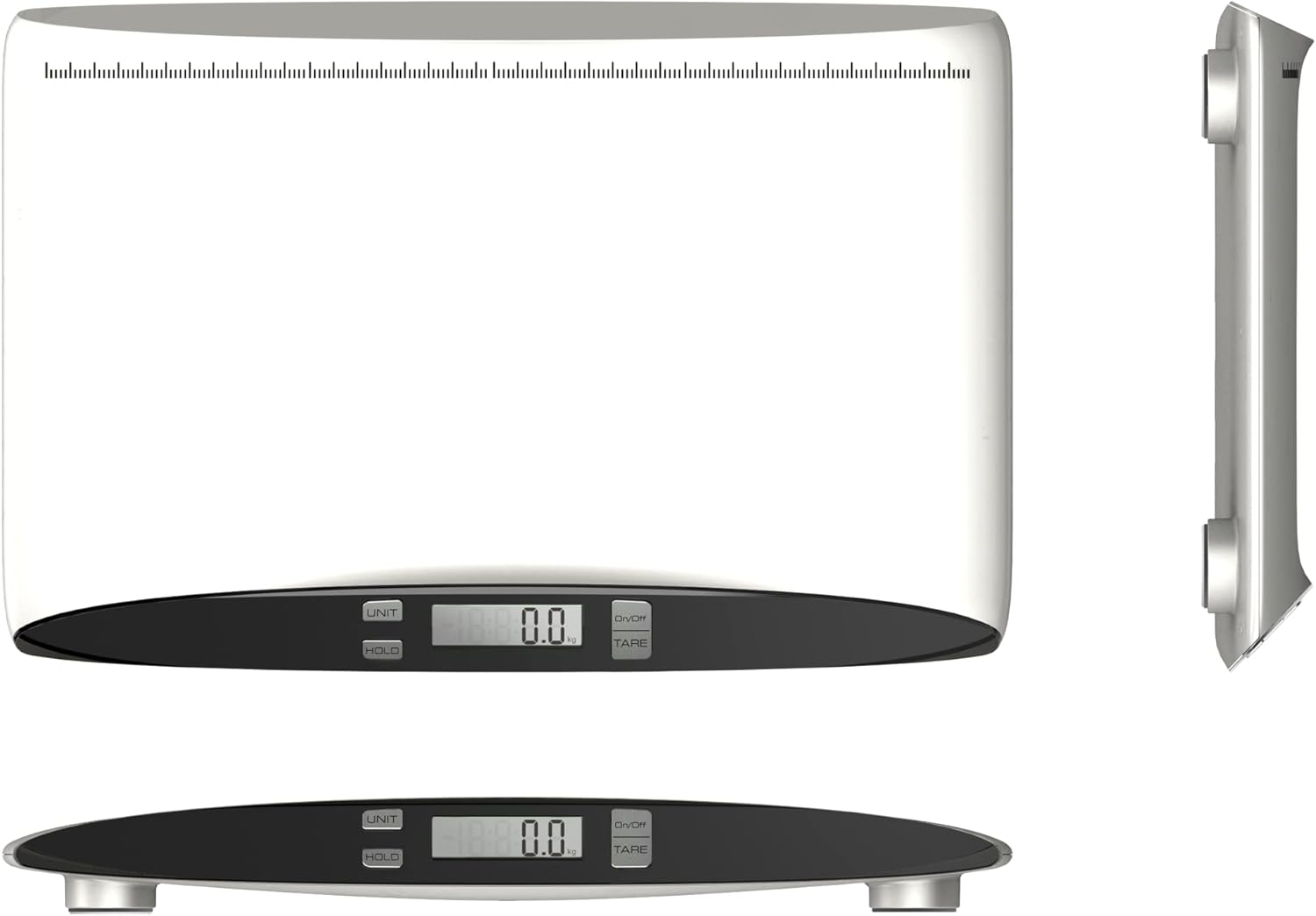
Figure 2: Various views of the Redmon baby scale, illustrating its low-profile design and the location of the battery compartment on the underside.
5. Operating Instructions
5.1. Powering On/Off
- To turn on the scale, press the ON/OFF button. The display will show "0.0".
- The scale features an auto shut-off function to conserve battery life. It will turn off automatically after a period of inactivity.
- To manually turn off the scale, press and hold the ON/OFF button.
5.2. Weighing Your Child
- Ensure the scale is on a stable, flat surface and powered on.
- Carefully place the child on the center of the scale. Ensure the child is calm and still for an accurate reading.
- The digital display will show the child's weight.
- The scale is designed to accommodate babies lying, sitting, or standing, adapting to your child's growth from infant to toddler.
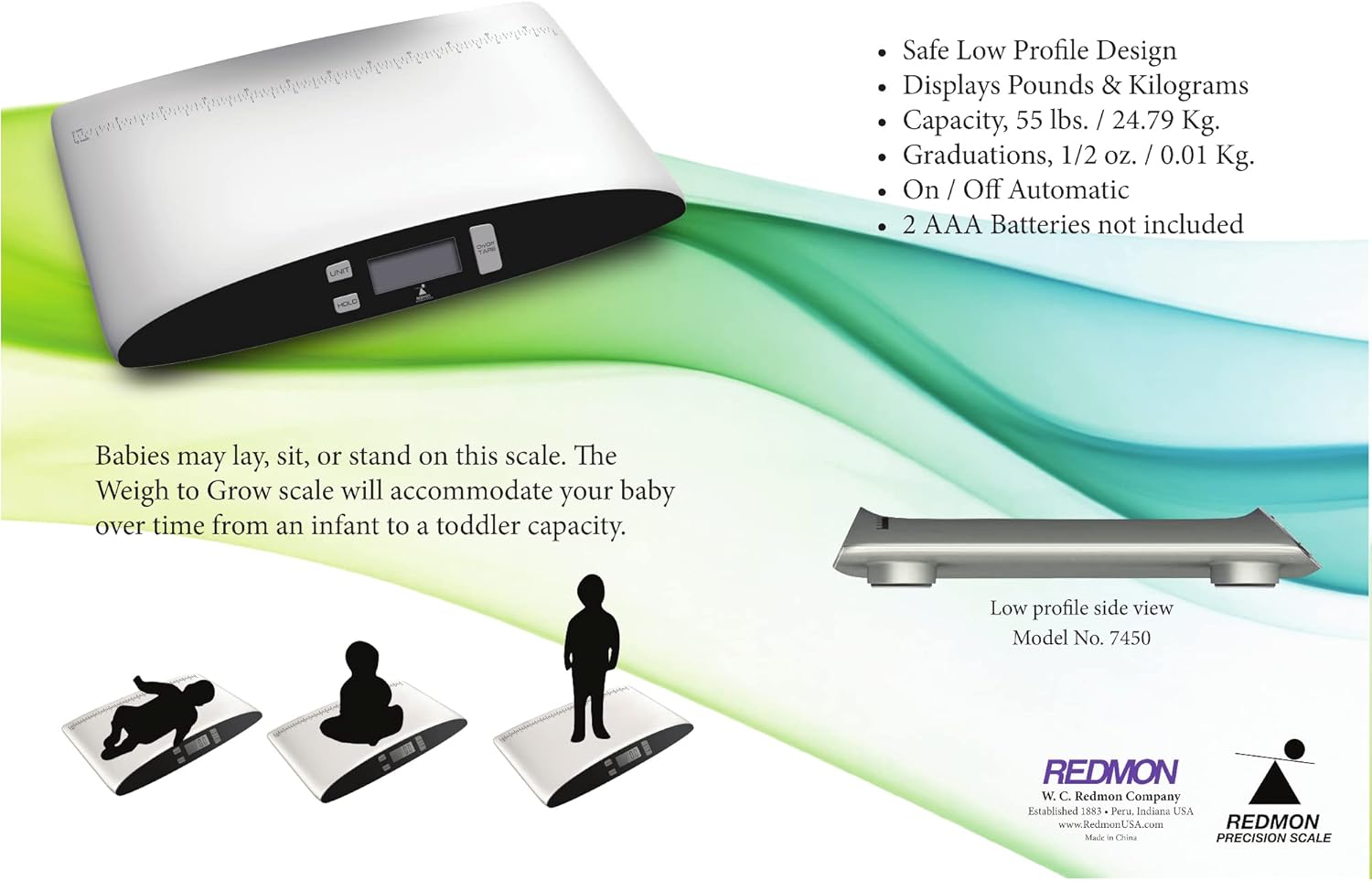
Figure 3: The scale demonstrating its versatility for weighing infants and toddlers in various positions.
5.3. Unit Conversion (Pounds/Kilograms)
- To switch between pounds (lbs) and kilograms (kg), press the UNIT button while the scale is on.
- The display will indicate the selected unit.
5.4. Tare Function
- The Tare function allows you to subtract the weight of a blanket or towel.
- Place the blanket or towel on the scale.
- Press the TARE button. The display will reset to "0.0".
- Now, place the child on the scale with the blanket/towel, and only the child's weight will be displayed.
5.5. Hold Function
- The Hold function helps to get an accurate reading even if the child moves slightly.
- Once the child is on the scale, press the HOLD button.
- The scale will stabilize and lock the weight reading on the display.
- Press HOLD again to release the reading.

Figure 4: Detailed view of the scale's control panel, highlighting the UNIT, HOLD, ON/OFF, and TARE buttons for easy operation.
6. Product Features
- Modern Sleek Design: Aesthetically pleasing with a no-tip feature for enhanced safety.
- Large Digital Readout: Easy-to-read LCD display for clear weight measurements.
- Memory Feature: Allows for tracking and recalling previous weight measurements.
- Unit Conversion: Easily switch between pounds (lbs) and kilograms (kg).
- Tare Function: Zero out the weight of blankets or clothing for accurate child-only measurements.
- Hold Function: Stabilizes the reading for active children.
- Auto Shut-Off: Conserves battery life by automatically turning off after inactivity.
- Non-Slip Platform: Provides stability and safety for the child.
- Wide Weight Range: Measures from 3.5 ounces (0.1 kg) up to 55 pounds (24.79 kg).

Figure 5: The Redmon Weigh to Grow Health System, illustrating its purpose in monitoring growth and providing assistance with healthy weight recommendations, including U.S. approved growth charts.
7. Care and Maintenance
- Clean the scale surface with a soft, damp cloth. Do not use abrasive cleaners or chemical solvents.
- Do not immerse the scale in water or expose it to excessive moisture.
- Store the scale in a dry place at room temperature.
- Remove batteries if the scale is not going to be used for an extended period to prevent leakage.
8. Troubleshooting
| Problem | Possible Cause | Solution |
|---|---|---|
| Scale does not turn on. | Batteries are dead or incorrectly installed. | Replace batteries with new AAA batteries. Ensure correct polarity. |
| Inaccurate readings. | Scale is on an uneven surface; child is moving; weight capacity exceeded. | Place scale on a firm, flat surface. Ensure child is still. Do not exceed 55 lbs (24.79 kg). |
| Display shows "Lo" or "Err". | Low battery or overload error. | Replace batteries. Ensure weight is within capacity. |
9. Product Specifications
| Feature | Detail |
|---|---|
| Model Number | 7450 |
| Product Dimensions | 62.87 x 40.01 x 5.72 cm |
| Item Weight | 1.81 kg |
| Minimum Weight Recommendation | 3.5 Ounces (approx. 0.1 kg) |
| Maximum Weight Recommendation | 55 Pounds (approx. 24.79 kg) |
| Material Type | Plastic |
| Display Type | LCD |
| Standing Screen Display Size | 3.69 Inches |
| Batteries Required | 2 AAA batteries (not included) |
| Battery Life | Approximately 30 Hours |
| Special Features | Auto Shut Off, Bodyweight, Large Display, Non Slip Platform |
10. Warranty and Support
Redmon products are manufactured with quality and care. For warranty information or technical support, please refer to the contact details provided on the product packaging or visit the official Redmon website. Please retain your proof of purchase for any warranty claims.
Manufacturer: Redmon, PERU, IN, 46970 US