
innovative Technology ITHW-858B
Wireless Headphones with Transmitter
Model: ITHW-858B | Brand: innovative Technology
Introduction
The innovative Technology ITHW-858B Wireless Headphones with Transmitter provide a clear and enhanced audio experience. Designed for versatility, these headphones can be used with various audio sources such as televisions, MP3 players, computers, and tablets. Enjoy audio freedom without the constraints of wires, allowing for personal listening without disturbing others.
This manual provides detailed instructions for setting up, operating, maintaining, and troubleshooting your wireless headphone system.
Product Overview
Components
- Wireless Headphones (Over-Ear)
- Wireless Transmitter
- Bonus Earbuds with Carry Case
- Audio Adapters (for RCA jacks and 3.5mm headphone jacks)
Features
- Adjustable Headband for comfortable fit.
- Integrated Volume Control on headphones.
- Blue LED-lit Transmitter for power indication.
- Wireless FM technology for extended range (up to 30 meters / 98 feet).
- Ability to connect earbuds directly to the headset.

Figure 1: The complete ITHW-858B Wireless Headphone system, including the over-ear headphones, the wireless transmitter, and the bonus earbuds.
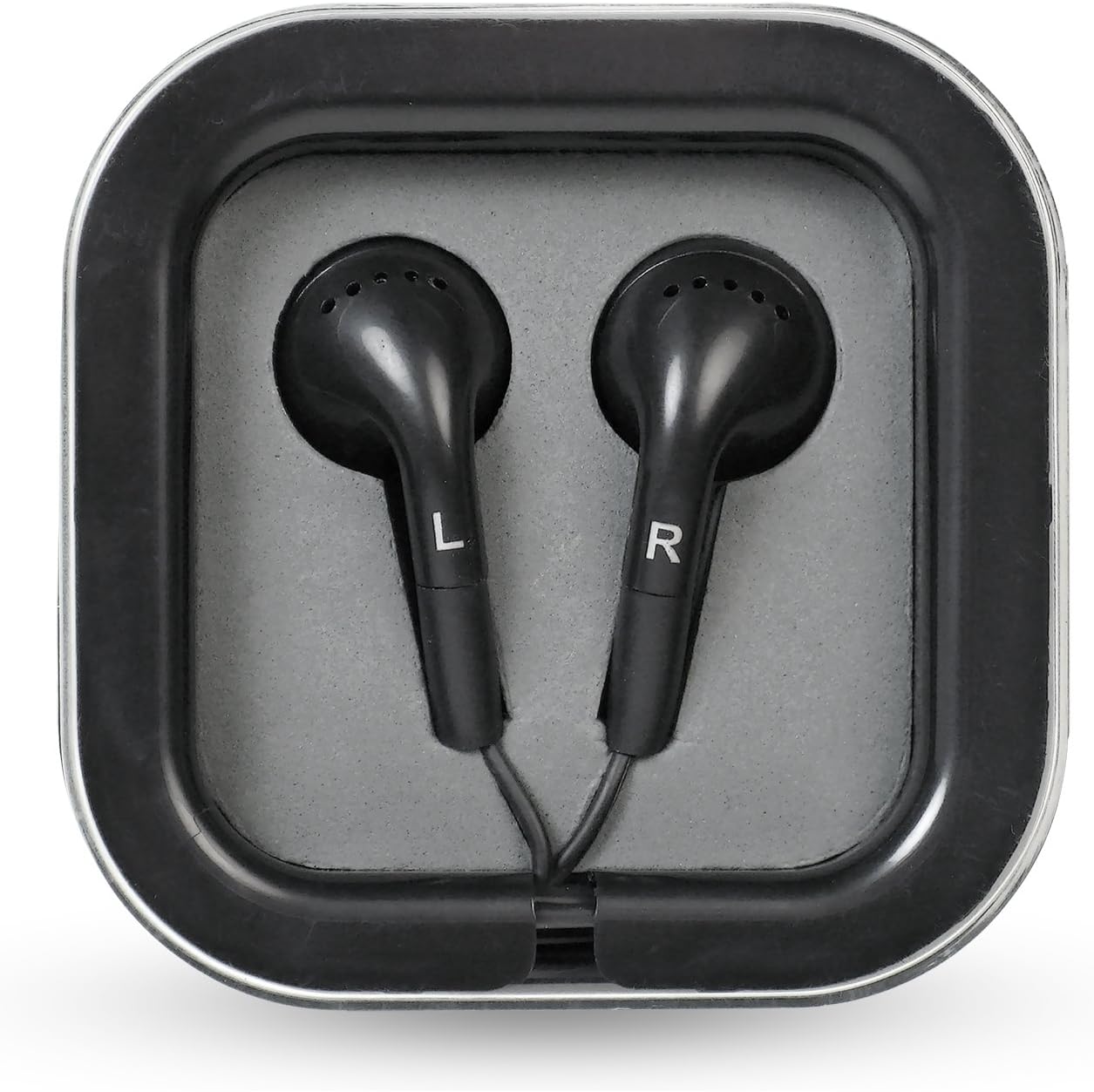
Figure 2: A closer view of the bonus earbuds, marked for left (L) and right (R) ears, provided with a compact carry case.
Setup
1. Battery Installation
The headphones and transmitter require AAA batteries (not included).
- Headphones: Locate the battery compartment on one of the earcups. Insert 2 AAA batteries, ensuring correct polarity (+/-).
- Transmitter: Locate the battery compartment on the underside of the transmitter. Insert 3 AAA batteries, ensuring correct polarity (+/-).
- Alternatively, the transmitter can be powered using a 120V AC adapter (not included, but typically supplied with refurbished units or purchased separately).
2. Connecting the Transmitter
Connect the transmitter to your audio source (TV, MP3 player, computer, tablet) using the appropriate audio cables and adapters.
- For TVs/Audio Receivers: Use the provided RCA adapters to connect the transmitter to the red and white audio output jacks of your device. Ensure you are connecting to an audio output, not an input. For cable/satellite boxes, connecting directly to the box's audio output may provide better results than connecting to the TV.
- For MP3 Players/Computers/Tablets: Use the 3.5mm headphone jack adapter to connect the transmitter to the headphone output of your device.
- Once connected, ensure the transmitter is powered on. The blue LED on the transmitter will illuminate.
Operation
1. Powering On and Pairing
- Ensure the transmitter is connected to an audio source and powered on.
- Turn on the wireless headphones using the power switch, usually located on one of the earcups.
- Press the "Scan" button on the headphones. The headphones will automatically search for and connect to the transmitter's signal.
- Once connected, audio from your source will be transmitted to the headphones.
2. Volume Control
Adjust the listening volume using the volume control dial or buttons located on the headphones. It is recommended to start with a low volume and gradually increase it to a comfortable level.
3. Signal Range and Quality
The headphones operate using FM wireless technology, providing a range of up to approximately 30 meters (98 feet) from the transmitter. Signal quality may vary depending on obstacles, walls, and interference from other electronic devices.
- If you experience static or signal loss, try repositioning the transmitter or pressing the "Scan" button on the headphones again.
- Moving the transmitter to different locations within the room can sometimes improve signal clarity and reduce background hum.
4. Using Bonus Earbuds
The headphones feature an "audio in" jack, allowing you to plug in the included bonus earbuds. This feature can be used to share audio with another person or if you prefer using earbuds instead of the over-ear headphones.
Maintenance
- Cleaning: Wipe the headphones and transmitter with a soft, dry cloth. Do not use liquid cleaners or abrasive materials.
- Storage: When not in use for extended periods, remove batteries from both the headphones and the transmitter to prevent leakage. Store the system in a cool, dry place away from direct sunlight and extreme temperatures.
- Handling: Handle the headphones with care, especially the headband and earcup joints, as these areas can be susceptible to damage if dropped or mishandled.
Troubleshooting
| Problem | Possible Cause | Solution |
|---|---|---|
| No sound from headphones. |
|
|
| Static or poor sound quality. |
|
|
| Headphones or transmitter not turning on. |
|
|
Specifications
| Feature | Detail |
|---|---|
| Model Name | ITHW-858B |
| Connectivity Technology | Wireless (FM) |
| Included Components | Headphones, Earbuds, Transmitter |
| Age Range (Description) | Adult |
| Material | Plastic |
| Recommended Uses | General use, Travel |
| Compatible Devices | PC, Tablets, Television |
| Control Type | Volume Control |
| Item Weight | 1.3 Pounds (approx. 0.59 kg) |
| Frequency Range | 20 Hz - 20,000 Hz |
| Wireless Range | Up to 30 meters (98 feet) |
| Power Source (Headphones) | 2 x AAA Batteries (not included) |
| Power Source (Transmitter) | 3 x AAA Batteries (not included) or 120V AC Adapter |
| Product Dimensions | 8.2 x 12.6 x 3.9 inches (approx. 20.8 x 32 x 9.9 cm) |
| UPC | 180904000396 |
Warranty and Support
For warranty information or technical support, please refer to the documentation included with your product packaging or contact innovative Technology customer service directly. Keep your purchase receipt for warranty claims.
For further assistance, you may visit the official innovative Technology website or contact their support channels.
Related documentsITHW-858B


Ask a question about this manual
Ask about setup, troubleshooting, compatibility, parts, safety, or missing instructions. Manuals+ will review the question and use this page’s manual context to help answer it.