Introduction
Thank you for choosing the Peavey KB 1 20-Watt Keyboard Amplifier. This amplifier is designed to provide clear and reliable amplification for keyboards, drum machines, backing tracks, or as a personal PA system. Featuring an 8-inch extended-range speaker and two independent channels, the KB 1 offers versatile sound control in a compact and durable package. Please read this manual thoroughly to understand the features and ensure proper operation and longevity of your amplifier.
Setup
Unpacking
Carefully remove the amplifier from its packaging. Inspect the unit for any signs of damage that may have occurred during shipping. Retain the original packaging for future transport or storage.
Placement
Place the amplifier on a stable, flat surface. Ensure adequate ventilation around the unit to prevent overheating. Avoid placing the amplifier in direct sunlight, near heat sources, or in areas with excessive moisture or dust.
Power Connection
Connect the provided power cord to the AC inlet on the rear panel of the amplifier and then to a grounded electrical outlet. Ensure the amplifier's power switch is in the 'OFF' position before connecting to power.
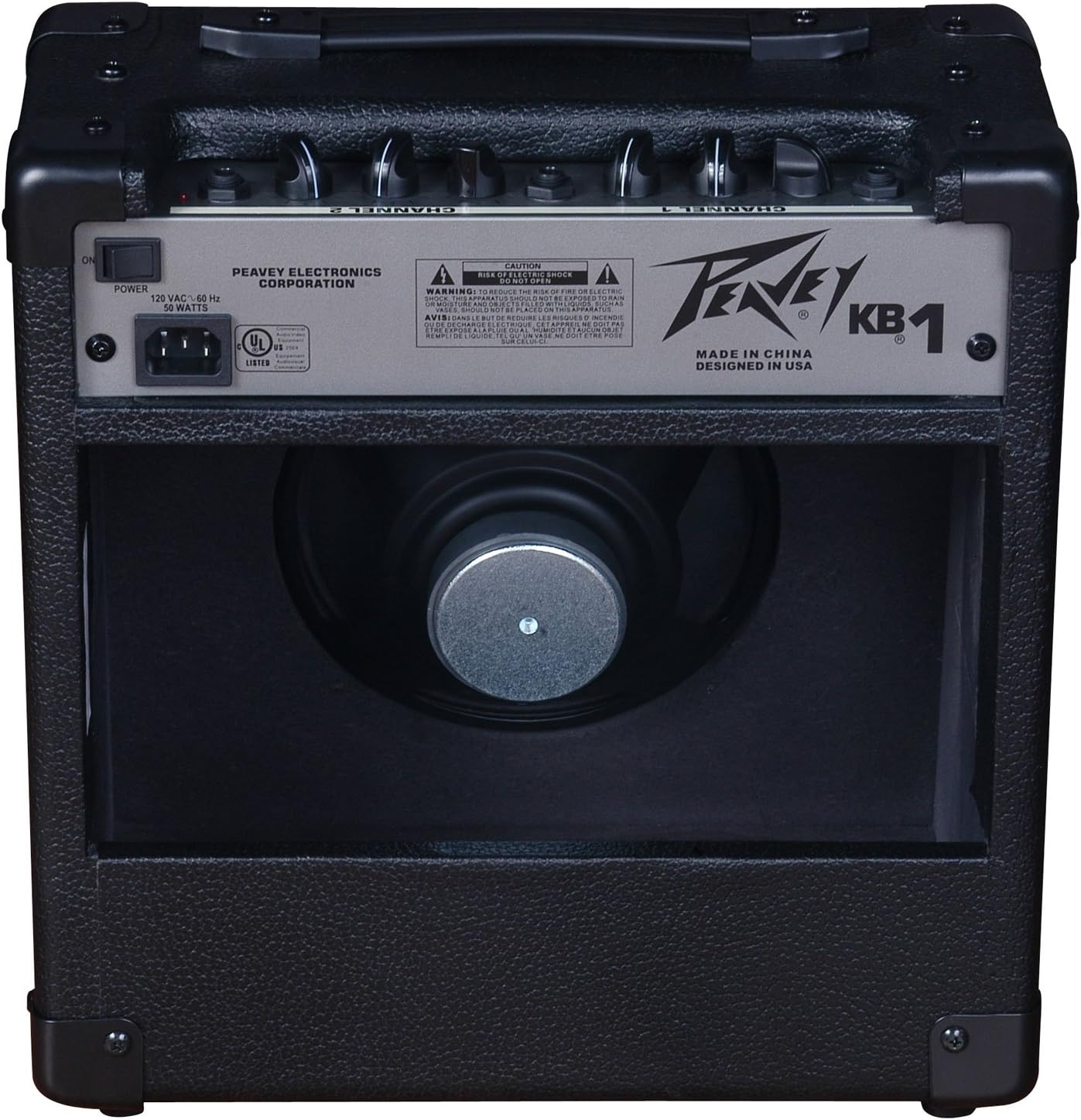
Figure 1: Front view of the Peavey KB 1 Keyboard Amplifier, showcasing the protective grille and Peavey logo.
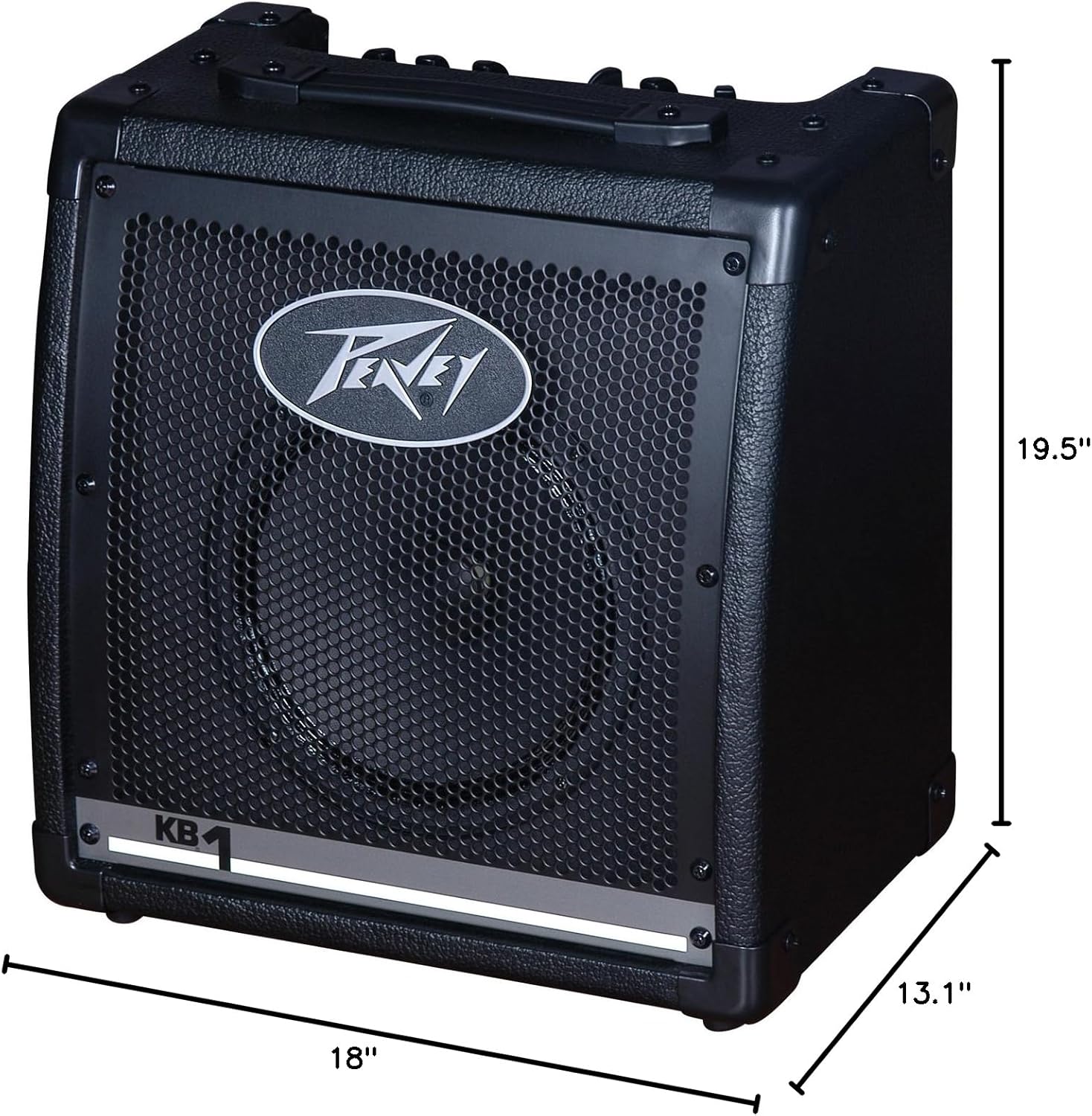
Figure 2: Dimensions of the Peavey KB 1 Keyboard Amplifier, illustrating its compact size for portability and placement.
Operating Instructions
Controls Overview
The Peavey KB 1 features a straightforward control panel for ease of use. The top panel includes controls for two independent channels, each with its own volume and 2-band EQ (Low and High) for precise tone shaping. A headphone output is also available for private practice.

Figure 3: Rear panel of the Peavey KB 1 Keyboard Amplifier, showing the power input and various connection ports.
Connecting Instruments
The KB 1 is equipped with two separate input channels, allowing for connection of multiple instruments or a microphone. Each channel is designed to handle various input levels.
- Channel 1 Input: Use for keyboards or other line-level instruments.
- Channel 2 Input: Use for a second keyboard, drum machine, or other audio source.
- Headphone Output: Connect standard 3.5mm headphones for silent practice.
Adjusting Sound
To achieve your desired sound, follow these steps:
- Power On: Flip the power switch to the 'ON' position. The power indicator light will illuminate.
- Volume Control: Start with the master volume and individual channel volumes set to their lowest positions. Gradually increase the channel volume for the connected instrument until the desired level is reached. Adjust the master volume for overall output.
- Equalization (EQ): Use the 'Low' and 'High' knobs on each channel to adjust the bass and treble frequencies. Experiment with these controls to tailor the sound to your preference and instrument.
- Headphone Use: When headphones are connected, the main speaker output will be muted, allowing for private monitoring.
Maintenance
Cleaning
To clean the amplifier, use a soft, dry cloth. For stubborn dirt, a slightly damp cloth can be used, followed by a dry cloth. Avoid using abrasive cleaners, solvents, or waxes, as these can damage the finish and internal components. Ensure the amplifier is unplugged before cleaning.
Storage
When not in use for extended periods, store the amplifier in a cool, dry place, away from extreme temperatures and humidity. Covering the unit with a dust cover can help protect it from dust and debris.
Troubleshooting
| Problem | Possible Cause | Solution |
|---|---|---|
| No sound output | Power not connected or switched off; volume knobs too low; instrument cable faulty; headphones connected. | Check power connection and switch; increase volume levels; test with a different cable; disconnect headphones. |
| Distorted sound | Input signal too high; EQ settings incorrect; faulty instrument or cable. | Reduce instrument output volume; adjust EQ knobs; test with another instrument or cable. |
| Humming or buzzing noise | Ground loop issue; interference from other electronics; faulty power cable. | Try plugging into a different outlet; move amplifier away from other electronic devices; ensure power cable is secure. |
Specifications
| Feature | Detail |
|---|---|
| Model | KB 1 |
| Output Wattage | 20 Watts |
| Speaker | 8-inch Extended-Range Speaker |
| Channels | 2 Independent Channels |
| Equalization | 2-band EQ per channel (Low, High) |
| Headphone Output | Yes (3.5mm Jack) |
| Item Weight | 16 pounds |
| Product Dimensions (D x W x H) | 13.1" x 18" x 19.5" |
| Model Number | 573100 |
Warranty and Support
Peavey products are manufactured to high-quality standards. For specific warranty information, please refer to the warranty card included with your product or visit the official Peavey website. Keep your purchase receipt as proof of purchase for any warranty claims.
For technical support, service, or replacement parts, please contact Peavey customer service through their official website or authorized service centers. Do not attempt to service the amplifier yourself, as this may void your warranty and expose you to electrical hazards.


