
Introduction
The REV GAO EMP600PIR plug-in motion sensor is designed to automatically switch connected electrical devices on or off based on detected movement or heat sources within its detection area. This manual provides essential information for the safe and effective use of your motion sensor.
Safety Instructions
- Read all instructions carefully before installing and operating the device.
- This device is intended for indoor use only. Do not expose it to moisture, rain, or extreme temperatures.
- Ensure the power supply voltage matches the device's requirements (230V~, 50Hz).
- Do not exceed the maximum switching capacity of 800 W (2000 VA). Overloading can cause damage or fire.
- Do not open the device casing. There are no user-serviceable parts inside.
- Always unplug the device from the mains before cleaning or if it is not in use for an extended period.
- Keep out of reach of children.
Product Overview
The REV GAO EMP600PIR motion sensor features a compact design with adjustable settings for optimal performance.
Components:
- PIR Sensor Lens: Detects motion and heat sources.
- TIME Dial: Adjusts the duration the connected device remains active.
- SENS Dial: Adjusts the sensitivity of motion detection.
- LUX Dial: Adjusts the ambient light level for activation.
- ON/AUTO/OFF Switch: Selects operating mode.
- Integrated Power Outlet: For connecting electrical devices.
- Power Plug: For connecting the sensor to a wall socket.

Front view of the REV GAO EMP600PIR motion sensor, highlighting the PIR lens, adjustment dials for TIME, SENS, and LUX, and the integrated power outlet.

Side view of the REV GAO EMP600PIR motion sensor, illustrating the ON/AUTO/OFF switch and the power plug.
Key Features:
- Automatic switching based on passive infrared (PIR) technology, reacting to motion and heat sources.
- Maximum switching capacity: 800 W (2000 VA).
- Detection range: Up to 7 meters (influenced by temperature, environment, and application).
- Detection angle: 120 degrees.
- Adjustable switch-on time: From 5 seconds to approximately 5 minutes.
- Adjustable twilight setting: Activates from 5 Lux ambient light.
- Recommended operating height: 1.5 meters.
- Standby power consumption: 0.8 W.
Setup
- Unpack: Carefully remove the motion sensor from its packaging.
- Placement: Select a suitable indoor wall socket. The recommended operating height for optimal detection is 1.5 meters.
- Consider Detection Area: The sensor has a 120-degree coverage and a maximum range of 7 meters. Avoid placing it where direct sunlight, heat sources (e.g., radiators, lamps), or strong air currents (e.g., near windows, air conditioning vents) could cause false triggers or interfere with detection.
- Plug In: Insert the motion sensor's power plug into a standard wall socket.
- Connect Device: Plug the device you wish to control (e.g., a lamp) into the integrated power outlet on the motion sensor. Ensure the connected device's power consumption does not exceed 800 W.
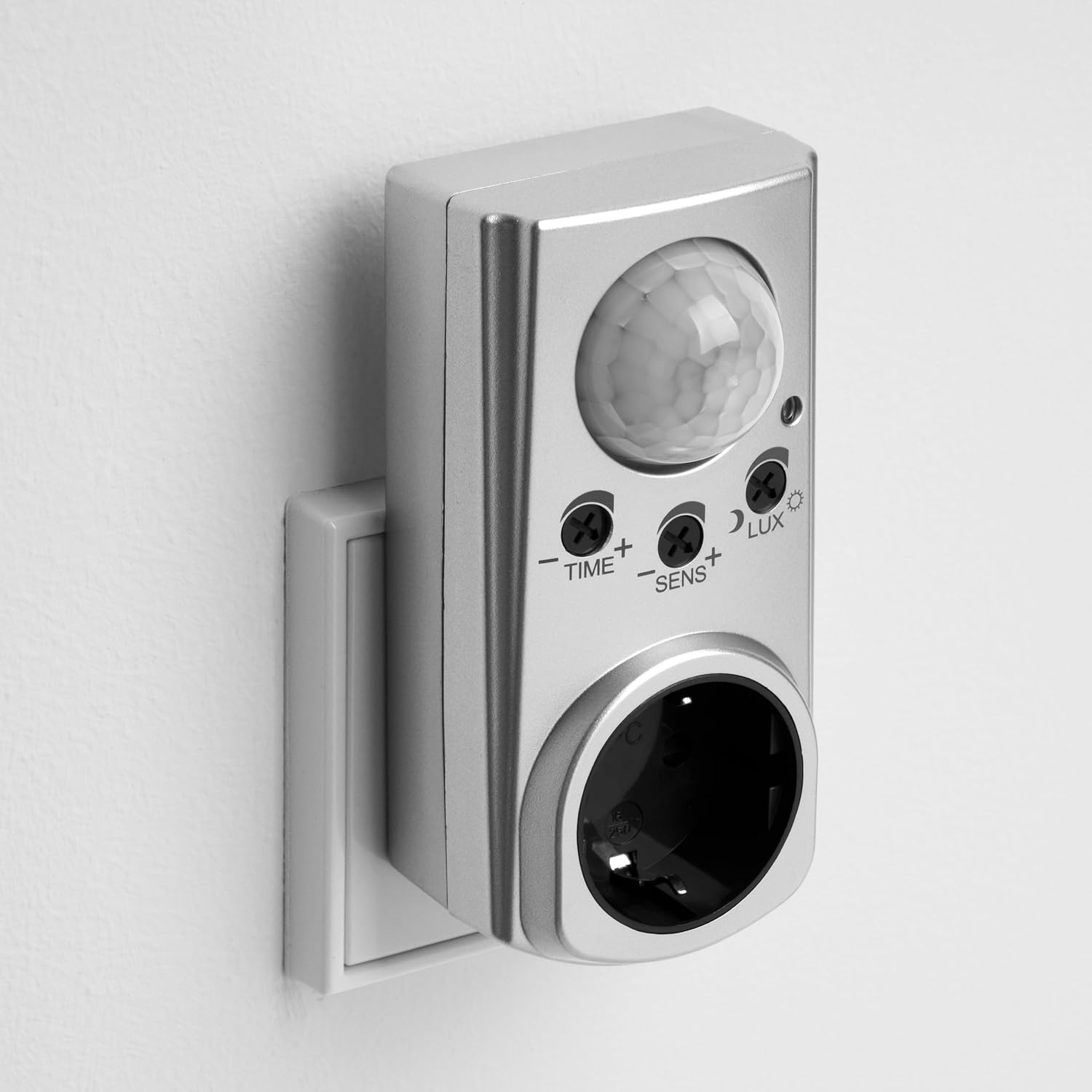
The REV GAO EMP600PIR motion sensor shown plugged into a wall socket, ready for use.
Operating Instructions
The motion sensor features three adjustable dials and a mode switch to customize its operation.
Mode Switch (ON/AUTO/OFF):
- ON: The connected device will remain continuously on, bypassing the motion detection function.
- AUTO: The motion sensor is active. The connected device will switch on when motion is detected and switch off after the set time delay, considering the LUX setting. This is the standard operating mode.
- OFF: The connected device will remain continuously off, regardless of motion detection.
Adjustment Dials:
Use a small screwdriver to adjust the dials.
- TIME (Duration): This dial controls how long the connected device stays on after motion is detected and no further motion is sensed. Turn towards '–' for shorter durations (minimum 5 seconds) and towards '+' for longer durations (maximum approximately 5 minutes).
- SENS (Sensitivity): This dial adjusts the sensitivity of the motion detection. Turn towards '–' to decrease sensitivity (e.g., to ignore small movements) and towards '+' to increase sensitivity (e.g., for detecting subtle movements).
- LUX (Light Level): This dial determines the ambient light level at which the sensor will become active. Turn towards the moon symbol for activation only in dark conditions (e.g., from 5 Lux) and towards the sun symbol for activation in brighter conditions (e.g., during daylight).
Maintenance
- Cleaning: To clean the sensor, unplug it from the wall socket. Wipe the exterior with a soft, dry cloth. Do not use abrasive cleaners, solvents, or liquids, as these can damage the device.
- Inspection: Periodically check the device for any signs of damage, such as cracks in the casing or frayed wires. If damage is observed, discontinue use and contact the manufacturer or a qualified electrician.
- The device contains no user-serviceable parts. Any repairs must be performed by qualified personnel.
Troubleshooting
| Problem | Possible Cause | Solution |
|---|---|---|
| Connected device does not switch on. |
|
|
| Connected device stays on continuously. |
|
|
| Connected device switches on without apparent motion (false triggers). |
|
|
| Detection range is shorter than expected. |
|
|
Specifications
| Feature | Specification |
|---|---|
| Model Number | EMP600PIR |
| Manufacturer | REV Ritter GmbH |
| Part Number | 19603 |
| Voltage | 230V~, 50Hz |
| Max Switching Capacity | 800 W / 2000 VA |
| Detection Angle | 120 degrees |
| Max Detection Range | 7 meters |
| Adjustable Switch-on Time | Approx. 5 seconds to 5 minutes |
| Adjustable Twilight Setting | From 5 Lux |
| Recommended Operating Height | 1.5 meters |
| Standby Consumption | 0.8 W |
| Product Dimensions (L x W x H) | 11.5 x 5.7 x 12 cm |
| Weight | 145 grams |
| Color | Silver |
| Material | Plastic |
| Integrated Socket Type | Standard EU Type F |

Dimensional diagram of the REV GAO EMP600PIR motion sensor.
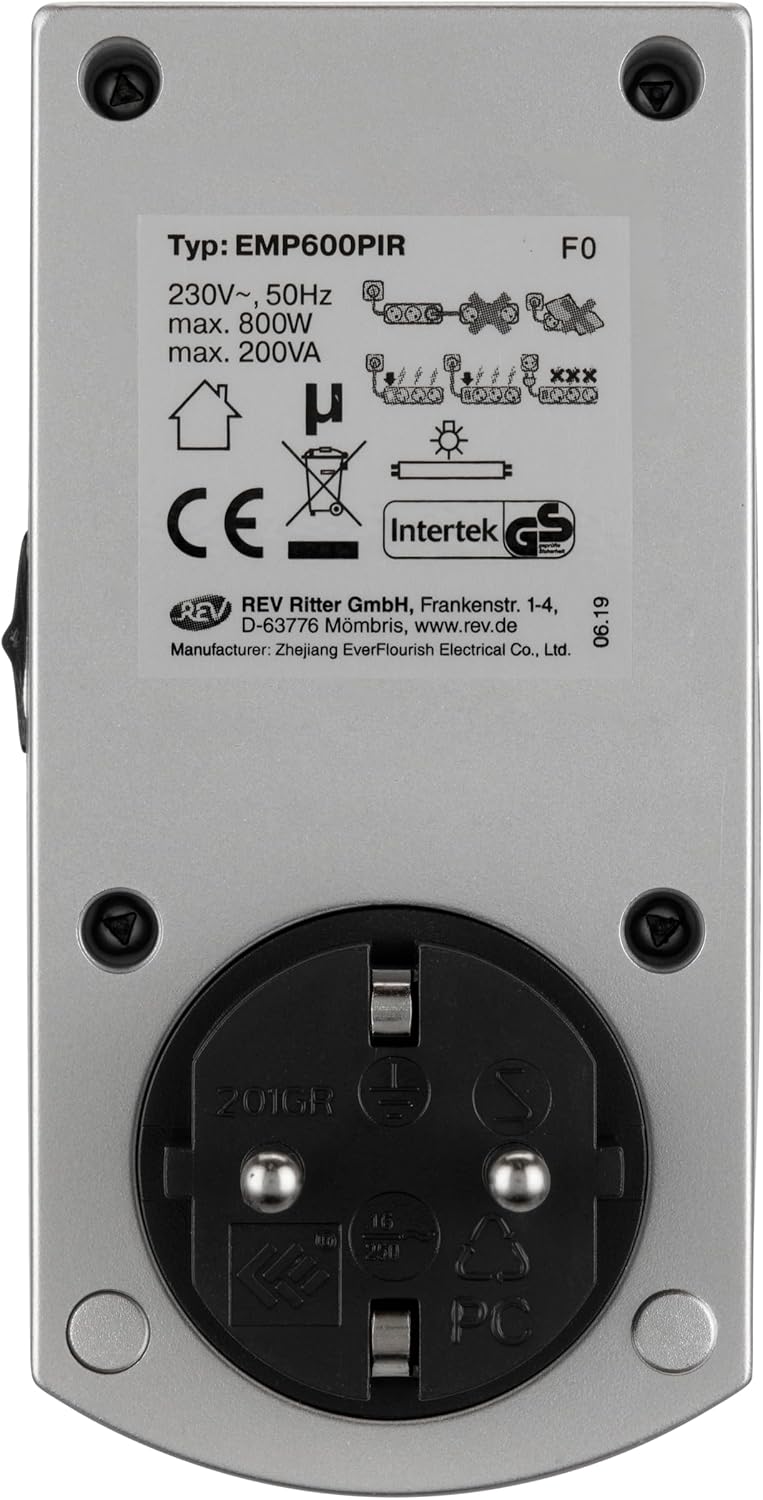
Product label on the back of the sensor, detailing technical specifications and certifications.
Warranty and Support
For warranty information, please refer to the terms and conditions provided by your retailer at the time of purchase. For technical support or inquiries, please contact the manufacturer:
Manufacturer: REV Ritter GmbH
Address: Frankenstr. 1-4, D-63776 Mombri, Germany
Website: www.rev.de