
1. Introduction
This manual provides essential information for the safe and efficient installation, operation, and maintenance of your Canarm SD30-G1D 30-inch Wall Exhaust Fan. Please read all instructions carefully before installation and use. Retain this manual for future reference.
2. Safety Information
WARNING: Risk of electric shock. Disconnect power before servicing.
- Always disconnect power at the circuit breaker or fuse box before installing, servicing, or cleaning the fan.
- Installation must be performed by a qualified electrician in accordance with all local and national electrical codes.
- Ensure the fan is properly grounded.
- Do not operate the fan with a damaged cord or plug.
- Keep hands, clothing, and other objects away from moving parts during operation.
- This fan is designed for indoor use only.
- Do not use this fan in areas where flammable or explosive materials are present.
3. Product Overview
The Canarm SD30-G1D is a 30-inch single-speed wall exhaust fan designed for efficient air movement. Key features include:
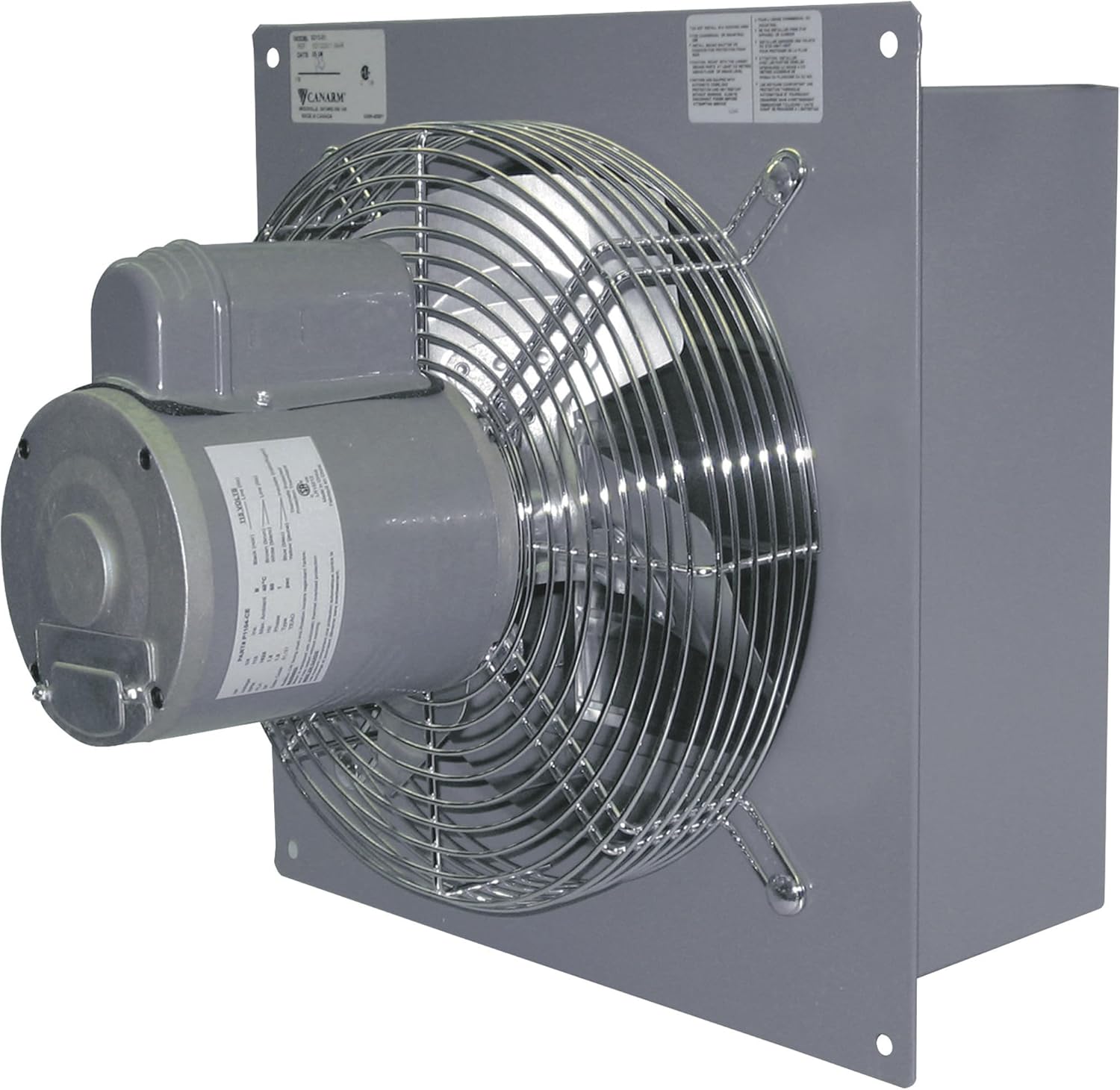
- Totally enclosed and thermally protected motor for durability and safety.
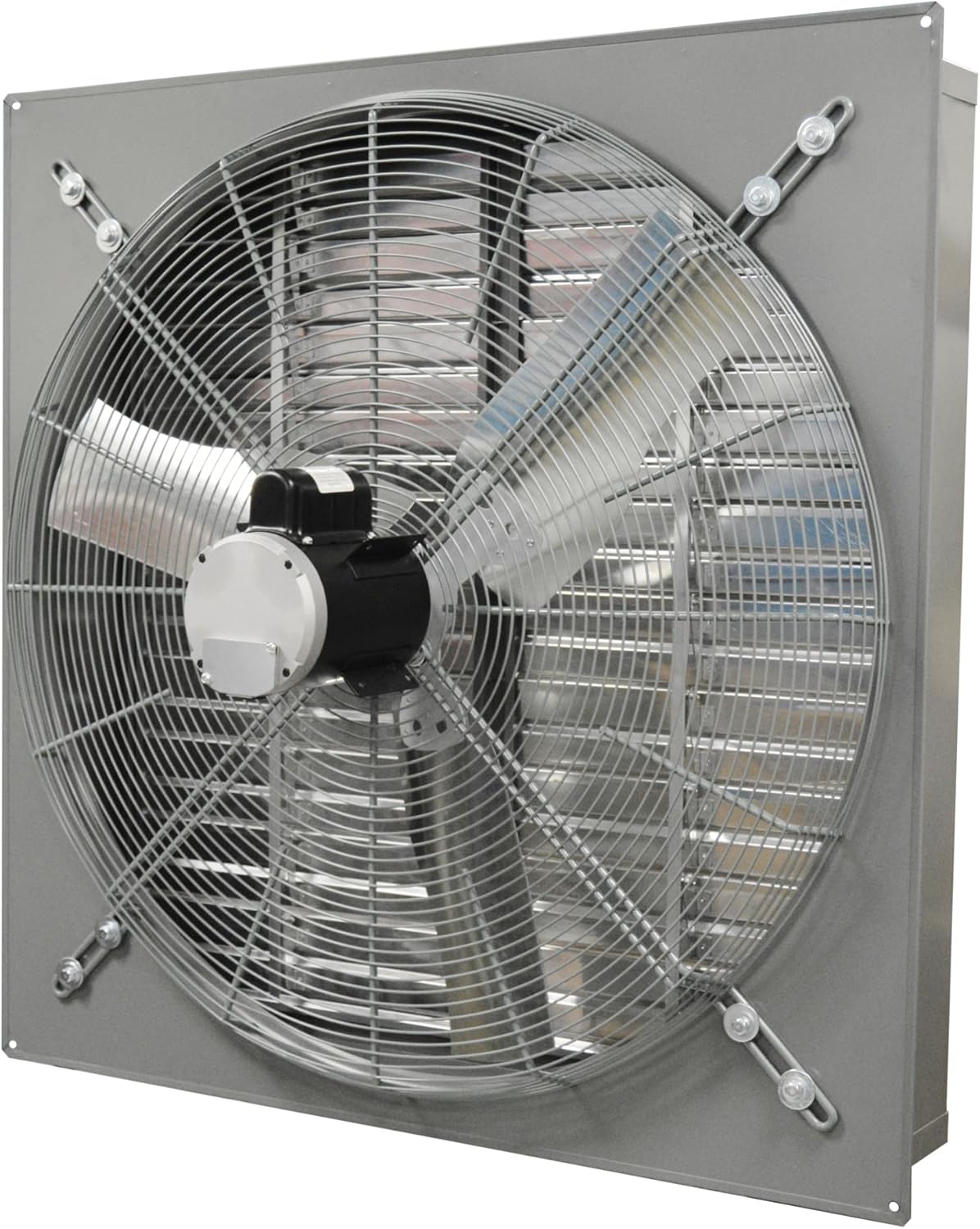
- Galvanized blades, well-balanced for efficient airflow.
- Heavy wire chrome-plated OSHA guards for protection.
- Rugged steel welded box housing with a durable powder-coated finish.
- Plastic louver shutters with long-life nylon bushings.
This image displays the front of the Canarm SD30-G1D Wall Exhaust Fan, featuring the galvanized blades and the heavy wire chrome-plated OSHA guard. The durable powder-coated finish on the housing is also visible.
4. Setup and Installation
Proper installation is crucial for the fan's performance and safety.
4.1 Pre-Installation Checks
- Verify that the mounting surface is structurally sound and can support the fan's weight (72 pounds).
- Ensure adequate clearance around the fan for proper airflow and maintenance.
- Confirm that the electrical supply matches the fan's requirements (voltage, amperage).
4.2 Mounting Instructions
The fan is designed for wall-mounted installation.
- Select a suitable location on an exterior or interior wall, ensuring it is free from obstructions.
- Create an opening in the wall that accommodates the fan's dimensions (approximately 35.5"W x 35.5"H for the housing).
- Position the fan into the opening, ensuring the housing is flush with the wall surface.
- Secure the fan to the wall structure using appropriate fasteners through the mounting holes on the fan's housing. Ensure all fasteners are tightened securely.
This image provides a side view of the Canarm SD30-G1D Wall Exhaust Fan, detailing the motor assembly and the robust steel welded box housing. This perspective is useful for understanding how the fan integrates into a wall opening during installation.
4.3 Electrical Connection
- Ensure power is disconnected at the source.
- Connect the fan's corded electric power supply to a suitable electrical circuit. Follow all wiring diagrams provided with the product and adhere to local electrical codes.
- Ensure all connections are secure and properly insulated.
- Verify proper grounding.
5. Operating Instructions
The Canarm SD30-G1D fan operates at a single speed and is controlled via a push button mechanism.
- To Turn On: Press the designated push button control. The fan will start operating at its single speed.
- To Turn Off: Press the push button control again. The fan will cease operation.
Ensure the fan's louvers are free from obstructions to allow for optimal airflow.
6. Maintenance
Regular maintenance ensures optimal performance and extends the life of your fan.
6.1 Cleaning
- Frequency: Clean the fan blades, guards, and housing periodically, or as needed, depending on the operating environment.
- Procedure:
- Disconnect power to the fan at the circuit breaker.
- Carefully remove any accumulated dust or debris from the fan blades and protective guards using a soft cloth or brush.
- Wipe down the fan housing and plastic louver shutters with a damp cloth. Avoid using abrasive cleaners or solvents.
- Ensure all parts are dry before restoring power.
6.2 Motor Maintenance
The fan features a totally enclosed and thermally protected motor, which requires minimal user maintenance. Do not attempt to lubricate the motor. If the motor exhibits unusual noise or performance issues, contact a qualified service technician.
6.3 Inspection
Periodically inspect the fan for any signs of wear, damage, or loose connections. Check the integrity of the mounting hardware. Address any issues promptly to prevent further damage or safety hazards.
7. Troubleshooting
This section addresses common issues you might encounter with your fan.
| Problem | Possible Cause | Solution |
|---|---|---|
| Fan does not turn on. | No power supply. Faulty push button control. Motor thermal overload activated. | Check circuit breaker/fuse. Ensure power cord is securely plugged in. Allow motor to cool down; it may reset automatically. If not, contact service. Contact a qualified electrician to inspect the control. |
| Reduced airflow. | Dirty blades or guards. Obstruction in front of or behind the fan. Damaged blades. | Clean blades and guards (refer to Section 6.1). Remove any obstructions. Inspect blades for damage; replace if necessary. |
| Unusual noise or vibration. | Loose mounting hardware. Debris in fan housing. Damaged or unbalanced blades. Motor issue. | Tighten all mounting screws. Disconnect power and remove debris. Inspect blades for damage or imbalance; replace if necessary. If motor noise persists, contact service. |
If you are unable to resolve an issue using the troubleshooting guide, contact a qualified service technician or the manufacturer for assistance.
8. Specifications
| Specification | Detail |
|---|---|
| Brand | Canarm |
| Model Name | SD30-G1D |
| Electric Fan Design | Exhaust Fan |
| Size | 30 inches |
| Power Source | Corded Electric |
| Wattage | 45 watts |
| Number of Power Levels | 1 (Single Speed) |
| Control Method | Push Button |
| Motor Type | Brushless Motor |
| Installation Type | Wall-mounted |
| Product Dimensions | 19"D x 35.5"W x 35.5"H |
| Item Weight | 72 Pounds |
| Included Components | Cord |
| Indoor/Outdoor Usage | Indoor |
| Specification Met | OSHA |
9. Warranty and Support
For specific warranty information, please refer to the documentation provided with your purchase or contact Canarm directly. Warranty terms typically cover manufacturing defects for a specified period.
For technical support, replacement parts, or service inquiries, please contact your retailer or the manufacturer. Ensure you have your model number (SD30-G1D) and purchase date available when contacting support.


