
1. Introduction
Thank you for purchasing the Comfort Zone 16-Inch Pedestal Fan. This manual provides important information for the proper assembly, operation, maintenance, and troubleshooting of your fan. Please read it thoroughly before use and retain it for future reference.
This oscillating pedestal fan is designed to provide customizable airflow and wide area cooling for various indoor spaces such as bedrooms, dorm rooms, home offices, and living rooms. It features three-speed settings, adjustable height and tilt, and a quiet operation for comfortable air circulation.
- Customizable Airflow: Three-speed options (low, medium, high) for optimal air circulation.
- Wide Air Coverage: Oscillating feature ensures broad air distribution.
- Flexible Airflow Direction: Adjustable tilt for targeted cooling.
- Flexible Height Adjustment: Height adjusts from 41.75 inches to 47-3/8 inches.
- Simple and Safe Operation: Features a metal safety grill and convenient push-button controls.
2. Important Safety Instructions
When using electrical appliances, basic precautions should always be followed to reduce the risk of fire, electric shock, and injury to persons, including the following:
- Read all instructions before using this fan.
- Use this fan only as described in this manual. Other uses not recommended may cause fire, electric shock, or injury to persons.
- Do not operate the fan with a damaged cord or plug, or after the fan malfunctions or has been dropped or damaged in any manner.
- Do not immerse the fan in water.
- Always unplug the fan when not in use, when moving it from one location to another, or before cleaning.
- Keep the fan out of reach of children and pets.
- Do not block air openings or operate near curtains or other materials that could block airflow.
- WARNING: This product can expose you to chemicals including lead, which is known to the State of California to cause cancer and birth defects or other reproductive harm. For more information go to www.P65Warnings.ca.gov.
3. Parts List
Your Comfort Zone Pedestal Fan includes the following components:
- CZST161BTE Pedestal Fan Head Assembly
- Adjustable Height Pole
- Patented Quad-Pod Base
- Power Cord with Safety Fused Plug
- Product Manual
4. Assembly Instructions
The Comfort Zone Pedestal Fan is designed for quick and easy assembly with no tools required. Follow these general steps:
- Carefully unpack all components from the packaging.
- Assemble the patented Quad-Pod base by unfolding its legs until they lock securely into place, providing a stable foundation for the fan.
- Insert the adjustable height pole into the assembled base, ensuring it is firmly seated.
- Attach the fan head assembly to the top of the adjustable height pole. Secure it by tightening the height adjustment nut.
- Ensure all connections are secure before plugging the fan into a power outlet.

Figure 4.1: Key adjustable features of the Comfort Zone Pedestal Fan, including tilt, oscillation control, speed buttons, and height adjustment.
5. Operating Instructions
Once assembled, your Comfort Zone Pedestal Fan is ready for operation. Ensure it is placed on a stable, flat surface.
5.1. Speed Control
The fan features three-speed settings to suit your cooling needs. Use the push buttons located on the fan's control panel to select your desired speed:
- Button 1: Low Speed
- Button 2: Medium Speed
- Button 3: High Speed
- Button 0: Off
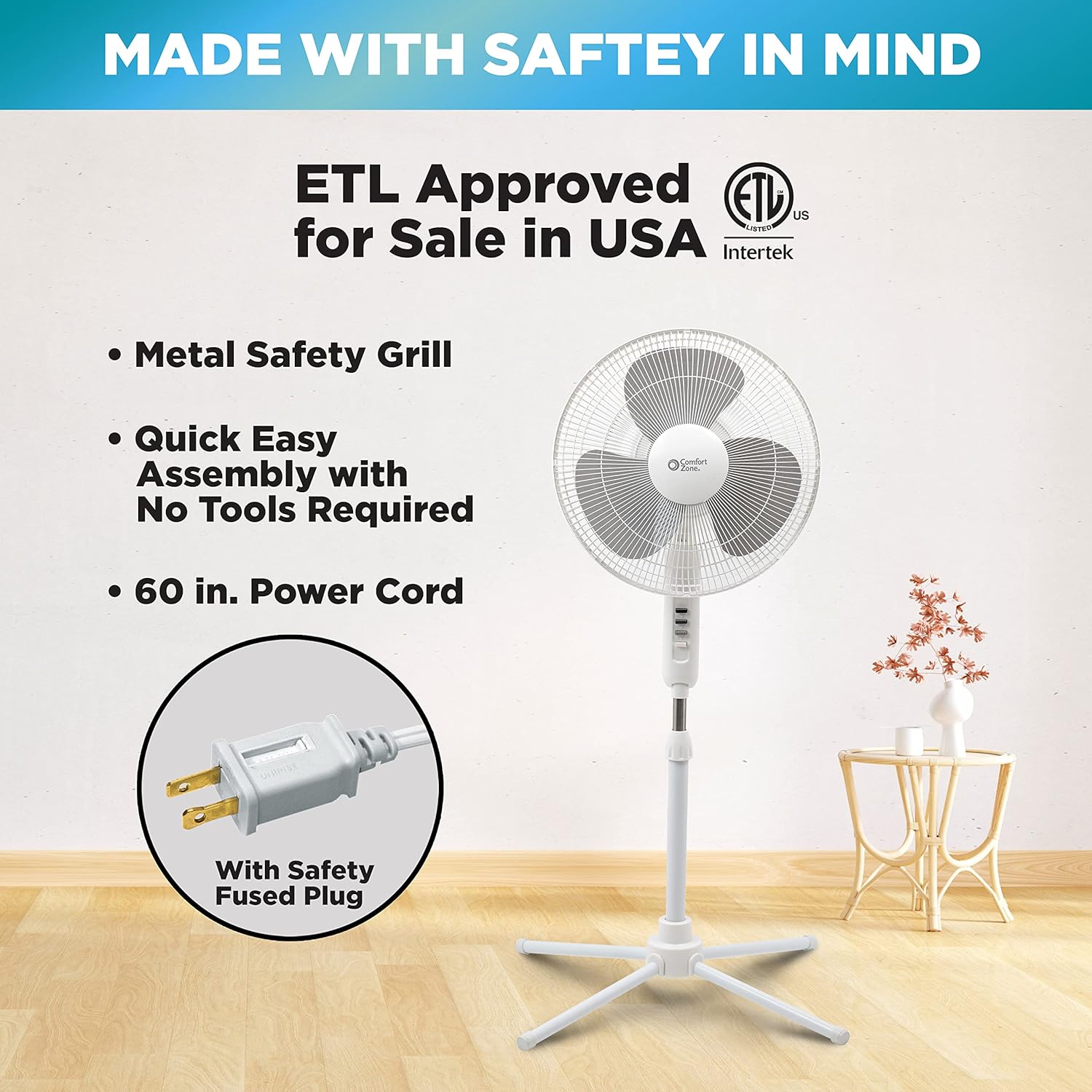
Figure 5.1: The fan's control panel with clearly labeled push buttons for power and speed settings.
5.2. Oscillation
To activate the oscillation feature, which provides wide-area air distribution, locate the oscillation control knob on the top rear of the fan head. Push this knob down to engage oscillation. Pull it up to stop the oscillation and direct airflow in a fixed position.

Figure 5.2: The fan's wide-area oscillation feature helps distribute air across a larger space.
5.3. Height and Tilt Adjustment
The fan's height can be adjusted to suit your preference. Loosen the height adjustment nut on the pole, extend or retract the pole to the desired height (between 41.75" and 47-3/8"), and then tighten the nut securely. The fan head can also be tilted up or down to direct the airflow precisely where needed.

Figure 5.3: The fan's adjustable height and convenient folding Quad-Pod base for easy storage.
6. Maintenance
Regular cleaning of your fan will help maintain its performance and extend its lifespan. Always unplug the fan before cleaning.
6.1. Cleaning the Fan Blades and Grill
The front grill of the fan can be removed for thorough cleaning of the blades and interior. This allows for easy dusting and removal of accumulated debris.
- Ensure the fan is unplugged from the power outlet.
- Carefully unclip or unscrew the fasteners holding the front grill in place.
- Remove the front grill.
- Wipe the fan blades and the inside of the grill with a soft, damp cloth. For stubborn dust, a mild soap solution can be used, but ensure no liquid enters the motor housing.
- Allow all parts to dry completely before reassembling the fan.
- Reattach the front grill, ensuring all fasteners are securely clipped or screwed back into place.
Do not use abrasive cleaners or materials that could damage the fan's surface. Do not immerse the fan or any electrical components in water.
7. Troubleshooting
If you experience issues with your fan, refer to the following table for common problems and solutions:
| Problem | Possible Cause | Solution |
|---|---|---|
| Fan does not turn on. | No power, loose plug, or tripped circuit breaker. | Check power outlet, ensure plug is fully inserted, reset circuit breaker. |
| Fan is noisy or rattling. | Loose parts, fan not on a level surface, or debris in blades. | Check for loose screws, place fan on a stable surface, clean blades and grill. |
| Fan does not oscillate. | Oscillation knob not engaged or mechanism obstructed. | Push down the oscillation knob firmly. Check for any obstructions around the oscillation mechanism. |
| Weak airflow. | Fan speed set too low, or dirty blades/grill. | Increase fan speed. Clean fan blades and grill as per maintenance instructions. |
If the problem persists after trying these solutions, please contact customer support.
8. Specifications
| Feature | Detail |
|---|---|
| Brand | Comfort Zone |
| Model Name | CZST161BTE |
| Color | White |
| Electric Fan Design | Floor Fan |
| Power Source | Corded Electric |
| Product Dimensions | 5"D x 17.5"W x 20.5"H |
| Adjustable Height | 41" to 47-3/8" |
| Noise Level | 56.7 dB |
| Wattage | 47 watts |
| Number of Blades | 3 |
| Air Flow Capacity | 445 Cubic Feet Per Minute |
| Blade Length | 16 Inches |
| Speed | 1365 RPM |
| Voltage | 120V |
| Switch Type | Push Button |
| Item Weight | 6.4 Pounds |
| Indoor/Outdoor Usage | Indoor |
| Specification Met | ETL, UL |
| Blade Material | Plastic |
9. Warranty and Support
This Comfort Zone Pedestal Fan comes with a 1 Year Warranty Against Manufacturer Defects. Please retain your proof of purchase for warranty claims.
For further assistance, troubleshooting not covered in this manual, or warranty inquiries, please refer to the official user guide or contact Comfort Zone customer support.
You can access the full User Guide (PDF) here: Comfort Zone Pedestal Fan User Guide


