
Introduction
This manual provides essential information for the WARNER BROS Mortal Kombat: Tournament Edition for Xbox 360. This special edition includes the game and a high-quality arcade fight stick, designed to enhance your gameplay experience. The fight stick features authentic Suzo Happ arcade parts, inspired by classic arcade cabinets, and an ergonomic button layout for optimal performance. It also includes a memory foam underside for comfortable lap use and a flip-open lid for easy customization and storage.
The game itself brings back the classic 2D fighting plane with a mature presentation, featuring graphic fatalities and an in-depth story mode that revisits the original Mortal Kombat tournament. It supports up to 4-player tag-team kombat and includes enhanced online features and Co-op arcade mode.
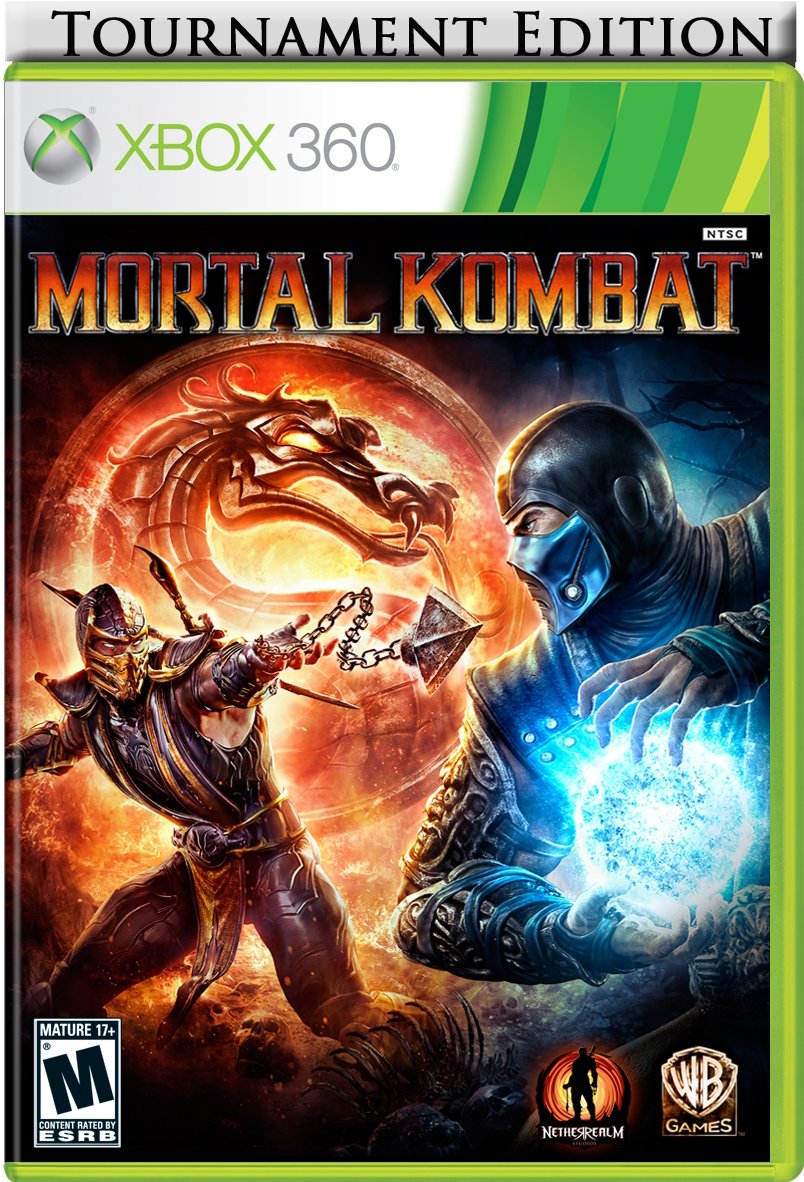
Image: Mortal Kombat Tournament Edition for Xbox 360, showing the game case and the arcade fight stick with its lid open, revealing internal components and storage.
Product Overview
Mortal Kombat Game Features:
- Fatalities: Experience the return of original, graphic fatalities.
- Classic Gameplay: Features a classic 2D fighting plane with a mature presentation.
- Multiplayer: Supports up to 4-player tag-team kombat.
- Story Mode: Engage in the deepest story mode of any fighting game, returning to the original Mortal Kombat tournament.
- Online & Co-op: Enhanced online features and Co-op arcade mode.
Tournament Edition Fight Stick Features:
- Authentic Components: Built with high-quality, authentic Suzo Happ arcade parts for superior performance.
- Ergonomic Design: Classic Mortal Kombat ergonomic button layout optimized for gameplay.
- Comfort: Memory foam underside for comfortable use during extended play sessions.
- Customization & Storage: Features a flip-open lid for easy access to internal components for customization and convenient storage.
Setup
Connecting the Fight Stick:
- Ensure your Xbox 360 console is powered off.
- Locate an available USB port on your Xbox 360 console.
- Plug the USB cable from the Mortal Kombat Fight Stick into the USB port on your console.
- Power on your Xbox 360 console. The fight stick should be automatically recognized.
- Insert the Mortal Kombat: Tournament Edition game disc into your Xbox 360 console.
- Follow on-screen prompts to start the game.
Note: For optimal performance, ensure your Xbox 360 system software is up to date.
Operating Instructions
Basic Controls (Fight Stick):
| Control | Function |
|---|---|
| Joystick | Movement (Up, Down, Left, Right) |
| Face Buttons (e.g., X, Y, A, B) | Attack actions (Punches, Kicks) |
| Shoulder Buttons (e.g., LB, RB, LT, RT) | Block, Throw, Special Moves, X-Ray Attacks |
| Start Button | Pause Game, Access Menus |
| Back Button | Access specific in-game menus or options |
Refer to the in-game tutorial and command list for detailed character-specific moves, combos, and fatalities. The ergonomic layout of the fight stick is designed to mimic traditional arcade controls, allowing for precise input during intense combat.
Gameplay Modes:
- Story Mode: Follow the narrative of the Mortal Kombat universe.
- Arcade Ladder: Fight through a series of opponents to reach the final boss.
- Tag-Team Kombat: Partner with another player or AI for 2v2 battles.
- Online Multiplayer: Compete against other players globally.
- Training Mode: Practice moves and combos.
Video: Kratos Gameplay Overview
Video: A demonstration of Kratos's gameplay in Mortal Kombat, showcasing various moves and combat mechanics. This video provides insight into character abilities and fighting styles.
Video: Mileena Gameplay
Video: A demonstration of Mileena's combat style and special moves within Mortal Kombat. This video highlights her unique abilities and potential strategies.
Maintenance
Fight Stick Care:
- Cleaning: Use a soft, dry cloth to wipe down the surface of the fight stick. Avoid abrasive cleaners or solvents.
- Storage: When not in use, store the fight stick in a cool, dry place away from direct sunlight. Utilize the internal storage compartment for cables or small accessories.
- Component Access: The flip-open lid allows for easy access to internal components for cleaning or potential part replacement. Exercise caution when opening and handling internal wiring.
- Cable Management: Avoid sharp bends or kinks in the USB cable to prevent damage.
Game Disc Care:
- Keep the game disc in its case when not in use.
- Handle the disc by its edges to avoid fingerprints and scratches.
- Clean the disc with a soft, lint-free cloth, wiping from the center outwards if necessary.
Troubleshooting
Fight Stick Not Responding:
- Check Connection: Ensure the USB cable is securely plugged into both the fight stick and the Xbox 360 console.
- Try Another USB Port: Test the fight stick with a different USB port on your console.
- Restart Console: Power off and restart your Xbox 360 console.
- Test on Another Device (if possible): If you have access to another compatible device, test the fight stick to determine if the issue is with the stick or the console.
Game Freezes or Crashes:
- Clean Disc: Inspect the game disc for scratches or smudges and clean it if necessary.
- Clear Cache: Clear your Xbox 360 system cache.
- Reinstall Game: If issues persist, try uninstalling and reinstalling the game data (if applicable).
- System Updates: Ensure your Xbox 360 console has the latest system updates installed.
Specifications
| Feature | Detail |
|---|---|
| Product Name | Mortal Kombat: Tournament Edition |
| Brand | WARNER BROS |
| Model Number | 1000191440 |
| Platform | Xbox 360 |
| Compatible Consoles | Microsoft Xbox 360, Microsoft Xbox 360 E |
| GTIN / UPC | 883929183388 |
| Release Date | April 19, 2011 |
| ESRB Rating | Mature (M) |
| Fight Stick Components | Authentic Suzo Happ arcade parts |
Warranty and Support
For warranty information regarding your Mortal Kombat: Tournament Edition for Xbox 360, please refer to the documentation included with your product at the time of purchase. Warranty terms and conditions may vary by region and retailer.
For technical support, game-related inquiries, or assistance with the fight stick, please visit the official WARNER BROS customer support website or contact their support team directly. Contact details can typically be found on the game packaging or the publisher's official website.