
1. Introduction
The KODAK Portra 400 Professional 35mm Color Negative Film is designed for exceptional image quality and versatility. This film is renowned for its fine grain, natural skin tones, and wide exposure latitude, making it suitable for a variety of photographic applications, including portraits, fashion, and commercial work. This manual provides essential information for handling, loading, and using your Portra 400 film to achieve optimal results.
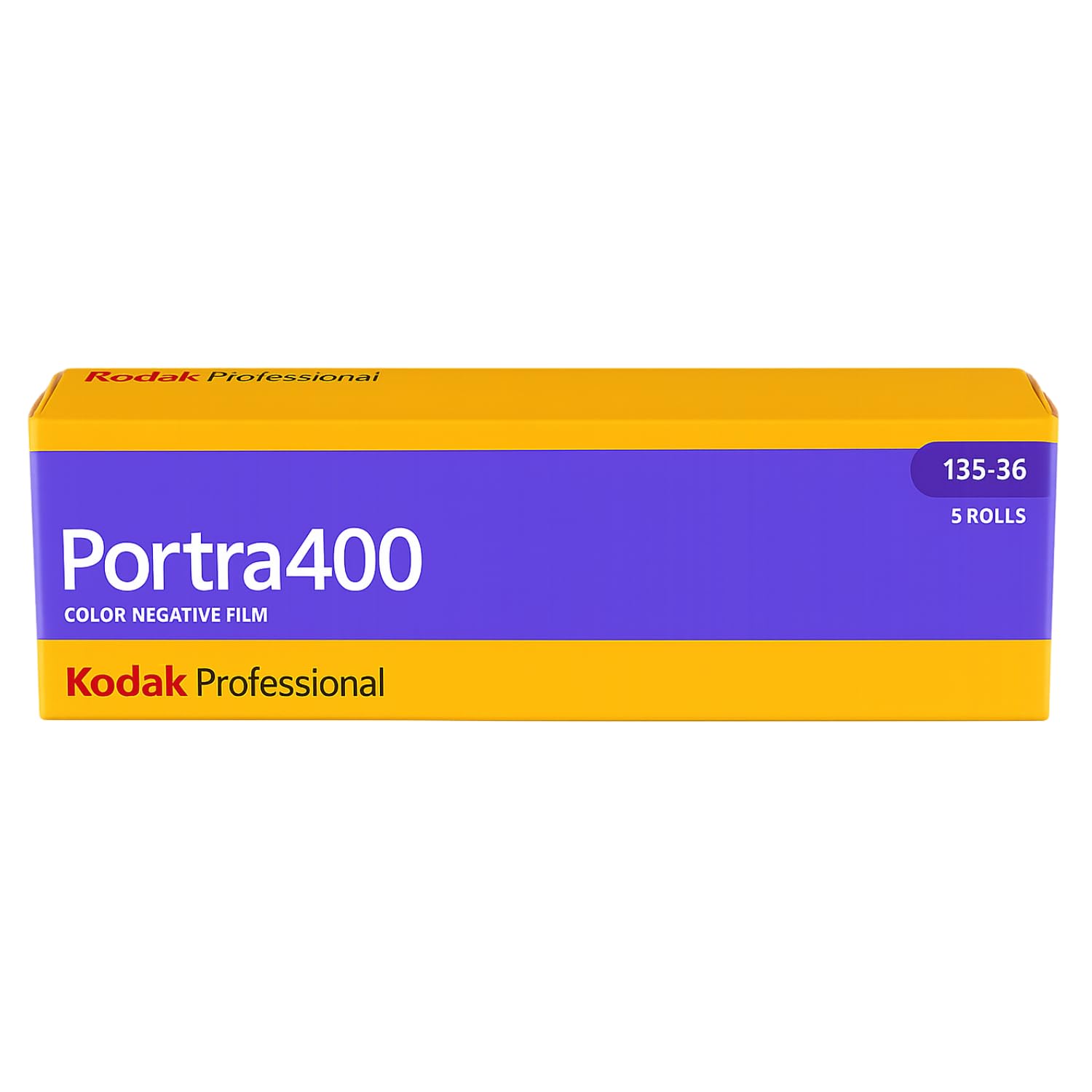
Image: KODAK Portra 400 Professional 35mm Color Negative Film 5-roll pack.
2. Product Features
- ISO 400 Speed: Offers excellent versatility for various lighting conditions.
- Fine Grain: Delivers exceptionally smooth and detailed images, ideal for scanning and large enlargements.
- Natural Skin Tones: Engineered to provide accurate and pleasing skin tone reproduction.
- Wide Exposure Latitude: Allows for significant overexposure without compromising highlight detail, and underexposure with minimal shadow detail loss.
- 35mm Format: Compatible with all 35mm film cameras.
- 36 Exposures per Roll: Provides ample shots for extended shooting sessions.
3. Specifications
| Specification | Detail |
|---|---|
| Brand | KODAK |
| Model Name | 603 1678 |
| Film Color | Color |
| Film Format Type | 135 (35mm) |
| Exposures per Roll | 36 |
| ISO Equivalent | 400 |
| Lighting Type | Daylight |
| Exposure Control Type | Manual (M) |
| Item Weight | 30 Grams |
| Roll Quantity | 5 |
| Country of Origin | China |
4. Setup: Film Loading
Proper film loading is crucial for successful photography. Always load film in subdued light to prevent accidental exposure. Refer to your camera's specific instructions for detailed loading procedures, as methods may vary between camera models.
4.1. General Loading Steps for 35mm Cameras:
- Open the Camera Back: Locate the latch or button on your camera to open the film compartment.
- Insert Film Cassette: Place the film cassette into the film chamber on the left side of the camera. Ensure it sits securely.
- Pull Out Film Leader: Gently pull the film leader across the camera body towards the take-up spool on the right.
- Attach Film Leader: Insert the tip of the film leader into a slot on the take-up spool. Some cameras have an automatic loading mechanism; others require manual attachment.
- Advance Film: Slowly advance the film using the film advance lever or motor drive until the film perforations engage with the sprocket teeth on both sides. Ensure the film lies flat.
- Close Camera Back: Close the camera back firmly until it latches.
- Advance to First Frame: Advance the film one or two more times (depending on your camera) until the frame counter shows '1'. This ensures any light-exposed film leader is wound onto the take-up spool.
4.2. Visual Guide: Loading a New Roll of Film
Video: Demonstrates loading a new roll of 35mm film into a point-and-shoot camera.
4.3. Visual Guide: Kodak Portra 400 Unboxing and Film Loading
Video: Shows the unboxing of Kodak Portra 400 film and the process of loading it into a camera.
5. Operating: Shooting Tips
KODAK Portra 400 is designed for flexibility. Here are some tips for optimal use:
- ISO Setting: Set your camera's ISO to 400. If your camera has DX code reading, it will automatically detect this. For manual cameras, ensure you set it correctly.
- Lighting Conditions: This film performs exceptionally well in daylight and mixed lighting. Its wide latitude allows for good results even in challenging light.
- Exposure: Portra 400 is known for its ability to handle overexposure gracefully. Many photographers prefer to overexpose by 1 to 2 stops for brighter, cleaner negatives, especially for portraits.
- Skin Tones: The film's strength lies in its ability to render natural and pleasing skin tones. Pay attention to lighting on your subjects' faces.
- Pushing/Pulling: While the film has excellent latitude, pushing (underexposing and over-developing) or pulling (overexposing and under-developing) can be done for creative effects. Consult your film lab for recommendations on processing pushed or pulled film.
5.1. Sample Images
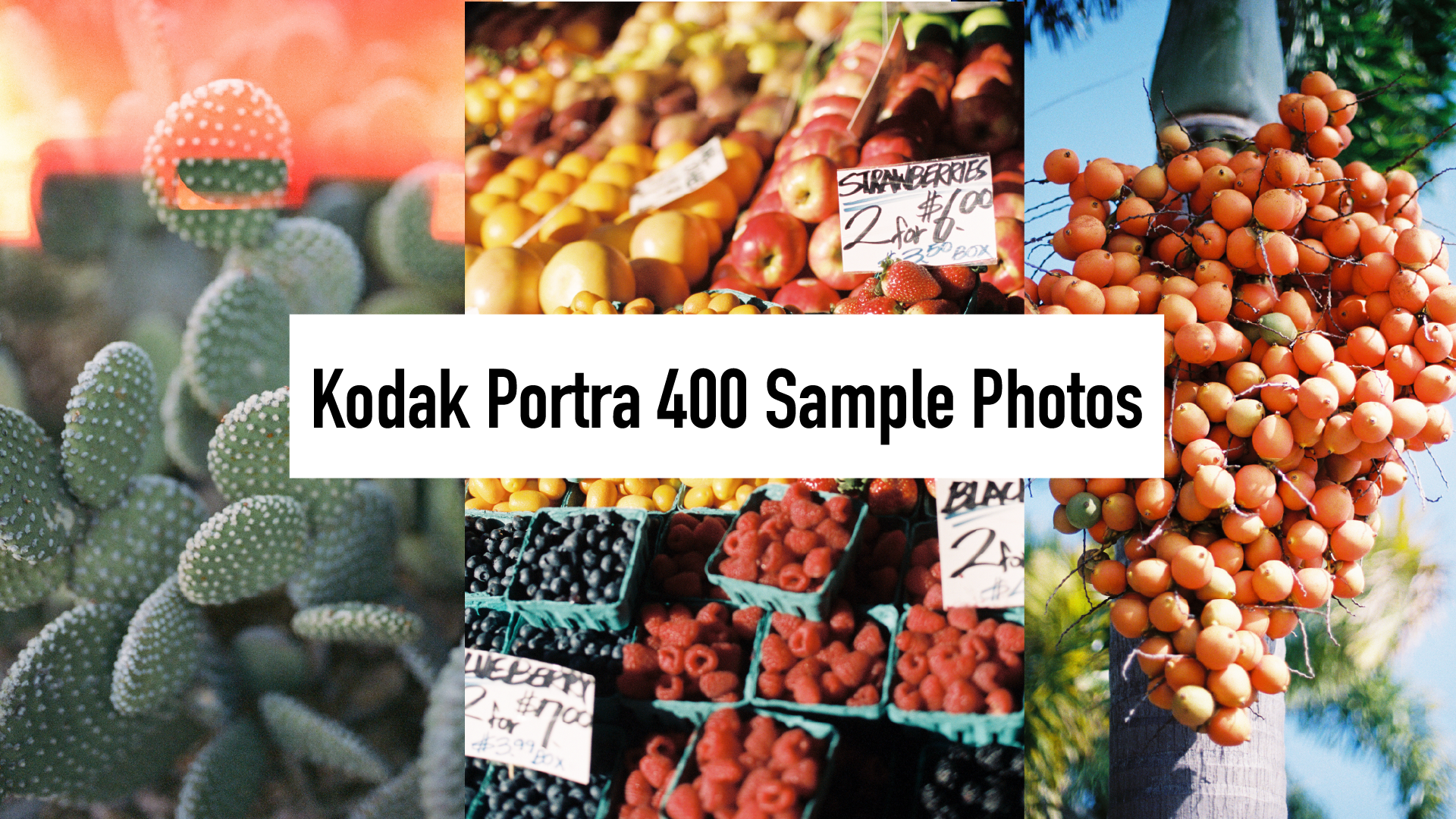
Below are examples of photographs taken with KODAK Portra 400 film, showcasing its color rendition and fine grain.


5.2. Visual Guide: Samples of Kodak Portra 400 35mm Color Film
Video: Showcases various sample images taken with Kodak Portra 400 film.
6. Maintenance and Storage
- Unexposed Film: Store unexposed film in a cool, dry place, ideally refrigerated (below 13°C / 55°F) for long-term storage. Allow refrigerated film to warm up to room temperature before use to prevent condensation.
- Exposed Film: Process exposed film as soon as possible after shooting. If immediate processing is not possible, store exposed film in a cool, dry place, preferably refrigerated, to preserve image quality.
- Handling: Always handle film by the edges to avoid fingerprints or scratches. Avoid direct sunlight exposure to film.
7. Troubleshooting
Most issues with film photography are related to camera settings or film handling. Here are common scenarios:
- Blank or Underexposed Images:
- Check camera's ISO setting matches film (400).
- Ensure film was loaded correctly and advanced to the first frame.
- Verify camera's light meter is functioning and exposure settings (aperture, shutter speed) are appropriate for the scene.
- Overexposed Images:
- Confirm ISO setting is correct.
- Adjust exposure settings to prevent too much light from reaching the film.
- Scratches or Dust on Negatives:
- Handle film carefully by the edges.
- Ensure camera interior and film changing environment are clean.
- Color Shifts:
- Ensure film is not expired.
- Proper storage conditions are maintained.
- Consult your film lab about their processing chemicals and procedures.
8. Warranty Information
KODAK Portra 400 Professional film comes with a 2 Year Manufacturer Warranty. This warranty covers defects in materials and workmanship under normal use. Please retain your proof of purchase for any warranty claims. For specific details regarding warranty coverage and claims, refer to the official KODAK website or contact KODAK customer support.
9. Support
For further assistance, technical support, or inquiries regarding KODAK Portra 400 Professional film, please visit the official KODAK website or contact their customer service department. You can also find additional resources and tips from experienced film photographers online.
KODAK Official Website: www.kodak.com
KODAK Store on Amazon: Visit the KODAK Store