
Introduction
The Minolta Maxxum 135mm f/2.8 is a notable prime lens within the Minolta lineup, known for its compact size and robust build. Introduced in 1985 alongside the Minolta AF system, this lens offers a fixed focal length of 135mm and a wide aperture of f/2.8, making it suitable for various photographic applications, particularly in low-light conditions or for achieving shallow depth of field. Despite its relatively small form factor, it features a sturdy metal construction and weighs approximately 390g, indicating its quality craftsmanship. This manual provides essential information for the proper setup, operation, and maintenance of your Minolta Maxxum AF 135mm F/2.8 Prime Lens.
Setup and Installation
This lens is designed for Sony Alpha and Minolta A-Mount camera systems. Ensure your camera body is compatible before attempting installation.
- Prepare the Camera: Turn off your camera. Remove the body cap from the camera and the rear lens cap from the Minolta Maxxum 135mm lens.
- Align the Mounts: Align the red or white index mark on the lens barrel with the corresponding mark on your camera's lens mount.
- Attach the Lens: Gently insert the lens into the camera's mount. Rotate the lens clockwise (or counter-clockwise, depending on your camera model) until it clicks into place, indicating it is securely locked. Do not force the lens.
- Initial Check: Once attached, gently try to rotate the lens without pressing the lens release button to ensure it is firmly mounted.
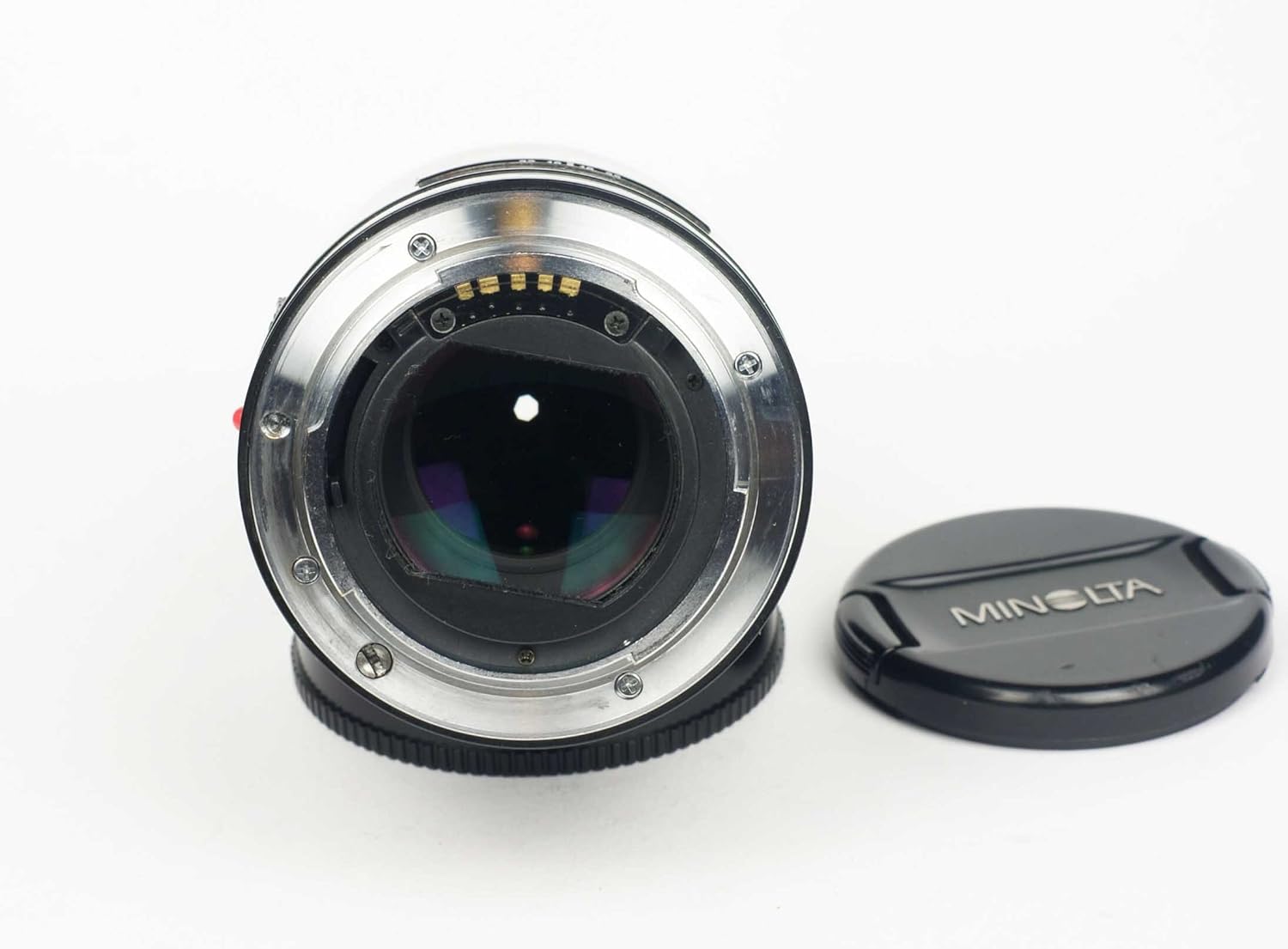
Figure 1: Rear view of the Minolta Maxxum 135mm f/2.8 lens, highlighting the A-mount and electronic contacts for communication with the camera body. This is the side that connects to your camera.
Operating the Lens
Focusing
The Minolta Maxxum 135mm f/2.8 lens supports both autofocus (AF) and manual focus (MF) modes, depending on your camera body's capabilities and settings.
- Autofocus (AF): When set to AF mode on your camera, the lens will automatically adjust focus. This lens is known for its rapid focusing, even in challenging light conditions.
- Manual Focus (MF): To manually focus, set your camera to MF mode. Rotate the focus ring on the lens barrel until your subject appears sharp in the viewfinder or on the LCD screen. Some camera bodies offer focus peaking or magnification aids to assist with precise manual focusing.

Figure 2: Side view of the Minolta Maxxum 135mm f/2.8 lens, illustrating the focus ring and aperture markings. The focus ring allows for precise manual adjustments.
Aperture Control
The lens features a maximum aperture of f/2.8, allowing for excellent low-light performance and creative control over depth of field. Aperture settings are typically controlled via your camera body. Refer to your camera's manual for specific instructions on adjusting aperture.
Built-in Retractable Hood
This lens is equipped with a convenient and sturdy built-in retractable lens hood. To deploy the hood, gently pull it forward from the front of the lens until it locks into its extended position. This hood helps to prevent lens flare and protect the front element from minor impacts. To retract, push it back towards the lens barrel until it is flush.
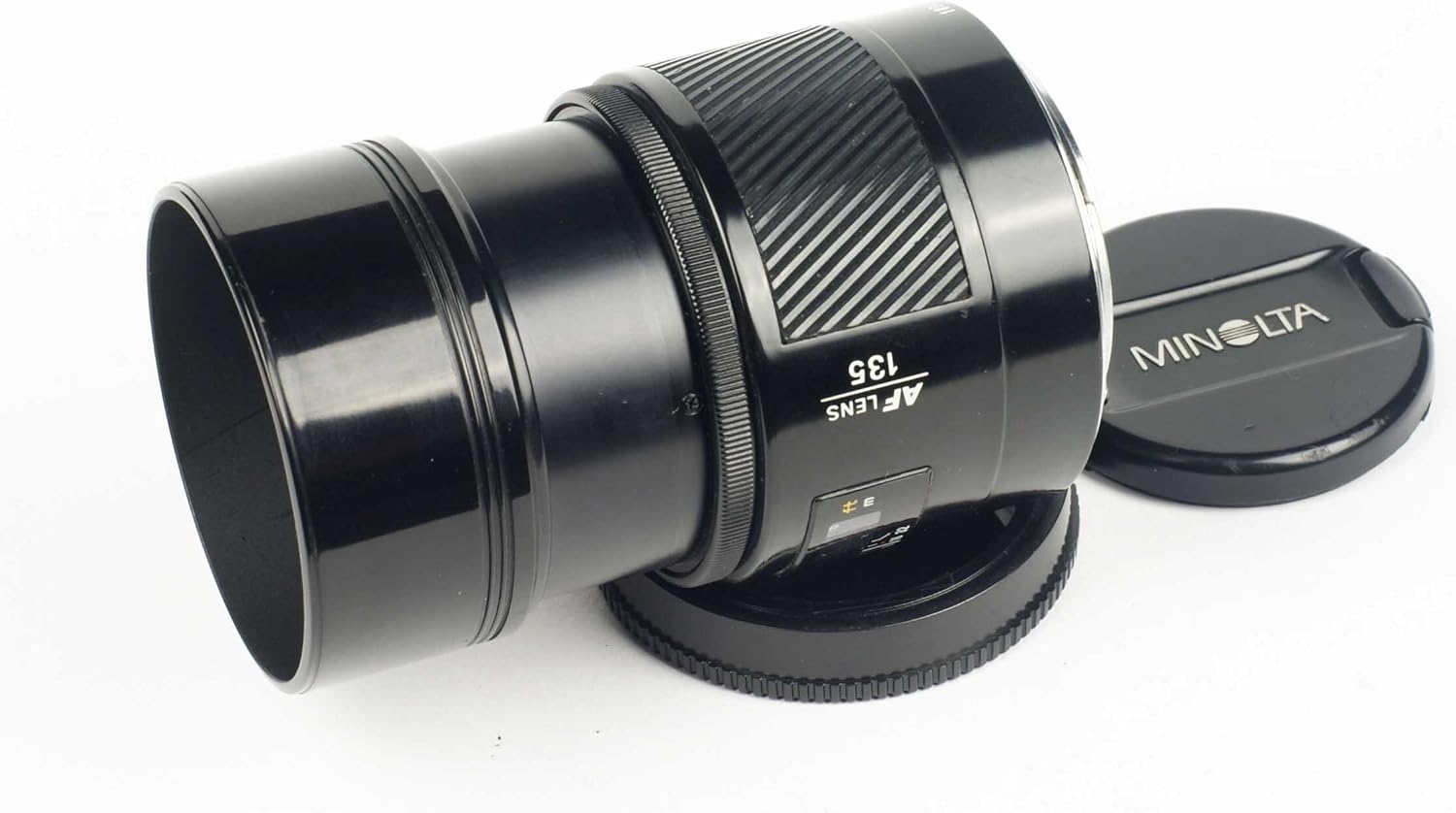
Figure 3: The Minolta Maxxum 135mm f/2.8 lens with its integrated retractable lens hood extended, demonstrating its function in reducing flare and providing protection.
Maintenance and Care
Proper care will extend the life and performance of your lens.
- Cleaning Lens Elements: Use a soft, lint-free microfiber cloth specifically designed for optics. For stubborn smudges, use a small amount of lens cleaning solution applied to the cloth, not directly to the lens. Always remove dust and loose particles with a blower brush before wiping.
- Cleaning Lens Body: Wipe the lens barrel with a clean, dry cloth. Avoid using harsh chemicals or abrasive materials.
- Storage: When not in use, store the lens with both front and rear caps attached in a dry, cool place, away from direct sunlight and extreme temperatures. Consider using a desiccant packet in your storage area to prevent humidity buildup.
- Protection: Always use the built-in lens hood to protect the front element. When transporting, use a padded camera bag to prevent impacts.

Figure 4: Front view of the Minolta Maxxum 135mm f/2.8 lens, showcasing its large 55mm front element. Proper cleaning of this element is crucial for image quality.
Troubleshooting
- Focusing Inaccuracy: If you experience consistent front or back focusing, especially with autofocus, your camera body may require microadjustment (also known as AF Fine Tune or AF Microadjustment). Refer to your camera's instruction manual for details on how to calibrate focus for specific lenses. Manual focusing with focus magnification can also help verify focus accuracy.
- Lens Not Attaching Securely: Ensure the lens is correctly aligned with the camera mount's index mark and rotated until it clicks. Check for any obstructions on either the lens mount or camera mount.
- Dust or Smudges on Images: This is often due to dust on the camera sensor, not the lens. However, ensure the lens elements are clean. If the issue persists, consult your camera's manual for sensor cleaning procedures or seek professional service.
- Lens Flare: While the built-in hood helps, strong light sources directly entering the lens can still cause flare. Repositioning your shot or using your hand to shade the lens can mitigate this.
Specifications
| Brand | SimpTronic Tech (Original Manufacturer: Minolta) |
| Model Number | 25561 |
| ASIN | B004F9J350 |
| Focal Length | 135 mm (Fixed) |
| Maximum Aperture | f/2.8 |
| Lens Type | Telephoto Prime Lens |
| Mount Type | Sony Alpha and Minolta A-Mount |
| Product Dimensions | 2.56 x 2.56 x 3.27 inches |
| Item Weight | 12.8 ounces (approx. 363 grams) |
| Filter Thread Size | 55 mm |
| First Available | December 5, 2010 |
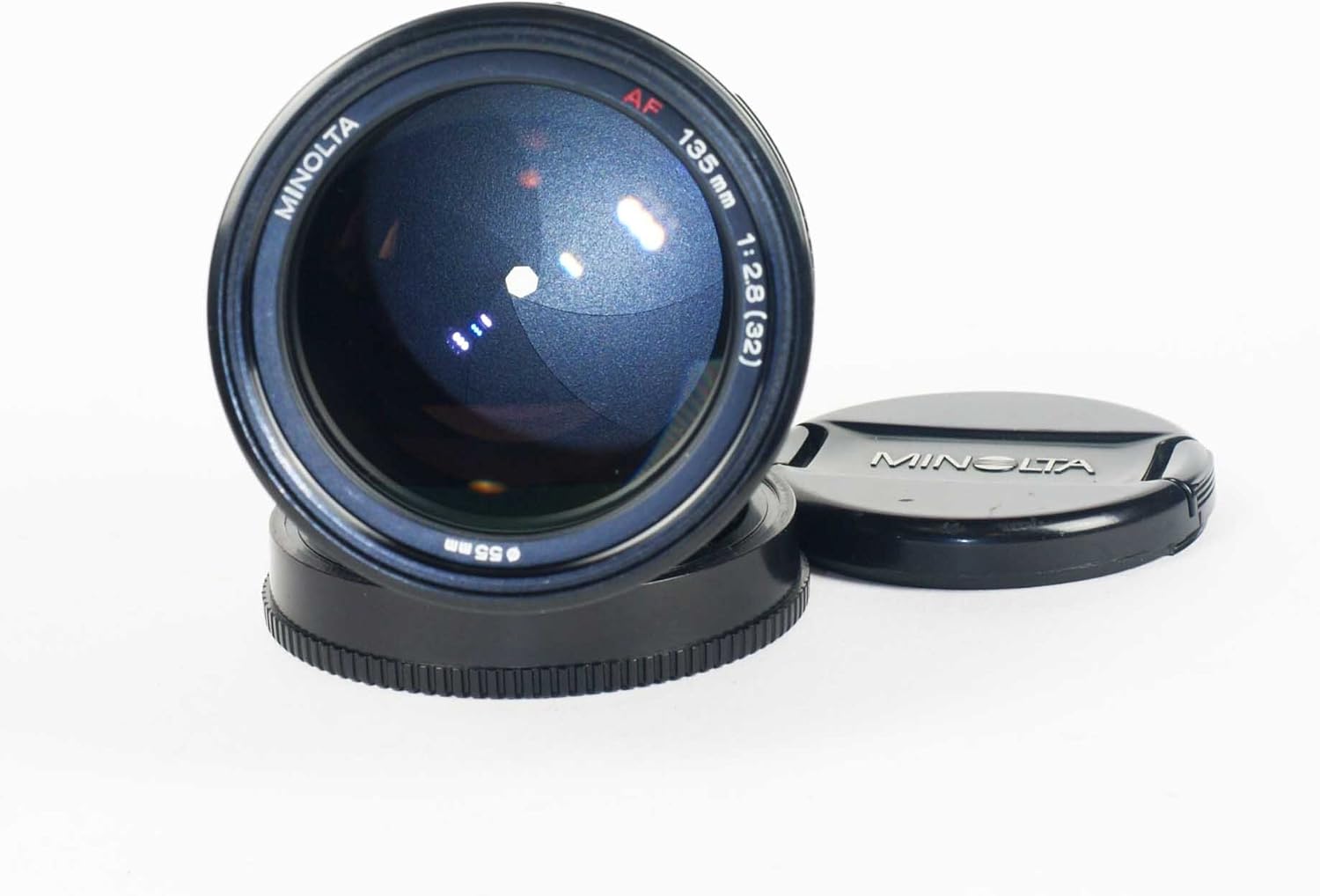
Figure 5: Front view of the Minolta Maxxum 135mm f/2.8 lens, clearly showing the 55mm filter thread size around the front element.
Warranty and Support
For information regarding warranty coverage, technical support, or service for your Minolta Maxxum AF 135mm F/2.8 Prime Lens, please refer to the documentation provided at the time of purchase or contact the seller, SimpTronic Tech, directly. As this is a vintage lens, warranty terms may vary significantly depending on the seller and condition of purchase (new, used, refurbished).
It is recommended to retain your proof of purchase for any warranty claims or support inquiries.