
1. Introduction
Thank you for choosing the Q&Q Digital Multi-Color Dial Men's Watch, Model M102J003Y. This watch is designed for sportswear and daily use, featuring a robust digital display, multi-functional capabilities, and significant water resistance. This manual provides detailed instructions to help you understand and utilize all features of your new watch.
Key Features:
- Digital Multi-Color Dial Display
- Durable Resin Band
- Quartz Movement for accurate timekeeping
- 100-meter (10 BAR) Water Resistance
- Approximate 2-year Battery Life
- Multi-functional: Time, Date, Alarm, Stopwatch

Figure 1.1: Front view of the Q&Q Digital Multi-Color Dial Men's Watch, showcasing its digital display and overall design.
2. Setup
Initial Setup and Time/Date Adjustment:
Your watch comes with a pre-installed battery. To set the time and date, locate the buttons on the sides of the watch case. Typically, digital watches have four buttons:
- MODE (usually bottom-left): Cycles through different modes (Time, Alarm, Stopwatch).
- RST/STP (usually top-left): Used for resetting or stopping functions, and for adjusting values in setting mode.
- ST/LAP (usually top-right): Used for starting or lap functions, and for adjusting values in setting mode.
- LIGHT (usually bottom-right): Activates the backlight.
To Set Time and Date:
- From the normal time display, press the MODE button repeatedly until the time setting mode is activated (usually indicated by flashing digits).
- Use the RST/STP or ST/LAP buttons to adjust the flashing digit (hours, minutes, year, month, day).
- Press MODE again to move to the next setting parameter.
- Once all settings are adjusted, press MODE to exit the setting mode and return to the normal time display.

Figure 2.1: Close-up view of the watch display, showing the digital time and date format.
3. Operating Instructions
Mode Functions:
Press the MODE button to cycle through the following functions:
- Time Mode: Displays current time (hours, minutes, seconds), day of the week, and date.
- Alarm Mode: Set a daily alarm. When in Alarm Mode, use RST/STP or ST/LAP to adjust the alarm time. Press MODE to confirm.
- Stopwatch Mode: Measures elapsed time.
Using the Stopwatch:
- Press MODE until you reach the Stopwatch Mode.
- Press ST/LAP to start the stopwatch.
- Press ST/LAP again to pause/resume.
- Press RST/STP to reset the stopwatch to zero.
Backlight Function:
Press the LIGHT button (bottom-right) to illuminate the display for easy viewing in low-light conditions. The backlight will typically stay on for a few seconds.
Water Resistance:
This watch is water resistant up to 100 meters (10 BAR). This means it is suitable for swimming, snorkeling, and showering. Do not operate any buttons while the watch is submerged in water.
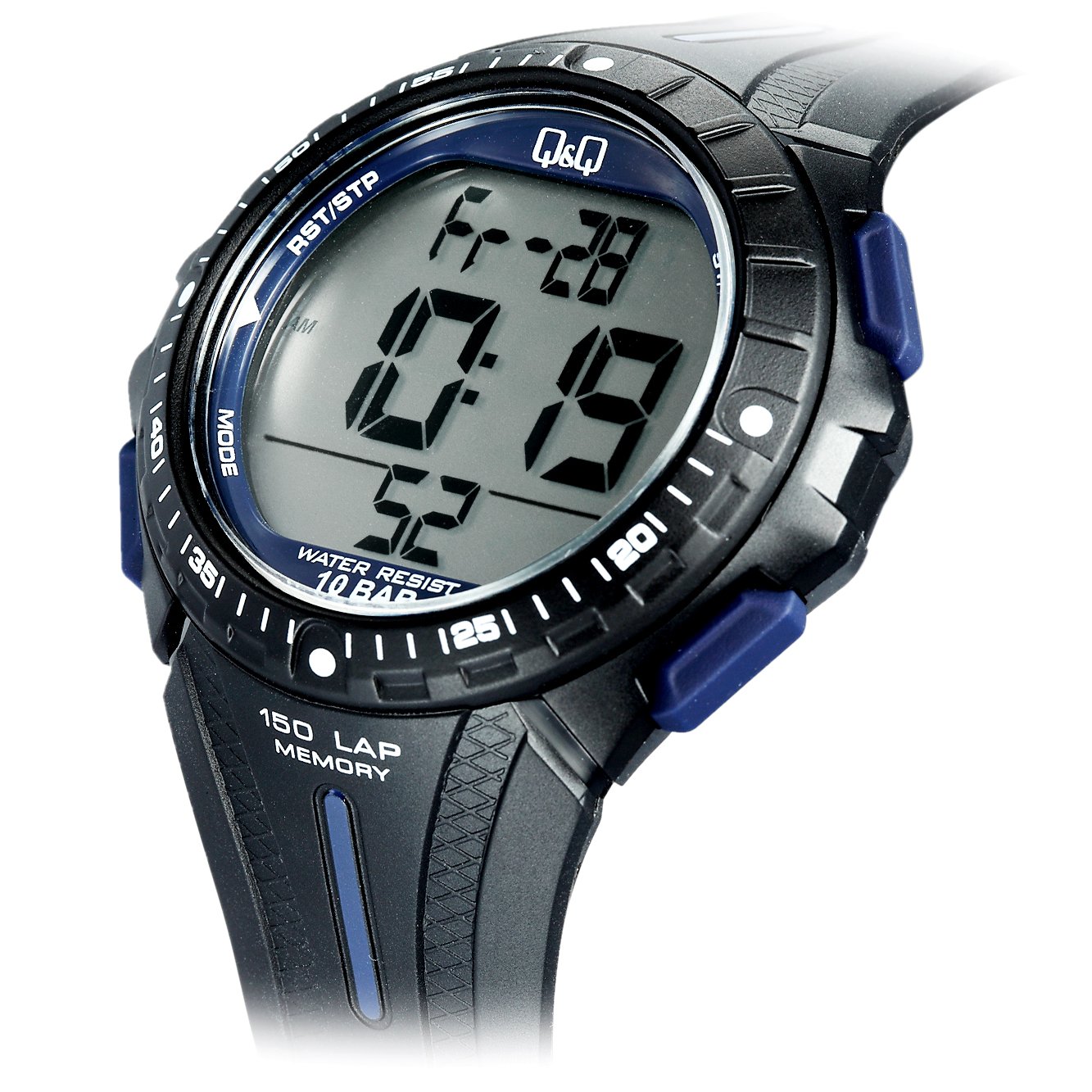
Figure 3.1: Angled view of the watch, highlighting the side buttons used for mode selection and adjustments.
4. Maintenance
Cleaning:
To clean your watch, wipe it gently with a soft, dry cloth. For stubborn dirt, a slightly damp cloth can be used, followed by a dry cloth. Avoid using chemical cleaners or abrasive materials, as these can damage the watch's finish and resin band.
Water Resistance Care:
- Rinse the watch with fresh water after exposure to saltwater or chlorinated water.
- Avoid exposing the watch to extreme temperature changes (e.g., hot showers followed by cold water), as this can affect the water resistance seals.
- Do not press buttons while the watch is wet or submerged.
Battery Replacement:
The watch is powered by a single product-specific battery, which has an approximate life of 2 years. When the display becomes dim or functions become erratic, it may be time for a battery replacement. It is recommended to have the battery replaced by a qualified watch technician to ensure proper sealing and maintain water resistance.

Figure 4.1: Side view of the watch, illustrating the durable resin strap and buckle mechanism.
5. Troubleshooting
- Display is blank or dim:
This usually indicates a low battery. Replace the battery as described in the Maintenance section. - Buttons are unresponsive:
Ensure the watch is dry. If the issue persists, a battery replacement might be needed, or there could be an internal malfunction. - Time is inaccurate:
Re-adjust the time following the instructions in the Setup section. If the time continues to be inaccurate after adjustment, the battery may be low, or the quartz movement may require servicing. - Condensation inside the watch:
This indicates a breach in the water resistance. Stop using the watch in water immediately and have it inspected by a professional.
6. Specifications
| Model Number | M102J003Y |
| Brand | Q&Q |
| Dial Color | Multi-Color |
| Case Shape | Round |
| Case Diameter | 52 Millimetres |
| Band Color | Black |
| Band Material | Resin |
| Watch Movement Type | Quartz |
| Watch Display Type | Digital |
| Water Resistance Depth | 100 Meters (10 BAR) |
| Battery Life | Approx. 2 years |
| Item Weight | 118 g (0.26 Pounds) |
| Manufacturer | Q&Q |
7. Warranty and Support
Warranty Information:
This Q&Q watch comes with a 1 Year International Warranty from the date of purchase. This warranty covers manufacturing defects in materials and workmanship under normal use. It does not cover:
- Damage resulting from improper handling, lack of care, accidents, or normal wear and tear.
- Damage caused by unauthorized repair or modification.
- Battery replacement.
- Damage to the strap or case.
Please retain your proof of purchase for warranty claims.
Customer Support:
For warranty service or technical assistance, please contact the retailer where you purchased the watch or refer to the official Q&Q website for regional service centers. Provide your watch model number (M102J003Y) and a detailed description of the issue when seeking support.

Figure 7.1: The watch packaging, which typically contains warranty information and product details.


