
Introduction
This manual provides essential information for the proper installation, operation, and maintenance of your LSI Logic Warpdrive SLP-300 Single Pack Solid State Drive. Please read this manual thoroughly before installation and retain it for future reference.
The LSI Logic Warpdrive SLP-300 is a high-performance 300 GB Plug-in Module Solid State Drive designed for PCI Express interfaces, offering enhanced data transfer speeds and system responsiveness.
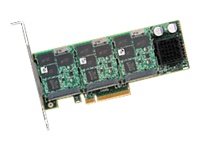
Figure 1: LSI Logic Warpdrive SLP-300 PCI Express Solid State Drive.
Safety Information
WARNING:
- Always disconnect power from your computer before installing or removing any internal components.
- Handle the SSD by its edges to avoid touching the connectors or components.
- Use proper electrostatic discharge (ESD) precautions, such as an anti-static wrist strap, to prevent damage to the device.
- Ensure proper ventilation within your computer case to prevent overheating.
Package Contents
Verify that all items are present in the package:
- LSI Logic Warpdrive SLP-300 Solid State Drive (1 unit)
- Quick Installation Guide (if applicable)
- Driver CD/Download Information (if applicable)
Setup and Installation
- Prepare Your System: Power off your computer and disconnect the power cord. Open the computer case.
- Locate a PCI Express Slot: Identify an available PCI Express slot on your motherboard. The SLP-300 requires a compatible PCI Express slot (e.g., PCIe x4, x8, or x16).
- Install the SSD: Carefully align the SLP-300 with the chosen PCI Express slot. Apply even pressure to firmly seat the card into the slot until it clicks into place. Secure the card with the retaining clip or screw, if available on your case.
- Close the Case and Reconnect Power: Close your computer case and reconnect all cables, including the power cord.
- Power On and Install Drivers: Power on your computer. The operating system should detect new hardware. Install the necessary drivers from the manufacturer's website or the provided media. Refer to your operating system's documentation for driver installation procedures.
- Initialize and Format (if necessary): For new installations, you may need to initialize and format the SSD through your operating system's Disk Management utility before it can be used.
Operating the Warpdrive SLP-300
Once installed and drivers are configured, the LSI Logic Warpdrive SLP-300 operates as a standard storage device within your system. It can be used for operating system installation, application storage, or as a high-speed data drive.
- Data Transfer: Utilize standard file management tools within your operating system to transfer data to and from the drive.
- Performance Monitoring: System monitoring tools can be used to observe the drive's performance and health.
- Firmware Updates: Periodically check the LSI Logic (now Broadcom) support website for firmware updates to ensure optimal performance and compatibility.
Maintenance
Solid State Drives generally require less maintenance than traditional hard disk drives. However, consider the following:
- Keep Drivers Updated: Ensure your device drivers and operating system are up to date.
- Avoid Excessive Writes: While SSDs have a high write endurance, avoid unnecessary, continuous large writes if possible, to prolong the drive's lifespan.
- TRIM Support: Ensure your operating system has TRIM enabled for SSDs to maintain performance over time.
- Physical Inspection: Periodically inspect the card for dust accumulation. Clean with compressed air if necessary, ensuring the system is powered off.
Troubleshooting
| Problem | Possible Cause | Solution |
|---|---|---|
| Drive not detected by OS. | Not properly seated in PCIe slot; missing drivers; disabled in BIOS/UEFI. | Reseat the card. Install latest drivers. Check BIOS/UEFI settings for PCIe slot enablement. |
| Slow performance. | Outdated drivers; TRIM not enabled; drive nearly full; incorrect PCIe slot. | Update drivers. Verify TRIM is enabled. Free up space. Ensure card is in a full-speed PCIe slot. |
| System instability after installation. | Driver conflict; power supply issues; hardware incompatibility. | Ensure correct drivers are installed. Check power supply wattage. Consult motherboard QVL for compatibility. |
Specifications
| Model Number | LSI00263 (SLP-300) |
| Brand | LSI Logic |
| Description | 300 GB Plug-in Module Solid State Drive |
| Hardware Interface | PCI Express |
| Product Dimensions | 11 x 2.9 x 8.3 inches |
| Item Weight | 1.4 pounds |
| UPC | 830343006762 |
| Date First Available | November 11, 2010 |
Warranty and Support
For warranty information and technical support, please refer to the official LSI Logic (now Broadcom) website or contact their customer service department. Keep your proof of purchase for warranty claims.
Online Resources:
- Product support pages
- Driver downloads
- Firmware updates