Introduction
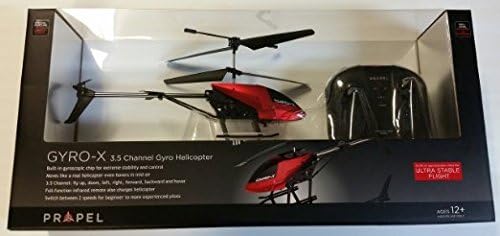
This instruction manual provides essential information for the safe and effective operation of your Propel RC Gyropter 3 Channel IR Gyro Helicopter. Please read this manual thoroughly before operating the helicopter and retain it for future reference. This product is designed for indoor use and is suitable for individuals aged 12 years and up.
Safety Guidelines
- Indoor Use Only: This helicopter is designed exclusively for indoor environments. Do not operate outdoors.
- Clear Area: Ensure a clear operating space, free from obstacles, people, and pets, to prevent accidents.
- Battery Safety: Follow all instructions for battery charging and handling. Do not overcharge or short-circuit batteries.
- Adult Supervision: Recommended for users aged 12 and above. Adult supervision is advised for younger users.
- Avoid Contact: Keep hands, face, and hair away from rotating blades to prevent injury.
- Water Exposure: Do not expose the helicopter or controller to water or moisture.
- Disassembly: Do not attempt to disassemble or modify the helicopter or controller, as this may void the warranty and cause damage.
Package Contents
Verify that all items are present in the package:
- Propel RC Gyropter Helicopter (Model 15021)
- Infrared Wireless Controller
- USB Charging Cable (integrated with controller)
- Instruction Manual

Setup
1. Controller Battery Installation
- Locate the battery compartment on the back of the infrared wireless controller.
- Open the battery compartment cover.
- Insert the required batteries (typically AA, refer to controller markings) ensuring correct polarity (+/-).
- Close the battery compartment cover securely.

2. Charging the Helicopter
The Propel RC Gyropter includes a rechargeable Li-Poly battery. The charging cable is integrated into the controller.
- Ensure the controller has fresh batteries.
- Locate the charging port on the helicopter.
- Carefully connect the charging cable from the controller to the helicopter's charging port.
- The charging indicator light on the controller will illuminate (e.g., red) during charging.
- Charging typically takes approximately 30-45 minutes. The indicator light will change or turn off when charging is complete.
- Disconnect the charging cable once charging is finished. Do not overcharge.

3. Pairing the Helicopter and Controller
- Turn on the helicopter using its power switch. The helicopter's indicator light will flash.
- Turn on the controller using its power switch.
- Move the throttle stick (left stick) all the way up, then all the way down.
- The helicopter's indicator light will become solid, indicating successful pairing.
- If pairing fails, turn off both devices and repeat the process.
Operating Instructions
Controller Overview
Familiarize yourself with the controller's functions:
- Left Stick (Throttle): Controls altitude (up/down).
- Right Stick (Directional): Controls forward/backward movement and turning left/right.
- Trim Buttons: Used to fine-tune the helicopter's stability if it drifts.
- Power Switch: Turns the controller on/off.
- Channel Selector (A/B/C): Allows multiple helicopters to be flown in the same area by selecting different infrared channels.
Basic Flight Controls
- Take-off: Slowly push the left stick (throttle) upwards. The helicopter will ascend.
- Landing: Slowly pull the left stick (throttle) downwards. The helicopter will descend.
- Forward/Backward: Push the right stick forward to move forward, pull back to move backward.
- Turn Left/Right: Push the right stick left to turn left, push right to turn right.
- Hovering: Adjust the left stick to maintain a stable altitude. Use trim buttons if the helicopter drifts.
Trimming
If the helicopter drifts without input, use the trim buttons to correct its flight path. For example, if it drifts left, press the right trim button until it hovers steadily.
Maintenance
- Cleaning: Use a soft, dry cloth to clean the helicopter and controller. Do not use water or chemical cleaners.
- Storage: Store the helicopter and controller in a cool, dry place away from direct sunlight and extreme temperatures.
- Battery Care: For long-term storage, ensure batteries are partially charged (around 50%) and remove them from the controller if not used for extended periods.
- Blade Inspection: Periodically check rotor blades for damage. Replace if cracked or bent to ensure stable flight.
Troubleshooting
| Problem | Possible Cause | Solution |
|---|---|---|
| Helicopter does not respond to controller. |
|
|
| Helicopter drifts during flight. |
|
|
| Short flight time. |
|
|
Specifications
| Model Number | 15021 |
| Brand | Propel Toys |
| Channels | 3 Channel Infrared (IR) |
| Power Source | Helicopter: Rechargeable Lithium-Ion Polymer Battery; Controller: AA Batteries (not included) |
| Material | Plastic |
| Assembly Required | No |
| Recommended Age | 12 years and up |
| Special Features | Built-in Gyroscope for stable flight, Portable, Rechargeable |
Warranty and Support
For information regarding warranty coverage or technical support, please refer to the contact details provided on the product packaging or visit the official Propel Toys website. Keep your purchase receipt as proof of purchase.