
1. Introduction
This manual provides essential information for the safe and efficient operation of your CyberPower CP1500PFCLCD PFC Sinewave UPS System. This mini-tower UPS features line interactive topology, offering reliable battery backup and surge protection for sensitive electronic equipment. It is designed to support active PFC and conventional power supplies, safeguarding desktop computers, workstations, networking devices, and home entertainment systems.
The CP1500PFCLCD includes an advanced multifunction control panel with a color LCD for quick status confirmation and alerts. Its Automatic Voltage Regulation (AVR) corrects minor power fluctuations without relying on battery power, thereby extending battery life. Additionally, two USB charge ports (Type-A and Type-C) are available for portable devices.
2. Safety Information
WARNING: This product contains chemicals known to the State of California to cause cancer and birth defects or other reproductive harm.
Always follow basic safety precautions when using this product to reduce the risk of fire, electric shock, and injury to persons.
- Do not connect non-computer related items like laser printers to battery-backed outlets due to high current draw.
- Ensure proper grounding.
- Do not open the UPS casing. There are no user-serviceable parts inside.
- Avoid installing the UPS in areas with excessive moisture or heat.
- Disconnect the UPS from the power outlet before cleaning.
3. Package Contents
- CyberPower CP1500PFCLCD PFC Sinewave UPS System
- User Manual (this document)
- USB Cable
- PowerPanel Management Software (Download)
4. Product Features
- 1500VA/1000W PFC Sine Wave Battery Backup Uninterruptible Power Supply (UPS) System designed to support active PFC and conventional power supplies; Safeguards computers, workstations, network devices, and telecom equipment.
- 12 NEMA 5-15R OUTLETS: Six battery backup & surge protected outlets, six surge protected outlets; INPUT: NEMA 5-15P right angle, 45 degree offset plug with five foot power cord; 2 USB charge ports (1 Type-A, 1 Type-C) quickly charges mobile phones and tablets.
- MULTIFUNCTION, COLOR LCD PANEL: Displays immediate, detailed information on battery and power conditions; Color display alerts users to potential issues before they can affect critical equipment and cause downtime; Screen tilts up to 22 degrees.
- AUTOMATIC VOLTAGE REGULATION (AVR): Corrects minor power fluctuations without switching to battery power, thereby extending the life of the battery.
- 3-YEAR WARRANTY – INCLUDING THE BATTERY; $500,000 Connected Equipment Guarantee and FREE PowerPanel Management Software (Download).
5. Setup
Follow these steps to set up your CyberPower UPS system:
-
Unpack the UPS: Carefully remove the UPS from its packaging. Inspect for any shipping damage.

Figure 5.1: Front view of the CyberPower CP1500PFCLCD UPS System.
-
Connect to Power: Plug the UPS power cord (NEMA 5-15P right angle plug) into a properly grounded wall outlet.

Figure 5.2: Detail of the NEMA 5-15P input plug.
- Initial Battery Charge: Allow the UPS to charge for at least 8 hours before connecting equipment to ensure full battery capacity.
-
Connect Equipment:
- Plug critical equipment (computer, monitor, etc.) into the Battery Backup & Surge Protected outlets.
- Plug non-critical equipment (printers, scanners, etc.) into the Surge Protected Only outlets.
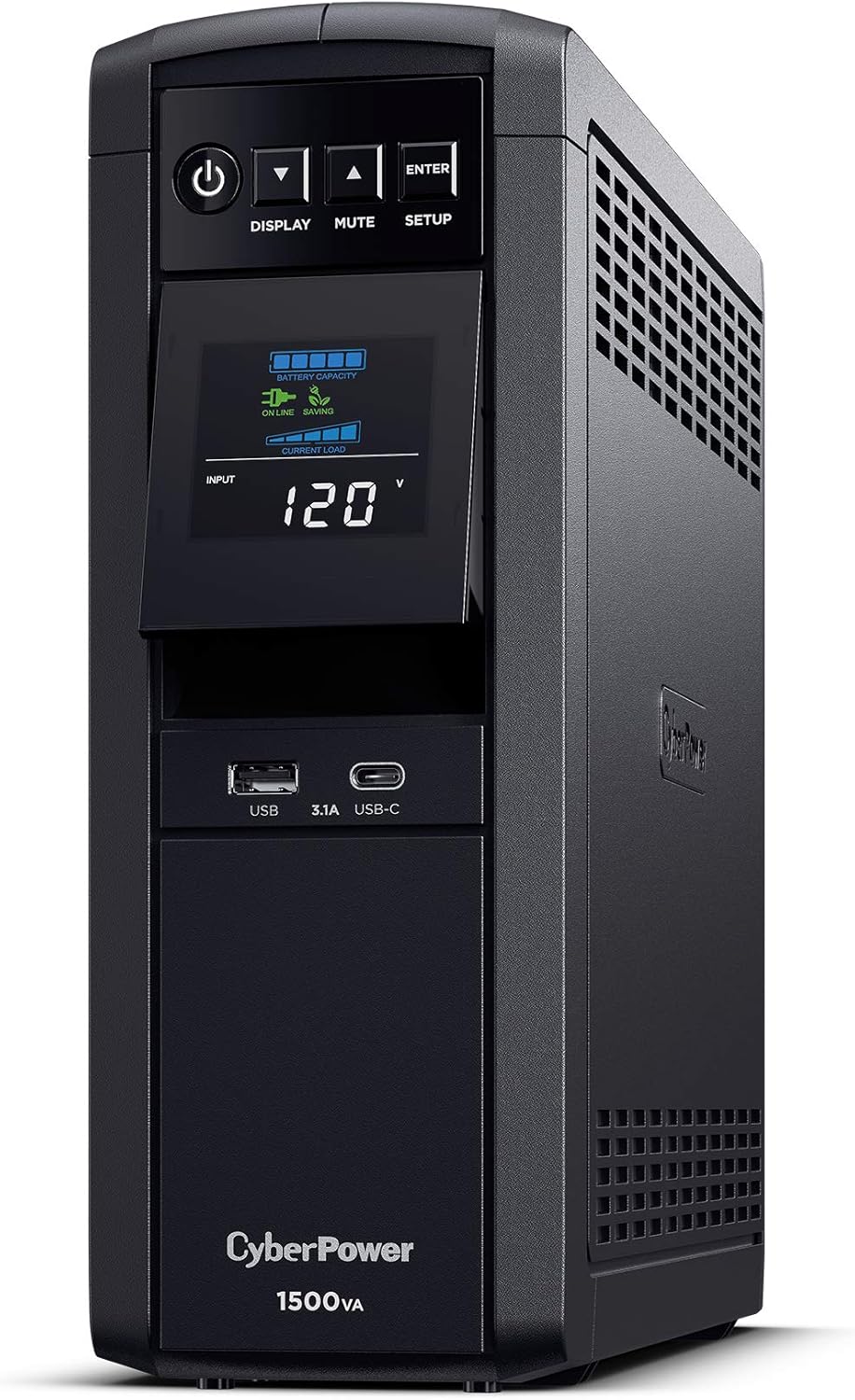
Figure 5.3: Rear view of the UPS with clearly labeled battery backup and surge-only outlets.
- Connect Data Lines (Optional): Use the RJ45 10/100/1000 Ethernet Line Protection ports to protect network devices.
- Install Software (Optional): Download and install the PowerPanel Management Software from the CyberPower website for advanced monitoring and control.
6. Operating the UPS
Your CyberPower UPS is designed for ease of use. Here are the basic operating instructions:
6.1 Power On/Off
- To power on the UPS, press and hold the Power button (⏻) on the front panel until the LCD display illuminates.
- To power off the UPS, press and hold the Power button (⏻) until the LCD display turns off.
6.2 LCD Display Functions
The multifunction color LCD panel provides real-time information about the UPS status. Use the DISPLAY button to cycle through different screens:
- Input Voltage: Displays the incoming utility power voltage.
- Output Voltage: Displays the voltage supplied by the UPS to connected equipment.
- Battery Capacity: Shows the remaining battery charge level.
- Estimated Run Time: Indicates the approximate time the UPS can provide power during an outage based on current load.
- Current Load: Displays the percentage of the UPS's capacity being used by connected equipment.
- Event Log: Records power events such as outages, surges, and voltage fluctuations.
Figure 6.1: Front panel LCD display showing various operational parameters.
6.3 Mute Alarm
To temporarily silence the audible alarm during a power event, press the MUTE button. The alarm will resume if the power event persists or battery capacity becomes critically low.
7. Maintenance
7.1 Battery Replacement
The CP1500PFCLCD uses two 12V batteries. While the batteries are covered by a 3-year warranty, they will eventually need replacement. Contact CyberPower support for authorized battery replacement services. Do not attempt to replace batteries yourself unless you are a qualified technician.
7.2 Cleaning
Regularly dust the exterior of the UPS with a dry cloth. Ensure ventilation openings are clear of obstructions. Do not use liquid or aerosol cleaners.
8. Troubleshooting
| Problem | Possible Cause | Solution |
|---|---|---|
| UPS does not turn on. | Battery is completely discharged or not connected. | Connect the UPS to a wall outlet and allow it to charge for at least 8 hours. Ensure battery connections are secure. |
| UPS beeps continuously. | Overload condition or low battery. | Reduce the load on the UPS by unplugging non-essential equipment. Allow battery to charge. |
| UPS is on battery mode frequently. | Frequent voltage fluctuations (brownouts/sags). | This is normal operation for AVR. If it's excessive, consult an electrician about your home's wiring. |
| Connected equipment does not receive power. | UPS is off, battery is discharged, or circuit breaker tripped. | Ensure UPS is on. Check battery charge. Press the circuit breaker reset button on the back of the UPS. |
9. Specifications
| Feature | Detail |
|---|---|
| Product Dimensions | 14 x 3.9 x 11 inches |
| Item Weight | 24.9 pounds |
| Item Model Number | CP1500PFCLCD |
| Batteries Required | 2 x 12V batteries |
| Manufacturer | CyberPower Systems |
| Country of Origin | Philippines |
10. Warranty and Support
Your CyberPower CP1500PFCLCD comes with a three-year warranty, which includes coverage for the batteries. Additionally, it is backed by a $500,000 Connected Equipment Guarantee.
For technical support, warranty claims, or to download the PowerPanel Management Software, please visit the official CyberPower website or refer to the User Guide (PDF) provided with your product.
User Guide (PDF): https://manuals.plus/m/b204dd2b3e288a325c1de4a30c531d4825b0b21e9b4b0aba561a4919b01479df


