
We R Memory Keepers 661310
We R Memory Keepers Mini Disc Cinch Bookbinding Machine User Manual
Model: 661310
1. Introduction
The We R Memory Keepers Mini Disc Cinch is a compact and versatile tool designed for creating custom bound projects. This machine allows users to punch precise holes in various materials and bind them using disc or spiral coils, making it ideal for scrapbooks, journals, planners, and more. This manual provides detailed instructions for the safe and effective use of your Mini Disc Cinch.

Figure 1: We R Memory Keepers Mini Disc Cinch Bookbinding Machine, showing its compact design and punching mechanism.
2. Safety Information
- Keep fingers and loose clothing away from the punching mechanism during operation.
- Do not attempt to punch materials thicker than the recommended capacity (up to 15 sheets of copy paper or equivalent).
- Ensure the machine is placed on a stable, flat surface before use.
- Keep out of reach of children. This is not a toy.
- Do not force the punching lever. If resistance is met, reduce the material thickness.
3. Package Contents
Verify that all items are present in your package:
- We R Memory Keepers Mini Disc Cinch Bookbinding Machine
- Instruction Manual (this document)
- (Optional, depending on bundle) Starter set of binding discs or coils
4. Product Overview
Familiarize yourself with the main components of the Mini Disc Cinch:
- Punching Lever: Used to activate the punching mechanism.
- Adjustable Alignment Guide: Ensures consistent paper placement for various sizes.
- Ruler: Provides measurements for precise hole spacing.
- Waste Tray: Collects punched paper scraps.
- Binding Hooks: Aid in threading wire bindings (if applicable).

Figure 2: Top view of the Mini Disc Cinch, highlighting the ruler and adjustable alignment guide for precise punching.
5. Setup
- Unpack the Machine: Carefully remove the Mini Disc Cinch from its packaging.
- Place on a Stable Surface: Position the machine on a flat, sturdy workbench or table.
- Clear the Area: Ensure sufficient space around the machine for comfortable operation.
6. Operating Instructions
6.1. Punching Holes
- Adjust the Alignment Guide: Slide the alignment guide to the desired paper size or position. Use the ruler markings for precision.
- Insert Material: Place your paper, cardstock, or other material against the alignment guide and into the punching slot. Ensure the material is flat and evenly inserted.
- Punch: Firmly press down the punching lever. The machine will punch the holes. Release the lever.
- Repeat: For longer materials, reposition the material using the customizable hole spacing feature and repeat the punching process until all desired holes are made.
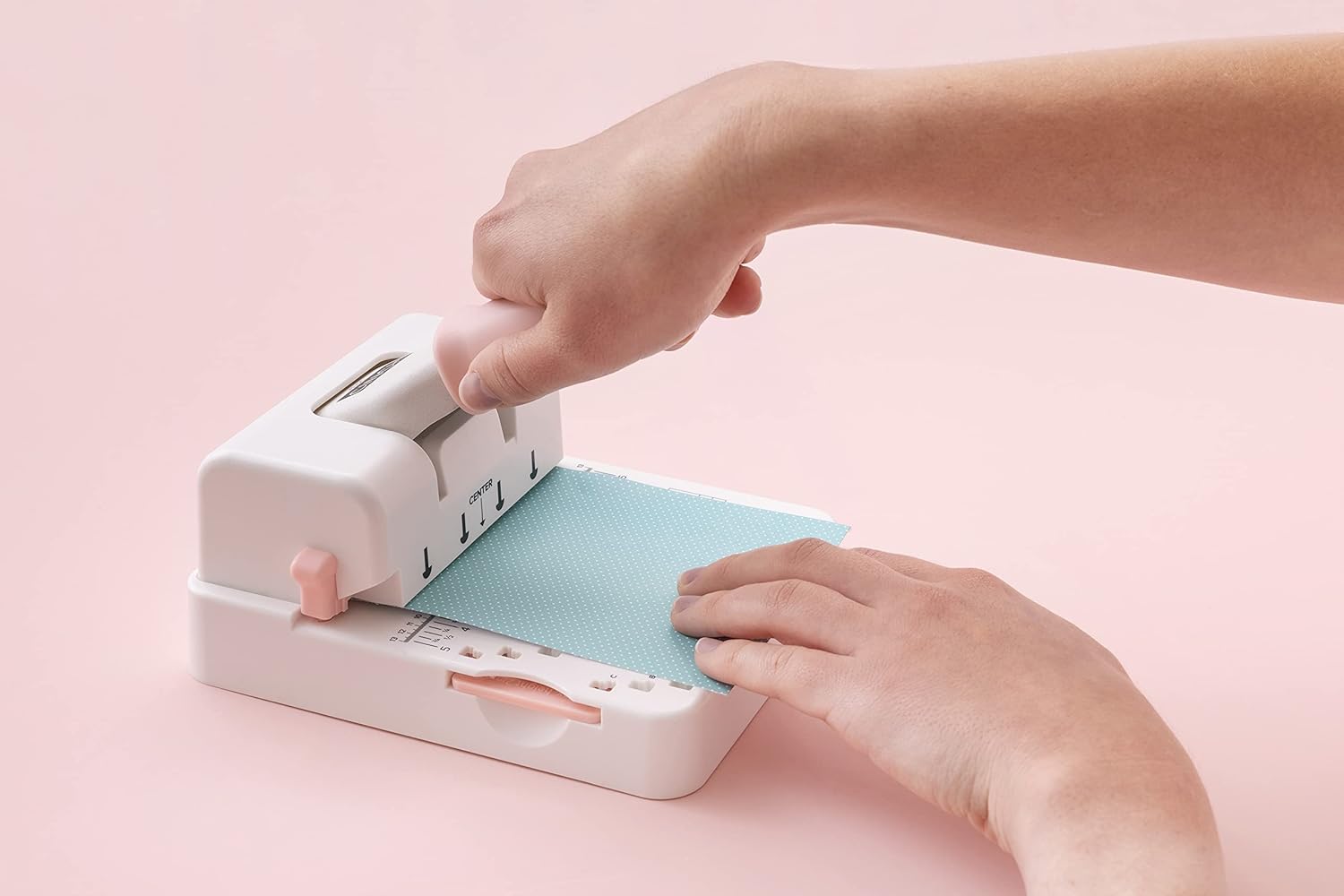
Figure 3: Demonstrating the punching action with paper inserted into the machine.
6.2. Binding with Discs
- Prepare Discs: Gather your chosen binding discs.
- Align Pages: Stack your punched pages and covers in the desired order.
- Attach Discs: Carefully align the punched holes with the disc stems and press the pages onto the discs. Work section by section if binding a thick project.
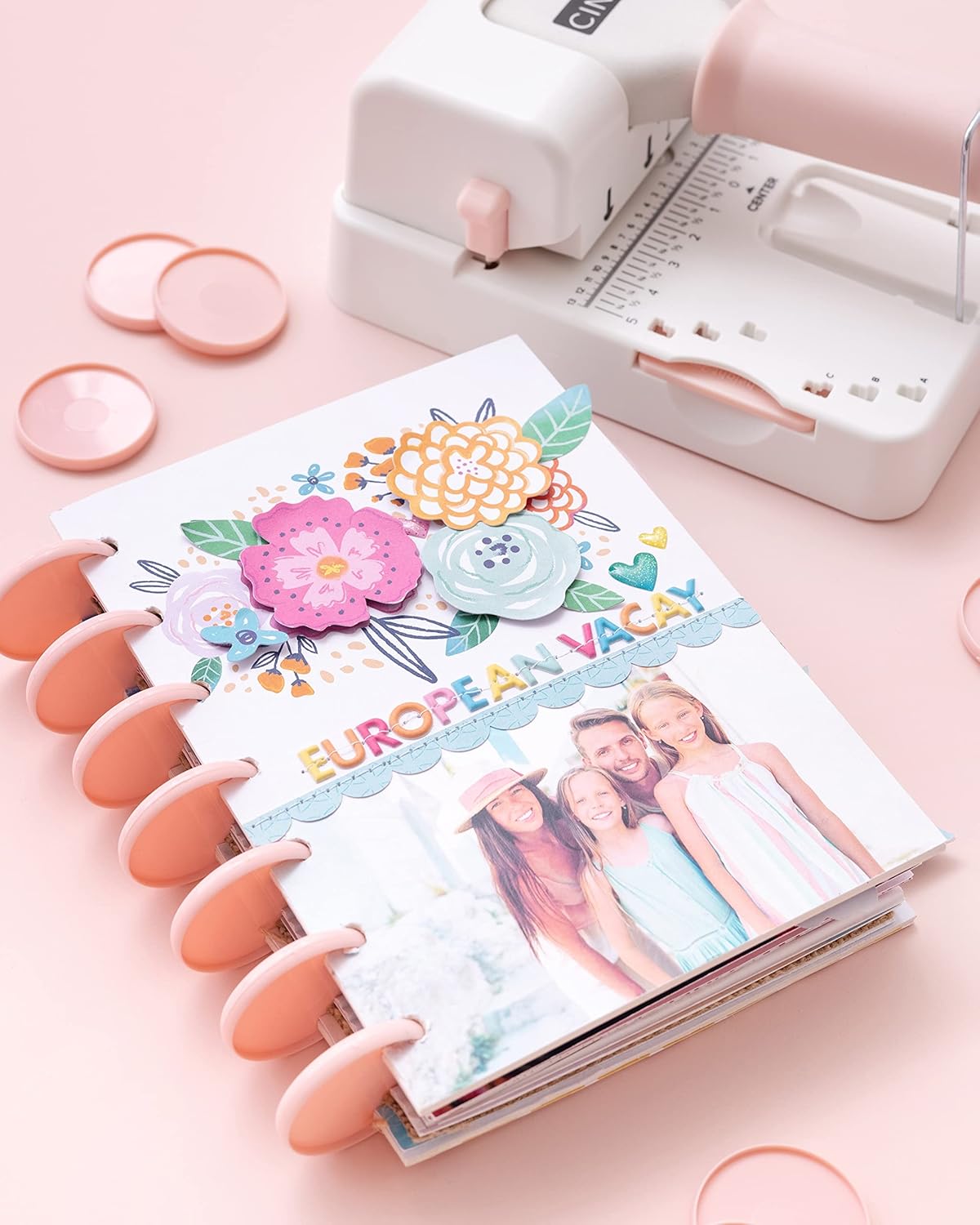
Figure 4: Example of a finished book bound with discs, created using the Mini Disc Cinch.
7. Maintenance
- Empty Waste Tray: Regularly slide out and empty the waste tray located at the bottom of the machine to prevent jams.
- Clean Punching Area: Use a soft brush or cloth to remove any paper dust or debris from the punching mechanism.
- Lubrication (Optional): If the punching action becomes stiff, a small amount of silicone-based lubricant can be applied to the punching pins. Consult manufacturer guidelines if unsure.
- Storage: Store the machine in a clean, dry place when not in use.

Figure 5: The underside of the Mini Disc Cinch, illustrating the removable waste tray for easy cleaning.
8. Troubleshooting
| Problem | Possible Cause | Solution |
|---|---|---|
| Punching lever is stuck or difficult to press. | Too many sheets inserted; material is too thick; paper jam. | Reduce the number of sheets. Ensure material is within recommended thickness. Check for and remove any jammed paper. |
| Holes are not clean or have frayed edges. | Punching pins are dull or dirty; material is unsuitable. | Clean punching pins. Consider if the material type is appropriate for the machine. |
| Inconsistent hole spacing. | Material not properly aligned with the guide. | Ensure material is firmly against the alignment guide before punching. |
9. Specifications
- Model: 661310
- Brand: We R Memory Keepers
- Product Dimensions: 9.4"L x 7"W x 3.8"H
- Item Weight: 1 Kilogram (2.2 Pounds)
- Material: Metal
- Punching Capacity: Up to 15 sheets of copy paper (80gsm)
- Hole Pitch: 2:1 (for disc binding)
10. Warranty and Support
For warranty information or technical support, please refer to the official We R Memory Keepers website or contact their customer service department. Keep your proof of purchase for any warranty claims.
Website: www.wermemorykeepers.com
Ask a question about this manual
Ask about setup, troubleshooting, compatibility, parts, safety, or missing instructions. Manuals+ will review the question and use this page’s manual context to help answer it.