
PHILIPS B003ZNL2RY
PHILIPS Bluetooth Speaker with Dual Alarm Clock User Manual
Model: B003ZNL2RY
Introduction
Thank you for purchasing the PHILIPS Bluetooth Speaker with Dual Alarm Clock. This device combines a high-quality stereo speaker with a versatile alarm clock, offering multiple playback modes and convenient features like a night light. Please read this manual carefully before using the product to ensure proper operation and to maximize its lifespan.
Product Features
- Dual Speaker Stereo: Equipped with two 52mm extra-large speakers and an independent bass diaphragm for immersive audio.
- Mirror Clock & Bluetooth Calibration: Automatic time calibration via Bluetooth, featuring a clock display and dual alarm function.
- Diverse Playback Modes: Supports Bluetooth 5.3 for stable transmission, TF card, USB flash drive, and external AUX audio input.
- Soft Night Light: Night mode with soft night lights to create a warm ambiance.
- High-Capacity Battery: Built-in 3500mAh lithium battery providing up to 15 hours of continuous playback.
Package Contents
Please check the package for the following items:
- PHILIPS Bluetooth Speaker with Dual Alarm Clock
- USB Charging Cable
- User Manual
Product Overview

Figure 1: Front view of the device, displaying the time, temperature, and various control icons for Bluetooth, TF card, AUX, and USB modes.

Figure 2: Internal components, illustrating the dual 52mm speakers and the independent bass diaphragm for enhanced sound quality.

Figure 3: Rear panel with input ports: TF card slot, USB port, AUX input, and DC 5V power input.
Setup
1. Initial Charging
Before first use, fully charge the device. Connect the provided USB charging cable to the DC 5V port on the back of the speaker and the other end to a USB power adapter (not included) or a computer USB port. The charging indicator will show the charging status.

Figure 4: The device features a high-capacity 3500mAh battery for extended use.
2. Power On/Off
Press and hold the Power button () located on the front panel to turn the device on or off.
Operating Instructions
1. Time and Alarm Setting
The clock automatically calibrates time when connected via Bluetooth. For manual adjustments or setting alarms:
- Setting Time: When the device is on, the time is displayed. If Bluetooth is connected, the time will synchronize automatically.
- Setting Alarms: Press the Alarm button () to enter alarm setting mode. Use the + and - buttons to adjust the hour and minute. Press the Alarm button again to confirm and move to the next setting (e.g., alarm tone, volume). The device supports dual alarms.
- Snooze Function: When an alarm sounds, press the SNOOZE button on top of the device to activate snooze. The alarm will sound again after a set interval.
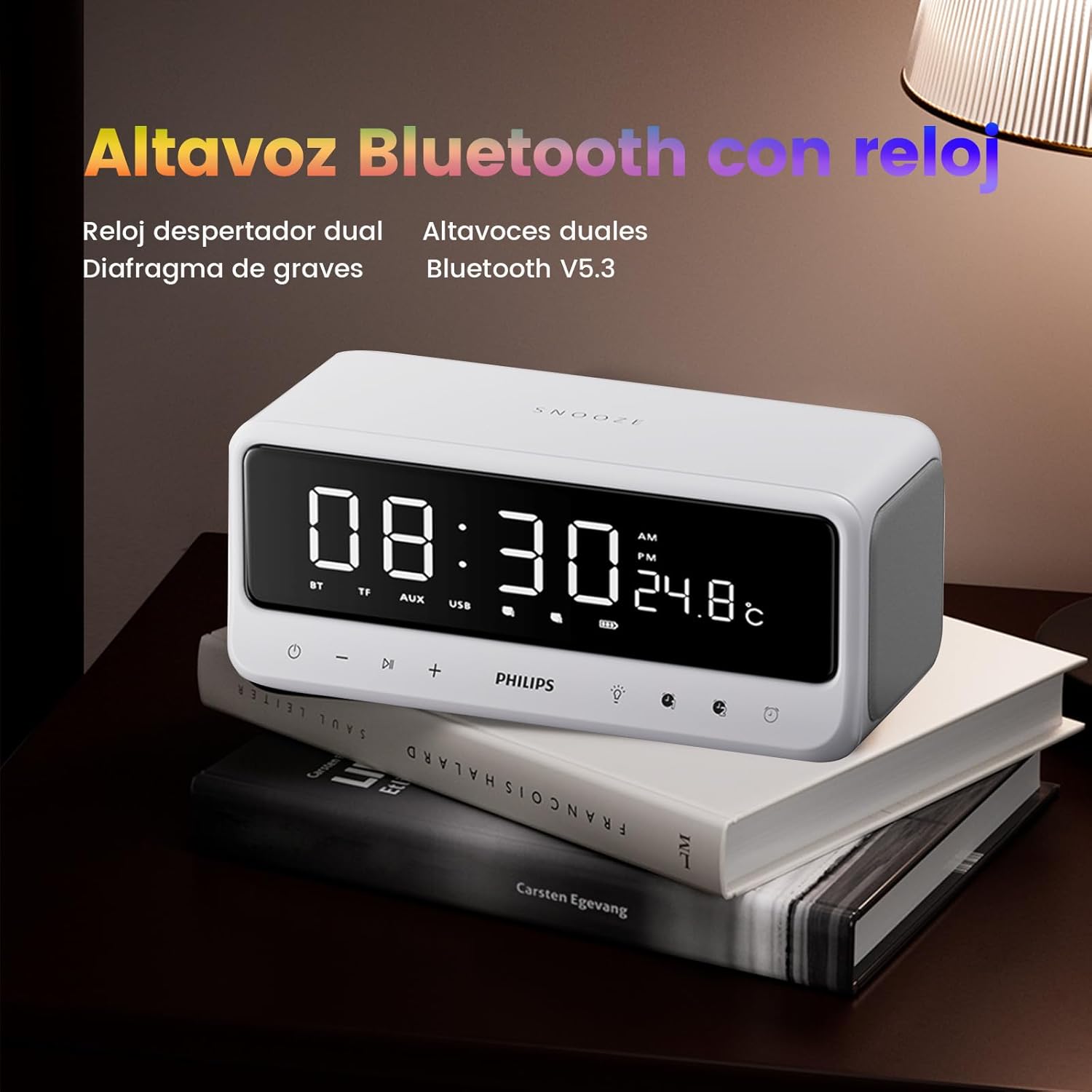
Figure 5: The device functions as both a Bluetooth speaker and a dual alarm clock, displaying time and temperature.
2. Bluetooth Pairing
- Ensure the speaker is powered on.
- The speaker will automatically enter Bluetooth pairing mode, indicated by a flashing BT icon on the display.
- On your mobile device, enable Bluetooth and search for "PHILIPS B003ZNL2RY" (or similar name).
- Select the device to pair. Once connected, the BT icon will stop flashing and remain solid.
3. Playback Modes
The device supports various playback sources:
- Bluetooth Mode: After successful pairing, you can play audio from your connected device.
- TF Card Mode: Insert a TF (MicroSD) card into the TF slot on the rear panel. The device will automatically switch to TF card mode and begin playing audio files.
- USB Mode: Insert a USB flash drive into the USB port on the rear panel. The device will automatically switch to USB mode and play audio files.
- AUX Mode: Connect an external audio device using a 3.5mm AUX cable to the AUX input on the rear panel. The device will switch to AUX mode.
Figure 6: Multiple playback options including Bluetooth, USB, TF card, and AUX input.
4. Night Light Function
Press the Light button () to cycle through different night light brightness levels or to turn it off. This feature provides a soft, ambient glow suitable for bedrooms.

Figure 7: The soft night light feature creates a calming atmosphere for sleep.
5. Volume Control
Use the + and - buttons on the front panel to adjust the volume.
6. Video Demonstration
Video 1: An overview of the PHILIPS Bluetooth Speaker with Dual Alarm Clock, demonstrating its features including time display, night light, and various input options. This video highlights the product's design and functionality.
Maintenance
- Clean the device with a soft, dry cloth. Do not use abrasive cleaners or solvents.
- Keep the device away from water, moisture, and extreme temperatures.
- Avoid dropping the device or subjecting it to strong impacts.
- Store in a cool, dry place when not in use for extended periods.
Troubleshooting
| Problem | Possible Cause | Solution |
|---|---|---|
| Device does not power on. | Low battery; Power button not pressed long enough. | Charge the device fully; Press and hold the Power button for 3-5 seconds. |
| No sound from speaker. | Volume too low; Incorrect mode selected; Device not paired (Bluetooth). | Increase volume; Ensure correct playback mode (BT, TF, USB, AUX); Re-pair Bluetooth device. |
| Bluetooth pairing fails. | Device too far; Interference; Bluetooth not enabled on source device. | Move devices closer; Avoid interference; Ensure Bluetooth is enabled and visible on your device. |
| Alarm does not sound. | Alarm not set correctly; Alarm volume too low. | Verify alarm settings and ensure it is activated; Increase alarm volume. |
Specifications
- Brand: PHILIPS
- Model: B003ZNL2RY
- Color: White
- Dimensions: 7.5 x 3.81 x 9 cm (2.95 x 1.5 x 3.54 inches)
- Weight: 840 g (1.85 lbs)
- Material: Acrylonitrile Butadiene Styrene (ABS)
- Speaker Output: 10W (Dual 52mm speakers with independent bass diaphragm)
- Bluetooth Version: 5.3
- Battery Capacity: 3500mAh
- Playback Time: Up to 15 hours (approx.)
- Special Features: USB Port, Dual Alarm, Night Light, Snooze Function, Temperature Display
Warranty and Support
This PHILIPS product comes with a standard manufacturer's warranty. For detailed warranty information, please refer to the warranty card included in your package or visit the official PHILIPS website. For technical support, troubleshooting assistance, or service inquiries, please contact PHILIPS customer service.
Customer Service Contact: Please refer to the contact information provided on the PHILIPS official website or your product packaging.
Ask a question about this manual
Ask about setup, troubleshooting, compatibility, parts, safety, or missing instructions. Manuals+ will review the question and use this page’s manual context to help answer it.