
1. Product Overview
The Da-Lite Model No. 11 Wall Mount Brackets are designed to provide a convenient solution for mounting projection screens. These brackets allow you to extend your screen away from the wall, effectively bypassing obstacles such as chalkboards, whiteboards, or other wall-mounted fixtures. This model features a non-adjustable design, offering fixed extension distances of either 10 inches or 14 inches from the wall, depending on the specific bracket variant purchased.
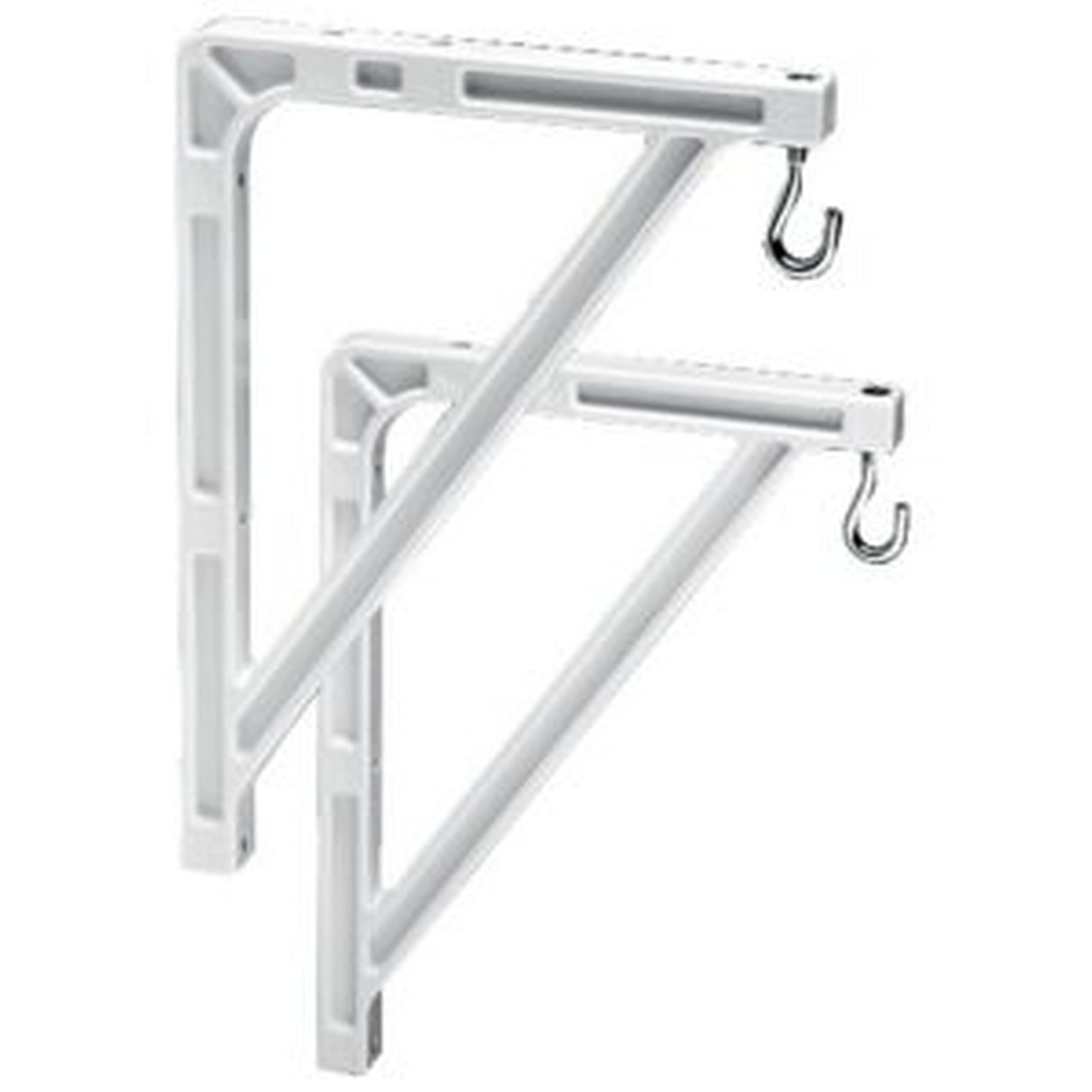
Figure 1: Da-Lite Model No. 11 Wall Mount Brackets. These brackets are designed to securely hold a projection screen away from the wall.
2. Setup and Installation
Proper installation of the Da-Lite Model No. 11 Wall Mount Brackets is essential for the safety and stability of your projection screen. Please follow these instructions carefully.
2.1 Tools and Materials Required:
- Drill with appropriate drill bits
- Measuring tape
- Level
- Pencil or marker
- Stud finder (recommended for drywall installations)
- Screwdriver or wrench (depending on fastener type)
- Appropriate wall anchors and screws (not always included, verify with screen manufacturer's requirements)
2.2 Installation Steps:
- Determine Mounting Location: Identify the desired height and horizontal position for your projection screen. Ensure the location is free of electrical wires or plumbing.
- Mark Bracket Positions: Using your measuring tape and level, mark the precise locations on the wall where the mounting holes of the brackets will align. The distance between the two brackets should match the mounting points on your projection screen.
- Drill Pilot Holes: Drill pilot holes at the marked locations. The size of the drill bit should be appropriate for your chosen wall anchors and screws. For drywall, use a stud finder to locate wall studs for maximum security, or use heavy-duty drywall anchors.
- Attach Brackets to Wall: Securely fasten the Da-Lite Model No. 11 brackets to the wall using the appropriate screws and anchors. Ensure they are level and firmly attached. Do not overtighten.
- Mount Projection Screen: Carefully lift your projection screen and align its mounting points with the brackets. Secure the screen to the brackets according to the screen manufacturer's instructions. Ensure all connections are tight and secure before releasing the screen.
Important: Always consult the installation guide provided with your specific projection screen for compatibility and additional mounting requirements. Professional installation is recommended if you are unsure about any steps.
3. Usage
Once installed, the Da-Lite Model No. 11 Wall Mount Brackets provide a stable and extended mounting solution for your projection screen. These brackets are designed for fixed extension, meaning the distance from the wall is set at either 10 or 14 inches, depending on the model variant. This fixed extension is ideal for situations where a consistent offset from the wall is required to clear obstructions.
- Ensure the projection screen is properly seated and secured on both brackets.
- Regularly check the stability of the screen and brackets, especially after any adjustments or movement near the installation area.
4. Maintenance
The Da-Lite Model No. 11 Wall Mount Brackets require minimal maintenance to ensure long-term performance and safety.
- Cleaning: Wipe the brackets periodically with a soft, dry cloth to remove dust. For stubborn marks, a slightly damp cloth with mild soap can be used, followed by drying. Avoid abrasive cleaners or solvents.
- Inspection: Annually, or if you notice any instability, inspect all mounting points and fasteners. Ensure all screws are tight and that the brackets remain firmly attached to the wall and the projection screen.
- Damage: If any part of the bracket appears damaged, bent, or corroded, discontinue use immediately and contact Da-Lite support or a qualified technician for replacement.
5. Troubleshooting
This section addresses common issues that may arise with the Da-Lite Model No. 11 Wall Mount Brackets.
| Problem | Possible Cause | Solution |
|---|---|---|
| Brackets feel loose on the wall. | Screws are not tight, or wall anchors are insufficient. | Tighten all mounting screws. If still loose, consider using stronger wall anchors or relocating to a wall stud. |
| Projection screen is not level. | Brackets were not installed level, or screen is not properly seated. | Remove the screen, re-check bracket level with a spirit level, and adjust as necessary. Ensure the screen is correctly hooked onto both brackets. |
| Brackets appear bent or damaged. | Excessive weight or impact. | Do not use damaged brackets. Replace them immediately to prevent screen collapse. Ensure the screen's weight does not exceed the brackets' capacity. |
If you encounter issues not listed here, or if the suggested solutions do not resolve the problem, please contact Da-Lite customer support.
6. Specifications
- Model: Da-Lite Model No. 11 Wall Mount Brackets
- Type: Non-adjustable wall mount brackets
- Extension from Wall: 10 inches or 14 inches (depending on variant)
- Material: Durable metal construction
- Color: Typically white (as shown in product images)
- Item Weight: Approximately 2.7 pounds (for the pair)
- Mounting Type: Wall Mount
- Form Factor: Portable (refers to the screen type these brackets support)
Note: Specifications are subject to change without notice. Please refer to the product packaging for the most accurate and up-to-date information.
7. Warranty Information
Specific warranty terms and conditions for the Da-Lite Model No. 11 Wall Mount Brackets are typically provided with the product packaging or can be found on the official Da-Lite website. Please retain your proof of purchase for warranty claims.
Generally, Da-Lite products come with a limited warranty covering manufacturing defects. For detailed information regarding warranty duration, coverage, and claim procedures, please visit the official Da-Lite website or contact their customer service department directly.
8. Customer Support
For technical assistance, installation questions, or any other inquiries regarding your Da-Lite Model No. 11 Wall Mount Brackets, please contact Da-Lite customer support.
You can typically find contact information (phone numbers, email addresses, or support portals) on the official Da-Lite website (www.legrandav.com/products/da-lite) or within the product documentation included with your purchase.
When contacting support, please have your product model number (Model No. 11) and any relevant purchase information ready to expedite the process.
