
1. Introduction
This manual provides essential information for the safe and effective use of your Philips EJL 200W 24V Projector Halogen Light Bulb (Model 315085). Please read these instructions carefully before installation and operation, and retain them for future reference.
2. Safety Information
Observe the following safety precautions to prevent injury or damage:
- Power Disconnection: Always ensure the power supply to the projector or fixture is disconnected before installing, removing, or handling the bulb.
- High Temperature: Halogen bulbs operate at high temperatures. Allow the bulb to cool completely before touching it. Avoid contact with flammable materials.
- Handling: Do not touch the glass part of the bulb with bare hands. Oils from your skin can create hot spots, leading to premature failure. Use a clean cloth or gloves when handling.
- Voltage Compatibility: Ensure the bulb's voltage (24V) matches the projector or fixture's requirements. Incorrect voltage can cause bulb failure or damage to the equipment.
- Disposal: Dispose of used bulbs according to local regulations.
3. Product Overview
The Philips EJL 200W 24V Projector Halogen Light Bulb is designed for specific projector applications, providing a warm white light with a color temperature of 3400 Kelvin. It features an MR16 shape and a GX5.3 miniature bi-pin base.
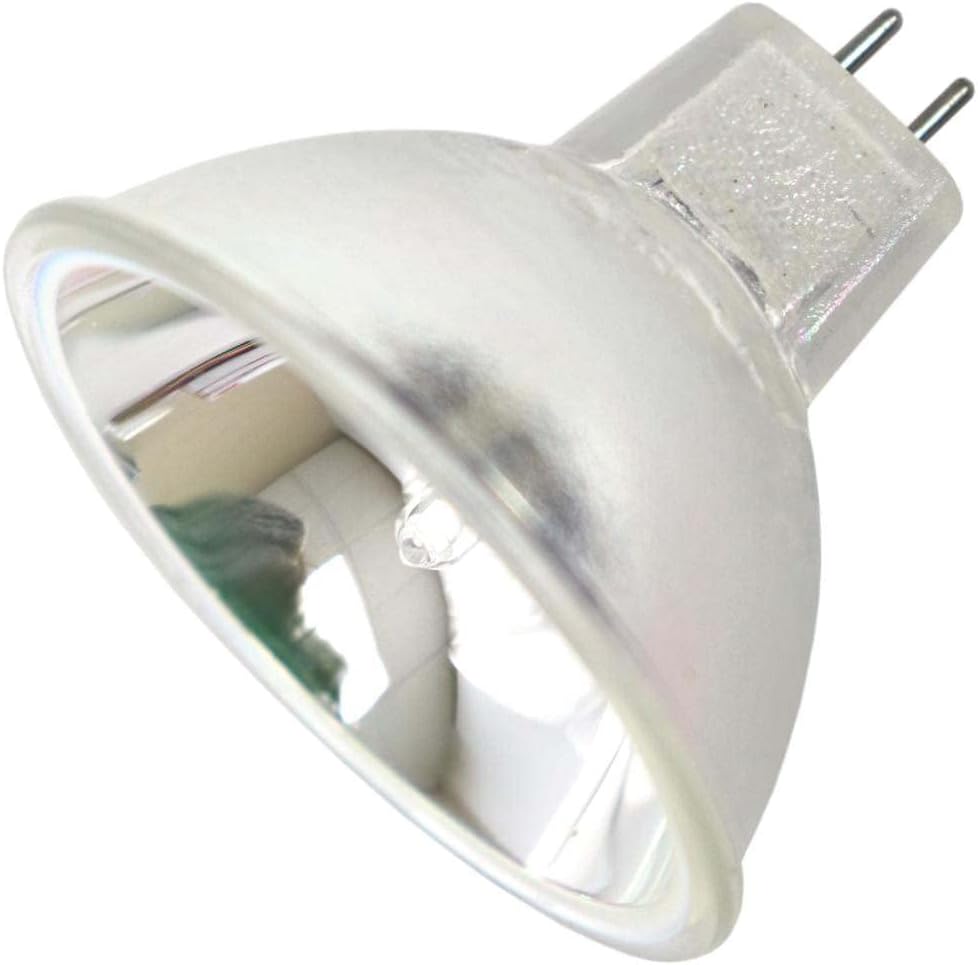
Image 3.1: Philips EJL 200W 24V Projector Halogen Light Bulb. This image displays the MR16-shaped halogen bulb with its characteristic reflector and the two-pin GX5.3 base extending from the rear.
4. Setup and Installation
Follow these steps to properly install the Philips EJL projector bulb:
- Ensure Power is Off: Before beginning, verify that the projector or lighting fixture is turned off and unplugged from the power source. Allow any previously used bulb to cool down completely.
- Remove Old Bulb (if applicable): Carefully grasp the old bulb (using a cloth or gloves if still warm) and gently pull it straight out from its socket. Avoid twisting, as this can damage the pins or socket.
- Handle New Bulb: Remove the new Philips EJL bulb from its packaging. Hold the bulb by its ceramic base or reflector, avoiding direct contact with the glass envelope. If you accidentally touch the glass, clean it with rubbing alcohol and a lint-free cloth before installation.
- Insert New Bulb: Align the two pins of the GX5.3 base with the corresponding holes in the projector's socket. Gently push the bulb straight into the socket until it is firmly seated. Do not force the bulb.
- Secure and Test: Once the bulb is installed, reassemble any projector covers or access panels. Plug the projector back into the power source and turn it on to test the new bulb.
5. Operating Instructions
The Philips EJL 200W 24V Projector Halogen Light Bulb operates as part of your projector system. Once installed, its operation is controlled by the projector's power functions. Refer to your projector's specific manual for detailed operating instructions.
- Power On/Off: Use the projector's power button to turn the unit on or off.
- Cool Down Cycle: Many projectors include a cool-down cycle after being turned off. Allow this cycle to complete before unplugging or moving the projector to extend bulb life.
6. Maintenance
Minimal maintenance is required for the bulb itself, beyond proper handling during installation and replacement.
- Cleaning: If the glass surface of the bulb becomes dusty or smudged, ensure the bulb is cool and the power is off. Gently wipe the glass with a clean, dry, lint-free cloth. Avoid abrasive cleaners.
- Replacement: Replace the bulb when it reaches the end of its operational life (approximately 3000 minutes average life) or if it fails prematurely. Follow the installation steps outlined in Section 4.
7. Troubleshooting
If the bulb does not function correctly, consider the following:
- Bulb Not Lighting:
- Check if the projector is properly plugged in and powered on.
- Ensure the bulb is fully seated in its socket.
- Verify that the projector's lamp cover or access panel is securely closed, as some projectors have safety interlocks.
- The bulb may have reached the end of its life and requires replacement.
- Dim or Flickering Light:
- This could indicate the bulb is nearing the end of its operational life.
- Check for loose connections in the socket.
- Ensure the projector's ventilation is not obstructed, as overheating can affect bulb performance.
If issues persist after troubleshooting, consult your projector's manual or contact a qualified technician.
8. Specifications
| Specification | Value |
|---|---|
| Brand | Philips |
| Model Number | 315085 (EJL) |
| Light Type | Halogen |
| Wattage | 200 Watts |
| Voltage | 24 Volts |
| Bulb Shape Size | MR16 |
| Bulb Base | GX5.3 (Miniature Bi-Pin) |
| Color Temperature | 3400 Kelvin (Warm White) |
| Brightness | 50 Lumens |
| Average Life | 3000 Minutes |
| Material | Copper (base components) |
| Indoor/Outdoor Usage | Indoor |
| Item Weight | 4.8 ounces |
| Package Dimensions | 4 x 4 x 4 inches |
9. Warranty and Support
For information regarding warranty coverage or technical support for your Philips EJL 200W 24V Projector Halogen Light Bulb, please refer to the documentation provided with your projector or contact Philips customer service directly. Specific warranty terms may vary by region and retailer.