
Introduction
The Lithonia Lighting Sensor Switch WSD PDT WH is a dual technology wall switch sensor designed to automatically control lighting based on occupancy. This device integrates Passive Infrared (PIR) and Microphonics detection to ensure reliable operation in various indoor environments. It is suitable for offices, closets, small spaces, and rooms with potential obstructions, offering energy savings by turning lights on when a space is occupied and off when vacant.
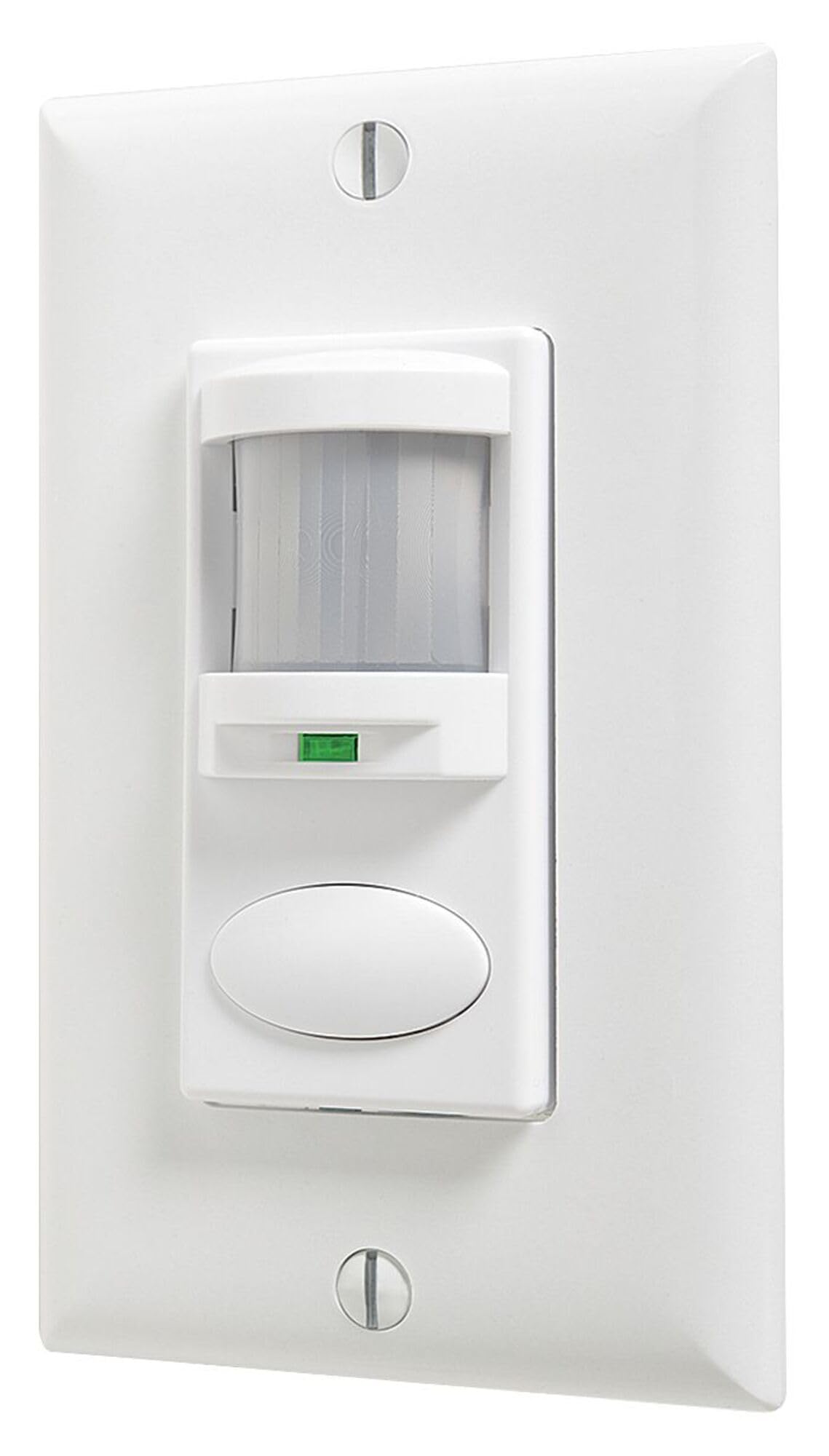
Image: The WSD PDT WH sensor switch, white in color, installed on a wall. It features a motion sensor lens at the top and a manual override button below it.
Setup and Installation
Installation of the WSD PDT WH sensor should be performed by a qualified electrician in accordance with all national and local electrical codes. Ensure power is turned off at the circuit breaker before beginning installation.
Mounting
- The sensor is designed to mount through a single-gang switch box.
- For optimal effectiveness, mount the sensor at a height of 30 to 48 inches from the floor.
- The device is compatible with all NEC codes and can be wired to either a ground or neutral connection.
Wiring
Refer to the wiring diagram provided with your product packaging for specific connections. Generally, the sensor requires connection to line, load, and either ground or neutral. Ensure all connections are secure and insulated.
Operating Instructions
The WSD PDT WH sensor utilizes dual technology for reliable occupancy detection:
- Passive Infrared (PIR): Detects small motion up to 20 feet by sensing changes in infrared energy (body heat).
- Microphonics: Listens for occupant sounds when no motion is detected, preventing lights from turning off prematurely in stationary activities.
Automatic Operation
Upon entering a room, the sensor detects occupancy and automatically turns on the lights. When the room becomes vacant, the lights will turn off after a set time delay.
Time Delay Adjustment
The default time delay for lights to remain on after occupancy is 10 minutes. This setting can be adjusted between 30 seconds and 30 minutes using the push-button programming feature without removing the switch plate. Each time occupancy is detected, the timer is reset.
Photocell Functionality
If the sensor is installed in a room with sufficient natural ambient light from an outside source, the integrated photocell will prevent the lights from initially turning on, further conserving energy.
Manual Override
The sensor includes a manual override button, allowing users to turn lights on or off independently of the sensor's automatic detection.
Video: An overview of Sensor Switch WSD series wall switch sensors, demonstrating their features and benefits in an office environment. This video highlights how the sensors detect occupancy and manage lighting automatically.
Maintenance
The WSD PDT WH sensor requires minimal maintenance. To ensure optimal performance:
- Cleaning: Periodically wipe the sensor lens and housing with a soft, dry cloth to remove dust and debris. Avoid using abrasive cleaners or solvents, as these can damage the device.
- Inspection: Regularly check for any visible damage or loose connections. If any issues are found, consult a qualified electrician.
Troubleshooting
If you experience issues with your WSD PDT WH sensor, refer to the following common troubleshooting steps:
| Problem | Possible Cause | Solution |
|---|---|---|
| Lights do not turn on automatically. | No motion detected; insufficient ambient light (photocell active); incorrect wiring; power off. | Ensure sensor lens is clear. Check for obstructions. Verify power supply. Adjust photocell sensitivity if applicable (refer to full manual). |
| Lights turn off too quickly or too slowly. | Time delay setting is incorrect. | Adjust the time delay setting using the push-button programming. |
| Lights turn on when no one is in the room (false triggers). | Heat sources (HVAC vents, sunlight); excessive air movement; sensor sensitivity too high. | Relocate heat sources or adjust vents. Reduce sensor sensitivity (refer to full manual). Ensure sensor is not directly exposed to sunlight. |
| Lights do not turn off. | Constant motion detected; manual override engaged; faulty sensor. | Ensure no continuous motion is present. Check if manual override is active. If problem persists, contact support. |
For more detailed troubleshooting, please consult the complete product manual or contact customer support.
Specifications
| Feature | Detail |
|---|---|
| Model Number | WSD PDT WH |
| Brand | Lithonia Lighting |
| Manufacturer | Acuity Brands Lighting Inc. |
| Color | White |
| Power Source | Corded Electric |
| Item Weight | 0.3 Pounds |
| Maximum Range | 20 Feet (small motion detection) |
| Detection Technology | Passive Infrared (PIR) & Microphonics (Dual Technology) |
| Neutral Requirement | No neutral required |
| Load Compatibility | Electronic and magnetic ballasts, CFLs, LEDs, and incandescents |
| Programmability | Push-button programmable without removing switch plate |
| Time Delay | Adjustable (30 seconds to 30 minutes) |
| Operating Temperature | 68 Degrees Fahrenheit (Note: This seems low, usually a range is provided. Using the provided data.) |
Warranty Information
The Lithonia Lighting Sensor Switch WSD PDT WH comes with a 5-year warranty from the manufacturer, Acuity Brands Lighting Inc. This warranty covers defects in materials and workmanship under normal use and service. For full details regarding warranty terms, conditions, and limitations, please refer to the official warranty document included with your product or visit the manufacturer's website.
Customer Support
For technical assistance, product inquiries, or warranty claims, please contact Acuity Brands Lighting Inc. customer support. You can find contact information on their official website or within the product packaging.
Manufacturer: Acuity Brands Lighting Inc.
Website: www.acuitybrands.com (Please verify the exact support page on the manufacturer's website for the most current contact details.)


