
Froggy's Fog FFM-400
Froggy's Fog FFM-400 400 Watt Fog Machine Instruction Manual
Model: FFM-400
1. Introduction
This manual provides essential instructions for the safe and effective use of your Froggy's Fog FFM-400 400 Watt Fog Machine. Please read this manual thoroughly before operating the device and retain it for future reference.
The Froggy's Fog FFM-400 is a compact, high-output fog machine designed to produce atmospheric effects for various events. It features a durable all-metal housing and a wired remote control for on-demand fog generation.
2. Important Safety Information
WARNING: Failure to follow these safety instructions may result in fire, electric shock, personal injury, or property damage.
- Always connect the fog machine to a grounded power outlet.
- Ensure the voltage matches the machine's requirements (120V for U.S. electrical standards).
- Do not operate the machine if the power cord is damaged.
- Use only water-based fog fluid specifically designed for fog machines. Do not use flammable liquids, oil-based fluids, or homemade solutions.
- Keep the fog machine dry. Do not expose it to rain or moisture.
- Place the machine on a flat, stable, heat-resistant surface.
- Ensure adequate ventilation around the machine to prevent overheating. Maintain at least 20 inches (50 cm) of clear space on all sides.
- Do not point the fog output directly at people, animals, or sensitive equipment.
- Do not block the fog output nozzle.
- Keep out of reach of children and unauthorized personnel.
- Unplug the machine from the power outlet before cleaning, refilling, or performing any maintenance.
- Allow the machine to cool completely before storing.
- Do not attempt to modify or repair the machine yourself. Refer all servicing to qualified personnel.
3. Package Contents
Verify that all items are present and in good condition upon opening the package:
- Froggy's Fog FFM-400 400 Watt Fog Machine
- Wired Remote Control (15-foot cable)
- UL-listed AC Adapter
- 6-foot Power Cord
- Instruction Manual (this document)
4. Setup Instructions
- Placement: Position the fog machine on a stable, level surface in the desired location. Ensure there is sufficient clear space around the unit for ventilation (at least 20 inches/50 cm). Avoid placing it on carpet or other flammable materials.
- Fill Fluid Reservoir: Unscrew the cap of the fluid reservoir. Carefully pour Froggy's Fog premium fog machine liquid into the reservoir. Do not overfill. Securely replace the cap.
- Connect Wired Remote: Plug the wired remote control into the designated port on the back of the fog machine.
- Connect Power: Plug the power cord into the machine, then connect the UL-listed AC adapter to a standard 120V grounded electrical outlet.
- Initial Warm-up: Once connected, the machine will begin to warm up. The indicator light on the remote control will illuminate when the machine is ready to produce fog. This typically takes several minutes.
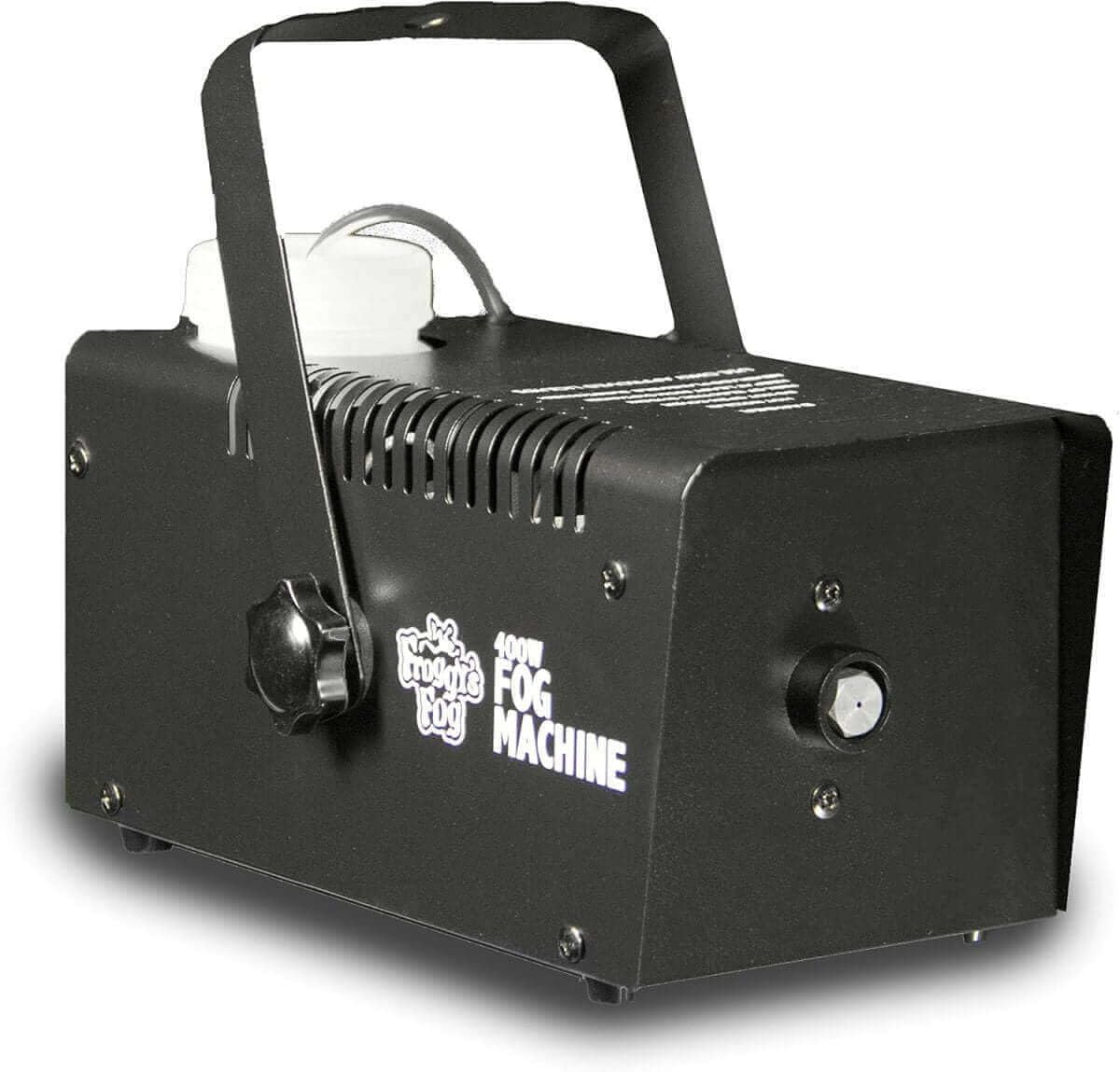
Image 1: Froggy's Fog FFM-400 400 Watt Fog Machine. This image shows the compact, all-metal design of the fog machine with its handle, fluid reservoir, and fog output nozzle.
5. Operation
- Power On: Ensure the machine is plugged in and has completed its warm-up cycle (indicator light on remote is lit).
- Generate Fog: Press and hold the button on the wired remote control to activate the fog output. Release the button to stop fog production. The machine can produce fog for approximately 40 seconds per burst, depending on the fluid level and temperature.
- Reheating: After a period of continuous fog output, the machine may need to reheat. The indicator light on the remote will turn off during reheating and illuminate again when ready.
- Fluid Monitoring: Regularly check the fluid level in the reservoir. Do not allow the machine to run dry, as this can cause damage to the pump.
- Power Off: When finished, unplug the machine from the power outlet.
Optional Controls: This machine is compatible with optional timer and wireless controllers (sold separately) for enhanced operational flexibility.

Image 2: Froggy's Fog FFM-400 400 Watt Fog Machine shown with its retail packaging. This view highlights the product as it would appear when unboxed.
6. Maintenance
Regular maintenance ensures optimal performance and extends the lifespan of your fog machine.
- Cleaning Exterior: After each use, wipe down the exterior of the machine with a damp cloth. Ensure the machine is unplugged and cool before cleaning.
- Internal Cleaning (Recommended): To prevent clogging and maintain consistent output, it is recommended to periodically run a cleaning solution through the machine. A common solution is a mixture of 50% distilled white vinegar and 50% distilled water.
- Empty any remaining fog fluid from the reservoir.
- Fill the reservoir with the vinegar/water cleaning solution.
- Plug in the machine and allow it to warm up.
- Run the machine in a well-ventilated area until the reservoir is nearly empty.
- Refill with a small amount of fog fluid and run briefly to clear any remaining cleaning solution from the pump and heater.
- Unplug and allow to cool before storing.
- Fluid Storage: Store fog fluid in a cool, dark place, away from direct sunlight.
7. Troubleshooting
| Problem | Possible Cause | Solution |
|---|---|---|
| No fog output / Low output |
|
|
| Pump groaning sound |
|
|
| Machine does not power on |
|
|
If troubleshooting steps do not resolve the issue, contact Froggy's Fog customer support.
8. Specifications
- Model: FFM-400
- Power: 400 Watts
- Voltage: 120V (U.S. Electrical Standards)
- Output: Up to 2,000 cubic feet per minute (CFM)
- Fluid Capacity: 1 Pint (approximately 0.47 Liters)
- Dimensions: 11.3 x 6.3 x 7.4 inches (28.7 x 16 x 18.8 cm)
- Weight: 3.56 pounds (1.61 kg)
- Housing Material: Metal
- Color: Black
- Remote Control: 15-foot Wired Remote
9. Warranty and Support
For warranty information, technical support, or to purchase genuine Froggy's Fog fluids and accessories, please visit the official Froggy's Fog website or contact their customer service department.
You can also visit the Froggy's Fog Store on Amazon for more products and information.