Introduction
This manual provides essential information for the Elgin RK-401 Rocker Arm Kit. This kit is designed as a stock replacement for Small Block Chevy engines, featuring a 1.5:1 ratio rocker arm with a stock length slot and a 3/8" stud diameter. Please read all instructions carefully before installation and use.
Product Overview
The Elgin RK-401 Rocker Arm Kit includes the following components:
- Rocker Arm
- Pivot Ball
- Adjusting Nut
The kit is typically supplied with 16 sets of these components for a complete engine.
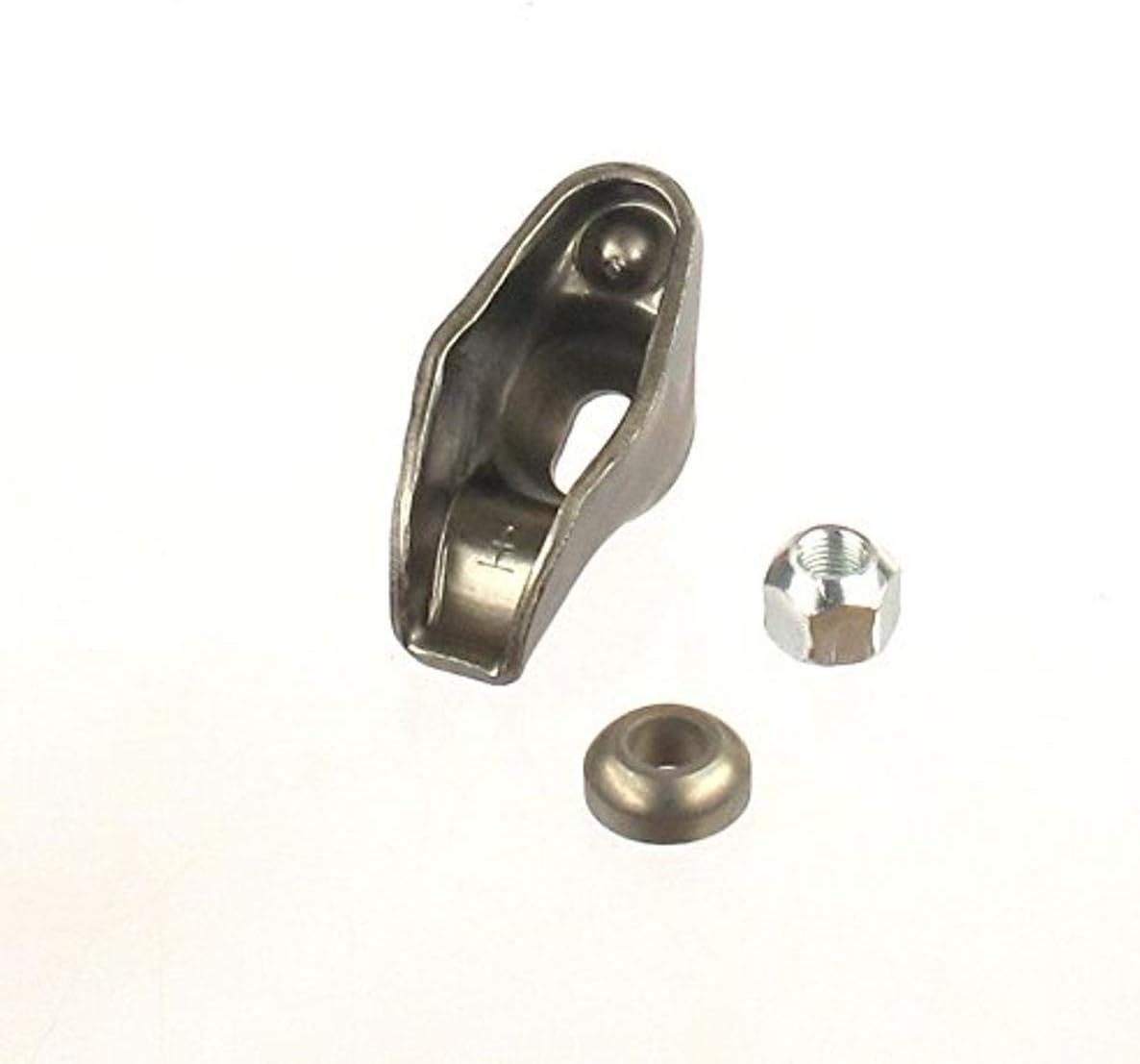
Figure 1: Individual components of the Elgin RK-401 Rocker Arm Kit, including the rocker arm, pivot ball, and adjusting nut.
Video 1: A detailed view of the Elgin RK-401 Rocker Arm Kit components, showcasing the 1.5 ratio with 3/8" stud pivot ball, and other parts.
Setup and Installation
Installation of the Elgin RK-401 Rocker Arm Kit requires mechanical knowledge and appropriate tools. It is recommended that installation be performed by a qualified automotive technician.
- Preparation: Ensure the engine is cool and disconnected from the battery. Remove the valve covers to access the rocker arms.
- Removal of Old Components: Carefully remove the existing rocker arms, pivot balls, and adjusting nuts. Keep track of their original positions if re-using any components.
- Inspection: Inspect the cylinder head, pushrods, and valve stems for any wear or damage. Replace any worn components as necessary.
- Installation of New Components: Place the new Elgin rocker arms, pivot balls, and adjusting nuts onto the rocker studs. Ensure proper seating.
- Valve Lash Adjustment: Adjust the valve lash according to the engine manufacturer's specifications. This typically involves tightening the adjusting nut until zero lash is achieved, then adding a specified number of turns (e.g., 1/2 to 1 full turn) for hydraulic lifters. Refer to your vehicle's service manual for precise instructions.
- Final Checks: Double-check all fasteners for proper torque. Reinstall valve covers and reconnect the battery.
Note: Improper installation or adjustment can lead to engine damage. Always consult a professional if unsure.
Operating Considerations
Once installed and properly adjusted, the Elgin RK-401 Rocker Arm Kit operates as part of your engine's valvetrain system. No specific user operation is required beyond normal engine function. Ensure regular oil changes and maintenance to support optimal valvetrain performance.
Maintenance
Proper maintenance is crucial for the longevity and performance of your rocker arm kit and engine. Follow these general guidelines:
- Oil Changes: Adhere to the vehicle manufacturer's recommended oil change intervals and use the specified oil type. Clean engine oil is vital for lubricating valvetrain components.
- Regular Inspection: During routine engine maintenance, visually inspect the rocker arms for any signs of wear, damage, or unusual noise.
- Valve Lash Check: Periodically check and adjust valve lash if recommended by your engine's service manual, especially after initial break-in or if unusual valvetrain noise is present.
Troubleshooting
If you experience issues after installing the Elgin RK-401 Rocker Arm Kit, consider the following common troubleshooting steps:
- Excessive Valvetrain Noise: This could indicate incorrect valve lash adjustment, worn pushrods, or insufficient oil pressure to the valvetrain. Re-check valve lash and oil levels.
- Engine Misfire or Rough Idle: Improperly adjusted valve lash can affect valve timing, leading to misfires. Verify valve lash settings.
- Oil Leaks from Valve Covers: Ensure valve covers are properly seated with new gaskets after installation.
Warning: Engine troubleshooting can be complex and dangerous. If you are not experienced, seek professional assistance.
Specifications
| Attribute | Value |
|---|---|
| Manufacturer | Elgin |
| Brand | Elgin |
| Model | Rocker Arm Kit |
| Item Weight | 4.4 ounces |
| Product Dimensions | 3.5 x 1.5 x 1.5 inches |
| Item model number | RK-401 |
| Exterior | Painted |
| Manufacturer Part Number | RK-401 |
| ASIN | B003TPPBGG |
| Date First Available | June 23, 2010 |
Warranty and Support
For specific warranty information regarding the Elgin RK-401 Rocker Arm Kit, please refer to the manufacturer's official documentation included with your purchase or visit the Elgin website. For technical support or further assistance, contact Elgin customer service directly.


