
Product Overview
The American Weigh Scales AWS-100-SIL is a compact digital pocket scale designed for precise measurements up to 100 grams with an accuracy of 0.01 grams. It features a backlit LCD display for easy readability and a durable stainless steel weighing surface. This manual provides comprehensive instructions for setting up, operating, and maintaining your scale to ensure optimal performance.
Package Contents
Upon opening your package, verify that all items are present:
- American Weigh Scales AWS-100-SIL Digital Pocket Scale
- Microfiber Cleaning Cloth
- Tweezers
- User Manual
- 2 AAA Batteries (included)
- Weighing Tray (often integrated as the protective cover)
Setup
Before first use, ensure the batteries are correctly installed and remove any protective foam or film from the weighing platform.
- Battery Installation: Open the battery compartment on the underside of the scale and insert the 2 AAA batteries, observing correct polarity.
- Protective Cover/Tray: The scale often comes with a clear protective cover that can also function as a weighing tray. Remove it before use, or place it on the platform if you intend to use it as a tare container.
- Placement: Place the scale on a flat, stable, and vibration-free surface to ensure accurate readings.
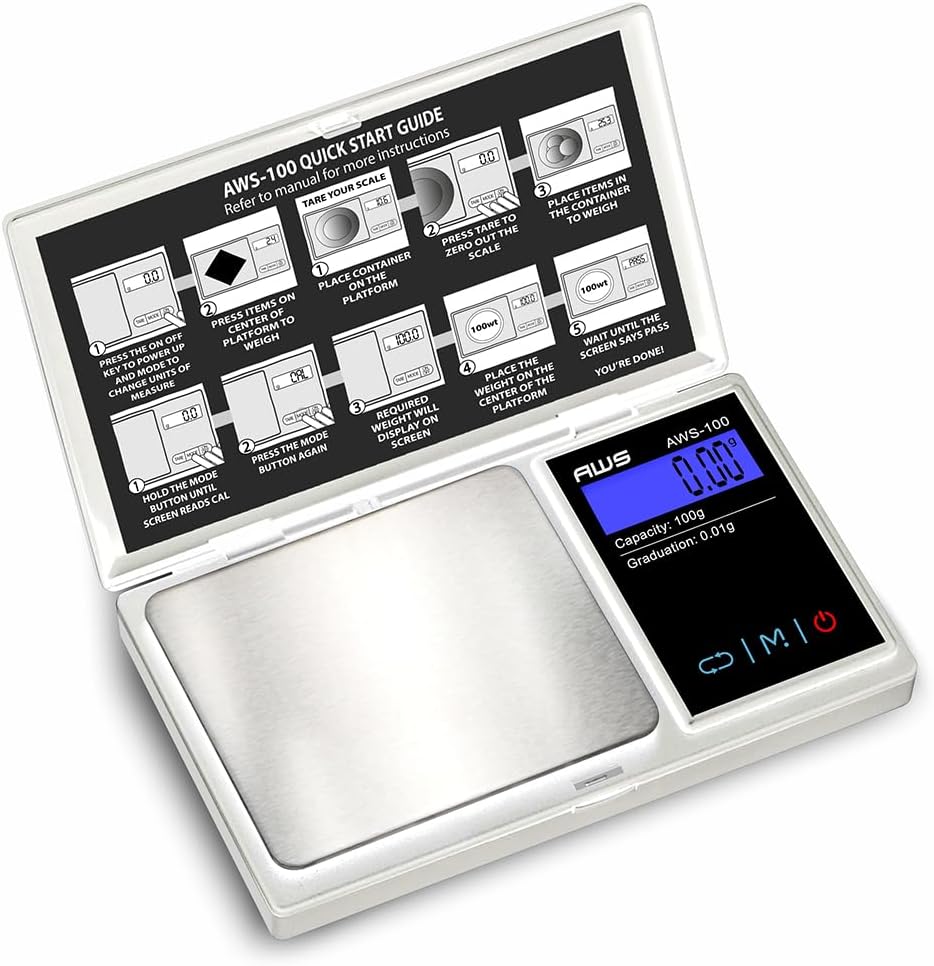
Figure 1: AWS-100-SIL scale with its protective lid/quick start guide open, showing the weighing platform and digital display.
Operating Instructions
Follow these steps for basic weighing operations:
- Power On/Off: Press the ON/OFF key to turn the scale on. The display will show "0.00" when ready. Press and hold the ON/OFF key to turn the scale off.
- Unit Selection: Press the MODE key to cycle through available weighing units (g, oz, ct, gn, ozt, dwt).
- Tare Function: To subtract the weight of a container, place the empty container on the platform and press the TARE key. The display will reset to "0.00". You can then add items to the container, and only the net weight will be displayed.
- Weighing Items: Place the item(s) gently on the center of the weighing platform. Wait for the display to stabilize before reading the weight.
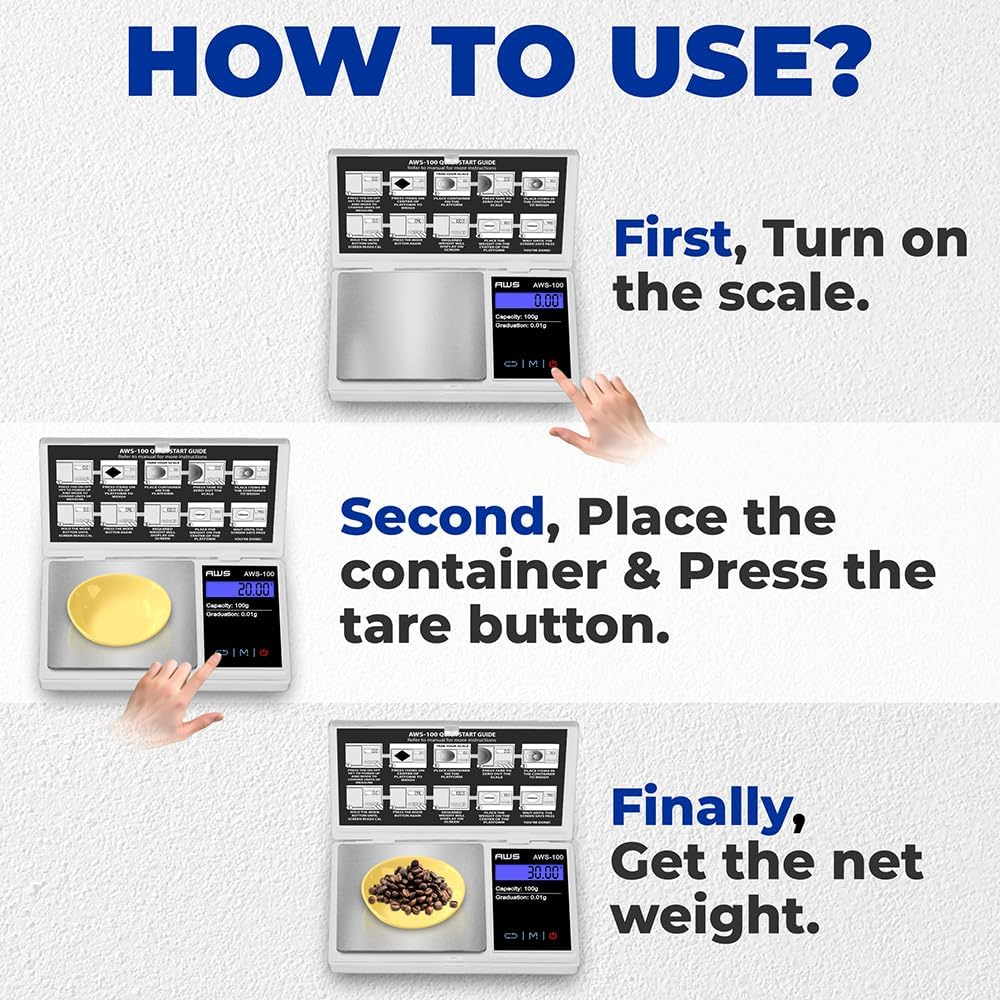
Figure 2: Three easy steps for basic weighing: Turn on the scale, tare the container, and add items to get the net weight.

Figure 3: The scale supports multiple weighing units including grams (g), ounces (oz), grains (gn), and carats (ct).
Calibration
Calibration ensures the accuracy of your scale. It is recommended to calibrate the scale periodically or if you suspect inaccurate readings. The AWS-100-SIL requires a 100g calibration weight (not included with this specific item).
- Turn the scale ON.
- Wait for the display to show "0.00g".
- Press and HOLD the MODE key until the display shows "CAL", then release.
- Press the MODE key again. The display will flash "CAL" followed by the required calibration weight (e.g., "100.00").
- Place the required 100g calibration weight gently on the center of the platform.
- The display will show "PASS" when the calibration is complete, and then return to normal weighing mode.
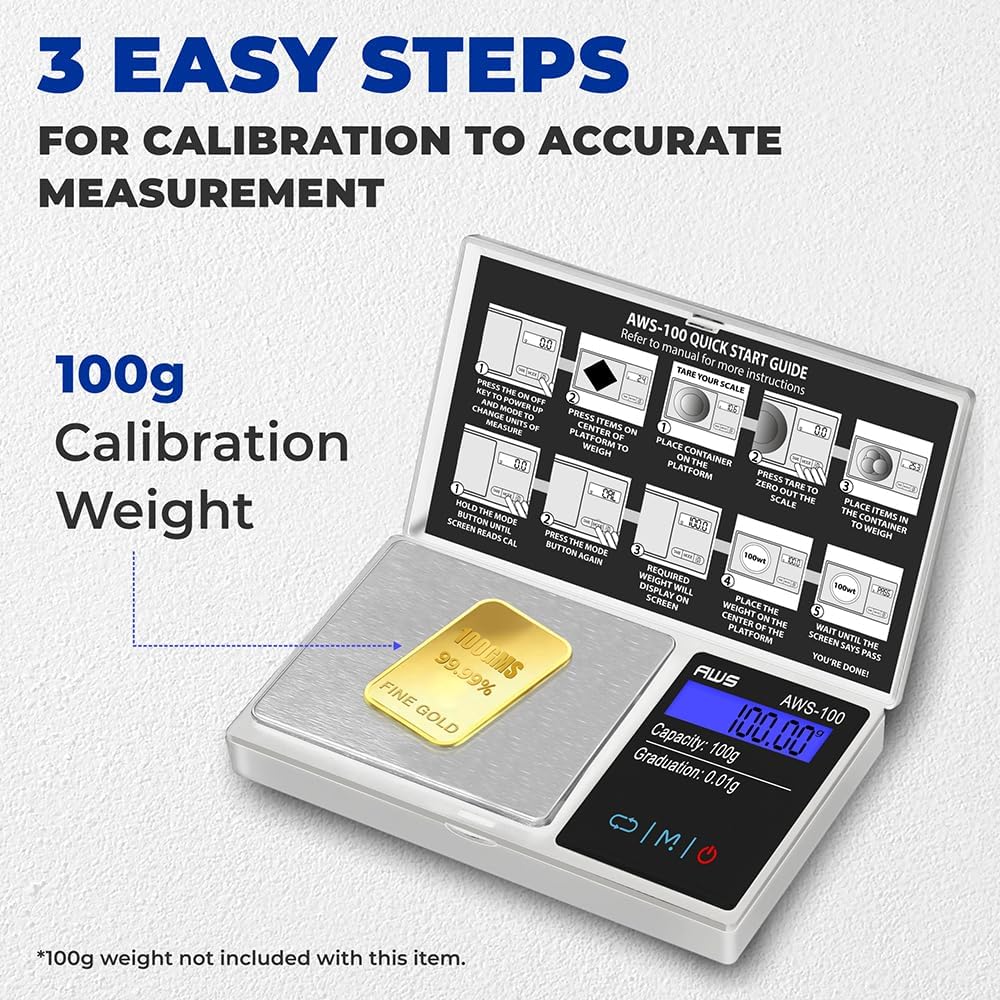
Figure 4: Calibration process using a 100g weight. Ensure the correct weight is used for calibration.
Weighing Modes
The AWS-100-SIL supports various weighing modes to suit different applications. Use the MODE button to switch between them:
- Grams (g): Standard unit for general weighing.
- Ounces (oz): Commonly used in cooking and general measurements.
- Carats (ct): Used for measuring gemstones and precious stones.
- Grains (gn): Often used for measuring gunpowder, bullets, or other small components.
- Troy Ounces (ozt): Traditional unit for weighing precious metals.
- Pennyweight (dwt): Used in the jewelry industry for weighing precious metals.

Figure 5: The scale's high precision (0.01g) makes it suitable for weighing various small items such as food, spices, and herbs.
Maintenance
Proper maintenance will extend the life and accuracy of your scale:
- Cleaning: The stainless steel surface is easy to clean. Use a soft, damp cloth or the provided microfiber cloth to wipe the platform. Avoid abrasive cleaners or harsh chemicals.
- Storage: Store the scale in a clean, dry environment. Use the protective cover to prevent dust and damage to the weighing platform.
- Handling: Handle the scale gently. Avoid dropping it or subjecting it to sudden shocks, as this can affect its accuracy.
- Battery Replacement: Replace batteries when the low battery indicator appears on the display to ensure consistent performance.
Troubleshooting
If you encounter issues with your scale, refer to the following common problems and solutions:
| Problem | Possible Cause | Solution |
|---|---|---|
| Inaccurate Readings | Unstable surface, low battery, need for calibration, air currents. | Place on a stable surface, replace batteries, perform calibration, use in a draft-free area. |
| Display shows "EEEE" | Overload error (weight exceeds maximum capacity). | Remove excess weight immediately to prevent damage. |
| Display shows "Lo" | Low battery indicator. | Replace batteries. |
| Scale does not turn on | Dead batteries, incorrect battery installation. | Check battery polarity, replace with new batteries. |
Specifications
- Brand: AMERICAN WEIGH SCALES
- Model: AWS-100-SIL
- Capacity: 100 Grams
- Readout Accuracy: 0.01 g
- Display Type: Backlit LCD
- Platform Material: Stainless Steel
- Power: 2 AAA batteries (included)
- Auto-Off: Yes (to conserve battery life)
- Product Dimensions: 3.88 x 5.75 x 1 inches
- Item Weight: 4.8 ounces
- Recommended Uses: Food, Spices, Medicine, Herbs, Coins, Small Items
Warranty & Support
American Weigh Scales stands behind the quality of its products. The AWS-100-SIL comes with a 10-year warranty. For warranty claims, technical support, or further assistance, please refer to the contact information provided in your product packaging or visit the official American Weigh Scales website.
For more information and support, you can visit the AMERICAN WEIGH SCALES Store on Amazon.