1. Introduction
The Fluval C4 Power Filter is an advanced 5-stage filtration system engineered to provide superior water quality for freshwater and saltwater aquariums ranging from 40 to 70 gallons. Its comprehensive design ensures efficient removal of debris, toxins, and impurities, promoting a healthy and clear aquatic environment.
Fluval has a long-standing legacy in aquatic filtration, pioneering innovative solutions since 1975. The C4 Power Filter continues this tradition, offering robust performance and ease of maintenance.
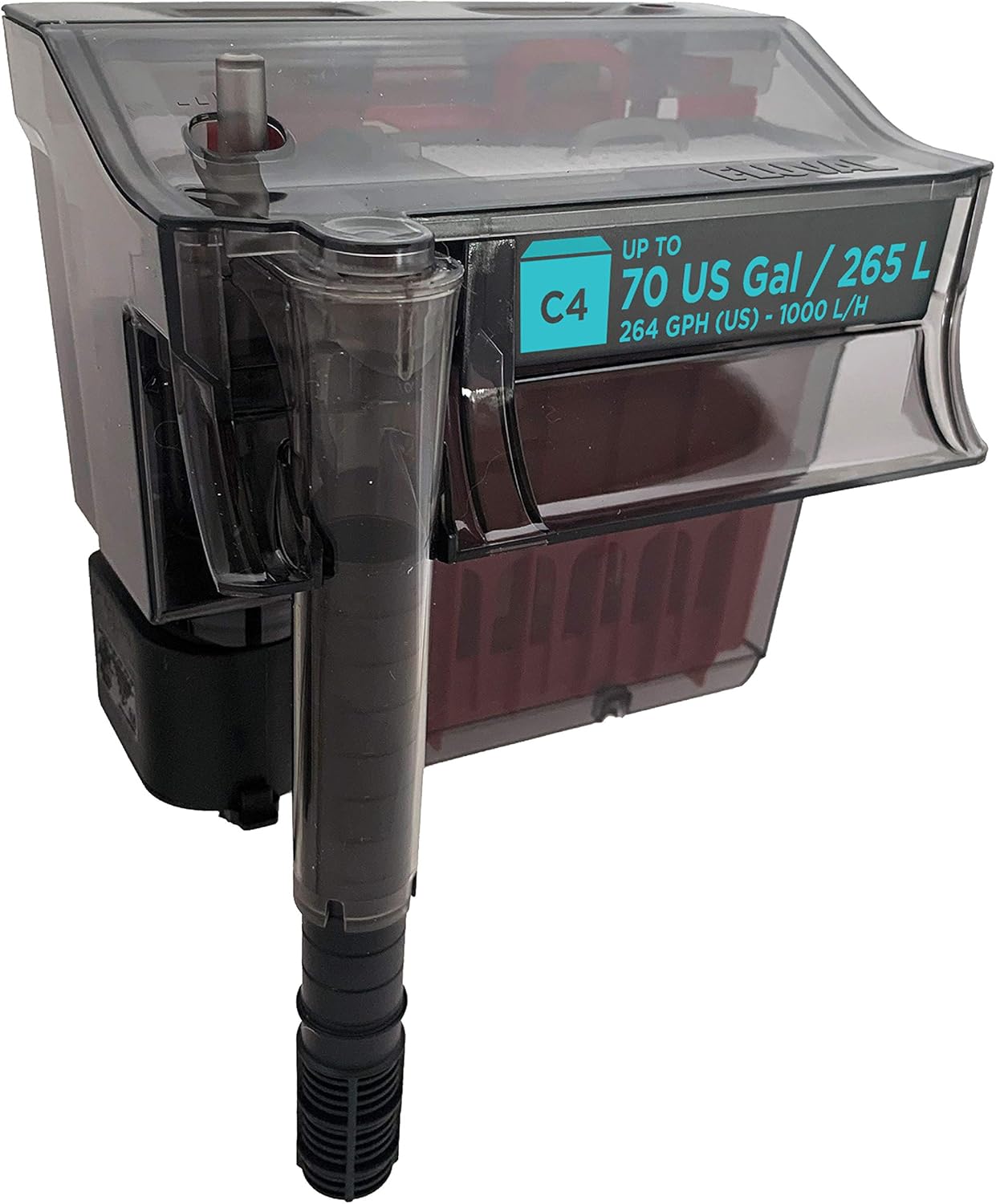

2. What's Included
Your Fluval C4 Power Filter package includes the following components:
- Filter Cover
- Filter Case
- Leveling Device
- C-Nodes (Biological Media)
- "U" Tube (Intake Tube)
- Telescopic Intake Tube Extension
- Bio-Screen Pad
- Mechanical Frame
- Chemical Basket
- Impeller Cover Assembly
- Impeller
- Biological Trickle Chamber with Cover
- Poly/Foam Pad (Mechanical Media)
- Activated Carbon (Chemical Media)
- Motor Unit with Seal Ring

3. Setup Instructions
- Unpack Components: Carefully remove all parts from the packaging and ensure all listed components are present.
- Assemble Intake Tube: Connect the "U" tube to the telescopic intake tube. Adjust the telescopic tube to the desired length for your aquarium depth.
- Install Media:
- Place the Poly/Foam Pad into the mechanical frame.
- Insert the Activated Carbon into the chemical basket.
- Place the C-Nodes into the biological trickle chamber.
- Position the Bio-Screen pad above the C-Nodes in the trickle chamber.
- Assemble Filter Case: Place the assembled media components into their respective compartments within the filter case.
- Attach Motor Unit: Securely attach the motor unit with its seal ring to the bottom of the filter case.
- Mount on Aquarium: Hang the filter securely on the rim of your aquarium. Ensure the leveling device is properly adjusted so the filter sits level.
- Prime the Filter: Before plugging in, fill the filter box with aquarium water. This is crucial for self-priming.
- Power On: Plug the filter into an electrical outlet. The Fluval C Power Filter will self-prime and begin running within a few seconds.

Video: An overview of Fluval tank filters, including what comes in the box and reasons for choosing them. This video provides visual guidance on the components and initial setup considerations.
4. Operating the Filter
5-Stage Filtration System
The Fluval C4 Power Filter utilizes a comprehensive 5-stage filtration process:
- Mechanical (Foam): The porous foam traps large particles.
- Mechanical (Polyester): Dense polyester captures fine debris.
- Chemical (Activated Carbon): Premium activated carbon removes odors, discoloration, and impurities.
- Biological (Bio-Screen): An additional hydraulic circuit conveys water to the Bio-Screen, which removes debris and ensures even water distribution to the biological chamber.
- Biological (C-Nodes): The C-Nodes provide an optimal complex pore system for beneficial bacteria to thrive, enhancing the removal of ammonia and nitrites.

Patented Refiltration System
The filter features a patented re-filtration system that allows control over the flow rate without compromising filtration efficiency. When the flow rate is reduced, up to 50% of the water within the filter chamber is re-processed multiple times. This process removes more impurities, resulting in cleaner and clearer water, and is beneficial for delicate fish and plants that require a gentler flow.

Adjustable Flow and Telescopic Intake
The Fluval C4 is designed with versatility in mind. It includes an adjustable flow mechanism, allowing you to customize the water output to suit your aquarium's needs. The telescopic intake tube can be extended or retracted to adapt to various water parameters and aquarium depths, ensuring optimal water intake from different levels of the tank.

5. Maintenance
Regular maintenance is essential for optimal performance of your Fluval C4 Power Filter. Always unplug the filter from the electrical outlet prior to any cleaning or maintenance.
Media Replacement Schedule
- Fluval Poly/Foam Pad: Replace every 4-6 weeks.
- Activated Carbon Insert: Replace every 2-4 weeks.
- Bio-Screen: Replace every 2-3 months.
- Biological C-Nodes: Replace half the quantity every 6 months. Never replace all C-Nodes at once to preserve beneficial bacteria.
- Motor O-Ring: Replace once a year to prevent leaks.
Power Filter Cleaning
For optimal performance, follow these cleaning guidelines:
- Disassembly: Remove the filter cover, filter media, and discard any water remaining in the filter case.
- Rinsing: Thoroughly rinse collected debris from the case, impeller cover, and impeller assembly using clear lukewarm water.
- Tube Cleaning: The intake "U" tube and extension tube can be cleaned with a filter stem brush to remove any buildup.
- Motor Cleaning: The motor should be thoroughly cleaned every three months.
- Reassembly: Once all parts are cleaned and rinsed, reassemble the filter and replace any media according to the schedule.
- Reinstallation: Install the filter back onto the aquarium, ensuring it is tipped slightly forward. Fill the filter box with aquarium water before plugging it in. The filter will self-prime and resume operation.

Fluval C Filtration Media Details
- Fluval Poly Foam Pad: Features two sides for effective mechanical filtration, capturing large and fine debris.
- Fluval Bio-Screen: Provides a massive biological surface area for beneficial bacteria and ensures even water distribution.
- Fluval Activated Carbon: Adsorbs liquefied impurities, odors, and discoloration.
- Fluval Zeo-Carb: Combines ammonia removal with carbon purification for a clean, healthy aquarium.
- Fluval Ammonia Remover: Ideal for new or heavily populated aquariums, removing harmful ammonia and nitrite.
- Fluval C-Nodes: Star-shaped biological media with a complex pore system for optimal bacterial colonization and enhanced biological power.

6. Troubleshooting
- Filter Not Self-Priming: Ensure the filter box is completely filled with aquarium water before plugging it in. If the water level in the tank drops significantly during a water change, you may need to refill the filter box manually.
- Reduced Flow/Clogging: Check the Poly/Foam Pad and Bio-Screen for excessive debris. The pop-up cleaning indicator will rise when the poly/foam pad requires rinsing or replacement. Clean or replace media as necessary. Also, check the intake tube for obstructions.
- Noisy Operation: A new filter may have some initial noise. If noise persists, unplug the filter and inspect the impeller. Remove the impeller cover assembly and the impeller itself. Clean any slime or debris from the impeller and its shaft. Reassemble carefully.
- Impeller Not Spinning/Overheating: This can indicate an obstruction or a worn impeller. Unplug the unit, remove the impeller, and check for any foreign objects or damage. Clean thoroughly and reassemble. If the issue persists, the impeller may need replacement.
- Cloudy Water: Ensure all filter media are correctly installed and not overdue for replacement. Perform regular water changes and avoid overfeeding. If using new C-Nodes, some initial cloudiness may occur and should clear within a few days.
7. Specifications
| Feature | Detail |
|---|---|
| Model Name | 14003A1 |
| Aquarium Capacity | 40 to 70 US Gallons (265L) |
| Max Flow Rate | 264 US Gal/H (1000 L/h) |
| Stages | 5-stage filtration |
| Item Dimensions (LxWxH) | 9 x 6.5 x 8.5 inches |
| Item Weight | 2.72 pounds (1.24 Kilograms) |
| Material | Foam (Filter Media) |
| Color | Black |
| Country of Origin | Italy |

8. Warranty and Support
For warranty information and customer support, please refer to the official Fluval website or contact your local Fluval product dealer. Keep your purchase receipt as proof of purchase for any warranty claims.
An official User Manual (PDF) is available for download: Download User Manual


