
1. Introduction
Thank you for purchasing the Seismic Audio SA-10MSingle Wedge Style Floor Monitor. This passive 10-inch speaker is designed for stage monitoring applications, providing clear audio feedback for performers. This manual provides essential information for the safe and efficient setup, operation, and maintenance of your new monitor speaker.
2. Safety Information
- Read all instructions: Before operating the speaker, read and understand all safety and operating instructions.
- Retain instructions: Keep this manual for future reference.
- Heed warnings: Follow all warnings on the product and in this manual.
- Power source: This is a passive speaker and requires an external amplifier. Ensure the amplifier's power output matches the speaker's power handling capabilities to prevent damage.
- Ventilation: Do not block any ventilation openings. Install in accordance with the manufacturer's instructions.
- Heat: Do not install near any heat sources such as radiators, heat registers, stoves, or other apparatus (including amplifiers) that produce heat.
- Cables: Protect power cords from being walked on or pinched, particularly at plugs, convenience receptacles, and the point where they exit from the apparatus.
- Cleaning: Clean only with a dry cloth.
- Water and Moisture: Do not use this apparatus near water. This product is not waterproof.
- Servicing: Refer all servicing to qualified service personnel. Servicing is required when the apparatus has been damaged in any way, such as power-supply cord or plug is damaged, liquid has been spilled or objects have fallen into the apparatus, the apparatus has been exposed to rain or moisture, does not operate normally, or has been dropped.
3. Package Contents
The package includes the following item:
- 1 x Seismic Audio SA-10MSingle Wedge Style Floor Monitor
4. Product Features
- Passive 10-inch wedge style floor monitor
- 2-way speaker design
- 4" x 8" piezo horn tweeter
- 10-inch woofer with 40 oz magnet and 2-inch voice coil
- Power handling: 100 Watts RMS, 200 Watts Peak
- Frequency Response: 45Hz to 20,000 Hz
- Impedance: 8 Ohms
- Connectivity: Dual 1/4 inch TS inputs
- Durable 18 gauge full face steel grill
- Enclosure Material: Metal
- Color: Black
5. Setup
5.1 Unpacking
Carefully remove the speaker from its packaging. Inspect the unit for any signs of damage that may have occurred during transit. If damage is found, contact your retailer immediately.
5.2 Placement
The SA-10MSingle is designed as a wedge-style floor monitor. Place the speaker on a stable, flat surface on the stage or performance area, angled towards the performer. Ensure there is adequate space around the speaker for proper sound dispersion and to prevent obstruction of its ports.
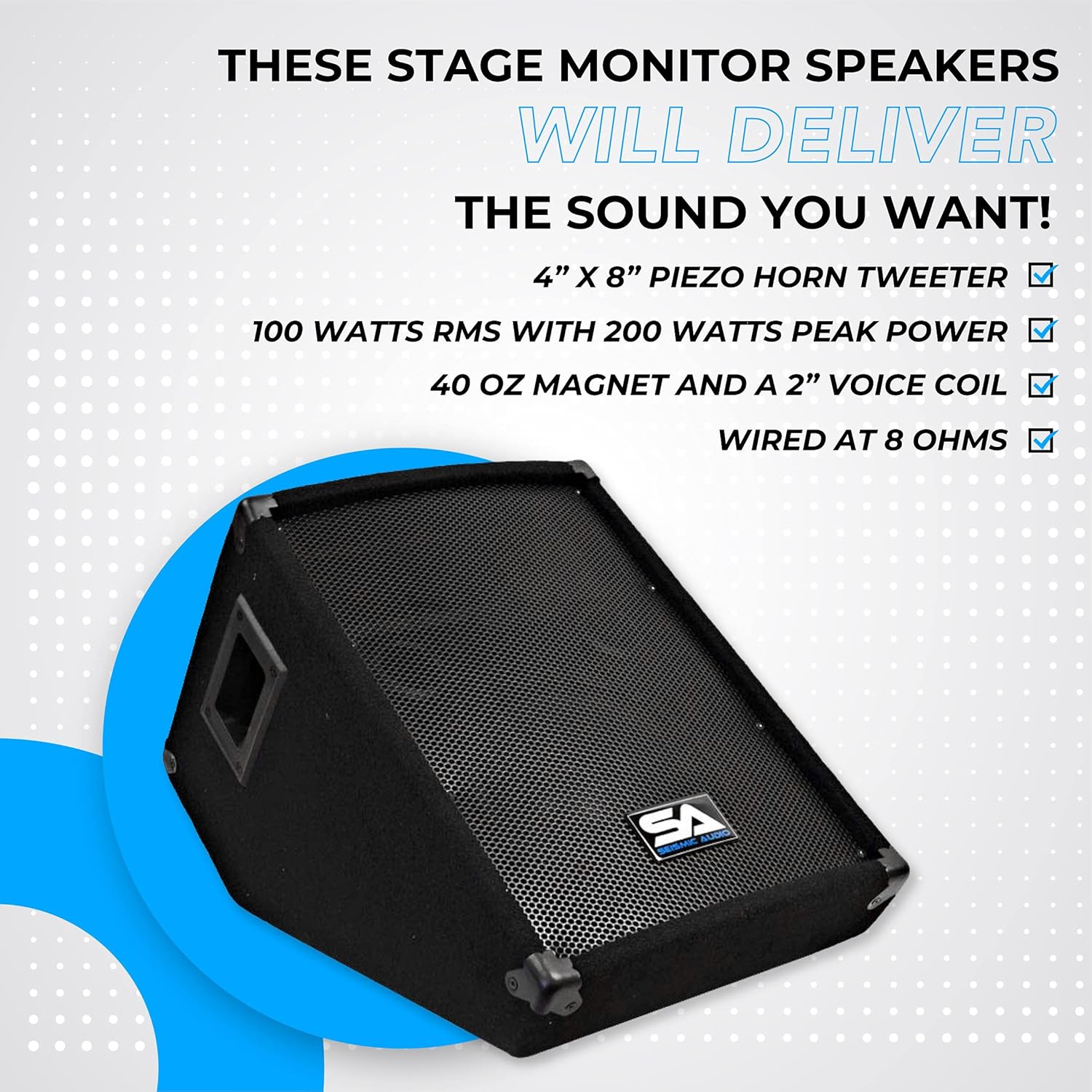
Image: Dimensions of the SA-10MSingle monitor. The speaker measures approximately 14 inches in height, 13.25 inches in width, and 21 inches in depth. Its weight is 22 lbs.
5.3 Connections
This is a passive speaker and requires an external power amplifier. Connect the speaker to your amplifier using a standard 1/4 inch TS speaker cable. The SA-10MSingle features dual 1/4 inch TS inputs, allowing for daisy-chaining to another passive speaker if desired. Ensure the amplifier is turned off before making any connections.

Image: Front and side view of the SA-10MSingle monitor, highlighting the 1/4 inch TS input jacks on the rear panel.
- Connect one end of a 1/4 inch TS speaker cable to an output jack on your amplifier.
- Connect the other end of the 1/4 inch TS speaker cable to one of the input jacks on the SA-10MSingle monitor.
- If connecting a second passive speaker, use another 1/4 inch TS cable to connect from the second input jack on the SA-10MSingle to the input of the next speaker. Ensure the amplifier can handle the combined impedance.
6. Operating Instructions
6.1 Powering On/Off
Since the SA-10MSingle is a passive speaker, its power is supplied by the external amplifier. Always ensure your amplifier's volume is set to minimum before powering it on or off to prevent sudden loud noises or potential damage to the speaker.
- To Power On: Turn on your audio mixer (if applicable), then your external amplifier. Gradually increase the amplifier's volume to the desired level.
- To Power Off: First, turn down the amplifier's volume to minimum, then turn off the amplifier, followed by your audio mixer.
6.2 Volume and Signal Control
All volume and equalization adjustments for the SA-10MSingle will be controlled via your external amplifier and/or audio mixer. Adjust these controls to achieve the desired sound level and tonal balance for your monitoring needs.
7. Maintenance
7.1 Cleaning
To clean the speaker, use a soft, dry cloth. Do not use liquid cleaners, aerosols, or solvents, as these can damage the finish or internal components.
7.2 Storage
When not in use, store the speaker in a cool, dry place, away from direct sunlight and extreme temperatures. If transporting, consider using a protective cover or case to prevent physical damage.
8. Troubleshooting
8.1 No Sound
- Check Connections: Ensure all 1/4 inch TS cables are securely connected between the amplifier and the speaker.
- Amplifier Power: Verify that the external amplifier is powered on and functioning correctly.
- Volume Levels: Confirm that the volume controls on your amplifier and mixer are not set to minimum or muted.
- Signal Source: Check that your audio source (e.g., microphone, instrument, mixer) is sending a signal to the amplifier.
- Cable Integrity: Test speaker cables for damage or shorts.
8.2 Distorted Sound
- Input Level: Reduce the input level from your mixer or audio source to the amplifier to prevent clipping.
- Amplifier Overload: Ensure the amplifier is not being overdriven. The speaker has a peak power handling of 200 Watts; exceeding this can cause distortion and damage.
- Cable Issues: Check for faulty or damaged speaker cables.
- Equalization: Adjust EQ settings on your mixer or amplifier. Excessive bass or treble can sometimes cause distortion.
8.3 Low Volume
- Volume Controls: Increase the volume on your amplifier and mixer.
- Amplifier Power: Ensure your amplifier has sufficient power output for the speaker.
- Impedance Mismatch: Verify that the amplifier's output impedance matches the speaker's 8 Ohm impedance.
9. Specifications
| Feature | Specification |
|---|---|
| Model Number | SA-10MSingle |
| Speaker Type | Passive Wedge Style Floor Monitor |
| Woofer Diameter | 10 inches |
| Tweeter Type | 4" x 8" Piezo Horn |
| RMS Power | 100 Watts |
| Peak Power | 200 Watts |
| Frequency Response | 45Hz - 20,000Hz |
| Impedance | 8 Ohms |
| Magnet Weight | 40 oz |
| Voice Coil | 2 inches |
| Connectivity | Dual 1/4 inch TS |
| Enclosure Material | Metal |
| Grill | 18 Gauge Full Face Steel |
| Dimensions (D x W x H) | 16" x 17" x 23" (approximate) |
| Item Weight | 22 lbs |
| Water Resistance | Not Water Resistant |
| Signal-to-Noise Ratio | 95 dB |
10. Warranty and Support
10.1 Warranty Information
This Seismic Audio product is covered by a one-year manufacturer defect and labor warranty. This warranty covers defects in materials and workmanship under normal use. It does not cover damage caused by misuse, abuse, accidents, unauthorized modifications, or improper installation.
10.2 Customer Support
For technical assistance, warranty claims, or general inquiries, please contact Seismic Audio customer support. Refer to the contact information provided with your purchase or visit the official Seismic Audio website for current support options.