
1. Introduction
This manual provides essential information for the proper use and care of your Ensign Pulver DVD. "Ensign Pulver" is a lighthearted, comedic film that continues the story from "Mister Roberts." It follows Frank Pulver (Robert Walker) as he navigates life aboard the World War II-era cargo ship Reluctant, dealing with the tyrannical captain (Burl Ives) and his genial cohort, Doc (Walter Matthau). The film features a talented cast including early appearances by Jack Nicholson and Larry Hagman.
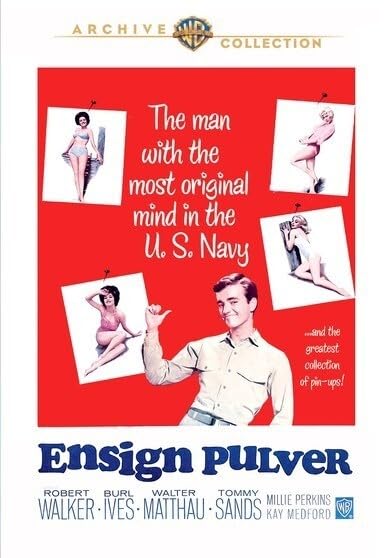
Image 1.1: Front cover of the Ensign Pulver DVD, showcasing the film's comedic and naval theme.
2. Setup and Playback
2.1 Connecting Your DVD Player
Ensure your DVD player is correctly connected to your television or display device. Refer to your DVD player's instruction manual for specific connection details (e.g., HDMI, RCA, Component cables).
2.2 Inserting the Disc
- Gently remove the Ensign Pulver DVD from its case, holding it by the edges to avoid touching the playback surface.
- Open the disc tray of your DVD player.
- Place the disc into the tray with the label side facing up.
- Close the disc tray. The player should automatically load the disc.
2.3 Playing the Movie
- Once the disc loads, a menu screen will typically appear. Use your DVD player's remote control to navigate the menu.
- Select "Play Movie" or a similar option to begin playback.
- To access scene selections, language options, or special features, navigate to the respective sections on the DVD menu.
3. Maintenance and Care
Proper care of your DVD will ensure its longevity and optimal playback performance.
- Cleaning: If the disc surface becomes dirty or smudged, gently wipe it with a soft, lint-free cloth (e.g., microfiber) from the center outwards. Do not use abrasive materials or harsh chemicals.
- Storage: Store the DVD in its original case, away from direct sunlight, extreme temperatures, and high humidity. Keep discs flat and avoid stacking them without their cases.
- Handling: Always handle the disc by its edges or the center hole. Avoid touching the shiny playback surface.
4. Troubleshooting
If you encounter issues during playback, try the following solutions:
| Problem | Possible Solution |
|---|---|
| Disc not playing or loading. |
|
| Skipping, freezing, or pixelation during playback. |
|
| No audio or video. |
|
5. Specifications
- Title: Ensign Pulver
- Model (ASIN): B003M7A2LK
- Brand/Studio: WB
- Format: DVD, NTSC
- Aspect Ratio: 1.33:1
- Run Time: 1 hour and 44 minutes
- Release Date: June 3, 2010
- Number of Discs: 1
- Language: English
- Director: Joshua Logan
- Main Actors: Robert Walker, Burl Ives, Walter Matthau, Tommy Sands, Millie Perkins
- Genre: Comedy
- MPAA Rating: NR (Not Rated)
- Product Dimensions: 7.5 x 5.5 x 0.5 inches; 2.72 ounces
6. Warranty and Support
DVD media typically comes with a limited warranty against manufacturing defects. If you believe your disc is defective, please contact the retailer or the studio (WB) from whom you purchased it for assistance. Keep your proof of purchase for any warranty claims.
For general inquiries about the film or its content, please refer to publicly available movie databases or official studio websites.