
NewAir AI-100SS
Newair Countertop Ice Maker Machine User Manual
Model: AI-100SS | Brand: NewAir
Introduction
This manual provides comprehensive instructions for the safe and efficient operation, maintenance, and troubleshooting of your Newair Countertop Ice Maker Machine, Model AI-100SS. Please read this manual thoroughly before using the appliance and retain it for future reference.
Safety Information
Always follow basic safety precautions when using electrical appliances to reduce the risk of fire, electric shock, and injury to persons.
- Ensure the appliance is connected to a properly grounded outlet.
- Do not immerse the power cord, plug, or the appliance itself in water or other liquids.
- Unplug the appliance from the outlet when not in use, before cleaning, or if a malfunction occurs.
- Keep the appliance away from heat sources and direct sunlight.
- Do not operate the appliance with a damaged cord or plug.
- This appliance is for household use only.
- Keep children away from the appliance.
Product Overview
The Newair AI-100SS is a compact and efficient countertop ice maker designed to provide a continuous supply of fresh ice. It features a user-friendly control panel and the ability to produce three different ice cube sizes.
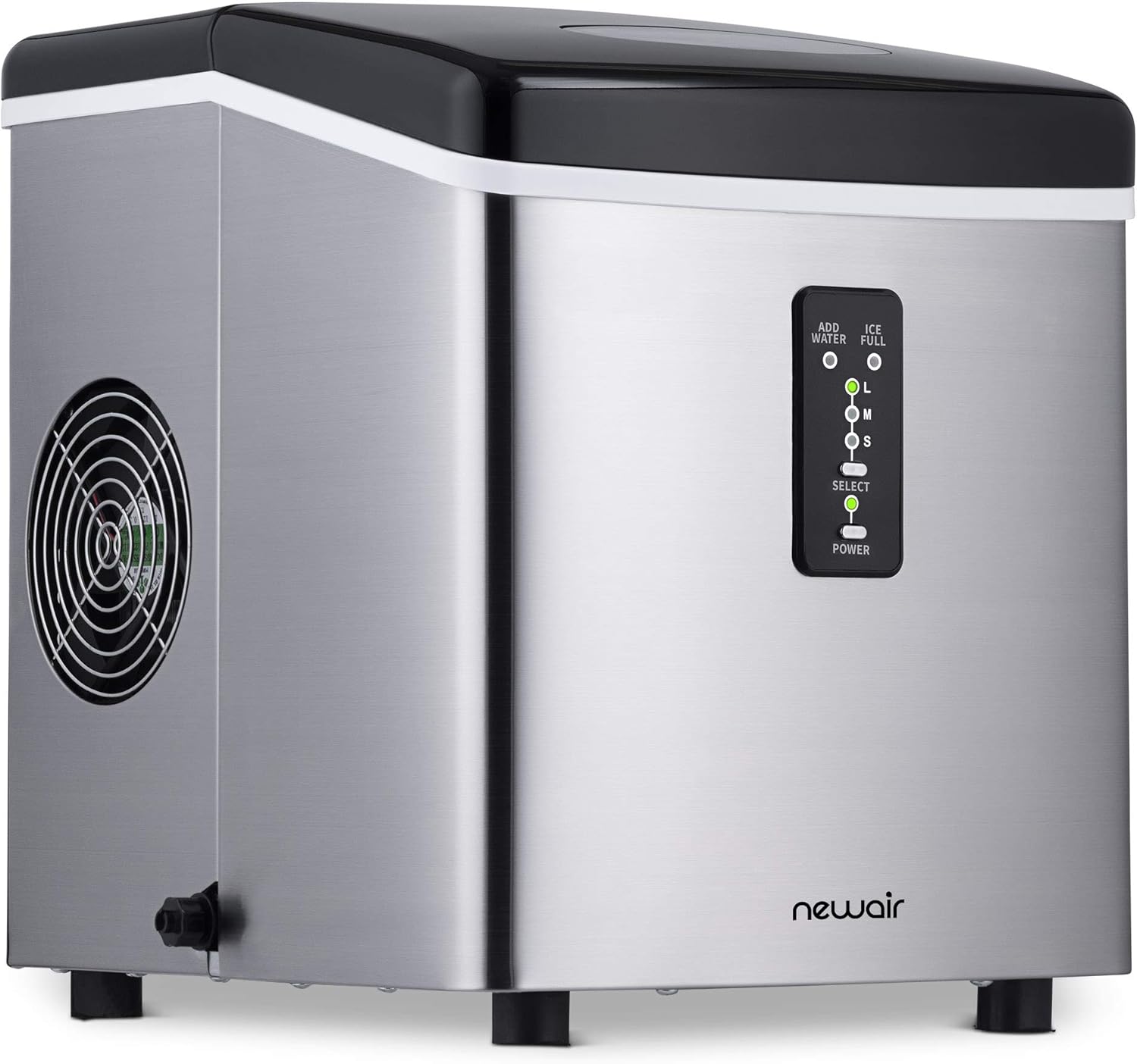
Figure 1: Newair AI-100SS Countertop Ice Maker. This image shows the sleek stainless steel design of the ice maker with its control panel visible on the front.
Key Features:
- Produces up to 28 pounds of ice per day.
- Offers three bullet ice cube sizes: Small, Medium, and Large.
- Rapid ice production, with a new batch ready every 6 to 15 minutes.
- Insulated storage compartment to keep ice colder for longer.
- Simple two-button operation for ease of use.
- BPA-certified parts ensure safe drinking water.
- Automatic shut-off when water tank is empty or ice bin is full.
- Recycling technology for melted ice, ensuring continuous production.

Figure 2: Daily Ice Production. This image illustrates the ice maker's capacity to produce 28 pounds of ice per day, equivalent to nearly three 10lb bags of ice.

Figure 3: Ice Cube Sizes. This image displays the three distinct bullet ice cube sizes (Small, Medium, Large) that the machine can produce.

Figure 4: Control Panel. A detailed view of the ice maker's control panel, showing the "Add Water," "Ice Full," and ice size selection buttons (L, M, S), along with the "Select" and "Power" buttons.

Figure 5: Product Dimensions. This image provides the precise measurements of the Newair AI-100SS ice maker, indicating its compact size for countertop placement.
Setup
Unpacking: Carefully remove the ice maker from its packaging. Remove all packing materials, tape, and any labels. Inspect the unit for any damage.
Placement: Place the ice maker on a flat, stable surface away from direct sunlight and heat sources. Ensure there is adequate ventilation around the unit. The compact design allows it to fit neatly on most kitchen counters.
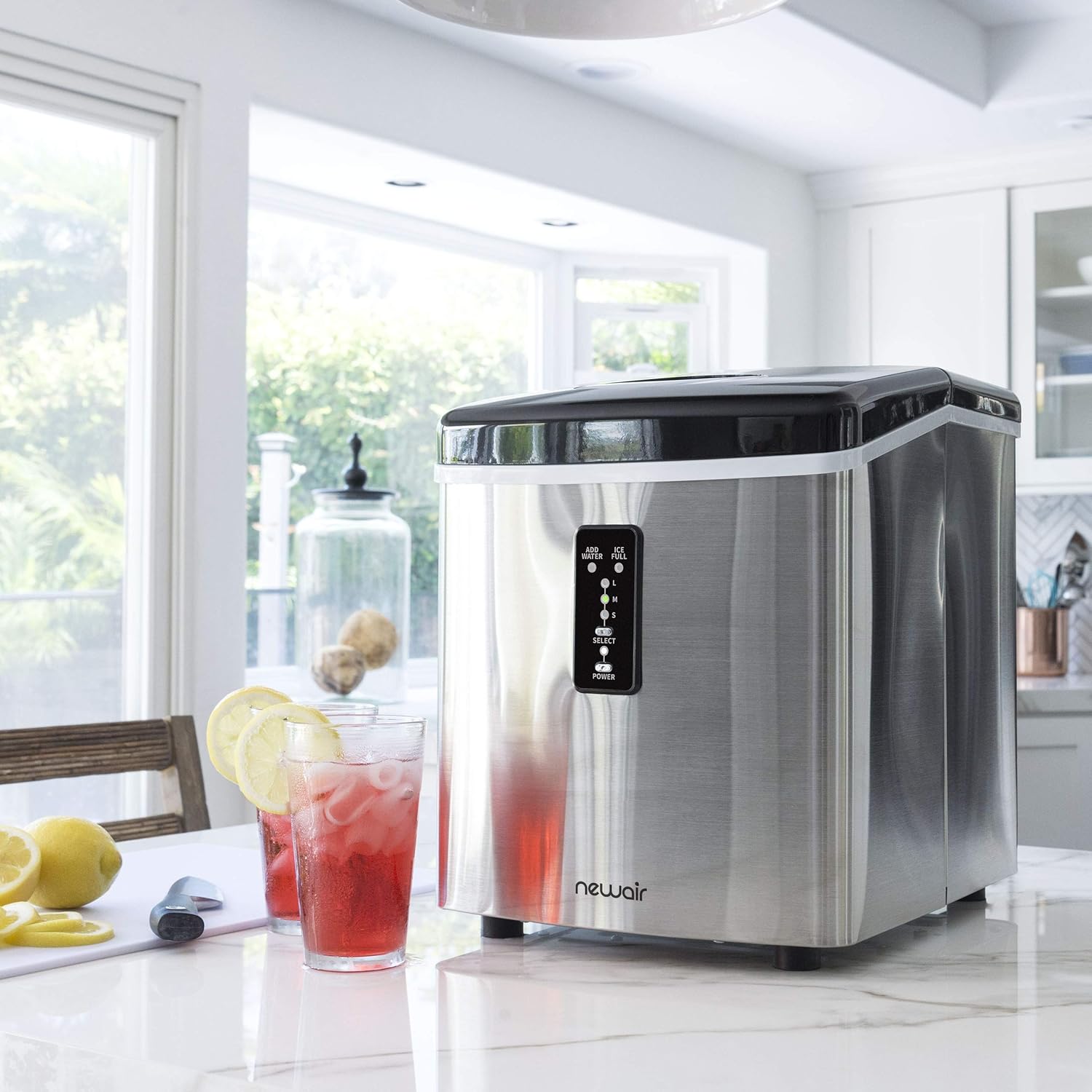
Figure 6: Ideal Placement. The ice maker is shown positioned on a kitchen countertop, demonstrating its suitability for various home environments.
Initial Cleaning: Before first use, clean the interior of the ice maker. Remove the ice basket and wash it with warm, soapy water. Wipe the interior with a soft cloth. Rinse thoroughly and dry.
Fill Water Reservoir: Open the lid and fill the water reservoir with clean, potable water up to the MAX fill line. Do not overfill.
Connect Power: Plug the ice maker into a grounded electrical outlet. The unit is now ready for operation.
Operating Instructions
Power On: Press the POWER button on the control panel to turn on the ice maker. The power indicator light will illuminate.
Select Ice Size: Press the SELECT button repeatedly to cycle through the available ice cube sizes: Small (S), Medium (M), and Large (L). The indicator light next to your chosen size will illuminate.
Ice Production: The ice maker will begin its ice-making cycle. The first batch of ice will typically be ready within 6 to 15 minutes, depending on the selected size and ambient temperature.

Figure 7: Ice Collection. A hand is shown using the included scoop to retrieve bullet ice cubes from the ice basket, demonstrating the ease of access.
Ice Full Indicator: When the ice basket is full, the ICE FULL indicator light will turn on, and the ice maker will pause production. Empty the ice basket to resume ice making.
Add Water Indicator: If the water reservoir is low, the ADD WATER indicator light will turn on, and the unit will pause. Refill the reservoir with water to continue operation.
Melted Ice Recycling: The Newair AI-100SS features a recycling system. Any ice that melts in the storage compartment will drain back into the water reservoir and be reused for the next ice-making cycle, minimizing waste.
Power Off: Press the POWER button again to turn off the ice maker when not in use.
Product Demonstration Video:
Video 1: NewAir Portable Ice Maker Overview. This video provides a visual demonstration of the Newair AI-100SS ice maker's features, including its compact design, rapid ice production, and ease of use. It highlights the different ice sizes and the automatic shut-off functions.
Maintenance
Cleaning the Ice Maker:
Regular cleaning helps maintain the performance and longevity of your ice maker and ensures fresh-tasting ice.
Drain Water: Before cleaning, ensure the unit is unplugged. Locate the drain plug on the side of the unit (Figure 8). Place a basin underneath and remove the plug to drain all water from the reservoir.

Figure 8: Drain Plug Location. This image shows the side-mounted drain plug, essential for emptying the water reservoir during cleaning.
Clean Interior: Use a soft cloth dampened with a mild detergent solution to wipe the interior surfaces, including the ice basket and water reservoir. For stubborn spots, a mixture of water and white vinegar can be used.
Rinse: Rinse the interior thoroughly with clean water to remove any detergent or vinegar residue. Ensure all parts are dry before reassembling.
Exterior Cleaning: Wipe the exterior of the unit with a soft, damp cloth. Do not use abrasive cleaners or solvents.
Note: All parts of the Newair AI-100SS that come into contact with water or ice are BPA-certified, ensuring your ice is safe for consumption.
Troubleshooting
| Problem | Possible Cause | Solution |
|---|---|---|
| Ice maker not producing ice. | No water in reservoir. | Fill water reservoir to the MAX line. |
| Ice maker not producing ice. | Ice basket is full. | Empty the ice basket. |
| Ice maker not producing ice. | Unit is unplugged or power is off. | Ensure unit is plugged in and powered on. |
| Ice cubes are too small or not solid. | Water temperature is too high. | Use colder water. Ensure unit is in a cool environment. |
| "Add Water" indicator is on after refilling. | Air bubble or sensor issue. | Unplug the unit for a few minutes, then plug it back in. Ensure the water level is correct. |
| Unusual noise during operation. | Normal operation sounds (compressor, water pump). | This is usually normal. If noise is excessive or new, contact support. |
Specifications
| Specification | Value |
|---|---|
| Brand | NewAir |
| Model Name | AI-100SS |
| Product Dimensions | 14.5"D x 11.75"W x 15"H |
| Capacity | 28 Pounds (Ice Production per Day) |
| Wattage | 115 Watts |
| Voltage | 120 Volts |
| Refrigerant | R134a |
| Material | Stainless Steel |
| Item Weight | 0.01 ounces (Note: This value may be a data entry error and not reflect actual product weight.) |
| Installation Type | Countertop |
| Special Features | Drain Required, Portable |
| Color | Stainless Steel |
| UPC | 854001004044, 722651300925, 043968695659 |
Warranty and Support
Your Newair AI-100SS Countertop Ice Maker is backed by a manufacturer's warranty.
- 1-Year Warranty: The product typically comes with a 1-year manufacturer's warranty covering defects in materials and workmanship. Please refer to the warranty card included with your product for specific terms and conditions.
- 30-Day Product Returns: Newair offers a 30-day return policy for products purchased directly from authorized retailers.

Figure 9: Warranty and Returns. This image displays badges indicating a 30-day product return policy and a 1-year warranty, highlighting Newair's commitment to customer satisfaction.
For detailed warranty information, product registration, or technical support, please visit the official Newair website or contact their customer service. A comprehensive user manual in PDF format is also available for download from the manufacturer's website for more in-depth information.
You can find the official user manual PDF here.
Ask a question about this manual
Ask about setup, troubleshooting, compatibility, parts, safety, or missing instructions. Manuals+ will review the question and use this page’s manual context to help answer it.