1. Introduction
This manual provides comprehensive instructions for the installation, operation, and maintenance of your ClearVUE Digital TV Super Booster Indoor TV/FM Antenna. This device is designed to enhance the reception of over-the-air digital television and FM radio signals, providing improved picture and sound quality for compatible televisions and FM receivers. Please read this manual thoroughly before using the product to ensure optimal performance and longevity.
2. Package Contents
- 1 x ClearVUE Digital TV Super Booster Indoor TV/FM Antenna (Model: GLO030804)
3. Setup Instructions
Follow these steps to properly set up your ClearVUE Digital TV Super Booster:
- Connect Your Antenna: Connect your existing indoor TV or FM antenna (e.g., rabbit ears, flat panel antenna) to the "ANTENNA IN" port on the ClearVUE Super Booster. This port is typically a coaxial F-type connector.
- Connect to TV/FM Receiver: Connect a coaxial cable from the "TV OUT" port on the ClearVUE Super Booster to the antenna input (ANT IN or CABLE IN) on your television or FM radio receiver.
- Power Connection: Plug the ClearVUE Super Booster directly into any standard electrical wall outlet. The device is designed for indoor use only.
- Scan for Channels: Turn on your television or FM radio. Access the menu settings on your TV or receiver and perform an "Auto Program," "Channel Scan," or "Auto Tune" function. This process allows your device to detect and save available channels with the boosted signal. Refer to your TV or receiver's manual for specific instructions on how to perform a channel scan.
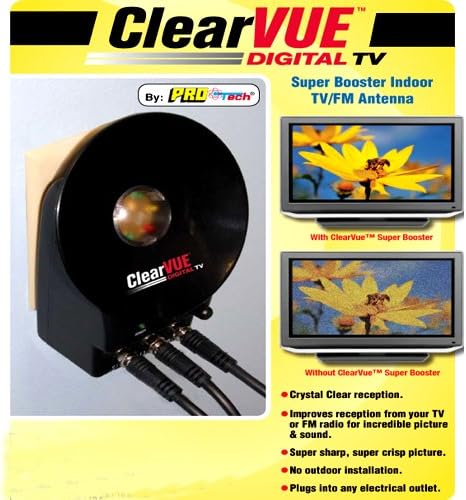
Image: ClearVUE Digital TV Super Booster connected and demonstrating improved signal quality. The booster unit is black, cylindrical, and plugs directly into a wall outlet, with three coaxial ports visible at the bottom for connections.
4. Operating Instructions
Once the ClearVUE Super Booster is set up, it operates automatically to amplify incoming signals.
- Signal Enhancement: The booster continuously works to improve the strength and clarity of TV and FM signals received by your antenna.
- Optimal Placement: For best results, experiment with the placement of your primary indoor antenna. Higher locations or positions closer to windows often yield better signal reception. After repositioning your antenna, always perform a new channel scan on your TV or receiver.
- Channel Availability: The number and quality of channels received can vary based on geographical location, terrain, building materials, and the strength of broadcast towers in your area.
5. Maintenance
The ClearVUE Digital TV Super Booster requires minimal maintenance.
- Cleaning: To clean the device, gently wipe the exterior with a soft, dry cloth. Do not use liquid cleaners, aerosols, or abrasive materials.
- Storage: If the device will not be used for an extended period, unplug it from the electrical outlet and store it in a cool, dry place.
- Environment: Ensure the booster is kept away from moisture, extreme temperatures, and direct sunlight.
6. Troubleshooting
| Problem | Possible Cause | Solution |
|---|---|---|
| No signal or poor reception after setup. |
|
|
| Picture or sound quality is still unsatisfactory. |
|
|
7. Specifications
| Feature | Detail |
|---|---|
| Model Number | GLO030804 |
| ASIN | B003GVHZLW |
| Antenna Type Supported | Indoor TV/FM Antennas |
| Function | Digital TV and FM Signal Booster |
| Power Source | Standard Electrical Outlet |
| Item Weight | 9.6 ounces (approx. 272 grams) |
| Package Dimensions | 5.9 x 3.9 x 2.6 inches (approx. 15 x 10 x 6.6 cm) |
| Date First Available | April 12, 2010 |
8. Warranty Information
Specific warranty details for the ClearVUE Digital TV Super Booster are not provided in this manual. For information regarding warranty coverage, terms, and conditions, please refer to the product packaging or contact the retailer or manufacturer directly. Keep your purchase receipt as proof of purchase for any warranty claims.
9. Customer Support
If you encounter any issues or have questions regarding your ClearVUE Digital TV Super Booster that are not addressed in this manual, please contact the customer support provided by your retailer or the manufacturer.
- Online Resources: Check the manufacturer's official website for FAQs, additional support documents, or contact information.
- Retailer Support: Your point of purchase may offer direct support or guidance.