
Introduction
This user manual provides essential information for the proper installation, operation, and maintenance of the Honeywell V4044A1191 Motorized Zone Valve. Please read this manual thoroughly before installing or operating the device to ensure safe and efficient performance.
The Honeywell V4044A1191 is a 120V motorized zone valve designed for controlling the flow of water in heating and cooling systems. It features a removable power head and 3/4-inch sweat connections for easy integration into plumbing systems.
Safety Information
WARNING:
- Always disconnect power before installing or servicing the valve to prevent electrical shock.
- Installation must be performed by a qualified technician in accordance with local electrical and plumbing codes.
- Do not exceed the specified voltage (120V) or pressure ratings of the valve.
- Ensure proper grounding to prevent electrical hazards.
CAUTION:
- Protect the valve from freezing temperatures.
- Do not overtighten connections, which could damage the valve body.
Product Overview
The Honeywell V4044A1191 is a two-way motorized zone valve designed for use in hydronic heating and cooling systems. It features a compact design and a robust brass body for durability.
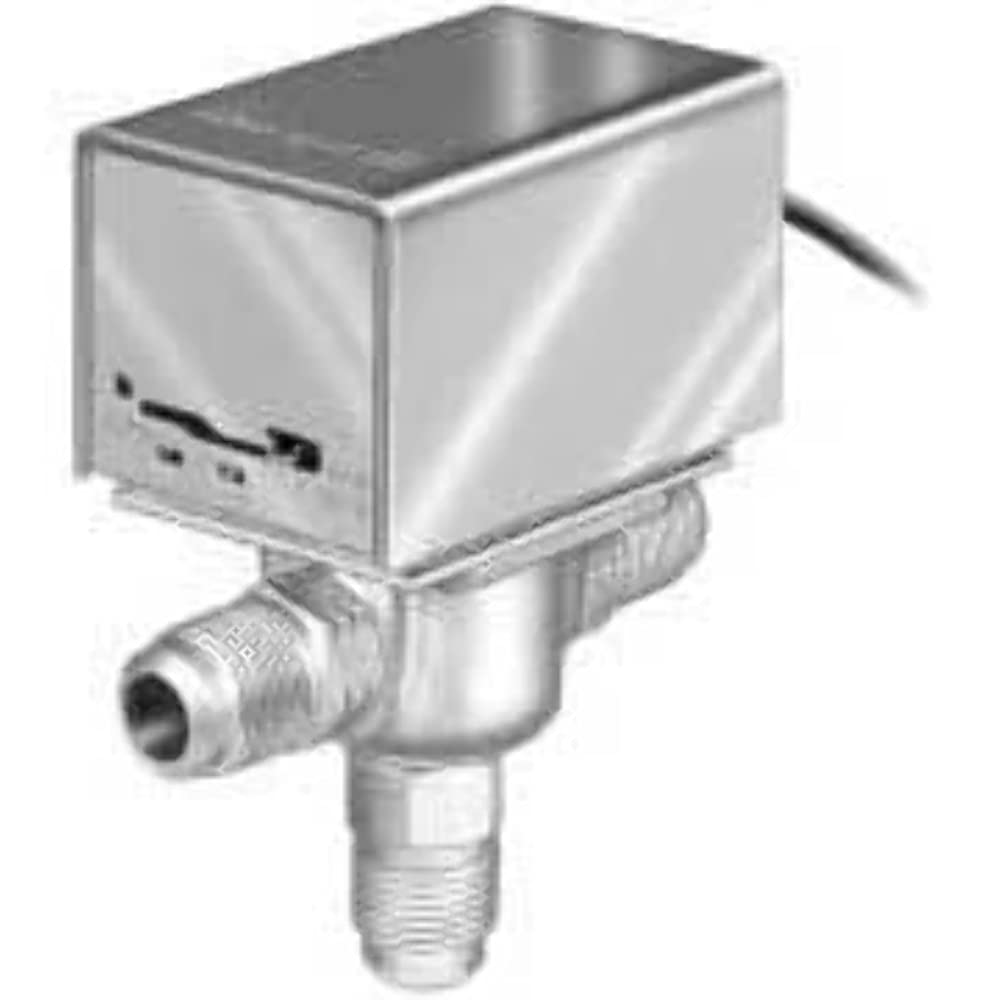
Figure 1: Honeywell V4044A1191 Motorized Zone Valve. This image shows the compact design of the valve, featuring a metallic power head mounted on top of a brass valve body with sweat connections.
Key Features:
- 120V AC operation.
- 3/4-inch sweat connections.
- Removable power head for easy servicing.
- Auto recycle function.
- Durable brass body construction.
Installation
Pre-Installation Checklist:
- Ensure power to the system is OFF.
- Verify that the valve type and size (3/4" sweat) match your system requirements.
- Gather necessary tools: pipe cutters, soldering equipment, flux, solder, wire strippers, screwdriver.
Mounting the Valve:
- Drain the system completely to prevent water spillage.
- Cut the pipe at the desired installation point, ensuring clean, burr-free ends.
- Clean and flux the pipe ends and the valve's sweat connections.
- Position the valve with the flow arrow pointing in the direction of water flow.
- Solder the valve into place using appropriate soldering techniques. Allow joints to cool before proceeding.
Wiring:
The V4044A1191 operates on 120V AC. Refer to the wiring diagram provided with your specific system controller or thermostat. Typically, the valve will have two wires for power and control. Connect the valve wires to the appropriate terminals on your control system, ensuring all connections are secure and insulated.
- Connect the hot (L) wire to the designated terminal.
- Connect the neutral (N) wire to the designated terminal.
- Ensure proper grounding.
Operation
The Honeywell V4044A1191 Motorized Zone Valve is designed for automatic operation in conjunction with a thermostat or zone controller. When the thermostat calls for heat or cool in its zone, the valve's motor will open the valve, allowing water to flow. When the call is satisfied, the valve will close.
Manual Operation (if applicable):
Some models may feature a manual lever or button for temporary opening of the valve. Consult your specific valve's markings. For the V4044A1191, the auto-recycle feature means the valve will return to its normal closed position when power is removed or the call for heat/cool is satisfied.
Initial Startup:
- After installation and wiring are complete, slowly refill the system and check for leaks at all connections.
- Bleed any air from the system.
- Restore power to the system.
- Initiate a call for heat/cool from the thermostat to verify the valve opens and closes correctly.
Maintenance
The Honeywell V4044A1191 Motorized Zone Valve is designed for reliable, long-term operation with minimal maintenance. However, periodic checks can help ensure optimal performance.
Routine Checks:
- Annually: Inspect the valve for any signs of leaks around the connections or valve body.
- Periodically: Observe the valve's operation during a call for heat/cool to ensure it opens and closes smoothly.
- Ensure the wiring connections remain secure and free from corrosion.
Cleaning:
No internal cleaning is typically required. For external cleaning, wipe the valve body and power head with a damp cloth. Do not use abrasive cleaners or solvents.
Power Head Replacement:
The power head of the V4044A1191 is removable. If the motor or electrical components fail, the power head can often be replaced without draining the system or disturbing the plumbing. Consult a qualified technician for power head replacement.
Troubleshooting
This section provides common issues and their potential solutions. For complex problems, contact a qualified HVAC technician.
| Problem | Possible Cause | Solution |
|---|---|---|
| Valve does not open. | No power to the valve; faulty wiring; thermostat not calling for heat/cool; seized motor. | Check power supply and circuit breaker. Verify thermostat operation. Inspect wiring connections. If motor is seized, power head replacement may be necessary. |
| Valve does not close. | Thermostat continuously calling for heat/cool; debris in valve; faulty motor. | Check thermostat settings. Flush system to remove debris. If motor is faulty, power head replacement may be necessary. |
| Water leak at connections. | Improperly soldered joint; damaged pipe or valve connection. | Drain system and re-solder connections. If damage is severe, replace the valve or pipe section. |
| Valve makes unusual noise. | Air in system; worn motor gears. | Bleed air from the system. If noise persists and valve operation is affected, consider power head replacement. |
Specifications
| Attribute | Value |
|---|---|
| Model Number | V4044A1191 |
| Brand | Honeywell |
| Voltage | 120 Volts AC |
| Connection Type | 3/4 inch Sweat (Inlet & Outlet) |
| Number of Ports | 2 |
| Valve Type | Globe Valve |
| Material | Brass |
| Item Weight | 2.15 pounds |
| Dimensions (H x W x D) | 4 13/16 in. x 3 1/2 in. x 2 3/8 in. |
| UPC | 085267103879 |
Warranty and Support
For warranty information and technical support, please refer to the official Honeywell website or contact Honeywell customer service directly. Keep your purchase receipt as proof of purchase.
Honeywell Customer Support:
- Visit the Honeywell Official Website for product documentation and support resources.
- Contact details for customer service can typically be found on the Honeywell website under 'Support' or 'Contact Us'.