
Introduction
Thank you for choosing the UNITEC 46433 Mini Digital Indoor Timer. This device is designed to precisely control the power supply to your electrical appliances, helping you save energy and automate your home. Please read this manual carefully before use to ensure safe and optimal operation.
Safety Instructions
- This timer is designed for indoor use only. Do not expose it to moisture, water, or extreme temperatures.
- Ensure the total load of connected devices does not exceed the timer's maximum rated power (refer to specifications).
- Do not disassemble or attempt to repair the device. Contact qualified personnel for service.
- Keep out of reach of children.
- Always insert the plug completely into the socket.
- Unplug the timer from the wall socket before cleaning. Clean only with a dry, soft cloth.
Product Features
- Precise power control for electrical devices.
- Clear LCD display for easy programming and viewing.
- Minimum switching time of 1 minute.
- Digital programming for daily or weekly cycles.
- GS certified for safety.
Setup
- Initial Charge: Before first use, plug the timer into a live wall socket for approximately 10-15 minutes to charge its internal battery. This battery retains your settings during power outages or when the timer is unplugged.
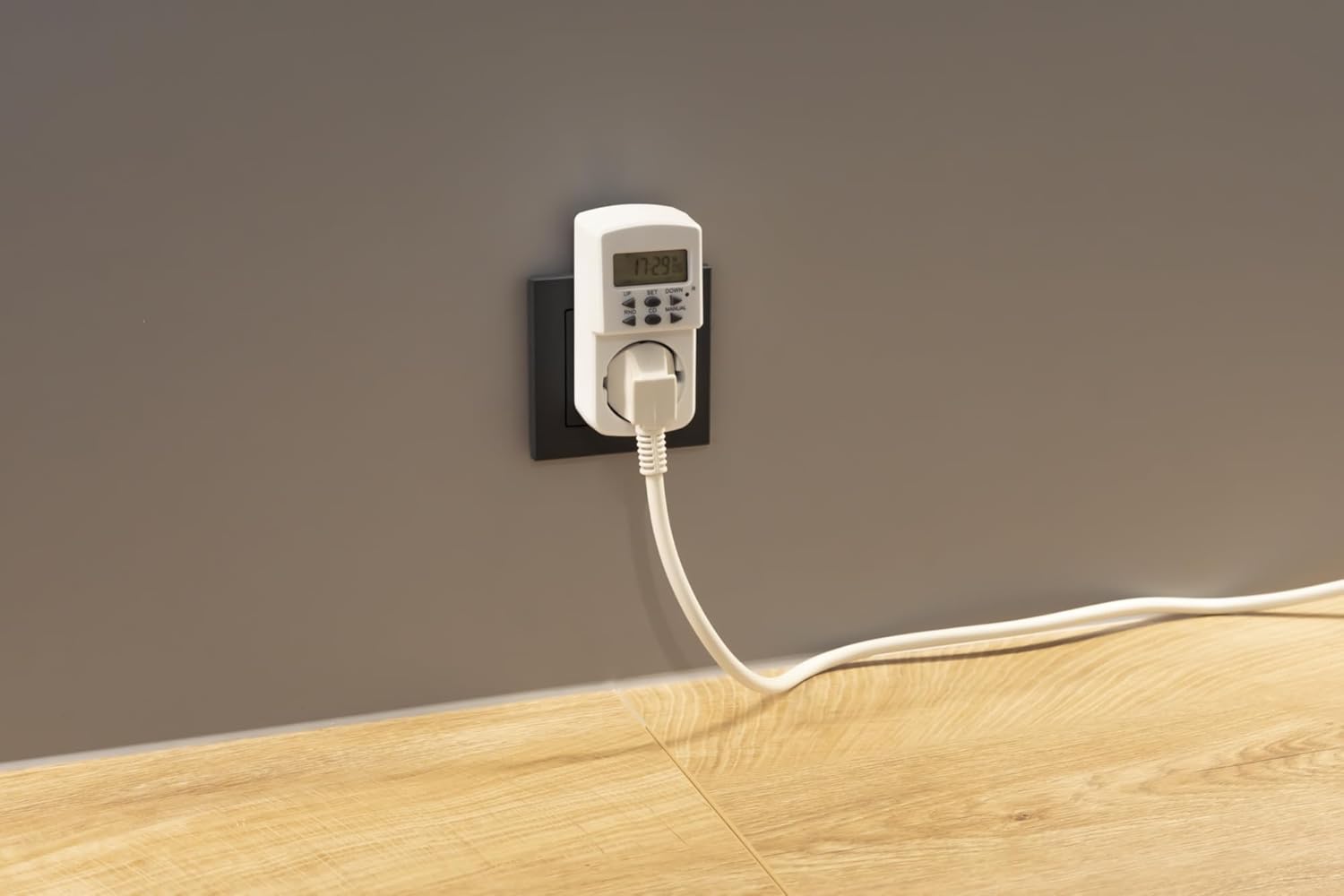
Image: The UNITEC 46433 digital timer plugged into a standard wall socket, ready for initial charging or operation.
- Clear All Settings: Press the "R" (Reset) button using a pointed object (e.g., a pen tip) to clear all previous settings and reset the timer to its default state. The display will show "0:00".
- Set Current Time:
- Press the SET button once. The hour display will flash.
- Use the UP or DOWN buttons to adjust the hour.
- Press SET again. The minute display will flash.
- Use the UP or DOWN buttons to adjust the minutes.
- Press SET a third time. The day of the week will flash.
- Use the UP or DOWN buttons to select the current day (e.g., MO for Monday, TU for Tuesday).
- Press SET to confirm and exit time setting mode.
Operating Instructions
Programming On/Off Times
The timer allows you to set multiple ON and OFF programs.
- Press the SET button repeatedly until "1 ON" appears on the display. This is for the first "ON" program.

Image: Close-up of the UNITEC 46433 timer showing the LCD display and the "UP", "SET", "DOWN", "RND", "CD", and "MANUAL" buttons.
- Set ON Time:
- With "1 ON" displayed, press SET. The hour will flash. Adjust with UP or DOWN.
- Press SET. The minutes will flash. Adjust with UP or DOWN.
- Press SET. The day(s) of the week will flash. Use UP or DOWN to select the desired day(s) for this program (e.g., MO, TU, WE, TH, FR, SA, SU, or combinations like MO-FR, SA-SU, MO-SU).
- Press SET to confirm the "ON" time.
- Set OFF Time:
- After setting "1 ON", the display will automatically show "1 OFF".
- Repeat the steps for setting the "ON" time to set the desired hour, minute, and day(s) for the "OFF" program.
- Press SET to confirm the "OFF" time.
- Set Additional Programs: Continue pressing SET to cycle through "2 ON", "2 OFF", and so on, to set up to 24 different ON/OFF programs.
- Exit Programming: After setting all desired programs, press the CLOCK button (usually the same as SET when not in programming mode, or a dedicated button if present) to return to the current time display.
Manual Override
The MANUAL button allows you to override the programmed settings temporarily.
- Press MANUAL once: Changes the mode to "ON" (output is continuously on).
- Press MANUAL twice: Changes the mode to "OFF" (output is continuously off).
- Press MANUAL three times: Changes the mode to "AUTO" (timer follows programmed settings).
Random Function (RND)
The RND button activates a random switching function, useful for simulating presence when away from home.
- Press RND once to activate. The timer will switch on and off randomly within a certain time window (e.g., 10-30 minutes).
- Press RND again to deactivate.
Countdown Function (CD)
The CD button allows you to set a countdown timer.
- Press CD once. The display will show "CD" and "0:00".
- Use UP or DOWN to set the desired countdown duration (hours and minutes).
- Press SET to start the countdown. The connected device will turn ON (or OFF, depending on initial state) for the duration of the countdown.
- Press CD again to cancel the countdown.
Maintenance
- Cleaning: Disconnect the timer from the power outlet before cleaning. Use a soft, dry cloth to wipe the surface. Do not use liquid cleaners or abrasive materials.
- Storage: Store the timer in a cool, dry place when not in use.
- Battery: The internal battery is designed for long-term use. If the display becomes dim or settings are lost frequently, ensure the timer is plugged in for sufficient charging.
Troubleshooting
| Problem | Possible Cause | Solution |
|---|---|---|
| Display is blank or dim. | Internal battery is low or discharged. | Plug the timer into a live wall socket for at least 15 minutes to charge the battery. |
| Timer does not switch ON/OFF at programmed times. |
|
|
| Connected appliance does not turn on. |
|
|
| Settings are lost after unplugging. | Internal battery is not sufficiently charged or has reached end of life. | Plug the timer in for a longer period (e.g., 24 hours) to fully charge the battery. If the problem persists, the battery may need replacement (not user-serviceable). |
Specifications
| Model Number | 46433 |
| Brand | Unitec |
| Color | Black (Note: Product images show white, but specifications indicate black.) |
| Material | Plastic |
| Number of Settings | 24 (ON/OFF programs) |
| Screen Size | 2 Inches |
| Country of Origin | China |
| ASIN | B003BIERAC |
| GTIN (Global Trade Item Number) | 04008153464331 |

Image: Dimensions of the UNITEC 46433 timer, showing approximate height of 10.49cm, width of 6cm, and depth of 3.51cm.
Warranty and Support
For warranty information and customer support, please refer to the documentation provided with your purchase or visit the official Unitec website. Keep your proof of purchase for any warranty claims.


