1. Introduction
This manual provides essential information for the proper installation, operation, and maintenance of your Seasonic S12II 620W 80+ Bronze Power Supply. The S12II Bronze Series is designed to deliver stable and efficient power to your personal computer system. It features an 80 PLUS Bronze certification, ensuring high power usage efficiency across various operating loads. Key components include high-reliability 105 °C Japanese capacitors and a 120 mm Fluid Dynamic Bearing (FDB) fan with Smart and Silent Fan Control (S2FC) for optimized cooling and reduced noise.

Image 1.1: Seasonic S12II 620W Power Supply and its retail packaging.
2. Safety Information
Please read and follow these safety guidelines carefully before installing or operating the power supply:
- Electrical Hazard: Do not open the power supply unit. High voltages are present inside, even when the unit is unplugged. There are no user-serviceable parts.
- Ventilation: Ensure adequate airflow around the power supply. Do not block ventilation openings.
- Moisture: Keep the power supply away from water, humidity, and liquids.
- Temperature: Operate the power supply within specified temperature ranges. Avoid extreme heat or cold.
- Grounding: Always connect the power supply to a grounded electrical outlet using the provided power cord.
- Installation: Install the power supply securely in your computer case according to standard ATX specifications.
3. Package Contents
Verify that all items are present in the package:
- Seasonic S12II 620W Power Supply Unit
- AC Power Cord
- Mounting Screws
- Cable Ties
- User Manual
4. Setup and Installation
Follow these steps to install your power supply:
- Prepare Your System: Turn off your computer and unplug the AC power cord from the wall outlet. Open your computer case.
- Remove Old Power Supply (if applicable): Disconnect all cables from your old power supply to your motherboard, graphics card, and other components. Unscrew and remove the old power supply from the case.
- Install New Power Supply: Carefully place the Seasonic S12II 620W power supply into the designated PSU bay in your computer case. Ensure the fan is oriented correctly for optimal airflow (typically facing downwards if there's a bottom vent, or upwards if not). Secure the power supply with the provided mounting screws.
- Connect Cables: The S12II 620W features direct cable outputs. Connect the necessary cables to your components.
- 24-pin ATX Motherboard Connector: Connect this main power cable to your motherboard.
- 4+4-pin EPS12V CPU Connector: Connect this to your motherboard's CPU power socket.
- 6+2-pin PCIe Connectors: Connect these to your graphics card(s) if required.
- SATA Power Connectors: Connect these to your SSDs, HDDs, and optical drives.
- Molex (Peripheral) Connectors: Connect these to older peripherals or case fans.
- Cable Management: Use the provided cable ties to organize cables for better airflow and a tidier build.
- Close Case and Connect Power: Close your computer case, plug the AC power cord into the power supply, and then into a grounded wall outlet.
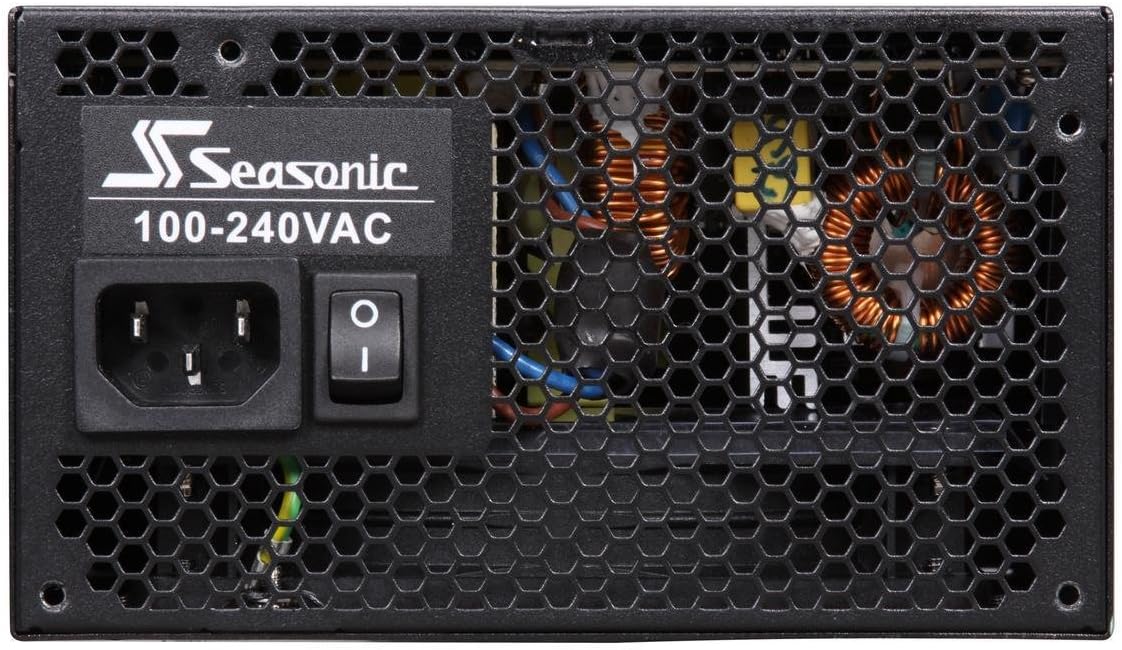
Image 4.1: Rear panel of the power supply showing the AC input and power switch.

Image 4.2: The power supply unit with its direct cable outputs.

Image 4.3: A detailed view of the various power connectors provided.
5. Operation
After installation, ensure the power switch on the rear of the power supply is in the 'ON' (I) position. You can then power on your computer. The 120 mm Fluid Dynamic Bearing fan is regulated by Seasonic's Smart and Silent Fan Control (S2FC) system, which optimizes fan speed based on the power supply's temperature, ensuring quiet operation under typical loads and efficient cooling when needed.
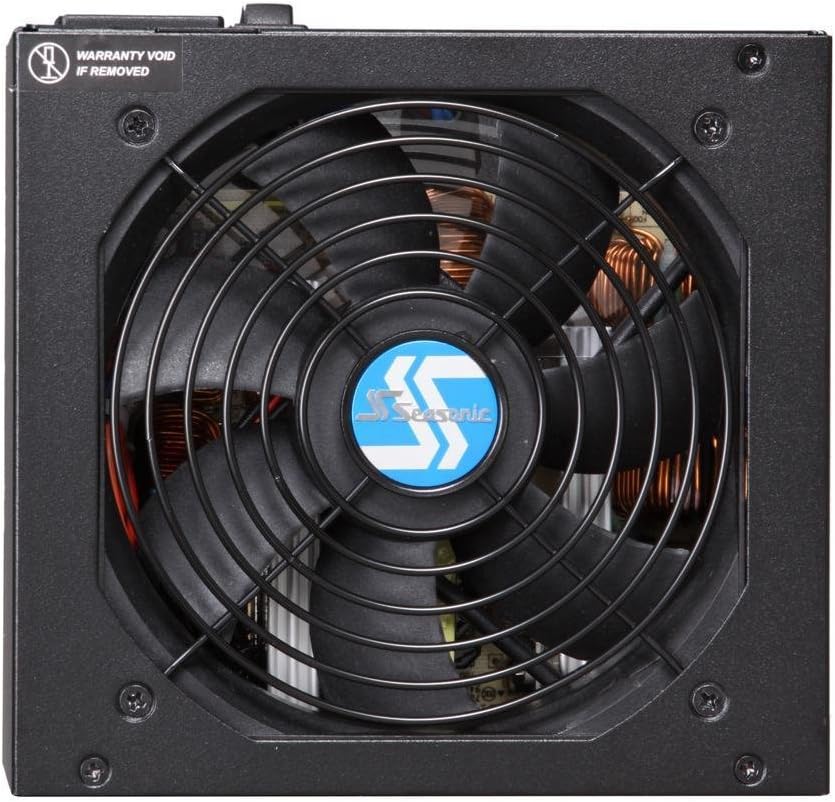
Image 5.1: Top view of the power supply, highlighting the 120mm cooling fan.
6. Maintenance
The Seasonic S12II 620W power supply is designed for reliable, long-term operation with minimal maintenance. However, periodic checks can help ensure optimal performance:
- Dust Removal: Periodically clean dust from the power supply's fan and ventilation grilles using compressed air. Ensure the computer is powered off and unplugged before cleaning.
- Cable Inspection: Occasionally check that all power cables are securely connected and free from damage.
- Environment: Maintain a clean, dry, and well-ventilventilated environment for your computer system.
7. Troubleshooting
If you encounter issues with your power supply, consider the following common troubleshooting steps:
- No Power:
- Ensure the AC power cord is securely plugged into both the power supply and a working wall outlet.
- Check that the power switch on the rear of the power supply is in the 'ON' (I) position.
- Verify all internal power connectors (24-pin ATX, 4+4-pin EPS12V) are firmly seated on the motherboard.
- System Instability/Random Shutdowns:
- Ensure your system's power requirements do not exceed the 620W capacity of the power supply.
- Check for proper ventilation within your computer case to prevent overheating.
- Confirm all component power cables (PCIe, SATA) are correctly connected.
- Unusual Noise:
- A slight fan noise is normal under load. If the noise is excessive or unusual, ensure no cables are obstructing the fan.
- Dust buildup can cause fan noise; refer to the Maintenance section for cleaning instructions.
If problems persist after following these steps, contact Seasonic customer support.
8. Specifications
| Feature | Specification |
|---|---|
| Model | S12II 620 BRONZE (SS-620GB) |
| Wattage | 620 Watts |
| 80 PLUS Certification | Bronze (82% / 85% / 82% efficiency at 20%/50%/100% load) |
| Form Factor | ATX |
| Connector Type | ATX12V & EPS12V (Direct Cable Wire) |
| Cooling Method | Air (120 mm Fluid Dynamic Bearing Fan with S2FC) |
| Capacitors | 105 °C Japanese Capacitors |
| Product Dimensions (L x W x H) | 5.9 x 3.4 x 5.5 inches (150 x 86 x 140 mm) |
| Item Weight | 5.24 pounds (2.38 kg) |
| Compatible Devices | Personal Computer |
9. Warranty and Support
The Seasonic S12II 620W Power Supply comes with a 5-year warranty, reflecting Seasonic's commitment to superior quality and reliability. For technical support, warranty claims, or further assistance, please visit the official Seasonic website or contact their customer service department.
Seasonic Official Website: https://seasonic.com/