
1. Introduction
This manual provides instructions for the safe installation, operation, and maintenance of the Leviton 8200-LW 15-Amp, 125-Volt, Hospital Grade Duplex Receptacle. Please read these instructions thoroughly before beginning installation and retain them for future reference.
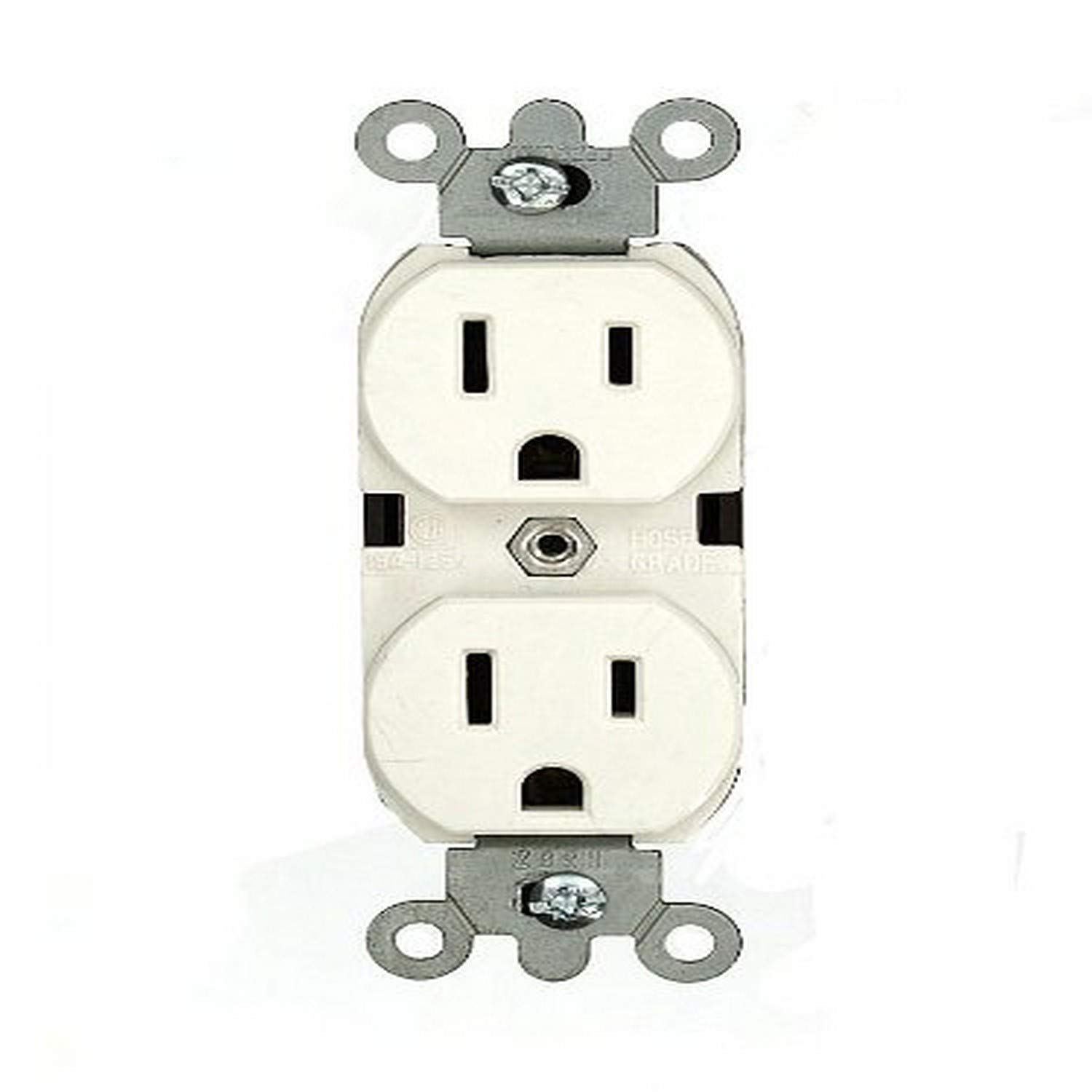
Image 1: Front view of the Leviton 8200-LW Hospital Grade Duplex Receptacle in White.
2. Important Safety Information
WARNING: TO AVOID FIRE, SHOCK, OR DEATH; TURN OFF POWER AT CIRCUIT BREAKER OR FUSE AND TEST THAT POWER IS OFF BEFORE WIRING!
- Installation must be performed by a qualified electrician in accordance with all national and local electrical codes and regulations.
- Always disconnect power at the main service panel before working with electrical wiring.
- Use only copper or copper-clad wire. Do not use aluminum wire with this device.
- Ensure all wire connections are secure and properly insulated.
- This device is designed for indoor use only.
- Do not exceed the specified electrical ratings of the device.
3. Package Contents
The package for the Leviton 8200-LW Duplex Receptacle typically includes:
- One (1) Leviton 8200-LW 15-Amp, 125-Volt, Hospital Grade Duplex Receptacle (White)
4. Product Specifications
| Model Number: | 8200-LW |
| Amperage: | 15 Amps |
| Voltage: | 125 Volts |
| Configuration: | 5-15R |
| Wiring: | 3-Wire, Self-Grounding (Back and Side Wiring) |
| Poles: | 2-Pole |
| Material: | Nylon (Body/Face) |
| Color: | White |
| Approvals: | UL, CSA C22.2, NOM 057 |
| Type: | Heavy Duty, Hospital Grade |
5. Setup and Installation
Tools Required: Screwdriver (Phillips and/or Flathead), Wire Strippers, Electrical Tape, Voltage Tester.
- Turn Off Power: Locate the circuit breaker or fuse that controls the outlet you are replacing or installing. Turn off the power and verify it is off using a voltage tester.
- Remove Old Receptacle (if applicable): Unscrew the wall plate and then the mounting screws holding the old receptacle in the electrical box. Carefully pull the old receptacle out of the box.
- Disconnect Wires: Note the position of each wire before disconnecting. Typically:
- Green or Bare Copper Wire: Ground wire.
- White Wire: Neutral wire.
- Black or Red Wire: Hot (live) wire.
- Prepare Wires: If necessary, strip approximately 1/2 inch (12.7 mm) of insulation from the ends of the wires. Ensure the wire ends are clean and straight.
- Connect Wires to New Receptacle: The Leviton 8200-LW supports both back and side wiring.
- Ground Wire (Green or Bare Copper): Connect to the green hexagonal ground screw.
- Neutral Wire (White): Connect to the silver terminal screws.
- Hot Wire (Black or Red): Connect to the brass terminal screws.
For Side Wiring: Loop the wire clockwise around the screw terminal and tighten securely. Ensure no bare wire is exposed outside the terminal.
For Back Wiring: Insert the stripped wire end into the appropriate hole on the back of the receptacle and tighten the corresponding screw on the side. The V-shaped, serrated back-wiring clamps ensure superior contact.
- Secure Receptacle: Carefully fold the wires into the electrical box. Insert the new receptacle into the box and secure it with the mounting screws.
- Install Wall Plate: Attach the wall plate over the receptacle.
- Restore Power: Turn the power back on at the circuit breaker or fuse.
- Test: Test the receptacle with a known working device.
6. Operating Instructions
The Leviton 8200-LW Duplex Receptacle functions as a standard electrical outlet. Once properly installed and powered, simply insert the plug of your electrical device into one of the two available outlets. Ensure the plug is fully inserted for a secure connection.
7. Maintenance
- Cleaning: To clean the receptacle, ensure power is off at the circuit breaker. Wipe the surface with a soft, damp cloth. Do not use abrasive cleaners or solvents.
- Inspection: Periodically inspect the receptacle for any signs of damage, such as cracks, discoloration, or loose connections. If any damage is observed, disconnect power and have the device inspected or replaced by a qualified electrician.
- "Green Dot" Marking: This hospital-grade receptacle features a permanent "Green Dot" marking on its face, indicating its compliance with hospital-grade standards for enhanced durability and reliability.
8. Troubleshooting
| Problem | Possible Cause | Solution |
|---|---|---|
| No power at the receptacle. | Circuit breaker tripped or fuse blown. Loose wiring connection. | Check and reset the circuit breaker or replace the fuse. Turn off power and check all wire connections for tightness. |
| Plug feels loose in the receptacle. | Worn receptacle contacts (unlikely for new hospital-grade). Incorrect plug type. | Ensure the plug is fully inserted. If the issue persists with multiple devices, consult a qualified electrician for inspection. |
| Receptacle is hot to the touch. | Overload on the circuit. Loose connection. Faulty device. | Immediately disconnect power. Reduce the load on the circuit. Have a qualified electrician inspect the wiring and device. |
9. Warranty and Support
Leviton products are manufactured to the highest quality standards. For specific warranty information and customer support, please refer to the documentation included with your purchase or visit the official Leviton website. Keep your purchase receipt as proof of purchase.
Leviton Customer Support:
- Visit Leviton Support Website
- Refer to the contact information provided on the product packaging.


