
Aprilaire 8463
Aprilaire 8463 Programmable Thermostat User Manual
Model: 8463
1. Introduction
The Aprilaire 8463 Programmable Dual Powered Thermostat is designed to provide precise and customizable control over your home's heating and cooling system. This unit offers flexible programming options for weekly and weekend schedules, allowing you to optimize comfort and energy efficiency.
Featuring a 4.5-inch LCD screen and soft-touch keys, the 8463 thermostat provides clear information and easy programming. It is compatible with single or multi-stage heat pump and hydraulic systems.
2. Important Safety Information
Please read all instructions carefully before installing or operating this thermostat. Failure to follow these instructions could result in property damage, injury, or death.
- Always turn off power to the heating/cooling system at the main fuse or circuit breaker panel before installation or servicing.
- This thermostat operates on 24 Volts. Ensure your system is compatible.
- Installation should be performed by a qualified HVAC technician if you are unsure about any steps.
- Do not use this thermostat for applications other than those described in this manual.
- Keep the thermostat away from direct sunlight, drafts, and heat sources that could affect temperature readings.
3. Product Overview and Components
The Aprilaire 8463 thermostat features an intuitive layout with a clear display and accessible control buttons. Refer to the diagram below for a detailed view of the thermostat's components and their functions.

Figure 3.1: Aprilaire 8463 Thermostat Component Diagram. This diagram illustrates the various parts of the thermostat, including the display, control buttons (MODE, FAN, PROG, UP, DOWN, HOLD), and indicators for system status, temperature settings, and battery life.
- LCD Display: Shows current room temperature, set temperature, time, system mode, fan status, and programming information.
- MODE Button: Cycles through system modes (Heat, Cool, Auto, Off).
- FAN Button: Controls fan operation (Auto, On, Circulate).
- PROG Button: Used to enter and navigate programming menus.
- UP/DOWN Buttons: Adjust temperature settings and navigate menu options.
- HOLD Button: Activates or deactivates the temperature hold function.
- Battery Door: Located on the front for easy battery replacement.
4. Setup and Installation
4.1. Installation Location
Choose a location for your thermostat that is on an inside wall, approximately 5 feet (1.5 meters) above the floor. Avoid locations near windows, doors, or vents, and away from direct sunlight or heat-generating appliances, as these can affect temperature readings.
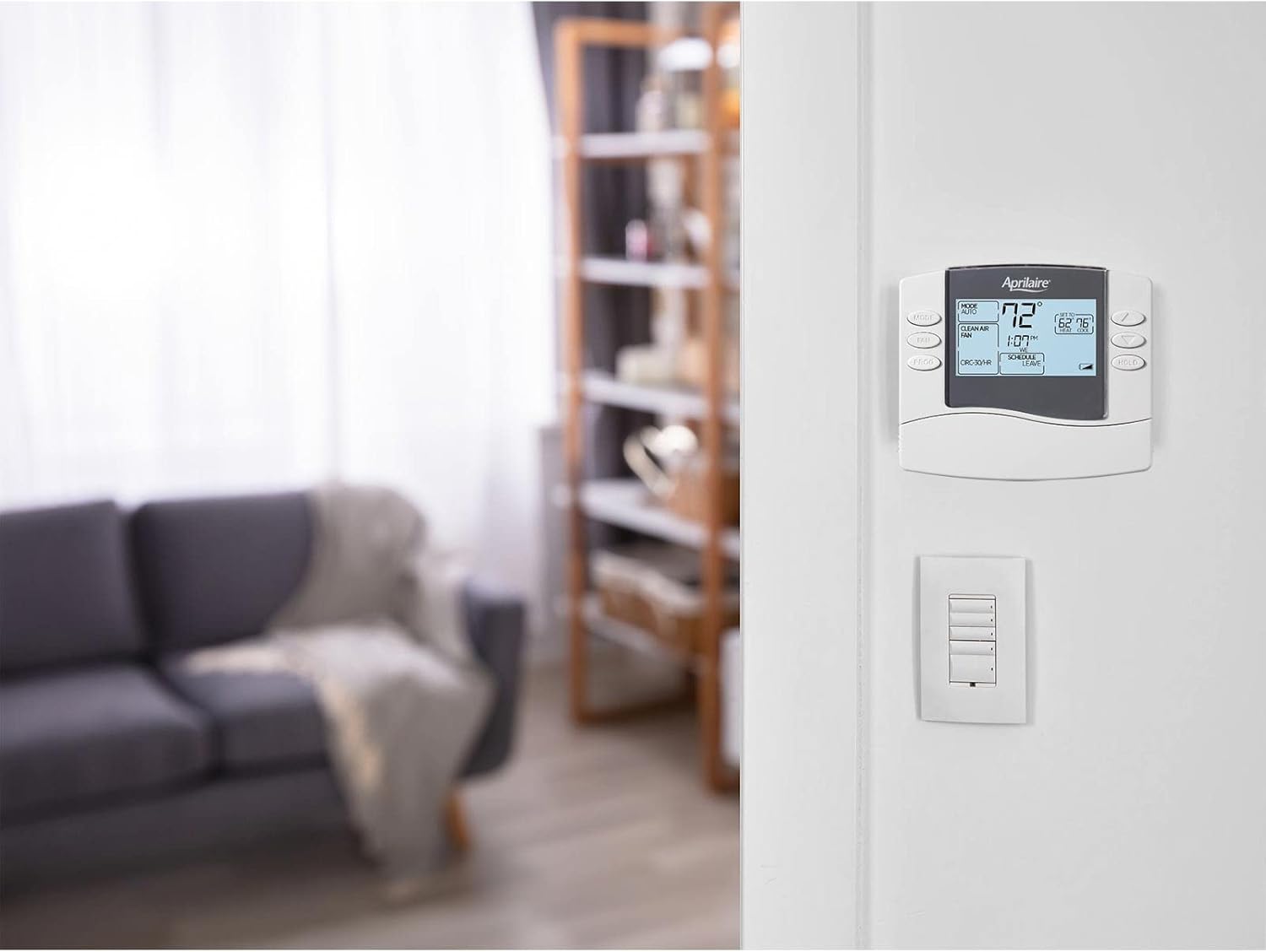
Figure 4.1: Example of Aprilaire 8463 Thermostat mounted on a wall. The thermostat should be installed on an interior wall, away from drafts or direct heat sources, to ensure accurate temperature sensing.
4.2. Mounting the Thermostat
- Turn off power to your heating and cooling system at the main circuit breaker.
- Remove the old thermostat from the wall. Note the wiring connections before disconnecting.
- Mount the new thermostat base plate to the wall using the provided screws.
- Connect the wires to the appropriate terminals on the new thermostat. Refer to your system's wiring diagram or consult a professional if unsure.
- Attach the thermostat body to the base plate.
- Restore power to your heating and cooling system.
4.3. Initial Configuration
After installation and power-up, the thermostat may require initial configuration. This typically involves setting the current time, day, and selecting your system type (e.g., conventional, heat pump). Follow the on-screen prompts or refer to the detailed programming section for specific steps.
5. Operating Instructions
5.1. Basic Operation
- Adjusting Temperature: Use the UP and DOWN buttons to set your desired temperature. The display will show the current room temperature and your set temperature.
- Changing System Mode: Press the MODE button to cycle through available modes:
- HEAT: The system will heat to maintain the set temperature.
- COOL: The system will cool to maintain the set temperature.
- AUTO: The thermostat automatically switches between heating and cooling to maintain the set temperature range.
- OFF: The heating and cooling system is turned off.
- Fan Settings: Press the FAN button to select fan operation:
- AUTO: The fan runs only when the heating or cooling system is active.
- ON: The fan runs continuously, regardless of heating or cooling calls.
- CIRC-30/HR: The fan circulates air for 30 minutes per hour to improve air quality and even out temperatures.
5.2. Programming a Schedule
The Aprilaire 8463 allows for flexible programming with options for 5/1/1 day (weekdays, Saturday, Sunday) or 5/2 day (weekdays, weekend) scheduling. Each day can have up to four periods: Wake, Leave, Return, and Sleep.
- Press the PROG button to enter programming mode.
- Use the UP and DOWN buttons to select the day(s) you wish to program (e.g., M-F, SA, SU). Press PROG to confirm.
- For each period (Wake, Leave, Return, Sleep), use the UP and DOWN buttons to set the desired start time and temperature for both heating and cooling.
- Press PROG to advance to the next period or day.
- Once all periods and days are programmed, press the MODE button to exit programming mode and save your settings.
5.3. Hold Function (Temporary Override)
To temporarily override the programmed schedule, simply adjust the temperature using the UP or DOWN buttons. The thermostat will maintain this new temperature until the next scheduled period begins. To cancel the temporary hold, press the HOLD button again.
5.4. Permanent Hold
To set a permanent temperature hold, press the HOLD button. The display will show "HOLD". Adjust the temperature using the UP or DOWN buttons. The thermostat will maintain this temperature indefinitely until the HOLD button is pressed again to resume the schedule.
6. Maintenance
6.1. Battery Replacement
The Aprilaire 8463 thermostat is dual-powered, meaning it can operate on system power or batteries. If using batteries, a low battery indicator will appear on the display when replacement is needed. The thermostat requires 2 AA alkaline batteries.
- Locate the battery door on the front of the thermostat.
- Open the battery door and remove the old batteries.
- Insert two new AA alkaline batteries, ensuring correct polarity (+/-).
- Close the battery door. The low battery indicator should disappear.
Note: The thermostat retains program settings during battery replacement due to permanent program retention memory.
6.2. Cleaning
To clean the thermostat, gently wipe the exterior with a soft, damp cloth. Do not use abrasive cleaners, solvents, or spray cleaners directly onto the thermostat, as this may damage the unit or affect its operation.
7. Troubleshooting
If you experience issues with your Aprilaire 8463 thermostat, refer to the table below for common problems and their solutions.
| Problem | Possible Cause | Solution |
|---|---|---|
| Thermostat display is blank. | No power, dead batteries. | Check circuit breaker. Replace batteries (2 AA alkaline). |
| System not responding to thermostat settings. | Incorrect wiring, system mode set to OFF, circuit breaker tripped. | Verify wiring connections. Ensure system mode is set to HEAT, COOL, or AUTO. Check circuit breaker for HVAC system. |
| Temperature reading seems inaccurate. | Thermostat location affected by drafts, direct sunlight, or heat sources. | Relocate thermostat if possible. Ensure no obstructions or external influences. |
| Programmed schedule not running. | Thermostat is in HOLD mode. | Press the HOLD button to resume the schedule. |
| Fan runs continuously in AUTO mode. | Fan setting is ON or CIRC-30/HR. | Press the FAN button to cycle to AUTO. |
If the problem persists after trying these solutions, please contact Aprilaire customer support or a qualified HVAC technician.
8. Specifications
- Model Name: Aprilaire 8463
- Power Source: Dual Powered (24 Volts AC or 2 AA Alkaline Batteries)
- Voltage: 24 Volts
- Display Type: Digital LCD with Backlight
- Screen Size: 4.5 Inches (square inch LCD)
- Control Type: Touch Buttons
- Programmability: 5/1/1 day or 5/2 day programmable
- Color: White
- Mounting Type: Wall Mount
- Product Dimensions: 5.25 x 1 x 4.5 inches
- Item Weight: 8.8 ounces
- Connectivity Technology: Wi-Fi
9. Warranty and Customer Support
9.1. Warranty Information
The Aprilaire 8463 Programmable Dual Powered Thermostat comes with a five-year manufacturer's warranty. This warranty covers defects in materials and workmanship under normal use and service. Please retain your proof of purchase for warranty claims.
For detailed warranty terms and conditions, please refer to the official Aprilaire website or contact customer support.
9.2. Customer Support
For technical assistance, troubleshooting, or warranty inquiries, please contact Aprilaire customer support. You can typically find contact information on the official Aprilaire website or through the retailer where you purchased the product.
Aprilaire Official Website: www.aprilaire.com