
IDEAL. 3104
IDEAL 3104 Cross-Cut Commercial Office Paper Shredder Instruction Manual
Model: 3104 (IDEDSH0316H)
1. Introduction
This manual provides essential information for the safe and efficient operation, setup, and maintenance of your IDEAL 3104 Cross-Cut Commercial Office Paper Shredder. Designed for heavy-duty commercial use, this shredder offers P-5 security for sensitive documents.

Image 1.1: The IDEAL 3104 Cross-Cut Commercial Office Paper Shredder, a robust unit designed for office environments.
2. Important Safety Instructions
WARNING: Failure to follow these safety instructions may result in injury or damage to the shredder.
- Read all instructions before using the shredder.
- Keep hands, loose clothing, jewelry, and hair away from the paper entry slot.
- Do not insert fingers or other body parts into the shredder opening.
- Unplug the shredder before moving, cleaning, or performing any maintenance.
- Do not allow children or pets near the shredder.
- Use only shredder oil specifically designed for paper shredders.
- Do not shred items not specified in this manual (e.g., metal objects, wet paper).
- Ensure the shredder is placed on a stable, level surface.
2.1 Patented Safety Shield
The IDEAL 3104 is equipped with an electronically controlled transparent safety shield. This shield is designed to keep fingers, ties, and other objects away from the cutting shafts, enhancing user safety during operation.

Image 2.1: Close-up view of the patented safety shield, illustrating its function in protecting users from the shredding mechanism.
3. Setup
3.1 Unpacking
- Carefully remove the shredder from its packaging.
- Inspect the shredder for any signs of damage. If damaged, do not operate and contact customer support.
- Remove all packing materials from around and inside the shredder, including any protective inserts in the paper entry slot or waste bin.
3.2 Placement
Place the shredder on a firm, level surface. The unit is equipped with casters for easy mobility. Ensure adequate space around the shredder for ventilation and access to the waste bin.

Image 3.1: The shredder positioned in an office setting, highlighting its dimensions (36.5" H x 21" W x 18.5" D) and the integrated casters for mobility.
3.3 Power Connection
Connect the power cord to a grounded electrical outlet. Ensure the voltage matches the requirements specified on the shredder's rating label.
4. Operating Instructions
4.1 Powering On/Off (Easy Switch)
The shredder features an 'Easy Switch' multifunction control. Press the power button on the control panel to turn the shredder on. The switch also indicates operational status and functions as an emergency stop.

Image 4.1: Detail of the Easy Switch, showing the power button and its role in indicating operational status and serving as an emergency stop.
4.2 Feeding Documents
Insert paper, staples, paper clips, or credit cards into the 12-inch feed opening. The shredder will automatically start when material is detected and stop when shredding is complete.
- Paper: Feed up to 17 sheets of standard 20 lb bond paper at a time.
- Staples/Paper Clips: Small staples and paper clips can be shredded along with paper.
- Credit Cards: Insert credit cards one at a time into the paper entry slot.
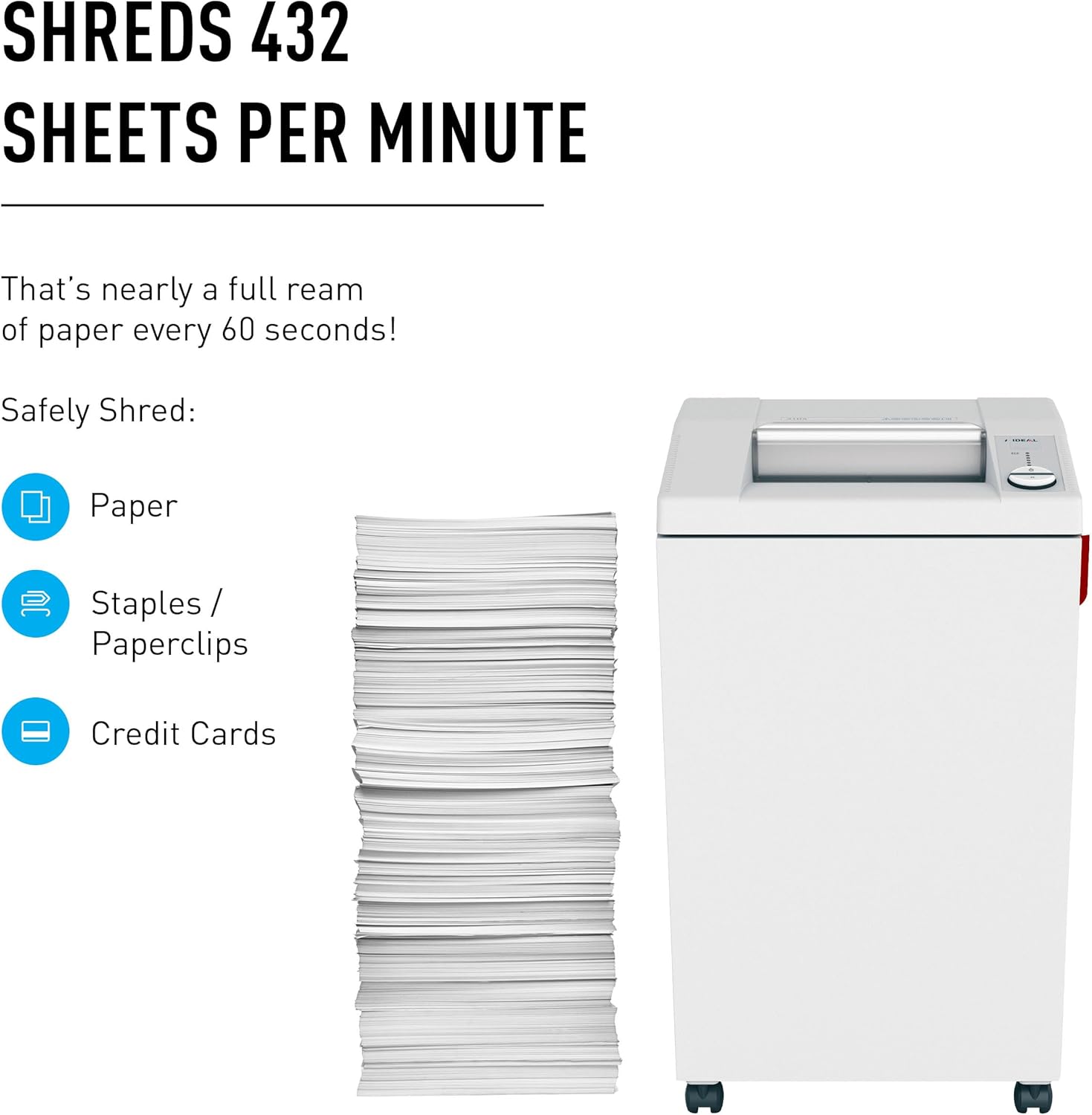
Image 4.2: Illustration of the shredder's capability to shred paper, staples, paper clips, and credit cards, demonstrating its versatility.
4.3 Electronic Capacity Control (ECC)
The patented Electronic Capacity Control (ECC) system monitors the paper feed and provides visual feedback to prevent overfeeding and jams. Green lights indicate optimal feeding, while yellow and red lights warn of potential overload.

Image 4.3: The ECC display on the control panel, showing the indicator lights that guide users to prevent paper jams.
4.4 Continuous Operation
The IDEAL 3104 is designed for continuous operation, eliminating the need for cool-down periods often found in other shredders. This feature ensures consistent performance during high-volume shredding tasks.

Image 4.4: The shredder's design supports continuous operation, suitable for busy office environments without requiring frequent breaks.
5. Maintenance
5.1 Oiling the Shredder
Regular oiling is crucial for maintaining the shredder's performance and longevity. The IDEAL 3104 features an automatic oiler system.
- Automatic Oiler: The shredder automatically oils the cutting shafts at regular intervals. Replace the oil bottle when the indicator light blinks.
- Manual Oiling (if automatic oiler is not functioning or for supplemental oiling): Depending on usage, manually oil the shredder every other day, or at least after each time the bin is emptied. Apply shredder oil in a zigzag pattern across the paper entry slot while the shredder is running in reverse.

Image 5.1: Comparison of automatic and manual oiling procedures for the shredder, emphasizing the importance of lubrication.
5.2 Emptying the Waste Bin
The shredder is equipped with a 32-gallon waste bin. An automatic sensor will stop the shredder when the bin is full, indicating it needs to be emptied. To empty, pull out the bin, dispose of the shredded material, and reinsert the bin securely.
6. Troubleshooting
| Problem | Possible Cause | Solution |
|---|---|---|
| Shredder does not start | No power, waste bin not inserted correctly, safety shield open, shredder overheated. | Check power connection, ensure bin is fully inserted, close safety shield, allow shredder to cool down. |
| Paper jam | Too much paper inserted, material not suitable for shredding. | Use the manual reverse function. If persistent, unplug, clear paper from entry, and re-oil. |
| Shredder runs slowly or makes unusual noise | Cutting shafts require oiling, bin is too full. | Oil the shredder (automatic or manual), empty the waste bin. |
| Bin full indicator remains on after emptying | Sensor obstructed or dirty. | Clean the bin full sensor (refer to diagram in full manual for location). |
For further assistance, please refer to the complete product manual or contact IDEAL customer support.
7. Specifications
- Model: IDEAL 3104 (IDEDSH0316H)
- Shred Type: Cross-Cut
- Security Level: P-5 (HIPAA and FACTA compliant)
- Sheet Capacity: 14-17 sheets (20 lb bond paper)
- Shred Speed: Approximately 432 sheets per minute
- Waste Bin Capacity: 32 Gallons
- Shreds: Paper, staples, paper clips, credit cards
- Continuous Operation: Yes
- Dimensions (H x W x D): 36.5 x 21 x 18.5 inches
- Item Weight: 114.6 pounds
- Manufacturer: MBM (IDEAL.)
- Origin: Made in Germany
7.1 Security Levels Explained
The P-5 security level ensures that shredded documents are reduced to very small particles, making reconstruction extremely difficult and providing high protection against identity theft.

Image 7.1: Example of P-5 security level shredding, showing fine cross-cut particles for enhanced data protection.

Image 7.2: Visual representation of P5 Cross-Cut shredding, compliant with HIPAA and FACTA for secure disposal of sensitive information.
8. Warranty and Support
8.1 Warranty Information
IDEAL products are known for their quality and durability, being 'Made in Germany'. For specific warranty terms and conditions, please refer to the warranty card included with your product or visit the official IDEAL website. Warranty coverage typically includes defects in materials and workmanship.
8.2 Customer Support
If you encounter any issues or have questions regarding your IDEAL 3104 shredder, please contact IDEAL customer support. Contact details can usually be found on the manufacturer's website or in the product documentation.
Related Documents - 3104
 |
Big Dog Motorcycles Transmission and Primary Drive Service Manual and Parts List Comprehensive service manual and parts list for Big Dog Motorcycles transmission and primary drive systems, including detailed repair instructions, component diagrams, and BAKER Drivetrain part numbers. |
 |
Straumann Print Resins: Comprehensive Guide to Dental 3D Printing Materials Explore Straumann's advanced range of 3D printing resins for dental professionals, including materials for models, crowns, dentures, splints, and surgical guides. Enhance your digital dentistry workflow with high-quality, reliable, and esthetic solutions. |
 |
Learning Resources 2021 STEM Educational Product Catalog Explore the 2021 catalog of STEM-certified educational products from Learning Resources, featuring a wide range of toys and learning materials for science, technology, engineering, and math. |
 |
Catalogo Prodotti Trevi 2019: TV, Audio, Telefoni, Wearable e altro Esplora il catalogo completo dei prodotti Trevi 2019, che include televisori, sistemi audio, telefoni cellulari, dispositivi indossabili, lettori multimediali, accessori per auto e molto altro. |
 |
IDEAL Document Shredders Operating Instructions and Safety Guide Comprehensive operating instructions, safety precautions, installation guide, maintenance, and troubleshooting for IDEAL document shredders, including models 2604, 2605, 3104, 3105, 3804, 4002, and 4005. |
 |
TruVision 11/31 Series IP Camera Firmware V5.2 FP12 Release Notes | Interlogix Official release notes for Interlogix TruVision 11/31 Series IP Camera Firmware V5.2 FP12, detailing new features, improvements, and supported camera models. |
Ask a question about this manual
Ask about setup, troubleshooting, compatibility, parts, safety, or missing instructions. Manuals+ will review the question and use this page’s manual context to help answer it.