
1. Introduction
The GunVault NanoVault 100 (Model NV100) is a compact and secure storage solution designed for handguns and other valuables. Constructed from 18-gauge steel with a 1/2-inch thick memory foam interior, it provides protection and meets TSA airline firearm guidelines for travel. This manual provides essential information for the proper setup, operation, and maintenance of your NanoVault 100.
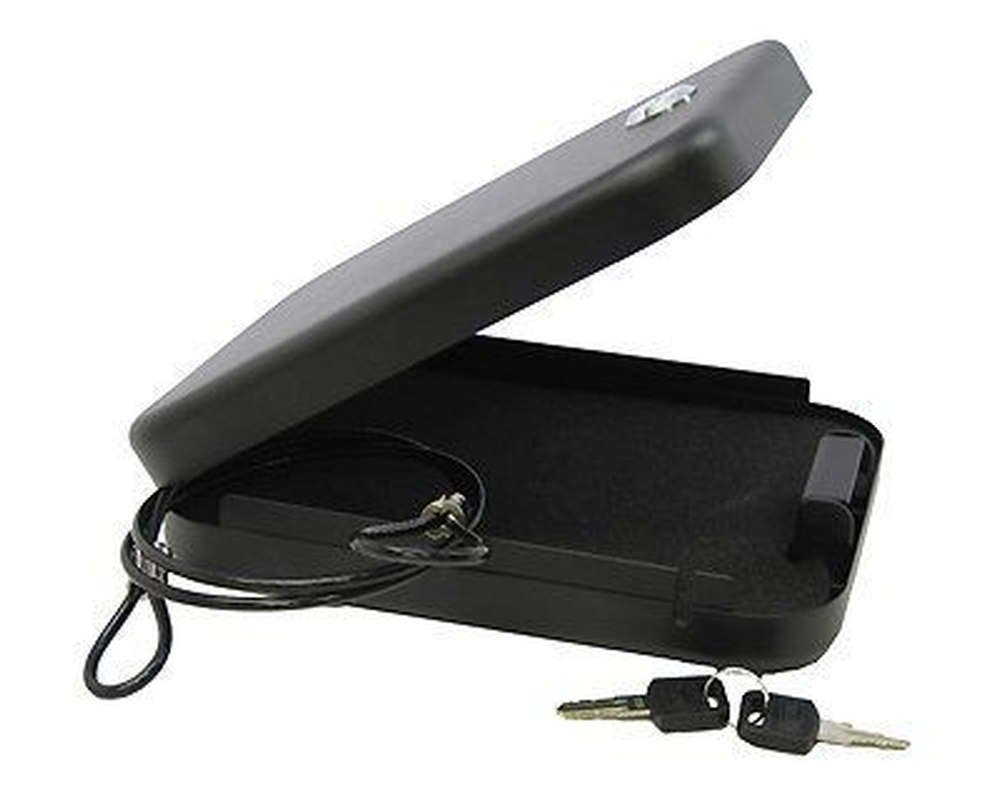
Image 1.1: The GunVault NanoVault 100, a compact security box.
2. Features
- Easy-to-Operate Key Lock System: Provides quick and reliable access.
- Compact Size: Allows for discreet storage in various locations, including bags, briefcases, desks, or under vehicle seats.
- TSA Airline Firearm Guidelines Compliant: Suitable for air travel when following all applicable regulations.
- 18-Gauge Steel Construction: Offers robust physical security.
- 1/2-Inch Memory Foam Interior: Cushions contents and prevents movement.
- 1500 lbs Test Security Cable: Included for securing the vault to a fixed object.
3. Setup
Upon receiving your NanoVault 100, ensure all components are present: the vault, two keys, and the security cable.
3.1 Attaching the Security Cable
- Identify a fixed, immovable object to which you wish to secure the NanoVault.
- Wrap the security cable around the chosen fixed object.
- Locate the larger loop end of the cable.
- Open the NanoVault. Inside, you will find a lock receiver mechanism.
- Slide the larger loop of the cable over the lock receiver inside the security box. Ensure the cable is seated properly in the designated channel along the side of the case.
- Close the NanoVault lid and lock it with the key. The cable will now be securely attached, preventing unauthorized removal of the vault.

Image 3.1: Illustration of the security cable attachment method.
4. Operating Instructions
4.1 Locking the NanoVault
- Place your items inside the NanoVault, ensuring they fit without obstructing the lid.
- Close the lid firmly.
- Insert one of the provided keys into the keyhole on the front of the vault.
- Turn the key clockwise until the lock mechanism engages.
- Remove the key. The NanoVault is now locked.
4.2 Unlocking the NanoVault
- Insert the key into the keyhole.
- Turn the key counter-clockwise until the lock mechanism disengages.
- Open the lid.
- Remove the key and store it in a secure location away from the vault.
5. Maintenance
The NanoVault 100 requires minimal maintenance to ensure its longevity and proper function.
- Cleaning: Wipe the exterior with a soft, damp cloth. Avoid abrasive cleaners or solvents that could damage the finish.
- Interior Foam: The memory foam interior can be removed for cleaning if necessary. Hand wash with mild soap and water, then allow to air dry completely before reinserting.
- Lock Mechanism: Periodically check the key lock for smooth operation. If it becomes stiff, a small amount of graphite lubricant (not oil-based lubricants) can be applied to the key and inserted into the lock.
- Storage: Store the NanoVault in a dry environment to prevent rust or corrosion.
6. Troubleshooting
- Vault is difficult to close: Ensure that no items inside are obstructing the lid or the locking mechanism. Check if the interior foam is properly seated. If the security cable is attached, ensure it is correctly routed through its channel and not interfering with the lid closure.
- Key is stiff or difficult to turn: Apply a small amount of graphite lubricant to the key and insert it into the lock several times. Do not force the key. If the issue persists, contact customer support.
- Missing keys: It is recommended to keep one key in a secure, separate location. If both keys are lost, you will need to contact GunVault customer support for assistance.
7. Specifications
| Manufacturer | GunVault |
| Model Number | NV100 |
| Item Weight | 2 pounds |
| Product Dimensions | 8.25 x 6 x 1.75 inches |
| Size | Fits sub-compact pistols |
| Color | Black |
| Material | 18-gauge steel and foam interior |
| Included Components | Gun Safe, Security Cable, Keys |
| Batteries Required | No |
8. Warranty and Support
8.1 Warranty Information
The GunVault NanoVault 100 comes with a limited 1-year warranty covering manufacturer defects and workmanship. Please retain your proof of purchase for warranty claims.
8.2 Customer Support
For technical assistance, warranty claims, or inquiries regarding your NanoVault 100, please visit the official GunVault website or contact their customer service department. Contact information can typically be found on the manufacturer's website or product packaging.
9. Official Product Videos
No official seller videos are available for this product at this time.


